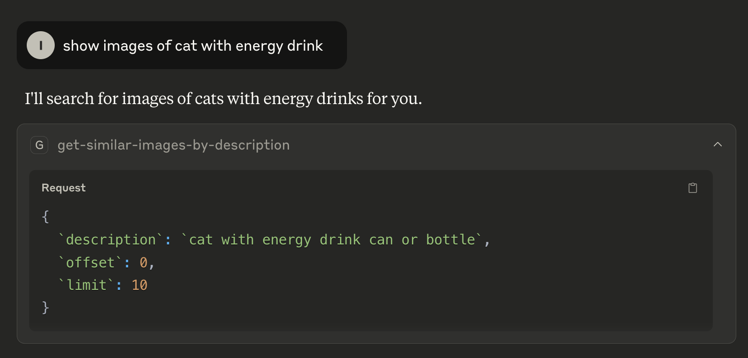
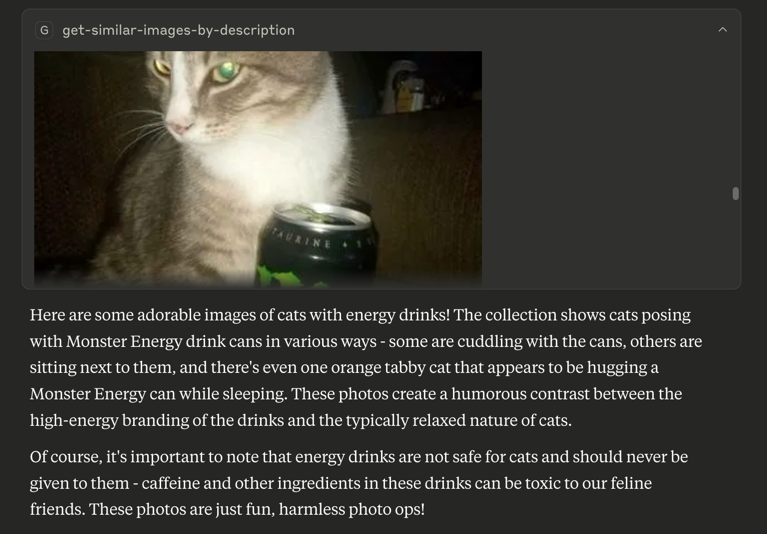
Click on "Install Server".
Wait a few minutes for the server to deploy. Once ready, it will show a "Started" state.
In the chat, type
@followed by the MCP server name and your instructions, e.g., "@Inspire MCP Serverfind images similar to a sunset over mountains with 10 results"
That's it! The server will respond to your query, and you can continue using it as needed.
Here is a step-by-step guide with screenshots.
Inspire MCP Server
A Model Context Protocol server that uses Inspire backend images search capabilities.
Available Tools
get-similar-images-by-description- Get similar images by their text descriptionRequired arguments:
description(string): Image descriptionlimit(number): Pagination limitoffset(number): Pagination offset

Configuration
INSPIRE_API_BASE: base path for the backend gateway. Default:http://localhost:7080IMAGES_BASE_PATH: base path for images. Example:https://<some-bucket>.s3.com/
Variables can be configured using environment variables or command-line arguments, depending on the runtime platform (Docker/Node).
Related MCP server: Parquet MCP Server
Building
Docker:
docker build -t tech-inspire/mcp .Node:
npm ci && npm run buildUsage with Claude Desktop
Add this to claude_desktop_config.json
Docker
{
"mcpServers": {
"inspire": {
"command": "docker",
"args": [
"run",
"--rm",
"-i",
"-e",
"INSPIRE_API_BASE=<API_URL>",
"-e",
"IMAGES_BASE_PATH=<IMAGE_BASE_PATH>",
"tech-inspire/mcp"
]
}
}
}Node
{
"mcpServers": {
"inspire": {
"command": "node",
"args": [
"/path/to/repo/build/index.js",
"--INSPIRE_API_BASE=<INSPIRE_API_BASE>",
"--IMAGES_BASE_PATH=<IMAGES_BASE_PATH>"
]
}
}
}License
This MCP server is licensed under the GNU General Public License, as described in the LICENSE file.