F
licenseA
qualityD
maintenanceProvides access to classic DOS games like DOOM, Super Mario, Tetris, and Duke Nukem 3D through js-dos emulation, allowing users to play these legendary games directly from their AI assistant.
3
25 npm
4
-

Click on "Deploy Server".
Wait a few minutes for the server to deploy. Once ready, it will show a "Started" state.
In the chat, type @ followed by the MCP server name and your instructions, e.g., "@Flappy Bird MCP App I want to play Flappy Bird"
That's it! The server will respond to your query, and you can continue using it as needed.
Here is a step-by-step guide with screenshots.
A fully playable Flappy Bird game that runs inline in AI chat clients via MCP Apps.
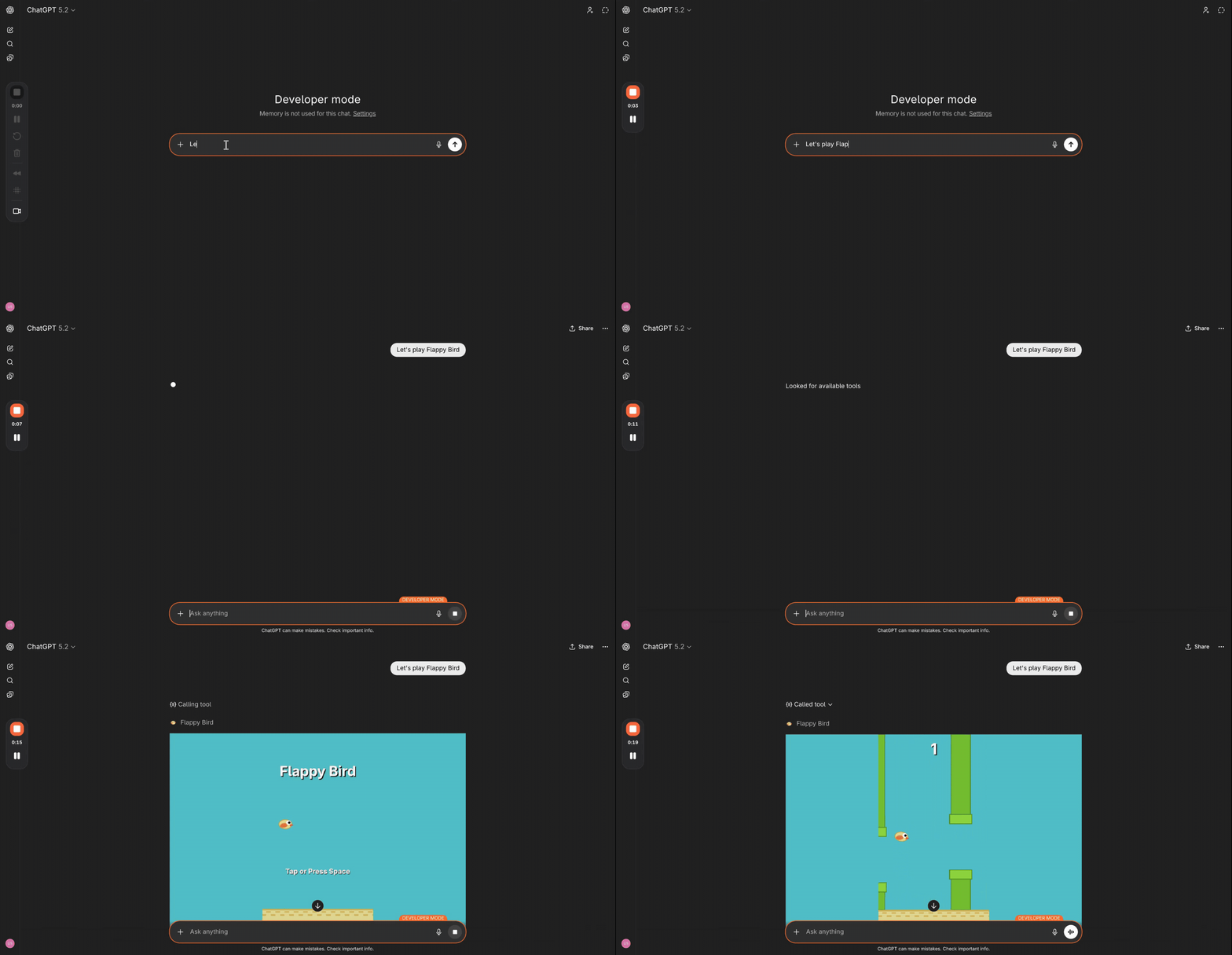
bun install
bun run build
Related MCP server: vibe
bun run serveServer starts at http://localhost:3001/mcp.
cloudflared tunnel --url http://localhost:3001Use the generated https://*.trycloudflare.com/mcp URL as your MCP server endpoint.
See the VS Code MCP docs to add an HTTP server with URL http://localhost:3001/mcp.
Start the tunnel (see above)
Go to chatgpt.com → Settings → Apps → Advanced Settings → enable Developer Mode
Go back to Apps → click Create App
Fill in the details and paste the tunnel URL: https://<your-tunnel>.trycloudflare.com/mcp
Change Authentication to No Auth, then check "I understand and want to continue"
Click Create
Start the tunnel (see above)
Go to claude.ai → Settings → Connectors → click Add custom connector
Paste the tunnel URL: https://<your-tunnel>.trycloudflare.com/mcp
Click Add
Tool | Description |
| Launches the game (renders inline) |
| Submits a score from the game UI |
| Returns the session high score |
This server cannot be deployed
Build, version, review, and export websites, web apps, and games from a conversation.
Publish, test and share browser games on PlayDrop from your AI agent.
Publish, play-test and fix HTML5 browser games from your AI assistant. Own address, 70% ad share.
Publish HTML5 games in seconds from an AI agent: audience, monetization, analytics.