

MIT

Postman MCP Server
by shannonlal
You can run Postman collections and get detailed test results.
Execute Postman collections using Newman via the
run-collectiontool.Specify a collection by local path or URL (required).
Optionally provide environment files, globals files, and an iteration count.
Receive structured results: overall success, total/passed/failed tests, detailed failure info, and execution timings.
Let LLMs (e.g., Claude) run API tests and summarize results in plain language.
Allows running Postman collections using Newman, executing API tests and getting detailed results through a standardized interface
Click on "Deploy Server".
Wait a few minutes for the server to deploy. Once ready, it will show a "Started" state.
In the chat, type
@followed by the MCP server name and your instructions, e.g., "@Postman MCP Serverrun the API tests for our user authentication collection"
That's it! The server will respond to your query, and you can continue using it as needed.
Here is a step-by-step guide with screenshots.
Postman MCP Server
An MCP (Model Context Protocol) server that enables running Postman collections using Newman. This server allows LLMs to execute API tests and get detailed results through a standardized interface.
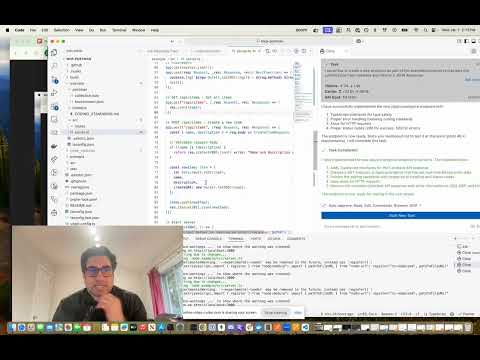
AI Agent Listing

Related MCP server: Postman MCP Server
Features
Run Postman collections using Newman
Support for environment files
Support for global variables
Detailed test results including:
Overall success/failure status
Test summary (total, passed, failed)
Detailed failure information
Execution timings
Installation
Installing via Smithery
To install Postman Runner for Claude Desktop automatically via Smithery:
npx -y @smithery/cli install mcp-postman --client claudeManual Installation
# Clone the repository
git clone <repository-url>
cd mcp-postman

# Install dependencies
pnpm install

# Build the project
pnpm build
Usage
Configuration
Add the server to your Claude desktop configuration file at ~/Library/Application Support/Claude/claude_desktop_config.json:
{
  "mcpServers": {
    "postman-runner": {
      "command": "node",
      "args": ["/absolute/path/to/mcp-postman/build/index.js"]
    }
  }
}
Available Tools
run-collection
Runs a Postman collection and returns the test results.
Parameters:
collection(required): Path or URL to the Postman collectionenvironment(optional): Path or URL to environment fileglobals(optional): Path or URL to globals fileiterationCount(optional): Number of iterations to run
Example Response:
{
  "success": true,
  "summary": {
    "total": 5,
    "failed": 0,
    "passed": 5
  },
  "failures": [],
  "timings": {
    "started": "2024-03-14T10:00:00.000Z",
    "completed": "2024-03-14T10:00:01.000Z",
    "duration": 1000
  }
}
Example Usage in Claude
You can use the server in Claude by asking it to run a Postman collection:
"Run the Postman collection at /path/to/collection.json and tell me if all tests passed"
Claude will:
Use the run-collection tool
Analyze the test results
Provide a human-friendly summary of the execution
Development
Project Structure
src/
  ├── index.ts           # Entry point
  ├── server/
  │   ├── server.ts     # MCP Server implementation
  │   └── types.ts      # Type definitions
  └── newman/
      └── runner.ts     # Newman runner implementation
test/
  ├── server.test.ts    # Server tests
  ├── newman-runner.test.ts  # Runner tests
  └── fixtures/         # Test fixtures
      └── sample-collection.json
Running Tests
# Run tests
pnpm test

# Run tests with coverage
pnpm test:coverage
Building
# Build the project
pnpm build

# Clean build artifacts
pnpm clean
Contributing
Fork the repository
Create your feature branch (
git checkout -b feature/amazing-feature)Commit your changes (
git commit -m 'Add some amazing feature')Push to the branch (
git push origin feature/amazing-feature)Open a Pull Request
License
ISC
Available Tools
1 toolrun-collectionC
Run a Postman Collection using Newman
| Name | Required | Description | Default |
|---|---|---|---|
| collection | Yes | Path or URL to the Postman collection | |
| environment | No | Optional path or URL to environment file | |
| globals | No | Optional path or URL to globals file | |
| iterationCount | No | Optional number of iterations to run |
TDQS
C2.9/5.0
Behavior2/5
Does the description disclose side effects, auth requirements, rate limits, or destructive behavior?
With no annotations provided, the description carries the full burden of behavioral disclosure but only states the basic action. It fails to mention critical behavioral traits such as whether this is a read-only or destructive operation, authentication requirements, rate limits, execution time, or what happens during the run (e.g., output format, error handling).
Agents need to know what a tool does to the world before calling it. Descriptions should go beyond structured annotations to explain consequences.
Conciseness5/5
Is the description appropriately sized, front-loaded, and free of redundancy?
The description is a single, efficient sentence with zero wasted words. It is appropriately sized and front-loaded, directly stating the tool's purpose without unnecessary elaboration.
Shorter descriptions cost fewer tokens and are easier for agents to parse. Every sentence should earn its place.
Completeness2/5
Given the tool's complexity, does the description cover enough for an agent to succeed on first attempt?
Given the complexity of running a Postman collection (which involves execution, potential side effects, and output), the lack of annotations and output schema means the description is incomplete. It does not address what the tool returns, error conditions, or behavioral implications, leaving significant gaps for an AI agent.
Complex tools with many parameters or behaviors need more documentation. Simple tools need less. This dimension scales expectations accordingly.
Parameters3/5
Does the description clarify parameter syntax, constraints, interactions, or defaults beyond what the schema provides?
The input schema has 100% description coverage, clearly documenting all four parameters. The description adds no additional semantic information about parameters beyond what the schema provides, so it meets the baseline of 3 for adequate but not additive value.
Input schemas describe structure but not intent. Descriptions should explain non-obvious parameter relationships and valid value ranges.
Purpose4/5
Does the description clearly state what the tool does and how it differs from similar tools?
The description clearly states the action ('Run') and the resource ('a Postman Collection using Newman'), providing a specific verb+resource combination. However, since there are no sibling tools mentioned, it cannot demonstrate differentiation from alternatives, which prevents a perfect score of 5.
Agents choose between tools based on descriptions. A clear purpose with a specific verb and resource helps agents select the right tool.
Usage Guidelines2/5
Does the description explain when to use this tool, when not to, or what alternatives exist?
The description provides no guidance on when to use this tool versus alternatives, prerequisites, or contextual constraints. It simply states what the tool does without offering any usage instructions or exclusions.
Agents often have multiple tools that could apply. Explicit usage guidance like "use X instead of Y when Z" prevents misuse.
Tool Schema Changelog
Recent tool additions, removals, and schema changes observed during successful MCP inspections.
1 tool update
v1.0.0- First observed
run-collection
TDQS
B3.1/5.0
Scored across 1 tool
Disambiguation5/5
With only one tool, there is no possibility of ambiguity or overlap between tools. The tool's purpose is clearly defined as running a Postman Collection using Newman, leaving no room for misselection.
Naming Consistency5/5
The single tool name 'run-collection' follows a clear verb-noun pattern, using a hyphen for separation. Since there is only one tool, consistency is inherently perfect with no deviations or mixed conventions.
Tool Count2/5
A single tool is too few for a server named 'Postman MCP Server', which suggests a broader scope related to Postman API testing. This minimal toolset feels thin and underdeveloped, limiting functionality to just running collections without supporting other common Postman operations.
Completeness2/5
The tool surface is severely incomplete for a Postman-related domain. It only covers running collections, missing obvious gaps such as creating, managing, or listing collections, environments, or variables, which are core to Postman workflows and would cause significant agent failures.
Maintenance
ActivitySlowing
ResponsivenessNo issues
Related MCP Connectors
End-to-end API testing — generate and run tests from OpenAPI, curl, Postman, or real user traffic.
Give your AI agents trusted access to the full Postman platform.
Direct access to Cypress tests results and accessibility reports in your AI workflow.
AI-callable tools for API mocking, testing, monitoring, security, and automation.
Related MCP Servers
- AlicenseBqualityDmaintenanceAn MCP server that enables running Postman collections using Newman, allowing LLMs to execute API tests and get detailed results through a standardized interface.150 npmMIT
- AlicenseNot gradedqualityDmaintenanceEnables interaction with Postman workspaces, collections, requests, responses, and monitors through the Postman API. Allows users to manage API collections, create and update requests/responses, and execute monitors directly from chat.13 npmMIT
- AlicenseBqualityDmaintenanceAutomatically generates Postman collections from code directories by analyzing API endpoints and parameters, enabling easy testing, documentation, and sharing.143MIT