Glama

Postman MCP Server

An MCP (Model Context Protocol) server that enables running Postman collections using Newman. This server allows LLMs to execute API tests and get detailed results through a standardized interface.

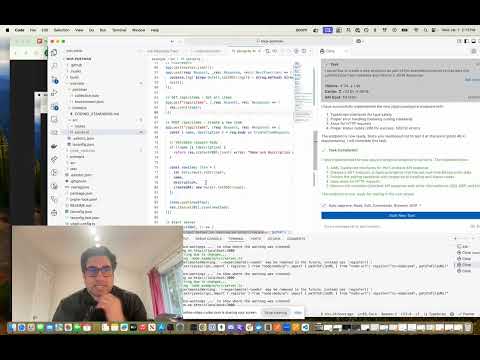
MCP Postman Server Demo

Features

  • Run Postman collections using Newman

  • Support for environment files

  • Support for global variables

  • Detailed test results including:

    • Overall success/failure status

    • Test summary (total, passed, failed)

    • Detailed failure information

    • Execution timings

Related MCP server: Postman MCP Generator

Installation

Installing via Smithery

To install Postman Runner for Claude Desktop automatically via Smithery:

npx -y @smithery/cli install mcp-postman --client claude

Manual Installation

# Clone the repository
git clone <repository-url>
cd mcp-postman

# Install dependencies
pnpm install

# Build the project
pnpm build

Usage

Configuration

Add the server to your Claude desktop configuration file at ~/Library/Application Support/Claude/claude_desktop_config.json:

{
  "mcpServers": {
    "postman-runner": {
      "command": "node",
      "args": ["/absolute/path/to/mcp-postman/build/index.js"]
    }
  }
}

Available Tools

run-collection

Runs a Postman collection and returns the test results.

Parameters:

  • collection (required): Path or URL to the Postman collection

  • environment (optional): Path or URL to environment file

  • globals (optional): Path or URL to globals file

  • iterationCount (optional): Number of iterations to run

Example Response:

{
  "success": true,
  "summary": {
    "total": 5,
    "failed": 0,
    "passed": 5
  },
  "failures": [],
  "timings": {
    "started": "2024-03-14T10:00:00.000Z",
    "completed": "2024-03-14T10:00:01.000Z",
    "duration": 1000
  }
}

Example Usage in Claude

You can use the server in Claude by asking it to run a Postman collection:

"Run the Postman collection at /path/to/collection.json and tell me if all tests passed"

Claude will:

  1. Use the run-collection tool

  2. Analyze the test results

  3. Provide a human-friendly summary of the execution

Development

Project Structure

src/
  ├── index.ts           # Entry point
  ├── server/
  │   ├── server.ts     # MCP Server implementation
  │   └── types.ts      # Type definitions
  └── newman/
      └── runner.ts     # Newman runner implementation
test/
  ├── server.test.ts    # Server tests
  ├── newman-runner.test.ts  # Runner tests
  └── fixtures/         # Test fixtures
      └── sample-collection.json

Running Tests

# Run tests
pnpm test

# Run tests with coverage
pnpm test:coverage

Building

# Build the project
pnpm build

# Clean build artifacts
pnpm clean

Contributing

  1. Fork the repository

  2. Create your feature branch (git checkout -b feature/amazing-feature)

  3. Commit your changes (git commit -m 'Add some amazing feature')

  4. Push to the branch (git push origin feature/amazing-feature)

  5. Open a Pull Request

License

ISC

Available Tools

1 tool
run-collectionC

Run a Postman Collection using Newman

ParametersJSON Schema
NameRequiredDescriptionDefault
collectionYesPath or URL to the Postman collection
environmentNoOptional path or URL to environment file
globalsNoOptional path or URL to globals file
iterationCountNoOptional number of iterations to run

TDQS

C2.9/5.0
Behavior2/5

Does the description disclose side effects, auth requirements, rate limits, or destructive behavior?

With no annotations provided, the description carries full burden for behavioral disclosure. It mentions 'run' but doesn't specify whether this is a read-only operation, if it modifies data, requires authentication, has side effects, or what the output looks like. This leaves significant gaps for an agent to understand the tool's behavior.

Agents need to know what a tool does to the world before calling it. Descriptions should go beyond structured annotations to explain consequences.

Conciseness5/5

Is the description appropriately sized, front-loaded, and free of redundancy?

The description is a single, clear sentence with zero wasted words. It's appropriately sized and gets straight to the point without unnecessary elaboration.

Shorter descriptions cost fewer tokens and are easier for agents to parse. Every sentence should earn its place.

Completeness2/5

Given the tool's complexity, does the description cover enough for an agent to succeed on first attempt?

For a tool with 4 parameters, no annotations, and no output schema, the description is insufficient. It doesn't explain what happens when the tool runs (e.g., test execution results, potential side effects), nor does it provide behavioral context needed for safe and effective use by an AI agent.

Complex tools with many parameters or behaviors need more documentation. Simple tools need less. This dimension scales expectations accordingly.

Parameters3/5

Does the description clarify parameter syntax, constraints, interactions, or defaults beyond what the schema provides?

The schema has 100% description coverage, so all parameters are documented in the schema. The description doesn't add any additional semantic context about parameters beyond what's already in the schema, which is acceptable but not exceptional given the schema's completeness.

Input schemas describe structure but not intent. Descriptions should explain non-obvious parameter relationships and valid value ranges.

Purpose4/5

Does the description clearly state what the tool does and how it differs from similar tools?

The description clearly states the action ('Run') and the resource ('a Postman Collection using Newman'), providing specific technical context. It doesn't need to differentiate from siblings since none exist, but it could be slightly more specific about what 'run' entails (e.g., executing API tests).

Agents choose between tools based on descriptions. A clear purpose with a specific verb and resource helps agents select the right tool.

Usage Guidelines2/5

Does the description explain when to use this tool, when not to, or what alternatives exist?

No guidance is provided about when to use this tool versus alternatives, prerequisites, or typical use cases. The description simply states what it does without context about appropriate scenarios or limitations.

Agents often have multiple tools that could apply. Explicit usage guidance like "use X instead of Y when Z" prevents misuse.

TDQS

B3/5.0
Disambiguation5/5

With only one tool, there is no possibility of ambiguity or overlap between tools. The tool's purpose is clearly defined and distinct by default.

Naming Consistency5/5

A single tool inherently has perfect naming consistency, as there are no other tools to compare against. The naming follows a clear verb_noun pattern.

Tool Count2/5

A single tool is too few for a server named 'Postman MCP Server', which suggests broader Postman API functionality. This minimal set feels thin and under-scoped for the implied domain.

Completeness1/5

The tool surface is severely incomplete for a Postman server. It only allows running collections, missing essential operations like creating/editing collections, managing environments, viewing results, or interacting with other Postman features.

Maintenance

ActivityInactive
ResponsivenessSyncing

Resources

Unclaimed servers have limited discoverability.

Looking for Admin?

If you are the server author, to access and configure the admin panel.

Related MCP Connectors

Related MCP Servers

  • A
    license
    B
    quality
    D
    maintenance
    An MCP server that generates AI agent tools from Postman collections and requests. This server integrates with the Postman API to convert API endpoints into type-safe code that can be used with various AI frameworks.
    1
    13
    MIT
  • F
    license
    Not graded
    quality
    D
    maintenance
    An MCP server that converts Postman API requests into executable tools for LLMs using the Postman Runtime. It supports complex authentication types and enables seamless integration between Postman collections and MCP clients like Claude Desktop.
  • F
    license
    Not graded
    quality
    C
    maintenance
    An MCP server generated from Postman API requests, enabling natural language interaction with Postman collections via MCP-compatible clients like Claude.

Latest Blog Posts

MCP directory API

We provide all the information about MCP servers via our MCP API.

curl -X GET 'https://glama.ai/api/mcp/v1/servers/Gechmind/mcp-postman'

If you have feedback or need assistance with the MCP directory API, please join our Discord server