
bl-halo-mcp
# bl-halo-mcp
[](https://github.com/sandraschi/bl-halo-mcp/actions/workflows/ci.yml)
[](LICENSE)
[](pyproject.toml)
[](pyproject.toml)
[](docs/ONBOARDING.md)
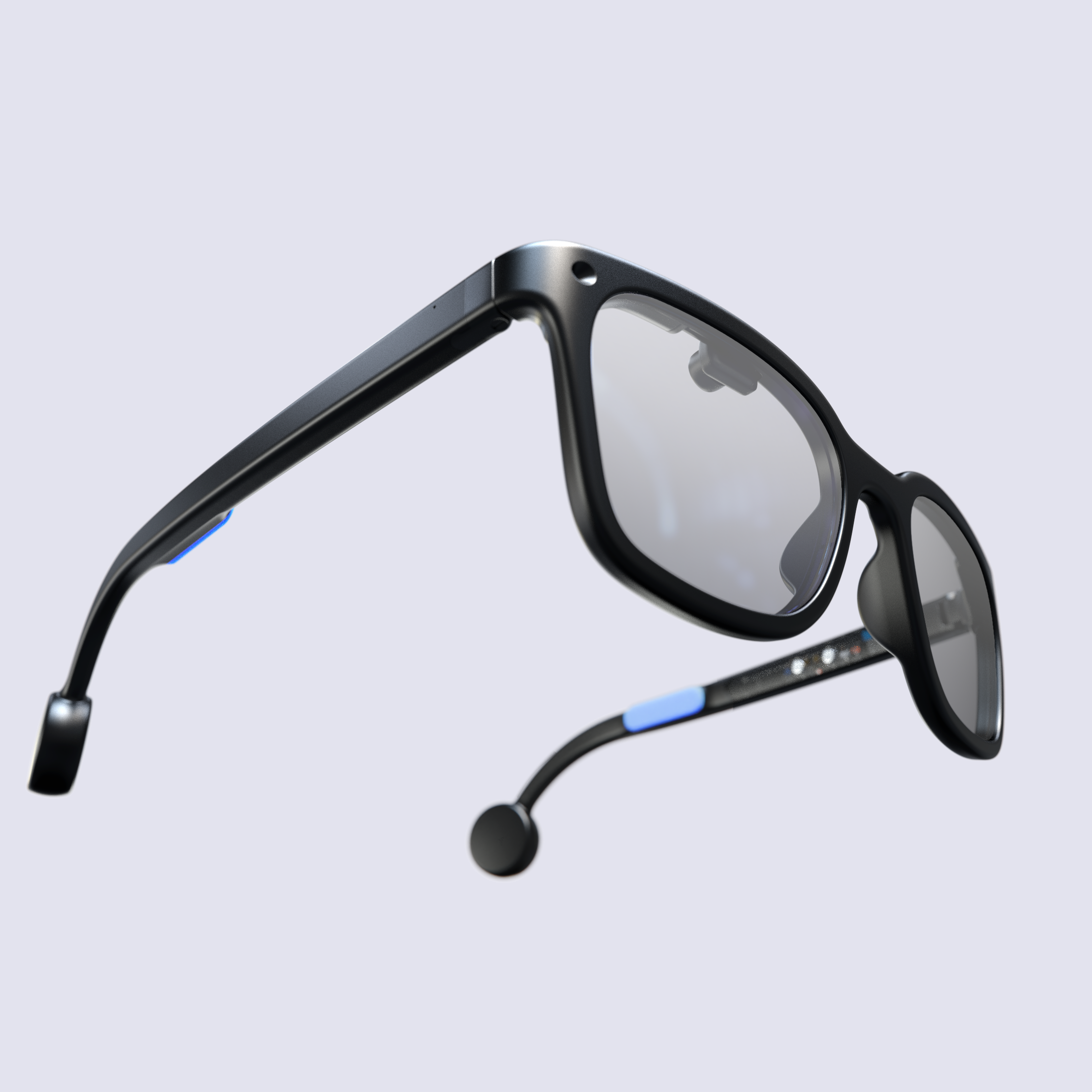
Fleet MCP wrapper for **Brilliant Labs Halo** smart glasses (2025 successor to **Frame** 2024). Open-source AI glasses: ~40 g wayfarer, 0.2 in 640x480 RGB microOLED peripheral HUD, low-power camera, dual mics + bone-conduction audio, IMU + taps/clicks, NPU SoC, Lua 5.4 `frame.*` VM over BLE, Noa companion AI with Narrative memory + natural-language Miniapps.
## How it runs
Headless default: FastMCP stdio (`uv run python -m bl_halo_mcp.server`) + Starlette REST (11976) + Vite dashboard (11977). MOCK mode needs no hardware. Live needs BLE + paired Halo/Frame + Noa app.
Hands-in: display write, photo capture, Lua deploy, Noa ask. Hands-out: BLE pairing, firmware flash, store publish (drafts only here).
## Hardware (open, documented)
Halo is fully documented open hardware: Balletto B1 (Cortex-M55 + Ethos-U55 NPU),
VGA global-shutter camera, dual mics, bone-conduction audio, tap-interrupt IMU,
300 mAh - see [docs/HARDWARE.md](docs/HARDWARE.md) and the dashboard **Hardware**
page with a 3D viewer for Brilliant's official full-assembly STL
(`docs.brilliant.xyz/halo/halo.stl`). No official CAD sources or firmware repo
exist yet (both "coming soon" upstream) - anything claiming otherwise is wrong.
## Status: alive, small-batch (not dead, not Meta)
First Halo units shipped Aug 2026 after a bumpy ramp (production dates slipped
repeatedly through H1 2026 - hinge/plastics tweaks, holiday shutdowns). Limited
quantities, direct sale via brilliant.xyz ($299 pre-launch, now $349-399).
Frame is discontinued/sold out. Company active: 2026 partnerships (Alif, Neuphonic,
TheStage AI, Liquid AI), maintained docs/SDK/firmware.
Supply chain is China-centered (Brilliant has not named the assembly factory;
schedules move with Chinese holidays; Far-East suppliers include Guozhao
display, QST compass, Grepow cells). Design in Singapore/HK, fabless global BOM,
assembly in China - the standard small-batch open-hardware play. Consequence for
this repo: MOCK-first + emulator is the primary dev path for most people; live
hardware is a bonus, not the baseline.
## Quick start
```powershell
Copy-Item .env.example .env
uv sync --extra dev
uv run pytest -q
.\start.ps1
```
> **First time?** Complete [docs/ONBOARDING.md](docs/ONBOARDING.md) before expecting live host calls.
## Documentation
| Doc | Purpose |
|-----|---------|
| [docs/ONBOARDING.md](docs/ONBOARDING.md) | Onboarding (mandatory: Halo/Frame, BLE, emulator, Noa costs) |
| [docs/CONFIGURATION.md](docs/CONFIGURATION.md) | Env + ports |
| [docs/DEVELOPMENT.md](docs/DEVELOPMENT.md) | Dev loop |
| [docs/TOOLS.md](docs/TOOLS.md) | Tool reference |
| [docs/TROUBLESHOOTING.md](docs/TROUBLESHOOTING.md) | Fixes |
Backend health: `http://127.0.0.1:11976/api/health`. Ports 11976/11977 registered in fleet `WEBAPP_PORTS.md`.
## MCP tools (implemented)
- `halo_device` - 21-op portmanteau (status, connect, show_text/image, photo, IMU, audio, Lua CRUD, Noa, Miniapp, firmware)
- `halo_dashboard` - Prefab App status card
- `halo_help`, `halo_shutdown` - help + guarded disconnect
- Resource `skill://halo-dev/SKILL.md`, prompt `halo_recipe`
Upstream: docs `https://docs.brilliant.xyz`, SDK `https://github.com/brilliantlabsAR/brilliant_sdk`, Noa `https://github.com/brilliantlabsAR/noa-flutter`.
TDQS
Scored across 4 tools
halo_device is a catch-all that overlaps with halo_dashboard (status vs. full dashboard) and can perform many actions, making its boundary fuzzy. halo_help and halo_shutdown are distinct, but the general-purpose nature of halo_device creates ambiguity.
All tools share the consistent halo_ prefix and use snake_case, creating a recognizable family. However, the second part mixes nouns (device, dashboard) with verbs (shutdown) and a noun/verb (help), which is a minor inconsistency.
Four tools is a well-scoped set for a niche device controller, avoiding both bloat and thinness. Each tool has a clear role, even if halo_device is broad.
Core operations like status, display text, photo capture, help, shutdown, and dashboard are covered. Missing explicit connect/pair or settings tools, but help references BLE pairing and the surface feels adequate for typical use.