

A
licenseNot graded
qualityC
maintenanceA Model Context Protocol server that enables AI assistants to manage meeting data, including creating meeting bots, searching transcripts, and organizing calendar events.
30
MIT

The Attendee MCP Server enables the creation and management of AI meeting bots for recording, transcribing, and interacting with meetings.
Key capabilities:
Bot Management: Create and remove bots, check their status, and list all active bots
Meeting Interaction: Make bots speak via text-to-speech, send chat messages, display images, and play videos (Google Meet only)
Data Retrieval: Access meeting transcripts, chat messages, and recording URLs
Data Management: Delete all data associated with a bot (recordings, transcripts, etc.)
Mentioned as a companion MCP that can be combined with the Attendee MCP for workflows where Brave Search provides information that the Attendee bot can then relay in meetings.
Enables sending bots to Google Meet meetings with support for text-to-speech, chat messaging, displaying images, and playing videos in the meeting.
Allows creating and sending meeting bots to join Zoom meetings, with capabilities for text-to-speech, sending chat messages, and retrieving meeting transcripts.
Click on "Deploy Server".
Wait a few minutes for the server to deploy. Once ready, it will show a "Started" state.
In the chat, type @ followed by the MCP server name and your instructions, e.g., "@Attendee MCP Server send a bot to this Zoom meeting: https://zoom.us/j/123456789"
That's it! The server will respond to your query, and you can continue using it as needed.
Here is a step-by-step guide with screenshots.
This is an MCP for sending and managing meeting bots with Attendee, an open-source meeting bot for recording and transcription. You can run Attendee locally or deploy it to the cloud.
Questions? Join the Attendee Slack.
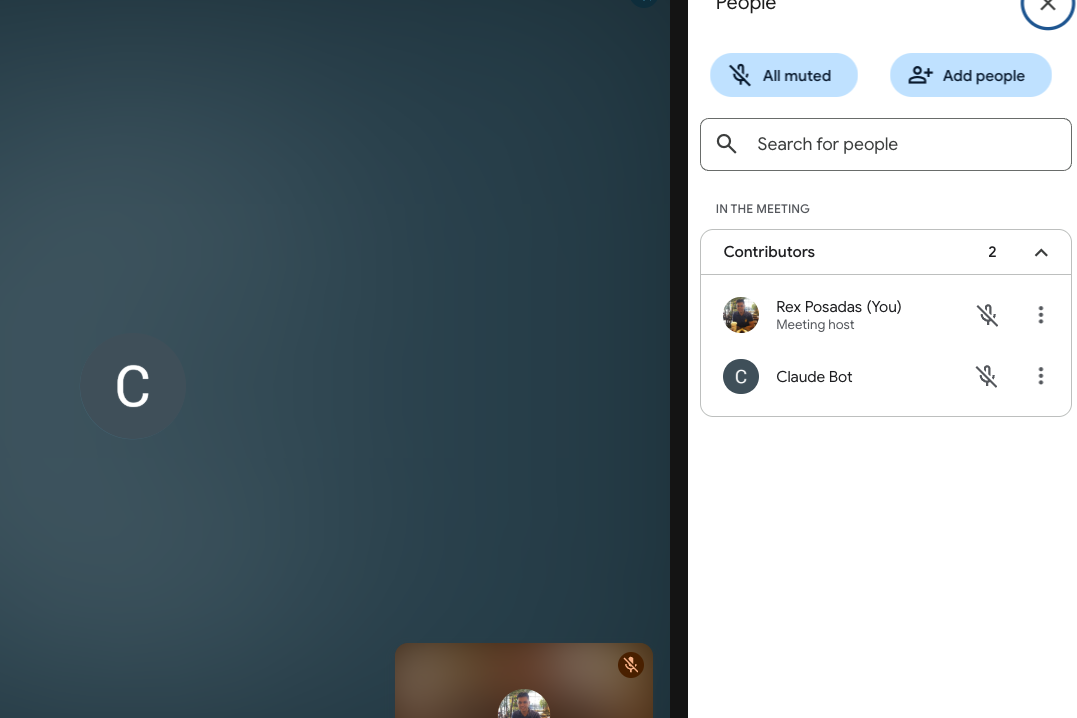
Using Claude as an example: You can type the following and start working with an AI meeting bot.
"Send a bot to this meeting: <meeting_url>"
"Have the bot speak 'Hello'", and the bot would say 'Hello' it in the meeting.
"Have the bot send a chat message: 'Glad to be here'", and the bot would write 'Glad to be here' in the chat.
"Have the bot leave the meeting"
Related MCP server: VoIPBin MCP Server
Combining MCPs leads to powerful workflows. For example, I use the Brave Search MCP alongside the Attendee MCP. When I ask Claude, “Who won the last Roland Garros tournament?”, it:
Uses the web MCP to find the answer online.
Pipes the result to the Attendee bot, which speaks the answer back to me
We will use Claude as an example, but you can use any tool that works with MCPs.
# Clone your fork or the main repo
git clone https://github.com/rexposadas/attendee-mcp.git
cd attendee-mcp

# Install dependencies
npm install

# Build the TypeScript
npm run build

# Link for global use
npm linkSet these environment variables for your Attendee server:
export MEETING_BOT_API_URL="http://localhost:8000"  # Your Attendee server URL
export MEETING_BOT_API_KEY="your-api-key-here"     # Your Attendee API key
Add these to your shell profile (~/.zshrc, ~/.bashrc, etc.) to make them permanent.
Update your Claude Desktop configuration file at:
~/Library/Application Support/Claude/claude_desktop_config.json. after you make the changes, restart Claude
mcpServers section to include the Attendee MCP server. Use the direct path for now since that's proving to be the most reliable.{
"mcpServers": {
"attendee": {
"command": "node",
"args": [
"<path>/attendee-mcp/dist/index.js"
],
"env": {
"MEETING_BOT_API_URL": "<attendee-url-here>",
"MEETING_BOT_API_KEY": "your-api-key-here"
}
}
}
}Replace /path/to/attendee-mcp with the actual path where you cloned the repository.
Start your Attendee server:
make build
make up
Test in Claude Desktop:
Ask Claude: "What MCP tools are available?"
Once configured, you can use natural language commands in Claude Desktop:
"Create a meeting bot for this Zoom: https://zoom.us/j/123456789"
"Send a bot to this Google Meet: https://meet.google.com/abc-defg-hij"
"Join this Teams meeting with a bot: https://teams.microsoft.com/..."
"What's the status of bot bot_abc123?"
"Remove bot bot_abc123 from the meeting"
This server provides the following tools:
create_meeting_bot - Create a bot to join and record a meeting
get_bot_status - Check the current status of a meeting bot
remove_meeting_bot - Remove a bot from a meeting
make_bot_speak - Make the bot speak using text-to-speech
send_chat_message - Send chat messages from the bot
send_image_to_meeting - Display images through the bot (Google Meet only)
send_video_to_meeting - Play videos through the bot (Google Meet only)
get_meeting_transcript - Retrieve the meeting transcript
get_chat_messages - Get chat messages from the meeting
get_recording - Get the recording download URL
delete_bot_data - Permanently delete all bot data
"Network error" or API connection issues:
Ensure your Attendee server is running on the configured URL
Check that your API key is correct
Verify the MEETING_BOT_API_URL and MEETING_BOT_API_KEY environment variables
MCP server not appearing in Claude Desktop:
Restart Claude Desktop completely after config changes
Check the Claude Desktop config file syntax is valid JSON
Look at Claude Desktop logs for error messages
"Method not allowed" errors:
Some API endpoints might not be fully implemented in your Attendee server
Check your Attendee server logs for more details
MIT License - see LICENSE file for details.
Fork the repository
Create a feature branch: git checkout -b feature-name
Make your changes and test them
Commit your changes: git commit -m 'Add feature'
Push to the branch: git push origin feature-name
Submit a pull request
Attendee - The main meeting bot service
Model Context Protocol - The MCP specification and SDK
Note: This MCP server requires a running Attendee backend service. Make sure you have the Attendee server set up and running before using this MCP server.
Create a bot to join a meeting and record/transcribe it
Inputs: meeting_url (required), bot_name.
Delete all data associated with a bot (recordings, transcripts, etc.)
Inputs: bot_id (required).
Get the current status of a meeting bot
Inputs: bot_id (required).
Get chat messages from the meeting
Inputs: bot_id (required).
Get the transcript from a meeting bot
Inputs: bot_id (required).
Get the recording URL for a bot
Inputs: bot_id (required).
Make a bot speak text during a meeting using text-to-speech
Inputs: bot_id (required), text (required), voice_language_code, voice_name.
Remove a bot from a meeting
Inputs: bot_id (required).
Send a chat message from the bot to the meeting
Inputs: bot_id (required), message (required).
Send an image to the meeting through the bot (Google Meet only)
Inputs: bot_id (required), image_url (required).
Send a video to the meeting through the bot (Google Meet only)
Inputs: bot_id (required), video_url (required).
Recent tool additions, removals, and schema changes observed during successful MCP inspections.
Loading tool schema changelog…
Scored across 11 tools
Every tool has a clearly distinct purpose focused on specific meeting bot operations. There is no overlap between actions like creating bots, deleting data, getting status/transcripts/recordings, controlling bot speech/chat, or sending media. The descriptions make each tool's unique function immediately apparent.
All tools follow a consistent verb_noun pattern with snake_case throughout. The naming convention is perfectly uniform, using clear action verbs like create, delete, get, make, remove, and send paired with specific nouns describing the operation's target.
With 11 tools, the server provides comprehensive coverage for meeting bot management without being overwhelming. This count is well-scoped for the domain, offering a complete set of operations for bot lifecycle, data retrieval, and interaction capabilities.
The toolset offers complete CRUD/lifecycle coverage for meeting bots: creation, status monitoring, data retrieval (transcripts, recordings, chats), interaction (speaking, messaging, media sharing), and removal/deletion. There are no obvious gaps, and agents can perform all essential meeting bot workflows seamlessly.
A comprehensive Model Context Protocol (MCP) server that enables AI assistants to interact with yo…
A Model Context Protocol server for Wix AI tools
The Telnyx MCP server is an official implementation of the Model Context Protocol that enables AI clients (like Claude Desktop, Cursor, and OpenAI Agents) to interact with Telnyx's telephony, messaging, and AI assistant APIs. It provides comprehensive capabilities including making and managing phone calls, sending SMS/MMS messages, purchasing and configuring phone numbers, creating AI assistants with custom instructions, managing cloud storage buckets, scraping and embedding website content, and handling integration secrets. The server exists as both a local implementation and a remotely hosted version, allowing developers to integrate real-world communication infrastructure directly into AI applications.
The Mercado Pago MCP Server implements the Model Context Protocol to provide AI agents and LLMs with access to Mercado Pago's APIs and tools within compatible development environments. It acts as an intermediary that translates Mercado Pago resources into executable functions (tools) that AI applications can invoke to perform actions and automate flows. The server simplifies integration, enables using documentation to implement or improve code, and optimizes operations through natural language interactions without manual implementations.