
A
licenseNot graded
qualityC
maintenanceProvides AI agents with fully interactive terminal sessions, including TUI support, keyboard control, and screen capture across Windows, Linux, and Mac.
MIT

pty-mcp is an MCP server that gives AI agents interactive terminal sessions for real shell, SSH, serial port, and persistent remote session management.
Create sessions:
create_local_session — Start local shells (bash, python, node, etc.)
create_ssh_session — Connect to remote hosts via SSH with key/password auth, SSH config alias support, and optional persistent mode via ai-tmux
create_serial_session — Connect to serial devices (IoT, embedded, network gear) at configurable baud rates
Interact with sessions:
send_input — Send commands and wait for output to settle
read_output — Read current screen output; use wait_for to block until a regex pattern appears (e.g., await reboot or error)
send_control — Send special keys (Ctrl+C, Ctrl+D, Tab, arrow keys, etc.)
send_secret — Prompt a human operator via GUI dialog; the secret goes directly to the PTY without ever entering AI context or logs
Manage sessions:
list_sessions — View all active sessions
list_remote_sessions — Query an ai-tmux server for persistent sessions to reattach to
detach_session — Disconnect while keeping the remote process running
close_session — Terminate a session and its remote PTY
Additional features:
Persistent sessions — Tasks survive agent disconnects via the ai-tmux daemon
Settle detection — Automatically waits for output to stabilize before returning, reducing unnecessary polling
Bounded memory — Ring buffer prevents OOM on long-running sessions
Audit logging — Optionally records send_input commands, operator identity, and output snippets to a central collector (best-effort or strict modes); secrets are never logged
Allows AI agents to interact with Python REPLs and execute Python code in an interactive terminal session, maintaining state across commands.

An MCP (Model Context Protocol) server that gives AI agents interactive terminal sessions — local shells, SSH, serial ports, and persistent remote sessions that survive disconnects.
Built for sysadmins and network engineers who want AI to help with real server and device management, not just code generation.
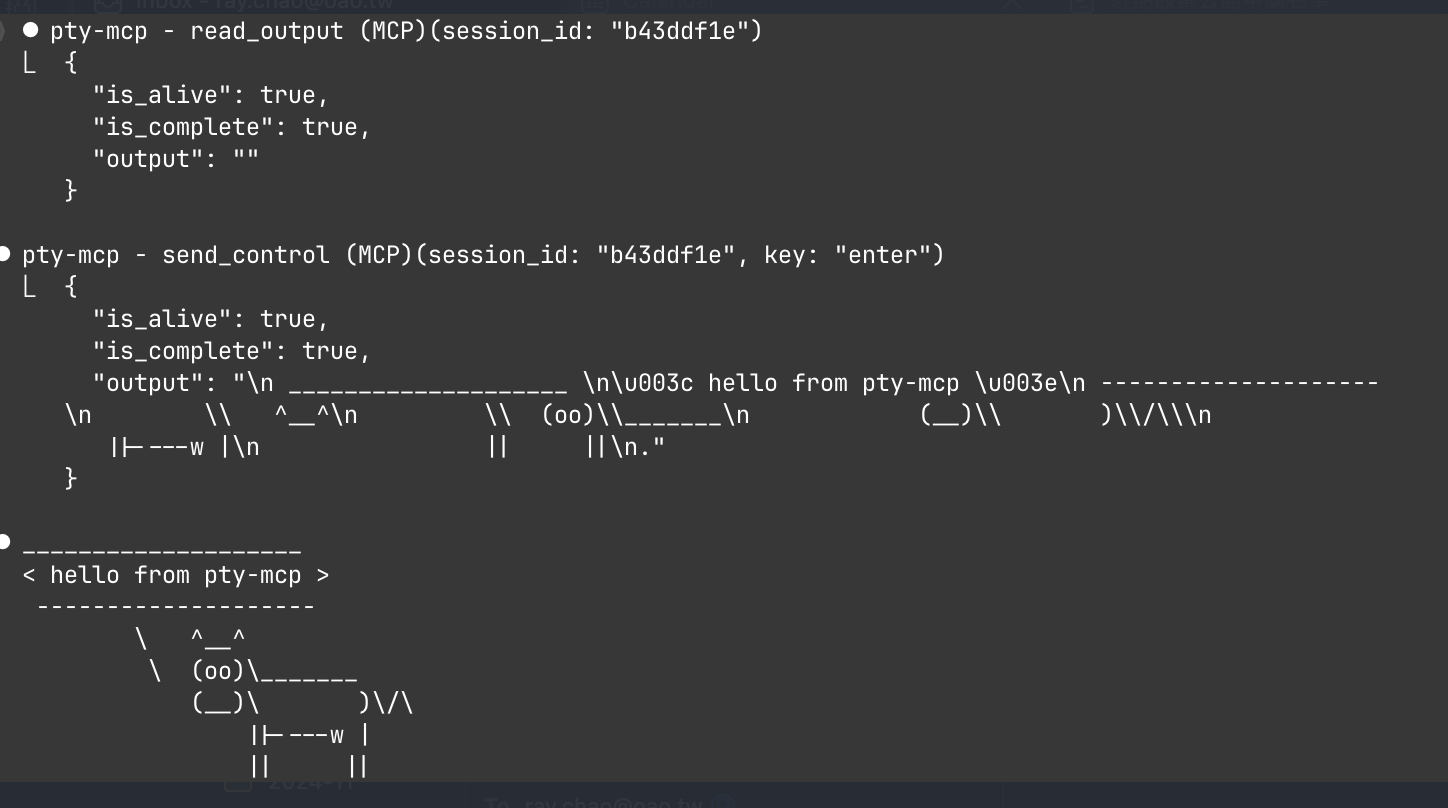
AI agents run commands in non-interactive shells. They can't:
SSH into a server and interact with running processes
Connect to routers or switches via serial console
Monitor logs and react when a specific event occurs
Keep session state across multiple commands
Wait for a server to reboot and detect when it's back up
pty-mcp solves all of these by providing real PTY sessions over MCP.
Without pty-mcp, AI agents resort to sleep 30 && check_status loops — burning CPU cycles and API calls waiting for things to happen. With wait_for, the agent blocks server-side until the event occurs. Less polling, less energy, better for polar bears. 🐻❄️
Related MCP server: interactive-cli
Server administration
# Reboot a server and wait until it's back online
create_local_session("ping myserver")
read_output(wait_for: "bytes from", timeout: 300)
→ blocks until server responds after reboot (~80s, one tool call)
Network device management
# Connect to a router via serial console
create_serial_session(port: "/dev/ttyUSB0", baud: 9600)
send_input("show interfaces status")
read_output(wait_for: "\\$")
Log monitoring and alerting
# Watch logs and act when something happens
create_ssh_session(host: "prod", user: "admin")
send_input("tail -f /var/log/app.log")
read_output(wait_for: "ERROR|CRITICAL", timeout: 3600)
→ returns the error line + context when it appears
Long-running tasks that survive disconnects
create_ssh_session(host: "server", user: "admin", persistent: true)
send_input("apt upgrade -y")
detach_session()          → close Claude Code, task continues
# Reconnect later to check resultFeature | Description |
Local terminal | Interactive bash/python/node sessions on local machine |
SSH sessions | Connect to remote hosts with key/password auth, SSH config support |
Serial port | Connect to devices via serial (IoT, embedded, network gear) |
Persistent sessions | Sessions survive SSH disconnects via |
Attach/Detach | Detach from a running session, reconnect later |
Control keys | Send ctrl+c, ctrl+d, arrow keys, tab, escape |
Settle detection | Waits for output to settle before returning (smart timeout) |
Pattern matching |
|
Bounded memory | Ring buffer prevents OOM on long-running sessions (v0.2.0) |
Resize terminal | Resize the PTY window for local, SSH, serial, and persistent remote sessions (v0.10.0) |
Audit log | Optional voluntary operation log — record |
Audit redaction | Credentials, auth headers, and PEM keys are automatically scrubbed before being written to the audit log (v0.10.0) |
┌─────────────────────────────────────────────────────┐
│ AI Agent (Claude Code, etc.)                        │
│                                                     │
│  MCP Tools: create_local_session, send_input,       │
│             send_control, read_output, close_session │
└──────────────────────┬──────────────────────────────┘
                       │ JSON-RPC stdio
┌──────────────────────┴──────────────────────────────┐
│ pty-mcp (MCP Server)                                │
│                                                     │
│  Session Manager                                    │
│  ├── LocalSession  (local PTY via creack/pty)       │
│  ├── SSHSession    (remote PTY via x/crypto/ssh)    │
│  ├── SerialSession (serial port via go.bug.st)      │
│  └── RemoteSession (persistent via ai-tmux)         │
└─────────────────────────────────────────────────────┘

Persistent mode (ai-tmux):

  pty-mcp ──SSH──▶ ai-tmux client ──Unix socket──▶ ai-tmux server (daemon)
                                                     ├── PTY: bash
                                                     ├── PTY: ssh admin@router
└── PTY: tail -f /var/log/syslogInstalls the binary automatically and registers the MCP server:
claude plugin marketplace add raychao-oao/pty-mcp
claude plugin install pty-mcp@pty-mcp
Restart Claude Code — the binary downloads automatically on session start, then restart once more to activate it. No manual claude mcp add needed.
Updating:
claude plugin marketplace update pty-mcp
claude plugin update pty-mcp@pty-mcp
Restart Claude Code — the new binary downloads automatically on session start, then restart once more to apply the update.
One-line install + register (macOS / Linux / WSL2):
curl -fsSL https://raw.githubusercontent.com/raychao-oao/pty-mcp/main/install.sh | sh
claude mcp add pty-mcp -- /usr/local/bin/pty-mcp
Restart Claude Code and the tools are available.
Download from GitHub Releases:
Go to Releases, download the binary for your platform, and make it executable:
Platform | Binary |
macOS (Apple Silicon) |
|
macOS (Intel) |
|
Linux (x86_64) / WSL2 |
|
Linux (ARM64) |
|
chmod +x pty-mcp-*
sudo mv pty-mcp-* /usr/local/bin/pty-mcp
claude mcp add pty-mcp -- /usr/local/bin/pty-mcp
Build from source (requires Go 1.25+):
go install github.com/raychao-oao/pty-mcp@latest
claude mcp add pty-mcp -- $(go env GOPATH)/bin/pty-mcppty-mcp works in WSL2 out of the box. Use the Linux binary:
# Inside WSL2
curl -fsSL https://raw.githubusercontent.com/raychao-oao/pty-mcp/main/install.sh | sh
claude mcp add pty-mcp -- /usr/local/bin/pty-mcpFor persistent sessions that survive SSH disconnects, install ai-tmux on your remote server:
# Download for your server's architecture
curl -fsSL https://raw.githubusercontent.com/raychao-oao/pty-mcp/main/install.sh | sh
# Or just copy the binary:
scp /usr/local/bin/ai-tmux your-server:/usr/local/bin/ai-tmuxOnce registered, the AI agent can use these MCP tools:
Local interactive shell:
create_local_session()                    → {session_id, type: "local"}
send_input(session_id, "cd /tmp && ls")   → {output: "...", is_complete: true}
send_input(session_id, "python3")         → start Python REPL
send_input(session_id, "print('hello')")  → {output: "hello\n>>>"}
send_control(session_id, "ctrl+d")        → exit Python
close_session(session_id)
SSH to remote server:
create_ssh_session(host: "myserver", user: "admin")
send_input(session_id, "top")
send_control(session_id, "ctrl+c")        → stop top
Wait for pattern (v0.2.0):
create_local_session("ping myserver")
read_output(session_id, wait_for: "bytes from", timeout: 300)
→ blocks until server responds or 5 min timeout

send_input(session_id, "docker-compose up")
read_output(session_id, wait_for: "ready|error", timeout: 60, context_lines: 3)
→ returns matched line + 3 lines of context
Send secret / password (v0.3.0):
# AI detects a password prompt, calls send_secret instead of handling the password itself
create_ssh_session(host: "router", user: "admin")
read_output(session_id, wait_for: "Password:")   → session is waiting for input

send_secret(session_id, prompt: "Router admin password:")
→ native GUI dialog appears on the operator's screen (macOS: system dialog,
   WSL2: Windows Get-Credential, Linux: zenity/kdialog)
→ operator types password — it is sent directly to the PTY session
→ AI only sees: {success: true, length: 12}
→ password never appears in AI context or logs
Persistent session (survives SSH disconnect):
create_ssh_session(host: "server", user: "admin", persistent: true)
send_input(session_id, "make build")      → start long build
detach_session(session_id)                → disconnect, build continues

# Later (even after restart):
list_remote_sessions(host: "server", user: "admin")  → see running sessions
create_ssh_session(host: "server", user: "admin", session_id: "abc123")  → reattach
send_input(session_id, "echo $?") → check build resultTool | Description |
| Start a local interactive terminal (bash, python3, node, etc.) |
| SSH to a remote host (supports SSH config aliases) |
| Connect to a serial port device |
| Send a command and wait for output to settle |
| Read output, optionally wait for a pattern ( |
| Send control keys (ctrl+c, ctrl+d, arrows, tab, etc.) |
| Prompt the human operator for a secret via GUI dialog; sends it to the PTY session without exposing it to AI context or logs ¹ |
| List all active sessions |
| Close a session (terminates remote PTY) |
| Disconnect but keep remote PTY running |
| Resize the terminal window (rows/cols) for any session type |
| List persistent sessions on a remote host |
¹
send_secretplatform support: macOS uses a native password dialog (osascript). WSL2 usespowershell.exe Get-Credential(Windows GUI dialog). Linux with a display server useszenityorkdialog. Headless Linux falls back to/dev/tty. On macOS/Linux, if the operator doesn't respond within 60 seconds, the dialog is dismissed and the call returns a timeout error instead of falling through to another dialog or waiting again; cancelling the call (e.g. pressing ESC in Claude Code) dismisses the dialog immediately the same way. WSL2 is the exception: its dialog has no timeout and is never force-closed, including on cancellation — killing a WSL-interop-launched process that owns an open Windows GUI window was found to freeze the hosting terminal (unresponsive to input, scrolling, and selection) until the operator closes that terminal, with no way to recover it short of that. The dialog just waits until the operator answers or clicks Cancel themselves, which exits normally.
pty-mcp includes an optional audit log feature that records every send_input command to a central collector. This lets teams review and trace what AI agents did during a session.
Important: This is a voluntary, self-reporting operation log. It relies on operators choosing to enable it and run the collector. Because pty-mcp runs on the operator's own machine, there is no technical mechanism to enforce logging — a non-compliant operator could simply run pty-mcp without audit enabled. This feature provides traceability for teams that want it, but it is not a substitute for system-level audit tools (e.g., auditd, syslog forwarding, SSH session recording) in environments where audit compliance is required.
Timestamp, operator identity, session ID, session type (local/ssh/serial), target host
The exact input sent via send_input (including raw=true inputs like menu selections)
Output snippet (first 2 KB) after each command
A cmd_id linking the command to its output
send_secret is never logged — secrets entered via the GUI dialog do not appear in the audit log.
Commands and output snippets are automatically redacted before being written. The following patterns are replaced with [REDACTED] or [PRIVATE KEY REDACTED]:
Key-value credentials: password=, passwd:, token=, api_key=, access_key=, auth_token=, secret=
HTTP Authorization headers: Authorization: Bearer …, Authorization: Basic …, Authorization: Token …
PEM private key blocks: -----BEGIN RSA PRIVATE KEY----- / -----BEGIN OPENSSH PRIVATE KEY-----
Each operator runs once to create their config and generate a token:
pty-mcp audit initThis creates ~/.config/pty-mcp/config (chmod 600) with a randomly generated token and prints the token to share with the collector admin.
The collector admin starts the server (using the token from init output):
PTY_MCP_AUDIT_TOKEN=<token-from-init> \
  pty-mcp audit serve --port 9099 --log /var/log/pty-mcp-audit.jsonl
Enable audit after setting the collector URL in the config:
# Edit config and set: audit-url=http://your-collector:9099
pty-mcp audit enable
# Restart Claude Code to apply
To temporarily stop logging without losing your config:
pty-mcp audit disableOperators without a config file are unaffected — audit is off by default.
Mode | Behaviour |
| Commands execute regardless of whether the log was written; entries are queued and retried in the background |
|
|
Logs are stored as JSONL (one JSON object per line), readable with standard tools:
# All commands by operator ray
grep '"user":"ray"' /var/log/pty-mcp-audit.jsonl | jq .

# Commands sent to a specific host
jq 'select(.target == "root@prod01")' /var/log/pty-mcp-audit.jsonlai-tmux is a lightweight daemon that runs on remote servers, keeping PTY sessions alive across SSH disconnects. Think of it as tmux designed for AI agents.
# Cross-compile for Linux
GOOS=linux GOARCH=amd64 go build -o ai-tmux-linux ./cmd/ai-tmux/

# Copy to server
scp ai-tmux-linux server:~/ai-tmux
ssh server "chmod +x ~/ai-tmux && sudo mv ~/ai-tmux /usr/local/bin/ai-tmux"ai-tmux server — daemon mode, listens on Unix socket, manages PTY sessions
ai-tmux client — bridge mode, forwards JSON protocol over stdin/stdout (used by pty-mcp over SSH)
ai-tmux list — list active sessions
The daemon auto-starts when pty-mcp connects with persistent: true. Sessions are reaped after 30 minutes of inactivity.
pty-mcp checks ai-tmux --version on the remote host before opening a session and returns a clear error if the binary is missing or below the minimum required version — no cryptic connection errors.
pty-mcp reads ~/.ssh/config to resolve host aliases:
# ~/.ssh/config
Host myserver
    HostName 192.168.1.100
    User admin
    Port 2222
    IdentityFile ~/.ssh/id_ed25519
create_ssh_session(host: "myserver", user: "admin")
# Automatically resolves hostname, port, and identity fileGo 1.25+
For serial: appropriate device permissions
For persistent sessions: ai-tmux binary on remote server
See CHANGELOG.md for version history.
MIT
Close a session (also terminates remote PTY)
| Name | Required | Description | Default |
|---|---|---|---|
| session_id | Yes |
Does the description disclose side effects, auth requirements, rate limits, or destructive behavior?
Discloses termination of remote PTY, a key behavioral effect. However, no annotations provided, and description lacks details on destructive nature, permissions, or reversibility.
Agents need to know what a tool does to the world before calling it. Descriptions should go beyond structured annotations to explain consequences.
Is the description appropriately sized, front-loaded, and free of redundancy?
Extremely concise with no wasted words. Two clauses efficiently convey the core action and an important side effect.
Shorter descriptions cost fewer tokens and are easier for agents to parse. Every sentence should earn its place.
Given the tool's complexity, does the description cover enough for an agent to succeed on first attempt?
Sufficient for a simple close operation, but misses parameter explanation and lacks return value info (no output schema). Barely adequate.
Complex tools with many parameters or behaviors need more documentation. Simple tools need less. This dimension scales expectations accordingly.
Does the description clarify parameter syntax, constraints, interactions, or defaults beyond what the schema provides?
Single parameter 'session_id' has no schema description (0% coverage). Tool description does not explain the parameter's meaning or format beyond the obvious.
Input schemas describe structure but not intent. Descriptions should explain non-obvious parameter relationships and valid value ranges.
Does the description clearly state what the tool does and how it differs from similar tools?
Clear verb 'close' and resource 'session'. Parenthetical clarifies termination of remote PTY, but does not distinguish from sibling 'detach_session'.
Agents choose between tools based on descriptions. A clear purpose with a specific verb and resource helps agents select the right tool.
Does the description explain when to use this tool, when not to, or what alternatives exist?
No guidance on when to use this tool vs alternatives like detach_session or send_control. With 15 sibling tools, this is a significant gap.
Agents often have multiple tools that could apply. Explicit usage guidance like "use X instead of Y when Z" prevents misuse.
Open a local interactive terminal session (bash, python3, node, etc.). WARNING: Executes as the current user with full local system access — this is by design for legitimate sysadmin automation. Only use on trusted systems.
| Name | Required | Description | Default |
|---|---|---|---|
| command | No | Command to run (default: /bin/bash). Examples: /bin/bash, python3, node | |
| log_file | No | File path to append all session output. Useful when output may exceed buffer size. File is created if it doesn't exist. | |
| log_max_size | No | Max log file size in MB before rotation (0 = no rotation, default: 0) | |
| log_max_files | No | Max number of rotated log files to keep (default: 3) |
Does the description disclose side effects, auth requirements, rate limits, or destructive behavior?
Without annotations, the description carries the burden. It warns of 'full local system access' and identifies intended use for 'legitimate sysadmin automation'. This adds crucial behavioral context. Additional details on session lifecycle (e.g., how it blocks) would improve transparency.
Agents need to know what a tool does to the world before calling it. Descriptions should go beyond structured annotations to explain consequences.
Is the description appropriately sized, front-loaded, and free of redundancy?
Two sentences with no fluff. The warning is front-loaded. Every word serves a purpose.
Shorter descriptions cost fewer tokens and are easier for agents to parse. Every sentence should earn its place.
Given the tool's complexity, does the description cover enough for an agent to succeed on first attempt?
Covers core purpose, warning, and log parameters. However, it doesn't mention how to interact with the session (e.g., use send_input), which would be helpful given the sibling tools. Still adequate for a creation tool.
Complex tools with many parameters or behaviors need more documentation. Simple tools need less. This dimension scales expectations accordingly.
Does the description clarify parameter syntax, constraints, interactions, or defaults beyond what the schema provides?
Schema coverage is 100%, baseline 3. The description adds value by noting the default command ('default: /bin/bash') and explaining log_file purpose ('append all session output'), which enhances understanding beyond the schema.
Input schemas describe structure but not intent. Descriptions should explain non-obvious parameter relationships and valid value ranges.
Does the description clearly state what the tool does and how it differs from similar tools?
The description clearly states 'Open a local interactive terminal session' with examples like bash, python3, node. This distinguishes it from siblings like create_ssh_session and create_serial_session by specifying 'local'.
Agents choose between tools based on descriptions. A clear purpose with a specific verb and resource helps agents select the right tool.
Does the description explain when to use this tool, when not to, or what alternatives exist?
The warning 'Only use on trusted systems' provides a clear when-not-to-use condition. However, it does not explicitly name alternatives like create_ssh_session for remote access, which would strengthen guidance.
Agents often have multiple tools that could apply. Explicit usage guidance like "use X instead of Y when Z" prevents misuse.
Open a serial port session. Device path must start with /dev/tty or /dev/cu. (e.g. /dev/ttyUSB0, /dev/cu.usbserial-XXXX)
| Name | Required | Description | Default |
|---|---|---|---|
| device | Yes | Serial device path (must start with /dev/tty or /dev/cu.) | |
| log_file | No | File path to append all session output. File is created if it doesn't exist. | |
| baud_rate | No | Baud rate (default: 9600) | |
| log_max_size | No | Max log file size in MB before rotation (0 = no rotation, default: 0) | |
| log_max_files | No | Max number of rotated log files to keep (default: 3) |
Does the description disclose side effects, auth requirements, rate limits, or destructive behavior?
No annotations are provided, so the description carries the full burden. It explains how to open a session but does not disclose what happens afterward (e.g., how to interact, session lifecycle, error conditions). It lacks critical behavioral context like whether authentication is needed or if multiple sessions can coexist.
Agents need to know what a tool does to the world before calling it. Descriptions should go beyond structured annotations to explain consequences.
Is the description appropriately sized, front-loaded, and free of redundancy?
Two sentences: one states the purpose, the second provides a constraint and examples. Front-loaded, no unnecessary words, highly efficient.
Shorter descriptions cost fewer tokens and are easier for agents to parse. Every sentence should earn its place.
Given the tool's complexity, does the description cover enough for an agent to succeed on first attempt?
Given 5 parameters, no output schema, and no annotations, the description is adequate for initial use but lacks guidance on session interactions and prerequisites. It tells how to open but not what to expect.
Complex tools with many parameters or behaviors need more documentation. Simple tools need less. This dimension scales expectations accordingly.
Does the description clarify parameter syntax, constraints, interactions, or defaults beyond what the schema provides?
Schema coverage is 100% with descriptions for all 5 parameters. The description adds value by providing concrete examples of device paths and reiterating the constraint, which is more helpful than the schema alone.
Input schemas describe structure but not intent. Descriptions should explain non-obvious parameter relationships and valid value ranges.
Does the description clearly state what the tool does and how it differs from similar tools?
The description clearly states the action 'Open a serial port session' and specifies the device path constraint. The name 'create_serial_session' aligns with the purpose. However, it does not distinguish itself from sibling tools like 'create_ssh_session' or 'create_local_session'.
Agents choose between tools based on descriptions. A clear purpose with a specific verb and resource helps agents select the right tool.
Does the description explain when to use this tool, when not to, or what alternatives exist?
The description provides a clear constraint (device path must start with /dev/tty or /dev/cu) and examples. However, it does not specify when to use this tool versus alternatives (e.g., SSH, local sessions).
Agents often have multiple tools that could apply. Explicit usage guidance like "use X instead of Y when Z" prevents misuse.
Open an interactive SSH session (supports key/password auth and SSH config aliases)
| Name | Required | Description | Default |
|---|---|---|---|
| host | Yes | SSH host IP or hostname | |
| port | No | SSH port (default: 22) | |
| user | Yes | ||
| command | No | Initial command for persistent session (default: /bin/bash) | |
| key_path | No | SSH private key path (default: ~/.ssh/id_ed25519, id_rsa) | |
| log_file | No | File path to append all session output. Useful when output may exceed buffer size (e.g. long-running scripts). File is created if it doesn't exist. | |
| password | No | Optional if using key auth | |
| persistent | No | Use ai-tmux for persistent session (survives SSH disconnect) | |
| session_id | No | Attach to existing ai-tmux session by ID (use list_remote_sessions to find IDs) | |
| log_max_size | No | Max log file size in MB before rotation (0 = no rotation, default: 0) | |
| log_max_files | No | Max number of rotated log files to keep (default: 3) | |
| ignore_host_key | No | Skip known_hosts check (not recommended) |
Does the description disclose side effects, auth requirements, rate limits, or destructive behavior?
With no annotations, the description carries full weight. It only mentions 'interactive' and indicates support for persistent sessions via parameters, but fails to disclose session lifecycle, blocking behavior, or how to terminate the session.
Agents need to know what a tool does to the world before calling it. Descriptions should go beyond structured annotations to explain consequences.
Is the description appropriately sized, front-loaded, and free of redundancy?
The description is a single concise sentence that conveys the core purpose and key features. It is appropriately sized but lacks structural elements like bullet points or front-loading of critical information.
Shorter descriptions cost fewer tokens and are easier for agents to parse. Every sentence should earn its place.
Given the tool's complexity, does the description cover enough for an agent to succeed on first attempt?
Given the tool has 12 parameters and no output schema, the description is too brief. It does not explain return values, session handling, or integration with sibling tools (e.g., list_remote_sessions, send_input), leaving gaps for an agent.
Complex tools with many parameters or behaviors need more documentation. Simple tools need less. This dimension scales expectations accordingly.
Does the description clarify parameter syntax, constraints, interactions, or defaults beyond what the schema provides?
Schema description coverage is 92%, so the baseline is 3. The description does not add meaning beyond what parameter descriptions provide; it only repeats auth methods already covered.
Input schemas describe structure but not intent. Descriptions should explain non-obvious parameter relationships and valid value ranges.
Does the description clearly state what the tool does and how it differs from similar tools?
The description clearly states it opens an interactive SSH session and lists supported authentication methods. However, it does not explicitly differentiate from sibling tools like create_local_session or create_serial_session, though the SSH specificity provides implicit distinction.
Agents choose between tools based on descriptions. A clear purpose with a specific verb and resource helps agents select the right tool.
Does the description explain when to use this tool, when not to, or what alternatives exist?
The description provides context on auth methods (key, password, SSH config aliases) but does not specify when to use this tool versus alternatives, nor does it mention prerequisites or typical use cases.
Agents often have multiple tools that could apply. Explicit usage guidance like "use X instead of Y when Z" prevents misuse.
Detach from a persistent session but keep the remote PTY running (reattach via list_remote_sessions + session_id)
| Name | Required | Description | Default |
|---|---|---|---|
| session_id | Yes |
Does the description disclose side effects, auth requirements, rate limits, or destructive behavior?
No annotations provided, so the description must disclose behavior. It explicitly states that the remote PTY keeps running after detachment, which is the key behavioral trait. However, it omits details like error handling or required permissions.
Agents need to know what a tool does to the world before calling it. Descriptions should go beyond structured annotations to explain consequences.
Is the description appropriately sized, front-loaded, and free of redundancy?
The description is a single, clear sentence with a parenthetical hint. It is front-loaded with the primary action and contains no redundant information.
Shorter descriptions cost fewer tokens and are easier for agents to parse. Every sentence should earn its place.
Given the tool's complexity, does the description cover enough for an agent to succeed on first attempt?
For a simple tool with one parameter, the description covers the main action and reattachment path. However, it does not specify return values, error conditions, or prerequisites, leaving some gaps in completeness.
Complex tools with many parameters or behaviors need more documentation. Simple tools need less. This dimension scales expectations accordingly.
Does the description clarify parameter syntax, constraints, interactions, or defaults beyond what the schema provides?
Schema coverage is 0%, so the description must explain parameters. It references 'session_id' implicitly in the reattachment hint, but does not describe its purpose, format, or constraints beyond its name.
Input schemas describe structure but not intent. Descriptions should explain non-obvious parameter relationships and valid value ranges.
Does the description clearly state what the tool does and how it differs from similar tools?
The description clearly states the action ('Detach'), the resource ('persistent session'), and the effect ('keep the remote PTY running'). It also distinguishes from siblings like 'close_session' by noting the session remains active.
Agents choose between tools based on descriptions. A clear purpose with a specific verb and resource helps agents select the right tool.
Does the description explain when to use this tool, when not to, or what alternatives exist?
The description implies usage when you want to leave a session running but disconnect, and mentions reattachment via 'list_remote_sessions + session_id'. However, it does not explicitly contrast with alternatives like 'close_session' or state prerequisites.
Agents often have multiple tools that could apply. Explicit usage guidance like "use X instead of Y when Z" prevents misuse.
Generate a signed ConsumerBundle for use with cred-mcp's vault_seal tool. The bundle contains only public keys and is safe to pass to the AI. The session private key is held in memory for a matching inject_secret call. Call this before request_authorization + vault_seal on cred-mcp.
| Name | Required | Description | Default |
|---|---|---|---|
| consumer_id | No | Consumer identity (default: "pty-mcp") | |
| ttl_seconds | No | Bundle validity in seconds (default: 300, max: 3600) |
Does the description disclose side effects, auth requirements, rate limits, or destructive behavior?
With no annotations provided, the description carries the full burden. It discloses that the bundle contains only public keys, that the session private key is held in memory for a matching inject_secret call, and that the bundle is safe to pass to the AI. This is good behavioral context, though it omits error conditions or idempotency.
Agents need to know what a tool does to the world before calling it. Descriptions should go beyond structured annotations to explain consequences.
Is the description appropriately sized, front-loaded, and free of redundancy?
The description is two sentences long, front-loaded with the core purpose, and every sentence adds valuable context. There is no redundancy or fluff.
Shorter descriptions cost fewer tokens and are easier for agents to parse. Every sentence should earn its place.
Given the tool's complexity, does the description cover enough for an agent to succeed on first attempt?
Given the tool has 2 parameters, no output schema, and no annotations, the description covers the essential aspects: purpose, usage sequence, safety, and the relationship to inject_secret. It could mention the output bundle format or error conditions, but for a simple generation tool it is fairly complete.
Complex tools with many parameters or behaviors need more documentation. Simple tools need less. This dimension scales expectations accordingly.
Does the description clarify parameter syntax, constraints, interactions, or defaults beyond what the schema provides?
The input schema has 100% coverage with descriptions for both parameters (consumer_id and ttl_seconds). The description does not add new semantic details beyond the schema; it mentions the default for consumer_id and max for ttl_seconds but the schema already includes those. Baseline 3 is appropriate.
Input schemas describe structure but not intent. Descriptions should explain non-obvious parameter relationships and valid value ranges.
Does the description clearly state what the tool does and how it differs from similar tools?
The description clearly states the tool generates a signed ConsumerBundle for use with cred-mcp's vault_seal tool. It specifies the verb 'Generate' and the resource 'signed ConsumerBundle', and the purpose is distinct from sibling tools which all deal with session management.
Agents choose between tools based on descriptions. A clear purpose with a specific verb and resource helps agents select the right tool.
Does the description explain when to use this tool, when not to, or what alternatives exist?
The description provides explicit sequencing: 'Call this before request_authorization + vault_seal on cred-mcp.' It also explains the bundle contains only public keys so it's safe to pass to the AI. While it does not explicitly say when not to use it, the context is clear enough.
Agents often have multiple tools that could apply. Explicit usage guidance like "use X instead of Y when Z" prevents misuse.
Get detailed state of a session: type, target, is_alive, cursor, and classified state (at_prompt/password_prompt/confirmation/pager/running/unknown), awaiting_secret, last_prompt. Use cursor with read_output(since_cursor=...) for incremental reads.
| Name | Required | Description | Default |
|---|---|---|---|
| session_id | Yes |
Does the description disclose side effects, auth requirements, rate limits, or destructive behavior?
With no annotations, the description carries full responsibility for behavioral disclosure. It reveals that the tool returns a cursor usable with read_output, but omits critical behavioral traits such as whether it is read-only, permissions required, error handling for invalid session IDs, or response format. The listed fields provide some transparency but insufficient depth.
Agents need to know what a tool does to the world before calling it. Descriptions should go beyond structured annotations to explain consequences.
Is the description appropriately sized, front-loaded, and free of redundancy?
The description is concise, consisting of only two sentences that front-load the primary purpose and then provide a usage hint. It avoids unnecessary words, though the structure could be improved by separating output fields and usage guidance more explicitly.
Shorter descriptions cost fewer tokens and are easier for agents to parse. Every sentence should earn its place.
Given the tool's complexity, does the description cover enough for an agent to succeed on first attempt?
Given the tool's low complexity (single parameter, no output schema), the description covers the main returned fields and a key usage pattern. However, it lacks explanation of the return value structure, potential error states, and how classified state is determined, leaving some ambiguity for an AI agent.
Complex tools with many parameters or behaviors need more documentation. Simple tools need less. This dimension scales expectations accordingly.
Does the description clarify parameter syntax, constraints, interactions, or defaults beyond what the schema provides?
The schema has one parameter (session_id) with 0% description coverage, yet the description adds no additional meaning beyond the name itself. It does not specify format, origin, or constraints of session_id, relying on implicit understanding. The description focuses on output rather than clarifying the input parameter.
Input schemas describe structure but not intent. Descriptions should explain non-obvious parameter relationships and valid value ranges.
Does the description clearly state what the tool does and how it differs from similar tools?
The description clearly states it retrieves detailed session state and lists specific fields (type, target, is_alive, cursor, classified state, etc.), making the purpose unambiguous. It implicitly distinguishes from siblings like list_sessions (which returns summary) and read_output (which reads output) by focusing on state retrieval, but does not explicitly differentiate.
Agents choose between tools based on descriptions. A clear purpose with a specific verb and resource helps agents select the right tool.
Does the description explain when to use this tool, when not to, or what alternatives exist?
The description provides usage guidance by mentioning that the returned cursor can be used with read_output for incremental reads, indicating a related workflow. However, it does not explicitly state when to use this tool versus alternatives like list_sessions or when not to use it, leaving gaps in decision-making.
Agents often have multiple tools that could apply. Explicit usage guidance like "use X instead of Y when Z" prevents misuse.
Decrypt a SealedBox from cred-mcp and write the plaintext directly into a PTY session. The plaintext never appears in AI context or tool results — only {success:true} is returned. Call after vault_seal on cred-mcp.
| Name | Required | Description | Default |
|---|---|---|---|
| sealed_box | Yes | SealedBox JSON object returned by cred-mcp's vault_seal tool | |
| pty_session_id | Yes | ID of the PTY session to inject the secret into |
Does the description disclose side effects, auth requirements, rate limits, or destructive behavior?
Despite no annotations, the description discloses that plaintext never appears in AI context or results. However, it lacks details on side effects, failure modes, or prerequisites beyond vault_seal.
Agents need to know what a tool does to the world before calling it. Descriptions should go beyond structured annotations to explain consequences.
Is the description appropriately sized, front-loaded, and free of redundancy?
Two sentences covering purpose, behavior, and usage, with no unnecessary words.
Shorter descriptions cost fewer tokens and are easier for agents to parse. Every sentence should earn its place.
Given the tool's complexity, does the description cover enough for an agent to succeed on first attempt?
The description provides essential flow but omits possible errors, session state requirements, and return value details. Given security-critical nature, more completeness would help.
Complex tools with many parameters or behaviors need more documentation. Simple tools need less. This dimension scales expectations accordingly.
Does the description clarify parameter syntax, constraints, interactions, or defaults beyond what the schema provides?
Schema coverage is 100%, so baseline is 3. The description adds minimal nuance beyond the schema, merely attributing sealed_box to vault_seal.
Input schemas describe structure but not intent. Descriptions should explain non-obvious parameter relationships and valid value ranges.
Does the description clearly state what the tool does and how it differs from similar tools?
The description clearly states the tool decrypts a SealedBox and writes plaintext into a PTY session, specifying that plaintext never appears in AI context or tool results. This distinguishes it from sibling tools like send_secret.
Agents choose between tools based on descriptions. A clear purpose with a specific verb and resource helps agents select the right tool.
Does the description explain when to use this tool, when not to, or what alternatives exist?
It explicitly says 'Call after vault_seal on cred-mcp,' providing a clear precondition. However, it does not mention when not to use this tool or alternative scenarios.
Agents often have multiple tools that could apply. Explicit usage guidance like "use X instead of Y when Z" prevents misuse.
List persistent sessions on a remote ai-tmux server (use session_id to reattach). Optionally filter by status.
| Name | Required | Description | Default |
|---|---|---|---|
| host | Yes | SSH host IP or hostname | |
| port | No | SSH port (default: 22) | |
| user | Yes | ||
| status | No | Filter by session status (e.g. 'running', 'idle') | |
| key_path | No | SSH private key path | |
| password | No | Optional if using key auth | |
| ignore_host_key | No |
Does the description disclose side effects, auth requirements, rate limits, or destructive behavior?
No annotations are provided, so the description must fully disclose behavior. It states a read operation (list) with no side effects, but fails to mention authentication prerequisites (SSH credentials), potential connection errors, or that the tool requires a working SSH connection. The behavioral traits are under-specified.
Agents need to know what a tool does to the world before calling it. Descriptions should go beyond structured annotations to explain consequences.
Is the description appropriately sized, front-loaded, and free of redundancy?
The description is a single sentence with a parenthetical clarification, no wasted words. It is front-loaded with the primary action and resource, making it immediately clear to the agent.
Shorter descriptions cost fewer tokens and are easier for agents to parse. Every sentence should earn its place.
Given the tool's complexity, does the description cover enough for an agent to succeed on first attempt?
Given the tool's complexity (7 parameters, no output schema, no annotations), the description is far too brief. It omits critical context such as what information is returned (e.g., list of session objects with IDs), how authentication works (requires valid SSH credentials), and how to handle common errors. The agent would be left guessing about return format and prerequisites.
Complex tools with many parameters or behaviors need more documentation. Simple tools need less. This dimension scales expectations accordingly.
Does the description clarify parameter syntax, constraints, interactions, or defaults beyond what the schema provides?
The input schema covers 71% of parameters with descriptions, so the bar for additional value is lower. The tool description only adds context for the 'status' parameter (optionally filter), but does not enhance understanding of other parameters beyond what the schema already provides.
Input schemas describe structure but not intent. Descriptions should explain non-obvious parameter relationships and valid value ranges.
Does the description clearly state what the tool does and how it differs from similar tools?
The description clearly specifies the action (List) and the resource (persistent sessions on a remote ai-tmux server). The parenthetical mention of session_id for reattachment adds context that distinguishes this tool from sibling 'list_sessions', which likely handles local sessions.
Agents choose between tools based on descriptions. A clear purpose with a specific verb and resource helps agents select the right tool.
Does the description explain when to use this tool, when not to, or what alternatives exist?
The description implies usage for listing remote sessions and filtering by status, but it does not explicitly state when to choose this tool over siblings like 'list_sessions' or when not to use it. No alternatives or exclusions are mentioned, leaving the agent with inferred guidelines.
Agents often have multiple tools that could apply. Explicit usage guidance like "use X instead of Y when Z" prevents misuse.
List all active sessions
| Name | Required | Description | Default |
|---|---|---|---|
No parameters | |||
Does the description disclose side effects, auth requirements, rate limits, or destructive behavior?
No annotations are provided, so the description carries the full burden of behavioral disclosure. It only states 'list all active sessions' without indicating side effects (likely none), permissions needed, or what the tool returns. This is insufficient for a tool with no output schema.
Agents need to know what a tool does to the world before calling it. Descriptions should go beyond structured annotations to explain consequences.
Is the description appropriately sized, front-loaded, and free of redundancy?
The description is a single, clear sentence with no unnecessary words. It is appropriately sized for a parameterless tool.
Shorter descriptions cost fewer tokens and are easier for agents to parse. Every sentence should earn its place.
Given the tool's complexity, does the description cover enough for an agent to succeed on first attempt?
With no output schema, the description should explain what 'active sessions' means and what data is returned (e.g., session IDs, type, status). It lacks these details, making it incomplete for an agent to understand the tool's output.
Complex tools with many parameters or behaviors need more documentation. Simple tools need less. This dimension scales expectations accordingly.
Does the description clarify parameter syntax, constraints, interactions, or defaults beyond what the schema provides?
The tool has no parameters, and the input schema is an empty object with 100% coverage. The description adds no parameter information, but no further details are needed since there are no parameters to describe.
Input schemas describe structure but not intent. Descriptions should explain non-obvious parameter relationships and valid value ranges.
Does the description clearly state what the tool does and how it differs from similar tools?
The description clearly states the action (list) and resource (active sessions), distinguishing it from sibling tools like close_session or create_* by being a read-only listing operation. However, it is vague about what exactly is listed (e.g., session IDs, names) and does not clarify if it lists only active sessions or all sessions.
Agents choose between tools based on descriptions. A clear purpose with a specific verb and resource helps agents select the right tool.
Does the description explain when to use this tool, when not to, or what alternatives exist?
The description implies usage when an agent needs to see active sessions, but it provides no explicit guidance on when to use this tool versus alternatives like list_remote_sessions. No exclusions or prerequisites are mentioned.
Agents often have multiple tools that could apply. Explicit usage guidance like "use X instead of Y when Z" prevents misuse.
Pre-stage a secret (password/passphrase) for a session. Shows a GUI dialog NOW so the operator can enter the secret before a password prompt appears. The secret is stored in a buffer and automatically sent when a password prompt is detected — no further agent action needed. Use this before connecting to devices with short password timeouts (e.g. serial console). The buffered secret is never logged.
| Name | Required | Description | Default |
|---|---|---|---|
| prompt | No | Prompt shown to the user (default: "Enter secret: ") | |
| session_id | Yes | ||
| line_ending | No | Line ending appended after the secret (default: "\r"). Use "\r\n" for serial consoles that require CR+LF, "\n" for Linux terminals. |
Does the description disclose side effects, auth requirements, rate limits, or destructive behavior?
With no annotations, the description discloses key behaviors: it shows a dialog, buffers the secret, auto-sends on password prompt, and never logs it. It doesn't cover cancellation or buffer expiration, but given the absence of annotations, it provides sufficient transparency.
Agents need to know what a tool does to the world before calling it. Descriptions should go beyond structured annotations to explain consequences.
Is the description appropriately sized, front-loaded, and free of redundancy?
Three concise sentences with no redundancy. Each sentence adds value: first states purpose, second explains the core mechanism, third gives a concrete use case. Perfectly front-loaded.
Shorter descriptions cost fewer tokens and are easier for agents to parse. Every sentence should earn its place.
Given the tool's complexity, does the description cover enough for an agent to succeed on first attempt?
For a tool with 3 parameters, no output schema, and no annotations, the description covers the essential behavioral and usage aspects. It could mention what happens if multiple secrets are pre-staged or the buffer timeout, but it is largely complete.
Complex tools with many parameters or behaviors need more documentation. Simple tools need less. This dimension scales expectations accordingly.
Does the description clarify parameter syntax, constraints, interactions, or defaults beyond what the schema provides?
Schema description coverage is 67%, and the description adds meaningful context for 'prompt' and 'line_ending' (defaults, usage examples). It does not add to 'session_id', but overall it enhances understanding beyond the schema.
Input schemas describe structure but not intent. Descriptions should explain non-obvious parameter relationships and valid value ranges.
Does the description clearly state what the tool does and how it differs from similar tools?
The description clearly states the tool pre-stages a secret for a session, shows a GUI dialog, and automatically sends it when a password prompt appears. It distinguishes itself from siblings like send_secret or inject_secret by emphasizing proactive pre-staging and automatic handling.
Agents choose between tools based on descriptions. A clear purpose with a specific verb and resource helps agents select the right tool.
Does the description explain when to use this tool, when not to, or what alternatives exist?
The description explicitly recommends using this tool before connecting to devices with short password timeouts (e.g., serial console). It could be improved by also stating when not to use it, but the provided guidance is clear and actionable.
Agents often have multiple tools that could apply. Explicit usage guidance like "use X instead of Y when Z" prevents misuse.
Read output from a session. Three modes: (1) default: wait for output to settle, (2) since_cursor: incremental read from a cursor position (returns only new output), (3) wait_for: block until a regex pattern matches. Mode 2 response includes has_more (true = more unread data, call again with new cursor) and is_truncated (true = data was overwritten before you read it).
| Name | Required | Description | Default |
|---|---|---|---|
| timeout | No | Max wait time in seconds (default: 5, max: 600) | |
| wait_for | No | Regex pattern to wait for. Falls back to plain text match if regex is invalid. | |
| max_bytes | No | Maximum bytes to return in a single read (mode 2 only). If output exceeds this, has_more=true and you should call again with the returned cursor. Recommended: 32768 (32KB) to avoid large context usage. | |
| session_id | Yes | Session ID to read from | |
| tail_lines | No | On timeout, include last N lines of output (default: 0, max: 100). Only with wait_for. | |
| since_cursor | No | Read only output written after this cursor position. Get cursor from previous read_output/send_input/get_session_state responses. | |
| context_lines | No | Lines before/after matched line to include (default: 0, max: 50). Only with wait_for. |
Does the description disclose side effects, auth requirements, rate limits, or destructive behavior?
With no annotations, the description fully discloses behaviors: blocking vs non-blocking, response fields, and truncation. However, it does not mention side effects, auth, or prerequisites.
Agents need to know what a tool does to the world before calling it. Descriptions should go beyond structured annotations to explain consequences.
Is the description appropriately sized, front-loaded, and free of redundancy?
The description is a single efficient paragraph with clear mode enumeration and no redundant sentences. Key information is front-loaded.
Shorter descriptions cost fewer tokens and are easier for agents to parse. Every sentence should earn its place.
Given the tool's complexity, does the description cover enough for an agent to succeed on first attempt?
Given 7 parameters and no output schema, the description adequately covers modes, response behavior, and parameter usage. Lacks error handling details but is sufficient for selecting and invoking the tool.
Complex tools with many parameters or behaviors need more documentation. Simple tools need less. This dimension scales expectations accordingly.
Does the description clarify parameter syntax, constraints, interactions, or defaults beyond what the schema provides?
Schema coverage is 100%, but the description adds context on how parameters interact (e.g., tail_lines only with wait_for) and provides usage recommendations like max_bytes=32KB, adding value beyond the schema.
Input schemas describe structure but not intent. Descriptions should explain non-obvious parameter relationships and valid value ranges.
Does the description clearly state what the tool does and how it differs from similar tools?
The description clearly states 'Read output from a session' and enumerates three distinct modes with specific behaviors, distinguishing it from sibling tools like send_input or get_session_state.
Agents choose between tools based on descriptions. A clear purpose with a specific verb and resource helps agents select the right tool.
Does the description explain when to use this tool, when not to, or what alternatives exist?
The description explains when to use each mode (default, since_cursor, wait_for) and describes response fields like has_more, but does not explicitly state when not to use the tool or compare with alternatives.
Agents often have multiple tools that could apply. Explicit usage guidance like "use X instead of Y when Z" prevents misuse.
Resize the terminal window (rows x cols) for a session. Affects how TUI tools (top, less, vim, etc.) lay out output. Serial sessions are not supported.
| Name | Required | Description | Default |
|---|---|---|---|
| cols | Yes | Terminal width in columns (e.g. 220) | |
| rows | Yes | Terminal height in rows (e.g. 40) | |
| session_id | Yes |
Does the description disclose side effects, auth requirements, rate limits, or destructive behavior?
No annotations are provided, so the description carries full burden. It transparently describes the effect (changes terminal size, affects TUI output layout) and the limitation (serial sessions unsupported). No side effects are mentioned, but the behavior is straightforward.
Agents need to know what a tool does to the world before calling it. Descriptions should go beyond structured annotations to explain consequences.
Is the description appropriately sized, front-loaded, and free of redundancy?
The description is three well-structured sentences with no unnecessary words. The main purpose is front-loaded, followed by effect and limitation, making it efficient and easy to parse.
Shorter descriptions cost fewer tokens and are easier for agents to parse. Every sentence should earn its place.
Given the tool's complexity, does the description cover enough for an agent to succeed on first attempt?
Given the tool has three required parameters, no output schema, and no annotations, the description covers the core purpose, effect, and key limitation. It could mention what happens with invalid dimensions, but overall it is sufficiently complete for an agent to use correctly.
Complex tools with many parameters or behaviors need more documentation. Simple tools need less. This dimension scales expectations accordingly.
Does the description clarify parameter syntax, constraints, interactions, or defaults beyond what the schema provides?
Schema coverage is 67% (two of three parameters have descriptions). The description adds helpful examples (e.g., 'e.g. 220') for rows and cols, clarifying their meaning beyond the schema. session_id lacks description, but it is a common identifier.
Input schemas describe structure but not intent. Descriptions should explain non-obvious parameter relationships and valid value ranges.
Does the description clearly state what the tool does and how it differs from similar tools?
The description clearly states the action 'resize the terminal window' and the resource 'for a session', distinguishing it from sibling tools like close_session or create_local_session. It also specifies that serial sessions are not supported, clarifying scope.
Agents choose between tools based on descriptions. A clear purpose with a specific verb and resource helps agents select the right tool.
Does the description explain when to use this tool, when not to, or what alternatives exist?
The description explains when to use it (affects TUI tool layout) and explicitly notes that serial sessions are not supported, indicating a when-not-to-use. It lacks mention of prerequisites like requiring an active session but provides sufficient context for typical use.
Agents often have multiple tools that could apply. Explicit usage guidance like "use X instead of Y when Z" prevents misuse.
Send a control key (ctrl+c, ctrl+d, enter, tab, up, down, etc.)
| Name | Required | Description | Default |
|---|---|---|---|
| key | Yes | ||
| session_id | Yes |
Does the description disclose side effects, auth requirements, rate limits, or destructive behavior?
With no annotations, the description should disclose behavioral traits. It only says 'send a control key' but does not explain effects, prerequisites, or response behavior.
Agents need to know what a tool does to the world before calling it. Descriptions should go beyond structured annotations to explain consequences.
Is the description appropriately sized, front-loaded, and free of redundancy?
Single sentence is concise and front-loaded, containing all essential purpose information without wordiness.
Shorter descriptions cost fewer tokens and are easier for agents to parse. Every sentence should earn its place.
Given the tool's complexity, does the description cover enough for an agent to succeed on first attempt?
For a simple tool with 2 parameters, the description minimally covers purpose and examples but lacks detail on parameter format and usage context.
Complex tools with many parameters or behaviors need more documentation. Simple tools need less. This dimension scales expectations accordingly.
Does the description clarify parameter syntax, constraints, interactions, or defaults beyond what the schema provides?
Schema coverage is 0%, so description must compensate. It lists example keys but does not specify the exact format for the 'key' parameter, leaving ambiguity.
Input schemas describe structure but not intent. Descriptions should explain non-obvious parameter relationships and valid value ranges.
Does the description clearly state what the tool does and how it differs from similar tools?
The description clearly states the tool sends control keys and provides concrete examples (ctrl+c, enter, tab, etc.), distinguishing it from send_input which likely handles text input.
Agents choose between tools based on descriptions. A clear purpose with a specific verb and resource helps agents select the right tool.
Does the description explain when to use this tool, when not to, or what alternatives exist?
No explicit guidance on when to use this tool vs siblings like send_input. The context implies differentiation, but the description does not state it.
Agents often have multiple tools that could apply. Explicit usage guidance like "use X instead of Y when Z" prevents misuse.
Send input and wait for output to settle. Returns cursor_start/cursor_end for command boundary tracking, and is_complete (false = timeout, use read_output for remaining output). If wait_for is set, blocks until the pattern matches (combines send_input + read_output wait_for in one call).
| Name | Required | Description | Default |
|---|---|---|---|
| raw | No | If true, send input exactly as-is without appending a newline. Use for interactive menus and single-character inputs (e.g. menu selections, y/n prompts). Follow with send_control('enter') when ready to submit. | |
| input | Yes | ||
| wait_for | No | Regex pattern to wait for after sending input. Combines send_input + read_output(wait_for=...) into one tool call. | |
| session_id | Yes | ||
| timeout_ms | No | Max wait time in ms (default: 5000, max: 30000) | |
| wait_for_timeout | No | Timeout in seconds for wait_for (default: 10, max: 600) |
Does the description disclose side effects, auth requirements, rate limits, or destructive behavior?
No annotations provided, so description fully discloses blocking behavior, return values (cursor, is_complete), timeout handling, and raw input mode. No contradictions.
Agents need to know what a tool does to the world before calling it. Descriptions should go beyond structured annotations to explain consequences.
Is the description appropriately sized, front-loaded, and free of redundancy?
Two sentences with no redundancy. First sentence states core action and return fields; second sentence explains wait_for option. Efficient and to the point.
Shorter descriptions cost fewer tokens and are easier for agents to parse. Every sentence should earn its place.
Given the tool's complexity, does the description cover enough for an agent to succeed on first attempt?
Covers main use case, critical return values, and primary behavioral nuance (wait_for). Could mention default timeout values (present in schema but not description) but overall sufficient for correct invocation.
Complex tools with many parameters or behaviors need more documentation. Simple tools need less. This dimension scales expectations accordingly.
Does the description clarify parameter syntax, constraints, interactions, or defaults beyond what the schema provides?
Adds meaning beyond schema: explains return values (cursor_start, cursor_end, is_complete) and clarifies raw parameter behavior ('no newline, for interactive menus') and wait_for combination. Schema covers 67% of parameters; description compensates for remaining coverage.
Input schemas describe structure but not intent. Descriptions should explain non-obvious parameter relationships and valid value ranges.
Does the description clearly state what the tool does and how it differs from similar tools?
Clear verb+resource: 'send input' with specific outcome 'wait for output to settle'. Distinguishes from siblings by mentioning combination with read_output and contrasting with send_control for raw input.
Agents choose between tools based on descriptions. A clear purpose with a specific verb and resource helps agents select the right tool.
Does the description explain when to use this tool, when not to, or what alternatives exist?
Describes when to use wait_for parameter and behavior of is_complete. Implies using read_output when is_complete is false. Could explicitly mention when not to use this tool in favor of send_control or send_secret, but provides adequate guidance.
Agents often have multiple tools that could apply. Explicit usage guidance like "use X instead of Y when Z" prevents misuse.
Prompt the human user to type a secret (password/passphrase) directly into a GUI dialog. The value is sent to the PTY session without ever appearing in AI context or logs. IMPORTANT: only call this when the session is actively waiting for a password input (echo is off) — e.g. an SSH/sudo/getpass prompt. Do NOT call this on an idle shell prompt. If prepare_secret was called earlier for this session, uses the buffered secret without showing a dialog.
| Name | Required | Description | Default |
|---|---|---|---|
| prompt | No | Prompt shown to the user (default: "Enter secret: ") | |
| session_id | Yes |
Does the description disclose side effects, auth requirements, rate limits, or destructive behavior?
With no annotations, the description discloses that the secret never appears in AI context or logs, and covers buffered secret behavior. Misses error scenarios (invalid session) but sufficiently transparent for core use.
Agents need to know what a tool does to the world before calling it. Descriptions should go beyond structured annotations to explain consequences.
Is the description appropriately sized, front-loaded, and free of redundancy?
Very concise (approx. 60 words), front-loaded with action, each sentence adds value. No fluff.
Shorter descriptions cost fewer tokens and are easier for agents to parse. Every sentence should earn its place.
Given the tool's complexity, does the description cover enough for an agent to succeed on first attempt?
Given 2 parameters and no output schema, the description covers key aspects: purpose, usage condition, data privacy. Could mention permissions or that return is void, but sufficient for an experienced agent.
Complex tools with many parameters or behaviors need more documentation. Simple tools need less. This dimension scales expectations accordingly.
Does the description clarify parameter syntax, constraints, interactions, or defaults beyond what the schema provides?
Schema coverage is 50% (prompt described only). Description adds meaning for prompt (default value, dialog) but does not elaborate on session_id. Overall adds some value beyond schema.
Input schemas describe structure but not intent. Descriptions should explain non-obvious parameter relationships and valid value ranges.
Does the description clearly state what the tool does and how it differs from similar tools?
The description clearly states the tool prompts the human to type a secret into a GUI dialog and sends it to the PTY, distinguishing it from siblings like prepare_secret. It specifies the exact verb (prompt) and resource (PTY session).
Agents choose between tools based on descriptions. A clear purpose with a specific verb and resource helps agents select the right tool.
Does the description explain when to use this tool, when not to, or what alternatives exist?
Explicitly states when to use (session actively waiting for password with echo off) and when not to (idle shell prompt). Mentions alternative behavior if prepare_secret was called earlier.
Agents often have multiple tools that could apply. Explicit usage guidance like "use X instead of Y when Z" prevents misuse.
Recent tool additions, removals, and schema changes observed during successful MCP inspections.
v0.11.2get_credential_bundleinject_secretv0.10.0resize_sessionv0.9.0create_local_session3 fields changedInput schema / properties / log_fileAdded value: +{
+ "description": "File path to append all session output. Useful when output may exceed buffer size. File is created if it doesn't exist.",
+ "type": "string"
+}Input schema / properties / log_max_filesAdded value: +{
+ "description": "Max number of rotated log files to keep (default: 3)",
+ "type": "integer"
+}Input schema / properties / log_max_sizeAdded value: +{
+ "description": "Max log file size in MB before rotation (0 = no rotation, default: 0)",
+ "type": "integer"
+}create_serial_session4 fields changedInput schema / properties / device / descriptionPrevious value: -"Serial device path, e.g. /dev/tty.usbserial-XXXX"New value: +"Serial device path (must start with /dev/tty or /dev/cu.)"Input schema / properties / log_fileAdded value: +{
+ "description": "File path to append all session output. File is created if it doesn't exist.",
+ "type": "string"
+}Input schema / properties / log_max_filesAdded value: +{
+ "description": "Max number of rotated log files to keep (default: 3)",
+ "type": "integer"
+}Input schema / properties / log_max_sizeAdded value: +{
+ "description": "Max log file size in MB before rotation (0 = no rotation, default: 0)",
+ "type": "integer"
+}create_ssh_session3 fields changedInput schema / properties / log_fileAdded value: +{
+ "description": "File path to append all session output. Useful when output may exceed buffer size (e.g. long-running scripts). File is created if it doesn't exist.",
+ "type": "string"
+}Input schema / properties / log_max_filesAdded value: +{
+ "description": "Max number of rotated log files to keep (default: 3)",
+ "type": "integer"
+}Input schema / properties / log_max_sizeAdded value: +{
+ "description": "Max log file size in MB before rotation (0 = no rotation, default: 0)",
+ "type": "integer"
+}get_session_statelist_remote_sessions1 field changedInput schema / properties / statusAdded value: +{
+ "description": "Filter by session status (e.g. 'running', 'idle')",
+ "type": "string"
+}prepare_secretread_output7 fields changedInput schema / properties / context_linesAdded value: +{
+ "description": "Lines before/after matched line to include (default: 0, max: 50). Only with wait_for.",
+ "type": "integer"
+}Input schema / properties / max_bytesAdded value: +{
+ "description": "Maximum bytes to return in a single read (mode 2 only). If output exceeds this, has_more=true and you should call again with the returned cursor. Recommended: 32768 (32KB) to avoid large context usage.",
+ "type": "integer"
+}Input schema / properties / session_id / descriptionAdded value: +"Session ID to read from"Input schema / properties / since_cursorAdded value: +{
+ "description": "Read only output written after this cursor position. Get cursor from previous read_output/send_input/get_session_state responses.",
+ "type": "integer"
+}Input schema / properties / tail_linesAdded value: +{
+ "description": "On timeout, include last N lines of output (default: 0, max: 100). Only with wait_for.",
+ "type": "integer"
+}Input schema / properties / timeoutAdded value: +{
+ "description": "Max wait time in seconds (default: 5, max: 600)",
+ "type": "number"
+}Input schema / properties / wait_forAdded value: +{
+ "description": "Regex pattern to wait for. Falls back to plain text match if regex is invalid.",
+ "type": "string"
+}send_input3 fields changedInput schema / properties / rawAdded value: +{
+ "description": "If true, send input exactly as-is without appending a newline. Use for interactive menus and single-character inputs (e.g. menu selections, y/n prompts). Follow with send_control('enter') when ready to submit.",
+ "type": "boolean"
+}Input schema / properties / wait_forAdded value: +{
+ "description": "Regex pattern to wait for after sending input. Combines send_input + read_output(wait_for=...) into one tool call.",
+ "type": "string"
+}Input schema / properties / wait_for_timeoutAdded value: +{
+ "description": "Timeout in seconds for wait_for (default: 10, max: 600)",
+ "type": "number"
+}send_secretclose_sessioncreate_local_sessioncreate_serial_sessioncreate_ssh_sessiondetach_sessionlist_remote_sessionslist_sessionsread_outputsend_controlsend_inputScored across 16 tools
Each tool has a clearly distinct purpose: session creation (local, SSH, serial), management (list, close, detach, resize), interaction (send_input, send_control, read_output), and secret handling (prepare, inject, send, get credentials). No ambiguity between tools.
All tools follow a consistent verb_noun pattern in snake_case (e.g., create_local_session, send_input, get_session_state). No mixing of conventions, and verbs are uniform.
16 tools is well-scoped for a PTY management server. It covers session creation, lifecycle, input/output, secrets, and state inspection without being excessive or sparse.
The tool surface is comprehensive for the domain: all major session types (local, SSH, serial), full lifecycle (create, close, detach, resize), input/output (send, read with cursors), secret management (prepare, inject, send, credential bundles), and state inspection.
Persistent memory, hybrid search and a goal graph for AI agents, over stdio or remote HTTP.
Remote shell and detached long-running jobs on your own machines — no SSH, open ports or VPN.
Persistent cloud workspaces for AI agents: run commands, edit files, use git and a browser.
Multi-tenant Telegram gateway for AI agents — HTTP+stdio, 8 tools, MTProto User API