

A
licenseNot graded
qualityD
maintenanceProduction-ready MCP server for secure Python code execution with artifact capture, virtual environment support, and LM Studio integration.
11
Apache 2.0

The Modal MCP Toolbox server extends LLM capabilities by providing two main tools:
Run Python Code in a Sandbox: Execute Python code in a safe, isolated environment. Supports installing packages, specifying Python versions, and handling file operations.
Generate Images: Create images based on textual prompts using the Flux model.
Click on "Deploy Server".
Wait a few minutes for the server to deploy. Once ready, it will show a "Started" state.
In the chat, type @ followed by the MCP server name and your instructions, e.g., "@Modal MCP Toolbox generate an image of a futuristic city skyline at sunset"
That's it! The server will respond to your query, and you can continue using it as needed.
Here is a step-by-step guide with screenshots.
A collection of Model Context Protocol (MCP) tools that run on Modal. This let's you extend the capabilities of your LLM in tools such as Goose or the Claude Desktop App.
run_python_code_in_sandbox: Let's you run python code in a sandboxed environment.
generate_flux_image: Generate an image using the FLUX model.
Related MCP server: MCP Code Mode
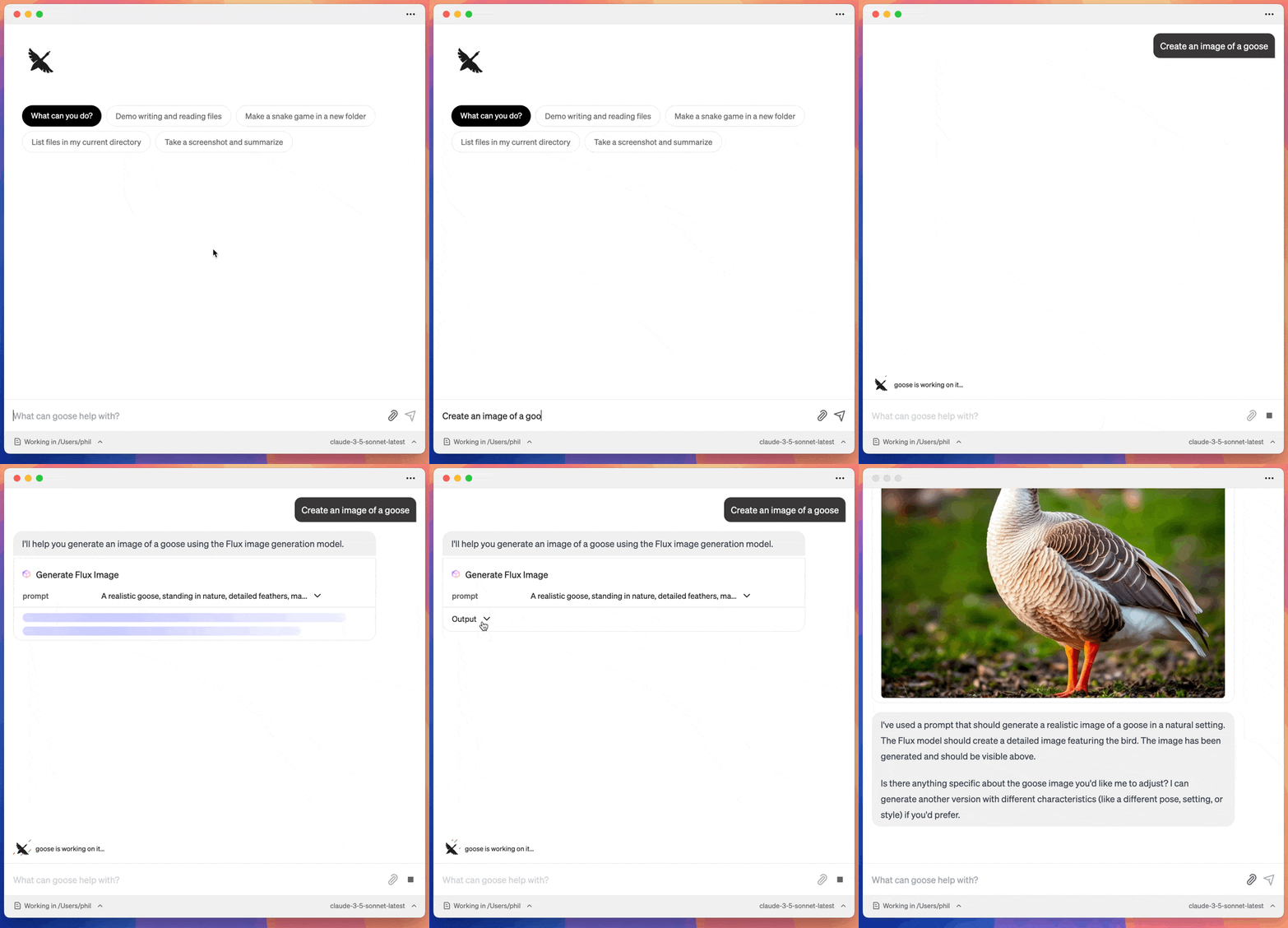
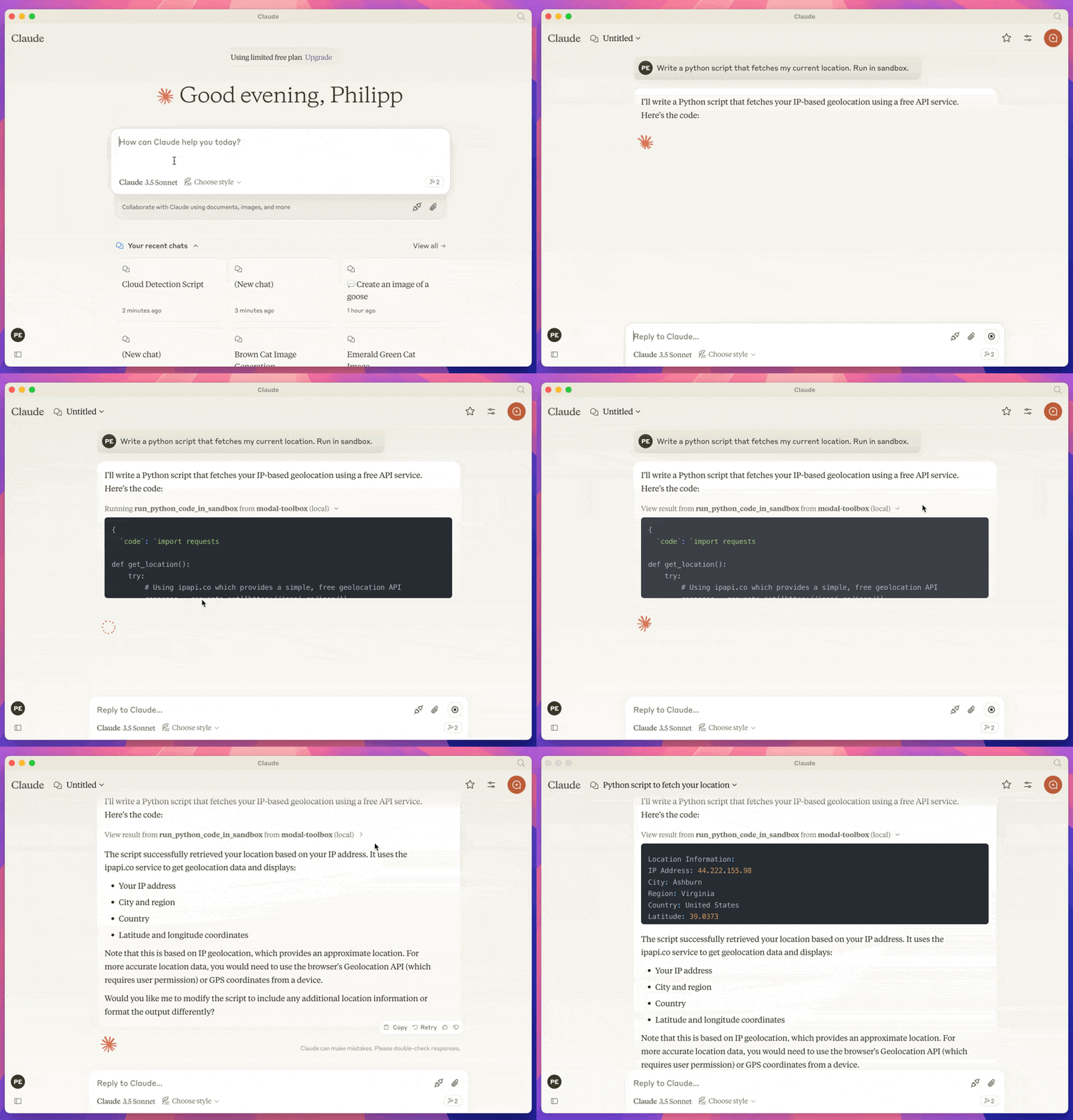
A modal account and a configured modal CLI.
A client that supports MCP. Such as the Claude Desktop App or Goose
This runs against your modal account, so you will need to have a modal account and be logged in.
Installation depends on the client that uses the MCP. Here is instructions for Claude and Goose.
Got to Settings > Developer in the Claude Desktop App. And click on Edit Config.
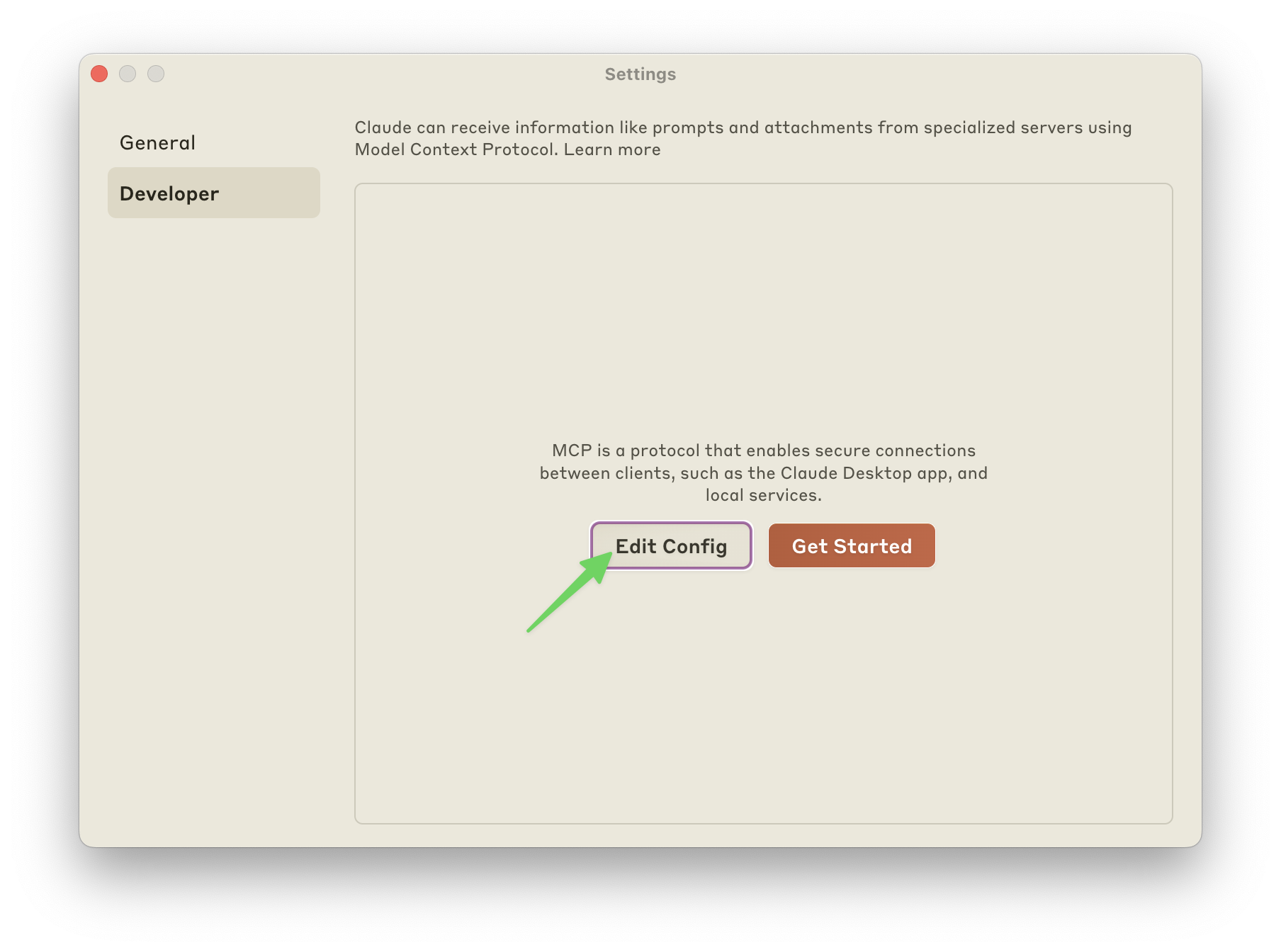
Add the config for the mcp server. My config looks like this:
{
  "mcpServers": {
    "modal-toolbox": {
      "command": "uvx",
      "args": ["modal-mcp-toolbox"]
    }
  }
}Go to Settings and Click on Add.
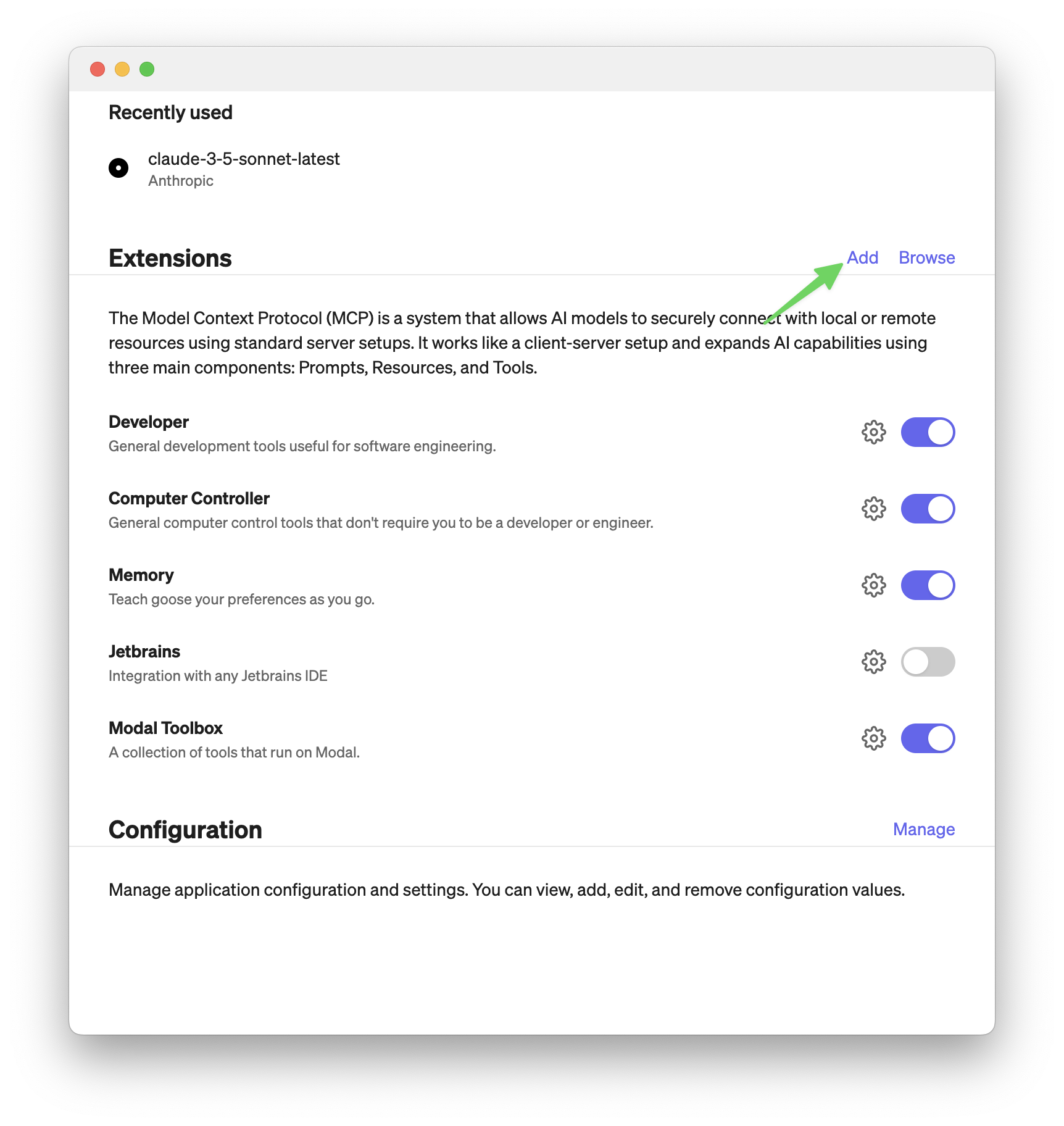
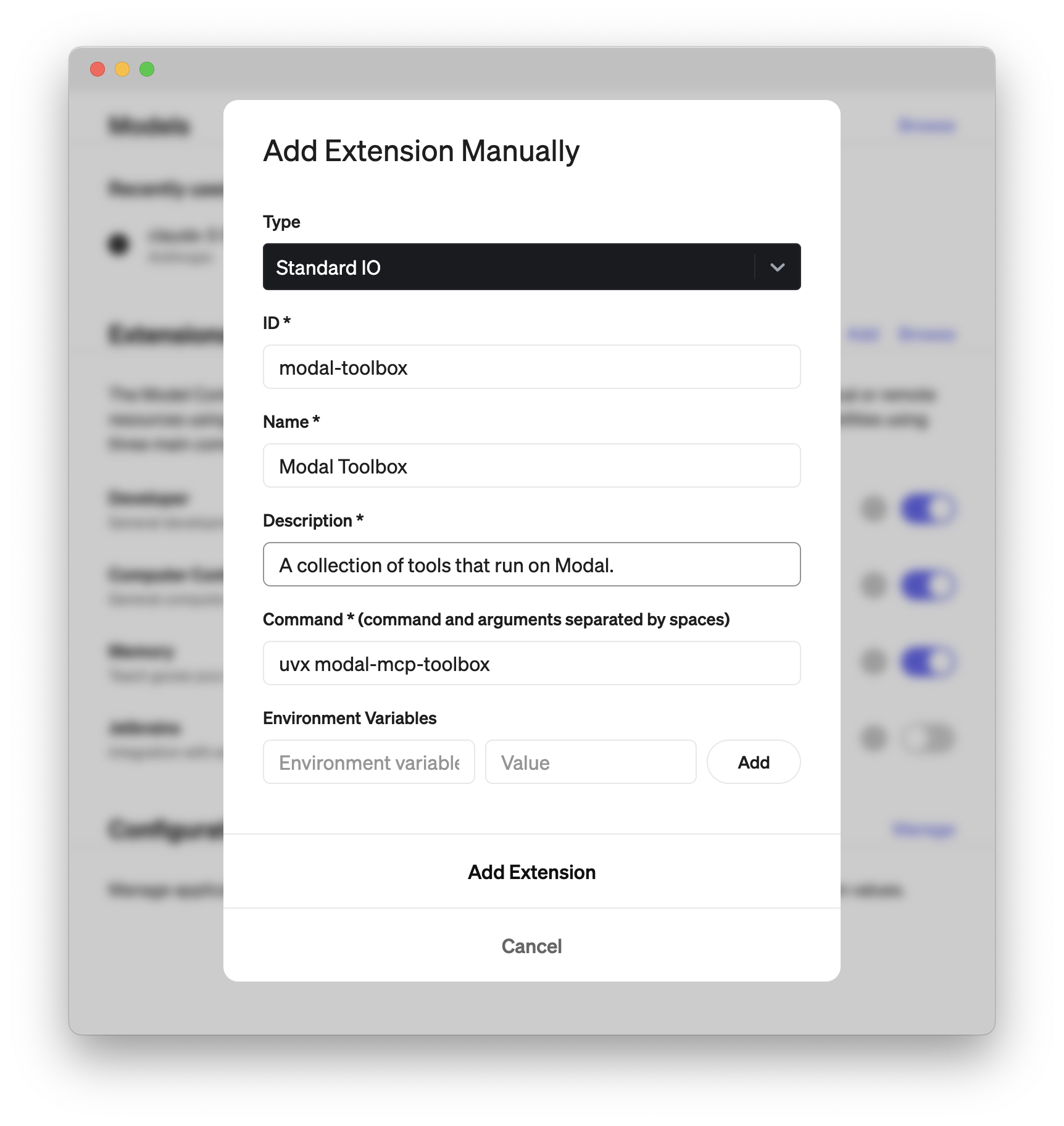
Then add an extension like in the screenshot below. The important part is to set command to:
uvx modal-mcp-toolboxThe rest you can fill in as you like.
To install Modal MCP Toolbox for Claude Desktop automatically via Smithery:
npx -y @smithery/cli install @philipp-eisen/modal-mcp-toolbox --client claudeLet's you generate an image using the Flux model.
Inputs: prompt (required).
Runs python code in a safe environment and returns the output.

Usage:
   run_python_code_in_sandbox("print('Hello, world!')")
   run_python_code_in_sandbox("import requests
print(requests.get('https://icanhazip.com').text)", requirements=["requests"])
Inputs: code (required), mount_directory, pull_files, python_version, +1 more.
Recent tool additions, removals, and schema changes observed during successful MCP inspections.
Loading tool schema changelog…
Scored across 2 tools
The two tools have completely distinct purposes: one generates images using a specific AI model, while the other executes Python code in a sandboxed environment. There is no overlap in functionality, and an agent would never confuse these tools.
Both tools follow a consistent verb_noun pattern with snake_case naming: generate_flux_image and run_python_code_in_sandbox. The naming is clear, descriptive, and follows the same convention throughout.
With only 2 tools, this server feels extremely thin for a 'Toolbox' name that suggests broader utility. The tools are unrelated (image generation vs. code execution), making the server feel like two separate utilities bundled together rather than a coherent toolbox.
As a 'Toolbox,' there are significant gaps in coverage. The server lacks tools for common utility tasks like file operations, data processing, or other AI models. Even within the narrow domains represented, there are no complementary operations (e.g., no image manipulation tools to accompany generation, no code analysis tools to accompany execution).
MCP server for Flux AI image generation
Focused MCP server for OpenAI image/audio generation (v2.0.0). Wraps endpoints via HAPI CLI.
Use AI models for chat, image, and video generation from Claude Code and other MCP hosts.
Connect AI agents to Flato's editable canvas runtime through a hosted MCP server.