A
licenseC
qualityA
maintenanceTypeScript implementation of Kubernetes cluster operations for pods, deployments, services.
17
5,297 npm
1,602
MIT

The Rancher MCP Server is a Model Context Protocol server that provides AI assistants with tools to manage Rancher ecosystem components including Harvester HCI, Kubernetes clusters, Helm releases, and Fleet GitOps deployments.
Harvester Management
List, get, create, update, and delete VMs; perform actions like start/stop/restart
Manage VM snapshots, backups, and images (create from URLs)
List and create PersistentVolumeClaims (Longhorn-backed volumes)
Manage VM networks (NetworkAttachmentDefinition), KubeOVN VPCs and subnets
List hosts/nodes and manage maintenance mode
List/get cluster settings (e.g. backup-target) and addons (enable/disable)
Rancher Management
List clusters and projects with detailed info (health, version, node count)
Get an overview of cluster and project counts
Kubernetes Operations
List, get, describe, create, patch, and delete resources by apiVersion/kind
Get pod logs, list namespace events, and view node capacity/allocatable resources
Helm Management
List, get, and view history of Helm releases
Install, upgrade, rollback, and uninstall Helm charts
List configured chart repositories
Fleet GitOps Control
List, get, create, delete, and clone Fleet GitRepos
Perform actions on GitRepos (pause, unpause, force update, toggle polling)
List Fleet Bundles and clusters; detect drift in BundleDeployments
Security & Configuration
Defaults to read-only mode; write and destructive operations must be explicitly enabled
Sensitive data masking
Configurable via CLI flags, environment variables, or YAML/TOML config files
Supports stdio and Streamable HTTP transports
Cross-platform (macOS, Linux, Windows); single Rancher token enables multi-cluster access
Allows managing Helm releases, including listing, installing, upgrading, rolling back, and uninstalling charts, as well as managing Helm repositories across clusters.
Provides tools to list, get, create, patch, and delete Kubernetes resources, view resource descriptions and events, and monitor cluster capacity.
Enables multi-cluster management through Rancher, providing capabilities to list clusters and projects, retrieve cluster details, and access management API overviews.

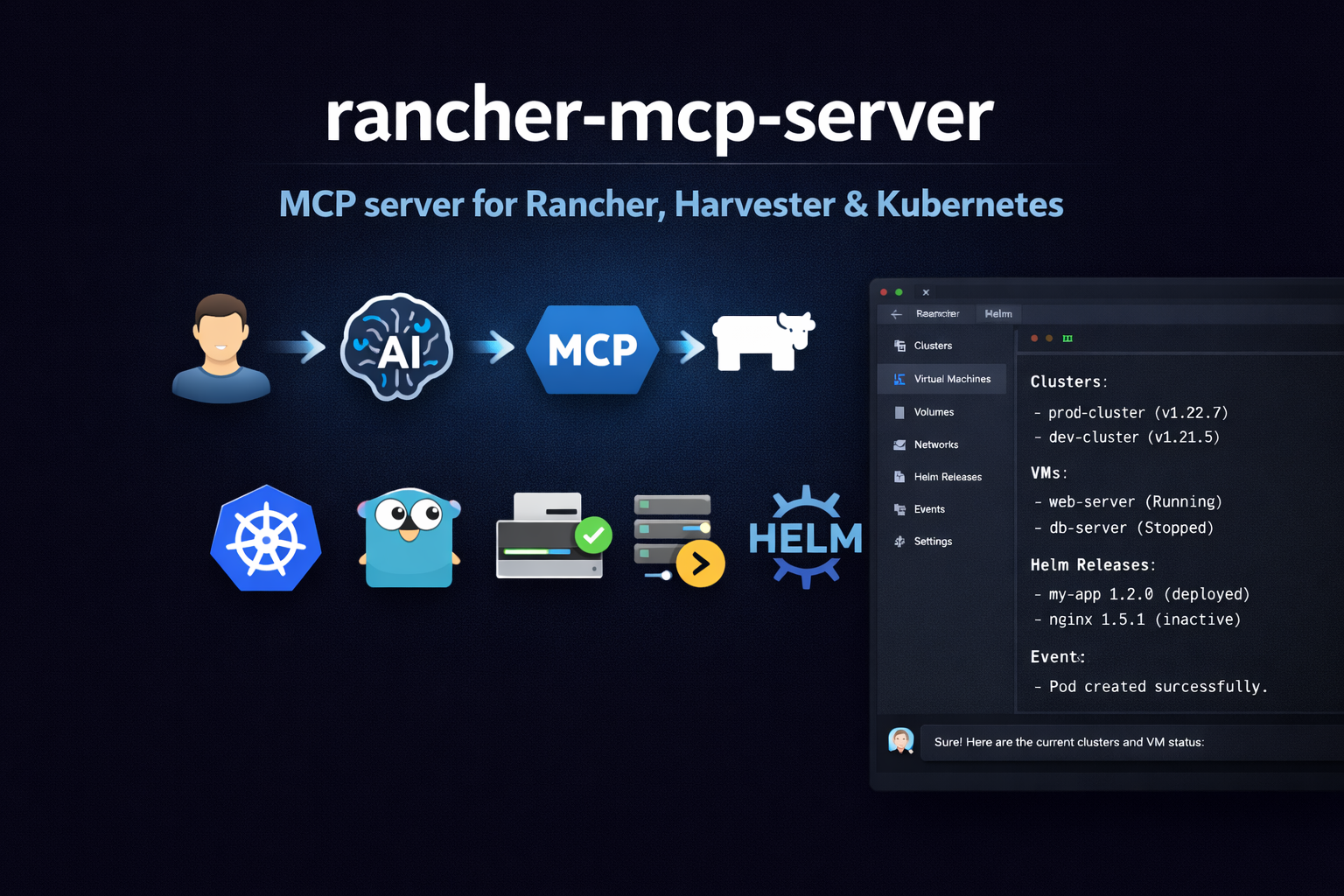
Model Context Protocol (MCP) server for the Rancher ecosystem: multi-cluster Kubernetes, Harvester HCI (VMs, storage, networks), and Fleet GitOps.
A walkthrough of how this MCP server works (example in Cursor).
https://github.com/user-attachments/assets/7d8fb814-e504-47b4-956d-28f43aeea3b8
Harvester toolset: List/get VMs, images, volumes, networks, hosts; VM actions; addon list/switch (enable/disable)
Rancher toolset: Clusters and projects via Steve (management proxy); Norman management API (/v3) for schemas, users, tokens, auth configs, global role bindings, cluster registration tokens, node drivers, cloud credentials, catalogs, cluster repos, feature flags, settings, audit (when exposed); support bundle and generic actions when writes are enabled
Kubernetes toolset: List/get/create/patch/delete resources by apiVersion/kind; describe (resource + events), events, capacity
Helm toolset: List/get/history of releases; install, upgrade, rollback, uninstall; repo list
Fleet toolset: GitRepo list/get/create; Bundle list; Fleet cluster list; drift detection
Rancher APIs: Same Bearer token for Steve (/k8s/clusters/...) and Norman (/v3/...); no CLI wrappers
Security: Read-only default, disable-destructive, sensitive data masking (Norman token/credential fields redacted unless --show-sensitive-data)
Config: Flags, env (RANCHER_MCP_*), or file (YAML/TOML)
Related MCP server: OpsLevel MCP
npm install -g rancher-mcp-serverAdd to .cursor/mcp.json (project-level) or ~/.cursor/mcp.json (global):
{
  "mcpServers": {
    "rancher": {
      "command": "npx",
      "args": [
        "-y", "rancher-mcp-server",
        "--rancher-server-url", "https://rancher.example.com",
        "--rancher-token", "token-xxxxx:yyyy",
        "--toolsets", "harvester,rancher,kubernetes,fleet"
      ]
    }
  }
}
Restart Cursor after saving. Check Settings → Tools & MCP that rancher is listed and enabled.
Add to your Claude Desktop config (claude_desktop_config.json):
{
  "mcpServers": {
    "rancher": {
      "command": "npx",
      "args": [
        "-y", "rancher-mcp-server",
        "--rancher-server-url", "https://rancher.example.com",
        "--rancher-token", "token-xxxxx:yyyy",
        "--toolsets", "harvester,rancher,kubernetes,fleet"
      ]
    }
  }
}If you prefer to keep the token out of the JSON config:
{
  "mcpServers": {
    "rancher": {
      "command": "npx",
      "args": ["-y", "rancher-mcp-server"],
      "env": {
        "RANCHER_MCP_RANCHER_SERVER_URL": "https://rancher.example.com",
        "RANCHER_MCP_RANCHER_TOKEN": "token-xxxxx:yyyy",
        "RANCHER_MCP_TOOLSETS": "harvester,rancher,kubernetes"
      }
    }
  }
}For VM create, snapshots, backups, image/volume create, addon switch, host maintenance mode, VPC create/update/delete, Kubernetes create/patch/delete, Helm install/upgrade/rollback, Fleet gitrepo create/delete, and Norman writes (tokens, users, auth configs, role bindings, cluster registration tokens, cloud credentials, catalog refresh, feature flags, settings, rancher_norman_action, support bundle), add --read-only=false. Delete operations (Norman tokens/bindings/registration tokens/cloud credentials, plus existing toolset deletes) also require --disable-destructive=false (default).
{
  "mcpServers": {
    "rancher": {
      "command": "npx",
      "args": [
        "-y", "rancher-mcp-server",
        "--rancher-server-url", "https://rancher.example.com",
        "--rancher-token", "token-xxxxx:yyyy",
        "--toolsets", "harvester,rancher,kubernetes,helm,fleet",
        "--read-only=false"
      ]
    }
  }
}For web clients or remote access (e.g. Claude Code claude mcp add -t http), add --transport and --port:
{
  "mcpServers": {
    "rancher": {
      "command": "npx",
      "args": [
        "-y", "rancher-mcp-server",
        "--rancher-server-url", "https://rancher.example.com",
        "--rancher-token", "token-xxxxx:yyyy",
        "--transport", "http",
        "--port", "8080"
      ]
    }
  }
}
The server uses the MCP Streamable HTTP transport. The default MCP path is /mcp; connect to http://localhost:8080/mcp (or your server base URL + /mcp). Best supported with Claude Code; Cursor support may vary.
If you prefer to build the Go binary yourself:
go build -o rancher-mcp-server ./cmd/rancher-mcp-serverThen reference the binary directly in your MCP config:
{
  "mcpServers": {
    "rancher": {
      "command": "/absolute/path/to/rancher-mcp-server",
      "args": [
        "--rancher-server-url", "https://rancher.example.com",
        "--rancher-token", "token-xxxxx:yyyy",
        "--toolsets", "harvester,rancher,kubernetes,fleet"
      ]
    }
  }
}Option | Env | Default | Description |
|
| — | Rancher server URL (required) |
|
| — | Bearer token (required) |
|
| false | Skip TLS verification |
|
| true | Disable write operations |
|
| false | Disable delete operations |
|
| false | Show Norman token/credential fields without redaction (use with care) |
|
| harvester | Toolsets to enable: harvester, rancher, kubernetes, helm, fleet |
|
| stdio | Transport: stdio or http (Streamable HTTP; default path |
|
| 0 | Port for HTTP (0 = stdio only) |
Tool | Description |
| List VMs with status, namespace, spec/status |
| Get one VM (full spec and status) |
| start, stop, restart, pause, unpause, migrate |
| Create VM (when not read-only). Supports network, interface_type (managedtap/bridge/masquerade), subnet for KubeOVN VPC. |
| Create/list/restore/delete VM snapshots |
| Create/list/restore VM backups (Backup Target) |
| List VM images (VirtualMachineImage) |
| Create VM image from URL (when not read-only) |
| List PVCs (Longhorn-backed volumes) |
| Create volume/PVC (optionally from image) |
| List VM networks (NetworkAttachmentDefinition) |
| Create VM network - KubeOVN overlay or VLAN (when not read-only) |
| Update VM network config (when not read-only) |
| Delete VM network (when destructive allowed) |
| List KubeOVN Subnets (requires kubeovn-operator) |
| Create Subnet in VPC for VM network (when not read-only) |
| Update Subnet namespaces/NAT (when not read-only) |
| Delete Subnet (when destructive allowed) |
| List nodes (Harvester hosts) |
| Enable/disable maintenance mode on a host (cordon/uncordon) |
| List or get Harvester cluster settings (backup-target, etc.) |
| List Harvester addons (enabled/disabled state) |
| Enable or disable an addon (when not read-only) |
| List KubeOVN VPCs (requires kubeovn-operator addon) |
| Create a KubeOVN VPC (when not read-only) |
| Update a KubeOVN VPC namespaces (when not read-only) |
| Delete a KubeOVN VPC (when destructive allowed) |
List tools accept cluster (required), namespace, format (json|table), limit (default 100), continue (pagination token for next page). Write tools require read_only: false.
Use harvester_vm_create with:
network: Name of the overlay network (NAD) linked to a KubeOVN subnet. Create via harvester_network_create (type=kubeovn) then harvester_subnet_create with provider={network}.{namespace}.ovn, vpc=<vpc-name>, and nat_outgoing=true.
interface_type: managedtap (recommended for KubeOVN) or bridge. Uses Multus as primary network.
subnet: Optional KubeOVN subnet name for ovn.kubernetes.io/logical_switch annotation.
Example: VM on network vswitch1 in namespace default, managedTap interface, subnet vswitch1-subnet:
harvester_vm_create cluster=<cluster-id> namespace=default name=testvm image=<image> network=vswitch1 interface_type=managedtap subnet=vswitch1-subnetRancher tools use the management cluster (local). There is no cluster parameter on these tools.
Tool | Description |
| List Rancher clusters (management) |
| Get one cluster (health, version, node count) |
| List Rancher projects |
| Overview: cluster count and project count |
https://<rancher>/v3/...)Norman tools call Rancher’s JSON management API. Discover types and collection URLs for your server with rancher_norman_schema_list / rancher_norman_schema_get (schema ids such as user, token, cluster).
Read-only (always registered with the rancher toolset)
Tool | Description |
| List API schemas ( |
| Get one schema by id |
| Users |
| Auth providers (local, OIDC, etc.) |
| API tokens (values redacted unless |
| Global role bindings |
| Cluster registration tokens |
| Node drivers |
| Cloud credentials (secrets redacted unless |
| Legacy Norman catalogs ( |
| App catalog cluster repos (see note below) |
| Feature flags ( |
| Global settings ( |
|
|
When --read-only=false
Tool | Description |
|
|
| Create API token |
| Replace an auth config ( |
| Create user |
| User enable/disable actions |
| Create global role binding |
| Create registration token |
| Create cloud credential |
| Refresh legacy catalog ( |
| Update feature flag ( |
| Update setting ( |
| Request support bundle ( |
When --read-only=false and --disable-destructive=false
Tool | Description |
| Delete API token |
| Delete global role binding |
| Delete registration token |
| Delete cloud credential |
rancher_cluster_repo_list / rancher_cluster_repo_get: Tries Norman /v3/clusterrepos first. If that returns 404 (common), falls back to catalog.cattle.io/v1 ClusterRepo on the local cluster via Steve/Kubernetes, trying namespaces cattle-global-data, fleet-default, fleet-local, cattle-fleet-system. Success JSON includes "_source":"kubernetes_api_fallback". If nothing works, the tool still returns 200-style JSON with "_source":"unavailable" and per-attempt errors—not a hard MCP error—so automation can continue.
rancher_catalog_list / rancher_catalog_get: If Norman /v3/catalogs is not registered (404), returns JSON with "_source":"unavailable" instead of failing.
rancher_audit_log_list: If the server returns 404 or 405 (GET not supported), returns JSON with "_source":"unavailable" and _http_status; audit may be disabled or exposed outside Norman.
For catalog data when ClusterRepo is unavailable everywhere, use kubernetes_list on cluster local with api_version catalog.cattle.io/v1 and kind ClusterRepo, or Helm / Fleet tools as appropriate.
Tool | Description |
| List Helm releases (optionally by namespace, deployed/failed/pending) |
| Get release details (manifest, values, notes) |
| Get revision history for a release |
| List configured Helm chart repositories (from local config) |
| Install a Helm chart (when not read-only) |
| Upgrade a Helm release (when not read-only) |
| Rollback a release to a previous revision (when not read-only) |
| Uninstall a release (when destructive allowed) |
All tools take cluster (Rancher cluster ID). Install/upgrade require chart, release; optional repo_url, version, values (JSON).
Tool | Description |
| List Fleet GitRepos (GitOps sources) |
| Get one GitRepo (spec, status) |
| Create a GitRepo (when not read-only) |
| Delete a GitRepo (when destructive allowed) |
| Pause, unpause, disablePolling, enablePolling, forceUpdate |
| Clone a GitRepo to a new name (copy spec) |
| List Fleet Bundles (deployment units from GitRepos) |
| List Fleet clusters (downstream clusters registered with Fleet) |
| Report BundleDeployments with Modified state (drift) |
All tools use the Rancher management cluster (local). Optional namespace (default: fleet-default). List tools support format, limit, continue (pagination). fleet_gitrepo_create requires name, repo; optional branch, paths. fleet_gitrepo_action supports: pause, unpause, disablePolling, enablePolling, forceUpdate. fleet_gitrepo_clone copies spec from an existing GitRepo to a new name.
Tool | Description |
| List resources by apiVersion/kind (e.g. v1 Pod, apps/v1 Deployment) |
| Get one resource by apiVersion, kind, namespace, name |
| Get resource + recent events |
| Get recent pod logs (tail only; container, tailLines, sinceSeconds) |
| List events in a namespace (optional involvedObject filter) |
| Node capacity/allocatable summary per node |
| Create resource from JSON (when not read-only) |
| Patch resource with JSON (when not read-only) |
| Delete resource (when destructive allowed) |
All tools take cluster (Rancher cluster ID). List/get support namespace, format (json|table), limit, continue (pagination). Create/patch/delete are gated by read_only and disable_destructive. kubernetes_logs does not support follow (streaming); use tail_lines and since_seconds to limit output. In some Rancher/proxy setups pod logs can return 503 or stream errors; see Troubleshooting.
Log in to your Rancher UI.
Click your profile/avatar (top right) → Account & API Keys (or API & Keys).
Click Create API Key, name it (e.g. mcp-server), then Create.
Copy the token once (format like token-abc12:xyz...). Use it as --rancher-token or RANCHER_MCP_RANCHER_TOKEN.
Harvester tools require the cluster ID (e.g. c-tx8rn) on each call.
From Rancher UI: Go to Cluster Management → open your Harvester cluster. The URL contains the cluster ID: .../c/<cluster-id>/....
From API (Steve): curl -s -H "Authorization: Bearer YOUR_TOKEN" "https://YOUR_RANCHER_URL/k8s/clusters/local/v1/management.cattle.io.clusters" | jq '.data[] | {name: .metadata.name}'
Norman schemas: curl -s -H "Authorization: Bearer YOUR_TOKEN" "https://YOUR_RANCHER_URL/v3/schemas" | jq '.data[0:5].id'
For HTTP server mode, use the container image from GitHub Container Registry (ghcr.io). For Cursor/Claude with stdio, use npm (see Quick start).
Run the server and expose the port:
docker run -d -p 8080:8080 \
  -e RANCHER_MCP_RANCHER_SERVER_URL=https://rancher.example.com \
  -e RANCHER_MCP_RANCHER_TOKEN="token-xxxxx:yyyy" \
  -e RANCHER_MCP_TRANSPORT=http \
  -e RANCHER_MCP_PORT=8080 \
ghcr.io/mrostamii/rancher-mcp-server:latesthttp://localhost:8080/mcp (Streamable HTTP; default path is /mcp). Example: claude mcp add -t http rancher http://localhost:8080/mcpmacOS (Apple Silicon & Intel)
Linux (x64 & ARM64)
Windows (x64)
Issue | What to check |
"rancher-server-url and rancher-token are required" | Check |
401 Unauthorized | Token expired or invalid. Create a new API key in Rancher. |
TLS / certificate errors | For self-signed Rancher, pass |
"cluster not found" or empty lists | Wrong cluster ID. Get it from Rancher UI URL or API; pass it as |
Cursor doesn't show tools | Restart Cursor after editing |
Binary not found | Use absolute paths in |
| Known in some Rancher/proxied setups (e.g. RKE2). Reduce |
Norman tool returns | That collection may not exist on your Rancher version (e.g. legacy |
Cluster repo list shows |
|
Apache-2.0
List Harvester addons with their enabled/disabled state
| Name | Required | Description | Default |
|---|---|---|---|
| limit | No | Max items per namespace (default: 100) | |
| format | No | Output format: json, table (default: json) | |
| cluster | Yes | Harvester cluster ID | |
| continue | No | Pagination token from previous response (for next page; only when namespace is specified) | |
| namespace | No | Namespace (empty = all common addon namespaces: harvester-system, cattle-logging-system, cattle-monitoring-system, kube-system) |
Does the description disclose side effects, auth requirements, rate limits, or destructive behavior?
Description says 'List' (read-only), but annotations set destructiveHint: true, indicating modification. This is a direct contradiction. No additional behavioral details provided.
Agents need to know what a tool does to the world before calling it. Descriptions should go beyond structured annotations to explain consequences.
Is the description appropriately sized, front-loaded, and free of redundancy?
Single sentence, front-loaded, no wasted words. However, it sacrifices necessary detail like usage context.
Shorter descriptions cost fewer tokens and are easier for agents to parse. Every sentence should earn its place.
Given the tool's complexity, does the description cover enough for an agent to succeed on first attempt?
Given 5 parameters, no output schema, and a contradiction, the description is incomplete. It fails to explain pagination, output format, or behavior of options.
Complex tools with many parameters or behaviors need more documentation. Simple tools need less. This dimension scales expectations accordingly.
Does the description clarify parameter syntax, constraints, interactions, or defaults beyond what the schema provides?
Input schema has 100% parameter description coverage, so the description adds no extra semantic value beyond the schema. Baseline 3.
Input schemas describe structure but not intent. Descriptions should explain non-obvious parameter relationships and valid value ranges.
Does the description clearly state what the tool does and how it differs from similar tools?
The description clearly states the action (List), resource (Harvester addons), and the output (enabled/disabled state). It distinguishes itself from sibling tools like harvester_host_list and harvester_vm_list.
Agents choose between tools based on descriptions. A clear purpose with a specific verb and resource helps agents select the right tool.
Does the description explain when to use this tool, when not to, or what alternatives exist?
No explicit guidance on when to use this tool versus alternatives. No mention of conditions or exclusions.
Agents often have multiple tools that could apply. Explicit usage guidance like "use X instead of Y when Z" prevents misuse.
List Harvester hosts (nodes) with maintenance mode and disk status
| Name | Required | Description | Default |
|---|---|---|---|
| limit | No | Max items (default: 100) | |
| format | No | Output format: json, table (default: json) | |
| cluster | Yes | Harvester cluster ID | |
| continue | No | Pagination token from previous response (for next page) |
Does the description disclose side effects, auth requirements, rate limits, or destructive behavior?
Annotations indicate destructiveHint: true, but the description does not clarify what destructive behavior occurs (e.g., whether listing triggers side effects). The description adds minimal behavioral context beyond the annotations.
Agents need to know what a tool does to the world before calling it. Descriptions should go beyond structured annotations to explain consequences.
Is the description appropriately sized, front-loaded, and free of redundancy?
A single, concise sentence that directly states the tool's function without unnecessary words.
Shorter descriptions cost fewer tokens and are easier for agents to parse. Every sentence should earn its place.
Given the tool's complexity, does the description cover enough for an agent to succeed on first attempt?
The description is brief and lacks detail about return values or pagination behavior. While the schema covers parameters, the absence of an output schema means the description could offer more context to compensate.
Complex tools with many parameters or behaviors need more documentation. Simple tools need less. This dimension scales expectations accordingly.
Does the description clarify parameter syntax, constraints, interactions, or defaults beyond what the schema provides?
Schema coverage is 100%, so all parameters are documented in the schema. The description mentions 'maintenance mode and disk status' which are output fields, not parameters, thus adding no new parameter semantics.
Input schemas describe structure but not intent. Descriptions should explain non-obvious parameter relationships and valid value ranges.
Does the description clearly state what the tool does and how it differs from similar tools?
The description clearly states the verb 'List' and the resource 'Harvester hosts (nodes)', and specifies key attributes 'maintenance mode and disk status'. It distinguishes from sibling tools which target different resource types.
Agents choose between tools based on descriptions. A clear purpose with a specific verb and resource helps agents select the right tool.
Does the description explain when to use this tool, when not to, or what alternatives exist?
No explicit guidance on when to use this tool versus alternatives. While the purpose implies it is for listing hosts, there is no mention of when not to use it or any prerequisites.
Agents often have multiple tools that could apply. Explicit usage guidance like "use X instead of Y when Z" prevents misuse.
List Harvester VM images (VirtualMachineImage) with download progress
| Name | Required | Description | Default |
|---|---|---|---|
| limit | No | Max items (default: 100) | |
| format | No | Output format: json, table (default: json) | |
| cluster | Yes | Harvester cluster ID | |
| continue | No | Pagination token from previous response (for next page) | |
| namespace | No | Namespace (empty = all) |
Does the description disclose side effects, auth requirements, rate limits, or destructive behavior?
The description describes a read-only list operation, but annotations set destructiveHint=true, indicating a contradiction. No additional behavioral context is given to resolve this conflict.
Agents need to know what a tool does to the world before calling it. Descriptions should go beyond structured annotations to explain consequences.
Is the description appropriately sized, front-loaded, and free of redundancy?
Single sentence, 9 words, clearly states action and resource. Efficient and to the point with no unnecessary detail.
Shorter descriptions cost fewer tokens and are easier for agents to parse. Every sentence should earn its place.
Given the tool's complexity, does the description cover enough for an agent to succeed on first attempt?
Despite conciseness, the description omits critical context: no explanation of 'download progress', no clarification of the destructive hint, and no description of return value. Given no output schema, this is insufficient.
Complex tools with many parameters or behaviors need more documentation. Simple tools need less. This dimension scales expectations accordingly.
Does the description clarify parameter syntax, constraints, interactions, or defaults beyond what the schema provides?
Schema coverage is 100% with well-described parameters. The description adds minimal extra value (e.g., 'download progress') but does not enhance parameter understanding beyond the schema.
Input schemas describe structure but not intent. Descriptions should explain non-obvious parameter relationships and valid value ranges.
Does the description clearly state what the tool does and how it differs from similar tools?
The description clearly states 'List Harvester VM images (VirtualMachineImage) with download progress', using a strong verb and specific resource, distinguishing it from sibling tools like harvester_vm_list.
Agents choose between tools based on descriptions. A clear purpose with a specific verb and resource helps agents select the right tool.
Does the description explain when to use this tool, when not to, or what alternatives exist?
No guidance is provided on when to use this tool versus alternatives (e.g., harvester_vm_list). The description only states what it does without context for selection.
Agents often have multiple tools that could apply. Explicit usage guidance like "use X instead of Y when Z" prevents misuse.
List Harvester VLAN networks (NetworkAttachmentDefinition)
| Name | Required | Description | Default |
|---|---|---|---|
| limit | No | Max items (default: 100) | |
| format | No | Output format: json, table (default: json) | |
| cluster | Yes | Harvester cluster ID | |
| continue | No | Pagination token from previous response (for next page) | |
| namespace | No | Namespace (empty = all) |
Does the description disclose side effects, auth requirements, rate limits, or destructive behavior?
The description claims a read-only listing operation, but annotations declare destructiveHint=true, creating a contradiction. The description does not disclose any behavioral traits, and the annotation mismatch undermines trust.
Agents need to know what a tool does to the world before calling it. Descriptions should go beyond structured annotations to explain consequences.
Is the description appropriately sized, front-loaded, and free of redundancy?
The description is extremely concise with no wasted words. However, it may be too terse for a tool with 5 parameters and no output schema.
Shorter descriptions cost fewer tokens and are easier for agents to parse. Every sentence should earn its place.
Given the tool's complexity, does the description cover enough for an agent to succeed on first attempt?
Given the tool has 5 parameters, no output schema, and a destructiveHint annotation, the description is insufficient. It does not explain return values, pagination, or potential side effects, leaving gaps for effective use.
Complex tools with many parameters or behaviors need more documentation. Simple tools need less. This dimension scales expectations accordingly.
Does the description clarify parameter syntax, constraints, interactions, or defaults beyond what the schema provides?
With 100% schema description coverage, the schema already documents all parameters. The description adds no extra meaning beyond what the schema provides, so a baseline score of 3 is appropriate.
Input schemas describe structure but not intent. Descriptions should explain non-obvious parameter relationships and valid value ranges.
Does the description clearly state what the tool does and how it differs from similar tools?
The description 'List Harvester VLAN networks (NetworkAttachmentDefinition)' clearly specifies the action (list) and resource (Harvester VLAN networks), distinguishing it from sibling tools like harvester_subnet_list and harvester_vpc_list.
Agents choose between tools based on descriptions. A clear purpose with a specific verb and resource helps agents select the right tool.
Does the description explain when to use this tool, when not to, or what alternatives exist?
The description implies usage for listing VLAN networks but provides no guidance on when to use this tool instead of alternatives, nor does it mention prerequisites or exclusion criteria.
Agents often have multiple tools that could apply. Explicit usage guidance like "use X instead of Y when Z" prevents misuse.
List or get Harvester cluster settings (backup-target, auto-disk-provision-paths, etc.)
| Name | Required | Description | Default |
|---|---|---|---|
| name | No | Setting name (empty = list all) | |
| limit | No | Max items when listing (default: 100) | |
| format | No | Output format: json, table (default: json) | |
| cluster | Yes | Harvester cluster ID | |
| continue | No | Pagination token from previous response (for next page; list mode only) |
Does the description disclose side effects, auth requirements, rate limits, or destructive behavior?
Description claims 'List or get' (read-only behavior), but annotations indicate readOnlyHint=false and destructiveHint=true, suggesting this tool can modify or destroy settings. This is a significant contradiction and misleads the agent.
Agents need to know what a tool does to the world before calling it. Descriptions should go beyond structured annotations to explain consequences.
Is the description appropriately sized, front-loaded, and free of redundancy?
Extremely concise single sentence that front-loads the action and includes examples. No unnecessary words.
Shorter descriptions cost fewer tokens and are easier for agents to parse. Every sentence should earn its place.
Given the tool's complexity, does the description cover enough for an agent to succeed on first attempt?
Despite good schema coverage, the description fails to address the destructive potential implied by annotations, leaving the agent uninformed about risks. No output schema is provided.
Complex tools with many parameters or behaviors need more documentation. Simple tools need less. This dimension scales expectations accordingly.
Does the description clarify parameter syntax, constraints, interactions, or defaults beyond what the schema provides?
Schema description coverage is 100%, and the description adds concrete examples of setting names (backup-target, etc.), enhancing clarity beyond the schema alone.
Input schemas describe structure but not intent. Descriptions should explain non-obvious parameter relationships and valid value ranges.
Does the description clearly state what the tool does and how it differs from similar tools?
Description clearly states the tool lists or retrieves Harvester cluster settings, with examples of setting names. It is well-differentiated from sibling tools that list specific resources.
Agents choose between tools based on descriptions. A clear purpose with a specific verb and resource helps agents select the right tool.
Does the description explain when to use this tool, when not to, or what alternatives exist?
No explicit when-to-use or when-not-to-use guidance is provided. Usage is only implied by the description, and no alternatives are mentioned.
Agents often have multiple tools that could apply. Explicit usage guidance like "use X instead of Y when Z" prevents misuse.
List KubeOVN Subnets (requires kubeovn-operator addon). Subnets define VM network CIDRs and are linked to Networks via provider.
| Name | Required | Description | Default |
|---|---|---|---|
| limit | No | Max items (default: 100) | |
| format | No | Output format: json, table (default: json) | |
| cluster | Yes | Harvester cluster ID | |
| continue | No | Pagination token from previous response (for next page) |
Does the description disclose side effects, auth requirements, rate limits, or destructive behavior?
The description indicates a list operation (read-only), but the annotations set destructiveHint=true, creating a contradiction. The description does not acknowledge or clarify this discrepancy or disclose any other behavioral traits.
Agents need to know what a tool does to the world before calling it. Descriptions should go beyond structured annotations to explain consequences.
Is the description appropriately sized, front-loaded, and free of redundancy?
The description is a single sentence that conveys the purpose and a key prerequisite without any fluff. Every word adds value.
Shorter descriptions cost fewer tokens and are easier for agents to parse. Every sentence should earn its place.
Given the tool's complexity, does the description cover enough for an agent to succeed on first attempt?
The description gives basic context about what subnets are and their linkage to networks, but it does not describe the output format or behavior (e.g., pagination via continue token). The lack of output schema and the annotation contradiction reduce completeness.
Complex tools with many parameters or behaviors need more documentation. Simple tools need less. This dimension scales expectations accordingly.
Does the description clarify parameter syntax, constraints, interactions, or defaults beyond what the schema provides?
Schema coverage is 100%, so the baseline is 3. The description adds no additional meaning beyond the parameter names and types already present in the schema.
Input schemas describe structure but not intent. Descriptions should explain non-obvious parameter relationships and valid value ranges.
Does the description clearly state what the tool does and how it differs from similar tools?
The description clearly states the tool lists KubeOVN Subnets, specifies the resource type, and provides context about their role (define VM network CIDRs, linked to Networks via provider). It distinguishes from sibling tools like harvester_network_list and harvester_vpc_list.
Agents choose between tools based on descriptions. A clear purpose with a specific verb and resource helps agents select the right tool.
Does the description explain when to use this tool, when not to, or what alternatives exist?
The description mentions a prerequisite (requires kubeovn-operator addon) and explains the relationship between subnets and networks, but does not provide explicit guidance on when to use this tool versus alternatives like network_list or vpc_list.
Agents often have multiple tools that could apply. Explicit usage guidance like "use X instead of Y when Z" prevents misuse.
Get a single virtual machine with full spec and status (metrics, disks, networks)
| Name | Required | Description | Default |
|---|---|---|---|
| name | Yes | VM name | |
| format | No | Output format: json, table (default: json) | |
| cluster | Yes | Harvester cluster ID | |
| namespace | Yes | Namespace |
Does the description disclose side effects, auth requirements, rate limits, or destructive behavior?
The description says 'Get' implying a read-only operation, but annotations indicate readOnlyHint: false and destructiveHint: true, which is a direct contradiction. No behavioral details about side effects are provided, making this a serious transparency failure.
Agents need to know what a tool does to the world before calling it. Descriptions should go beyond structured annotations to explain consequences.
Is the description appropriately sized, front-loaded, and free of redundancy?
The description is a single sentence that is front-loaded with the verb and resource, and is concise with no wasted words.
Shorter descriptions cost fewer tokens and are easier for agents to parse. Every sentence should earn its place.
Given the tool's complexity, does the description cover enough for an agent to succeed on first attempt?
For a tool with no output schema and a destructiveHint contradiction, the description is incomplete. It mentions 'full spec and status (metrics, disks, networks)' but does not explain return values or address the side effects implied by annotations. It is adequate but has clear gaps.
Complex tools with many parameters or behaviors need more documentation. Simple tools need less. This dimension scales expectations accordingly.
Does the description clarify parameter syntax, constraints, interactions, or defaults beyond what the schema provides?
Schema description coverage is 100%, so the baseline is 3. The description adds no extra parameter meaning beyond what the schema already provides, as it only mentions 'output format' which is already documented.
Input schemas describe structure but not intent. Descriptions should explain non-obvious parameter relationships and valid value ranges.
Does the description clearly state what the tool does and how it differs from similar tools?
The description clearly states the verb 'Get' and the resource 'single virtual machine', and specifies the scope 'full spec and status (metrics, disks, networks)', which distinguishes it from sibling tools like 'harvester_vm_list' that likely list VMs without full details.
Agents choose between tools based on descriptions. A clear purpose with a specific verb and resource helps agents select the right tool.
Does the description explain when to use this tool, when not to, or what alternatives exist?
The description implies the tool should be used when full VM details are needed, but does not explicitly state when to use it vs alternatives (e.g., listing) or provide any exclusions or prerequisites.
Agents often have multiple tools that could apply. Explicit usage guidance like "use X instead of Y when Z" prevents misuse.
List virtual machines across Harvester clusters with status, IP, node, CPU/memory
| Name | Required | Description | Default |
|---|---|---|---|
| limit | No | Max items to return (default: 100) | |
| format | No | Output format: json, table (default: json) | |
| cluster | Yes | Harvester cluster ID | |
| continue | No | Pagination token from previous response (for next page) | |
| namespace | No | Namespace (empty = all namespaces) |
Does the description disclose side effects, auth requirements, rate limits, or destructive behavior?
The description states a read-only operation ('List'), but annotations set destructiveHint=true and readOnlyHint=false, contradicting the described behavior. No additional behavioral context (e.g., side effects, required permissions) is provided.
Agents need to know what a tool does to the world before calling it. Descriptions should go beyond structured annotations to explain consequences.
Is the description appropriately sized, front-loaded, and free of redundancy?
The description is a single concise sentence with no fluff. It is appropriately front-loaded, though it could be expanded slightly without losing conciseness.
Shorter descriptions cost fewer tokens and are easier for agents to parse. Every sentence should earn its place.
Given the tool's complexity, does the description cover enough for an agent to succeed on first attempt?
With no output schema, the description should mention return fields or pagination behavior. It omits details on how to interpret the response or use pagination tokens (limit/continue), leaving gaps for complex use.
Complex tools with many parameters or behaviors need more documentation. Simple tools need less. This dimension scales expectations accordingly.
Does the description clarify parameter syntax, constraints, interactions, or defaults beyond what the schema provides?
Schema description coverage is 100%, so parameters are fully documented. The description adds no parameter-specific meaning beyond the schema, earning a baseline score of 3.
Input schemas describe structure but not intent. Descriptions should explain non-obvious parameter relationships and valid value ranges.
Does the description clearly state what the tool does and how it differs from similar tools?
The description clearly states the verb 'List', the resource 'virtual machines across Harvester clusters', and mentions key fields returned (status, IP, node, CPU/memory), distinguishing it from sibling tools like harvester_vm_get.
Agents choose between tools based on descriptions. A clear purpose with a specific verb and resource helps agents select the right tool.
Does the description explain when to use this tool, when not to, or what alternatives exist?
The description provides no guidance on when to use this tool vs alternatives (e.g., harvester_vm_get for details, other list tools for different resources). It lacks explicit usage context or exclusions.
Agents often have multiple tools that could apply. Explicit usage guidance like "use X instead of Y when Z" prevents misuse.
List PersistentVolumeClaims (Longhorn-backed volumes) with size and health
| Name | Required | Description | Default |
|---|---|---|---|
| limit | No | Max items (default: 100) | |
| format | No | Output format: json, table (default: json) | |
| cluster | Yes | Harvester cluster ID | |
| continue | No | Pagination token from previous response (for next page) | |
| namespace | No | Namespace (empty = all) |
Does the description disclose side effects, auth requirements, rate limits, or destructive behavior?
The description claims a read-only list operation, but annotations set readOnlyHint=false and destructiveHint=true, implying potential write or destructive behavior. This contradiction is severe, and the description adds no behavioral context beyond the misleading annotations.
Agents need to know what a tool does to the world before calling it. Descriptions should go beyond structured annotations to explain consequences.
Is the description appropriately sized, front-loaded, and free of redundancy?
The description is a single sentence that concisely conveys the action, resource, and key output fields. It is front-loaded and contains no redundant information.
Shorter descriptions cost fewer tokens and are easier for agents to parse. Every sentence should earn its place.
Given the tool's complexity, does the description cover enough for an agent to succeed on first attempt?
The description lacks details on pagination behavior (e.g., how 'continue' token works), default limits, error handling, or interpretation of size and health. The contradiction with annotations further reduces completeness.
Complex tools with many parameters or behaviors need more documentation. Simple tools need less. This dimension scales expectations accordingly.
Does the description clarify parameter syntax, constraints, interactions, or defaults beyond what the schema provides?
The input schema has 100% description coverage for all 5 parameters, so the description adds no additional meaning beyond what the schema already provides. Baseline 3 is appropriate.
Input schemas describe structure but not intent. Descriptions should explain non-obvious parameter relationships and valid value ranges.
Does the description clearly state what the tool does and how it differs from similar tools?
The description clearly states the tool lists PersistentVolumeClaims (Longhorn-backed volumes) with size and health, precisely specifying the resource and key output fields, distinguishing it from sibling tools that list other resources.
Agents choose between tools based on descriptions. A clear purpose with a specific verb and resource helps agents select the right tool.
Does the description explain when to use this tool, when not to, or what alternatives exist?
No usage guidelines are provided; the description does not indicate when to use this tool over alternatives, such as other list tools for different resources, nor any prerequisites or conditions for use.
Agents often have multiple tools that could apply. Explicit usage guidance like "use X instead of Y when Z" prevents misuse.
List KubeOVN VPCs (requires kubeovn-operator addon enabled)
| Name | Required | Description | Default |
|---|---|---|---|
| limit | No | Max items (default: 100) | |
| format | No | Output format: json, table (default: json) | |
| cluster | Yes | Harvester cluster ID (where KubeOVN runs) | |
| continue | No | Pagination token from previous response (for next page) |
Does the description disclose side effects, auth requirements, rate limits, or destructive behavior?
The description claims the tool is a read-only list operation, but annotations set readOnlyHint: false and destructiveHint: true, which contradict the described behavior. This is a significant inconsistency.
Agents need to know what a tool does to the world before calling it. Descriptions should go beyond structured annotations to explain consequences.
Is the description appropriately sized, front-loaded, and free of redundancy?
The description is a single concise sentence that includes both the action and a critical prerequisite, with no redundant information.
Shorter descriptions cost fewer tokens and are easier for agents to parse. Every sentence should earn its place.
Given the tool's complexity, does the description cover enough for an agent to succeed on first attempt?
Given the lack of output schema, the description does not explain what the tool returns (e.g., VPC IDs, status). It also does not mention pagination behavior despite a 'continue' parameter. The annotation contradiction further undermines completeness.
Complex tools with many parameters or behaviors need more documentation. Simple tools need less. This dimension scales expectations accordingly.
Does the description clarify parameter syntax, constraints, interactions, or defaults beyond what the schema provides?
Schema description coverage is 100%, so the baseline is 3. The description does not add additional meaning beyond what the schema provides for parameters.
Input schemas describe structure but not intent. Descriptions should explain non-obvious parameter relationships and valid value ranges.
Does the description clearly state what the tool does and how it differs from similar tools?
The description explicitly states the action 'List' and the resource 'KubeOVN VPCs', and adds a prerequisite. It clearly distinguishes from sibling tools like harvester_host_list or harvester_network_list.
Agents choose between tools based on descriptions. A clear purpose with a specific verb and resource helps agents select the right tool.
Does the description explain when to use this tool, when not to, or what alternatives exist?
The description mentions a prerequisite (kubeovn-operator addon enabled), providing clear context for when the tool can be used. However, it does not explicitly state when not to use this tool or suggest alternatives.
Agents often have multiple tools that could apply. Explicit usage guidance like "use X instead of Y when Z" prevents misuse.
Recent tool additions, removals, and schema changes observed during successful MCP inspections.
v0.7.0harvester_addon_listharvester_host_listharvester_image_listharvester_network_listharvester_settingsharvester_subnet_listharvester_vm_getharvester_vm_listharvester_volume_listharvester_vpc_listScored across 10 tools
Each tool targets a distinct Harvester resource type (addons, hosts, images, networks, settings, subnets, VMs, volumes, VPCs). The only potential overlap is between harvester_vm_get and harvester_vm_list, but they are clearly differentiated for single vs. list operations.
All tools follow the pattern 'harvester_<resource>_<action>' except 'harvester_settings' which omits the '_list' suffix. This is a minor inconsistency, but overall the naming is predictable and consistent.
10 tools is well-scoped for managing a Harvester environment. It covers major resource categories without being overwhelming or too sparse.
The tool set is almost entirely read-only (list/get), lacking create, update, or delete operations for any resource. This is a significant gap for lifecycle management, likely causing agent failures when mutations are needed.
Model Context Protocol server for the Apideck Unified API. Connect any MCP-compatible agent framework to 100+ accounting systems, HRIS platforms, file storage providers, and more through one integration. More information https://www.apideck.com/mcp-server
MCP server for mandates, delegation, policy-gated execution, credential grants, and audit.
Ovanek MCP: Model Context Protocol server for Ovanek platform tools; writes are dry-run by default.
MCP server for OnceAsk, the AI-native current-address layer for people and agents.