


A
licenseA
qualityD
maintenanceAn MCP server that allows Claude AI to perform filesystem operations including reading, writing, listing, moving files, and searching directories within specified allowed paths.
9
25 npm
2
ISC

MCP 服务器用于通过 Claude 访问和管理分类账文件。
该服务器实现了三种账本管理工具:
list-accounts :列出账本中的所有账户
将“年份”作为必需参数
返回所有可用帐户的格式化列表
account-balance :获取特定账户的余额
将“年份”和“帐户”作为必需参数
返回指定账户的当前余额
account-register :显示账户的交易记录
将“年份”和“帐户”作为必需参数
返回指定账户的详细交易历史记录
Related MCP server: Monad MCP Tutorial
Python 3.13 或更高版本
uv包管理器
Node.js 和 npm(用于调试)
uv pip install ledger-service使用检查器调试服务器:
npx @modelcontextprotocol/inspector \
  uv \
  --directory /path/to/ledger-service \
  run \
  ledger-service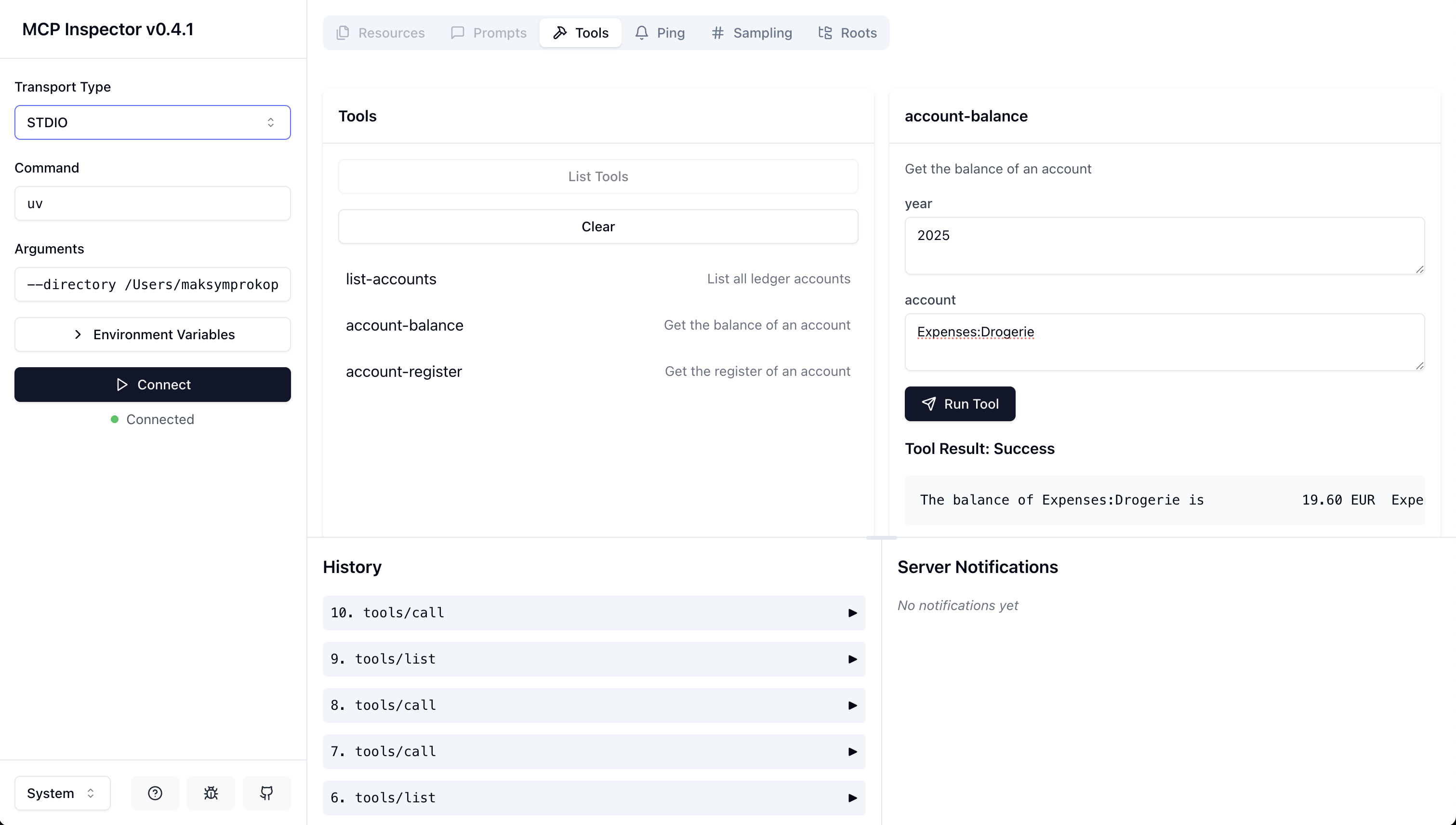
将服务器配置添加到 Claude Desktop 的配置文件中:
在 MacOS 上: ~/Library/Application\ Support/Claude/claude_desktop_config.json在 Windows 上: %APPDATA%/Claude/claude_desktop_config.json
"mcpServers": {
  "ledger-service": {
    "command": "uv",
    "args": [
      "--directory",
      "/path/to/ledger-service",
      "run",
      "ledger-service"
    ]
  }
}
"mcpServers": {
"ledger-service": {
"command": "uvx",
"args": [
"ledger-service"
]
}
}克隆存储库
创建并激活虚拟环境
安装依赖项:
可以通过修改server.py中的LEDGER_BASE_PATH常量来配置基本路径。
GNU 通用公共许可证第 3 版,2007 年 6 月 29 日
This server cannot be deployed
An MCP server that provides read access to your cloud storage providers, bank accounts and more.
Augments MCP Server - A comprehensive framework documentation provider for Claude Code
An MCP server that provides congressional transcripts
MCP server for Modern Treasury — payment orders, transactions, counterparties and ledgers.