


A
licenseA
qualityD
maintenanceAn MCP server that allows Claude AI to perform filesystem operations including reading, writing, listing, moving files, and searching directories within specified allowed paths.
9
22 npm
2
ISC

Click on "Deploy Server".
Wait a few minutes for the server to deploy. Once ready, it will show a "Started" state.
In the chat, type @ followed by the MCP server name and your instructions, e.g., "@Ledger MCP Server show me the balance for my checking account this year"
That's it! The server will respond to your query, and you can continue using it as needed.
Here is a step-by-step guide with screenshots.
MCP Server for accessing and managing ledger files through Claude.
The server implements three tools for ledger management:
list-accounts: Lists all accounts in the ledger
Takes "year" as a required argument
Returns formatted list of all available accounts
account-balance: Gets the balance for a specific account
Takes "year" and "account" as required arguments
Returns the current balance for the specified account
account-register: Shows the transaction register for an account
Takes "year" and "account" as required arguments
Returns detailed transaction history for the specified account
Related MCP server: Monad MCP Tutorial
Python 3.13 or higher
uv package manager
Node.js and npm (for debugging)
uv pip install ledger-serviceUsing the inspector to debug the server:
npx @modelcontextprotocol/inspector \
  uv \
  --directory /path/to/ledger-service \
  run \
  ledger-service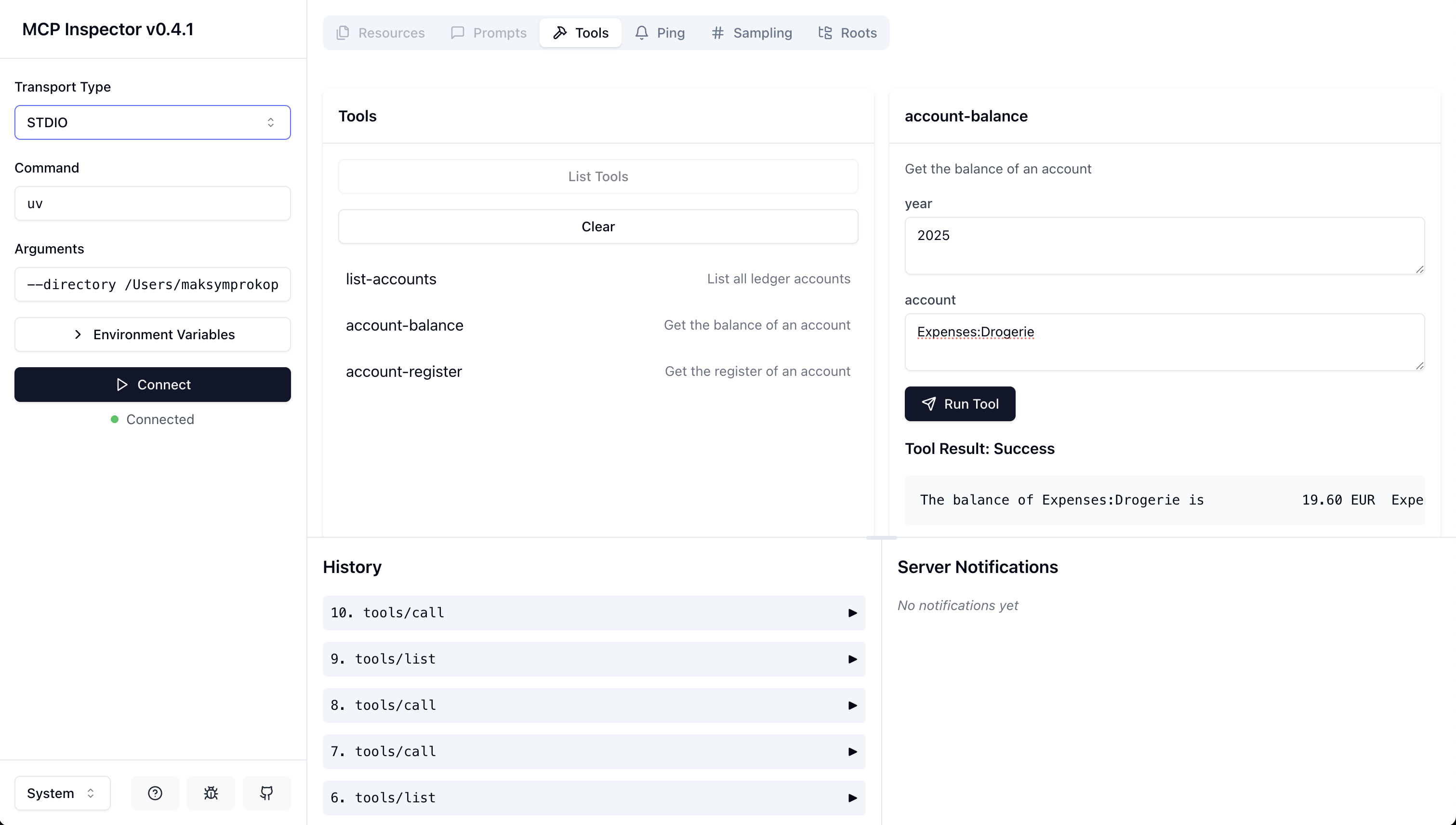
Add the server configuration to Claude Desktop's config file:
On MacOS: ~/Library/Application\ Support/Claude/claude_desktop_config.json
On Windows: %APPDATA%/Claude/claude_desktop_config.json
"mcpServers": {
  "ledger-service": {
    "command": "uv",
    "args": [
      "--directory",
      "/path/to/ledger-service",
      "run",
      "ledger-service"
    ]
  }
}
"mcpServers": {
"ledger-service": {
"command": "uvx",
"args": [
"ledger-service"
]
}
}Clone the repository
Create and activate a virtual environment
Install dependencies:
The base path can be configured by modifying the LEDGER_BASE_PATH constant in server.py.
GNU GENERAL PUBLIC LICENSE Version 3, 29 June 2007
This server cannot be deployed
An MCP server that provides read access to your cloud storage providers, bank accounts and more.
Augments MCP Server - A comprehensive framework documentation provider for Claude Code
An MCP server that provides congressional transcripts
MCP server for Modern Treasury — payment orders, transactions, counterparties and ledgers.