Kustomize MCP
An MCP server that helps to refactor Kubernetes
configuration based on Kustomize.
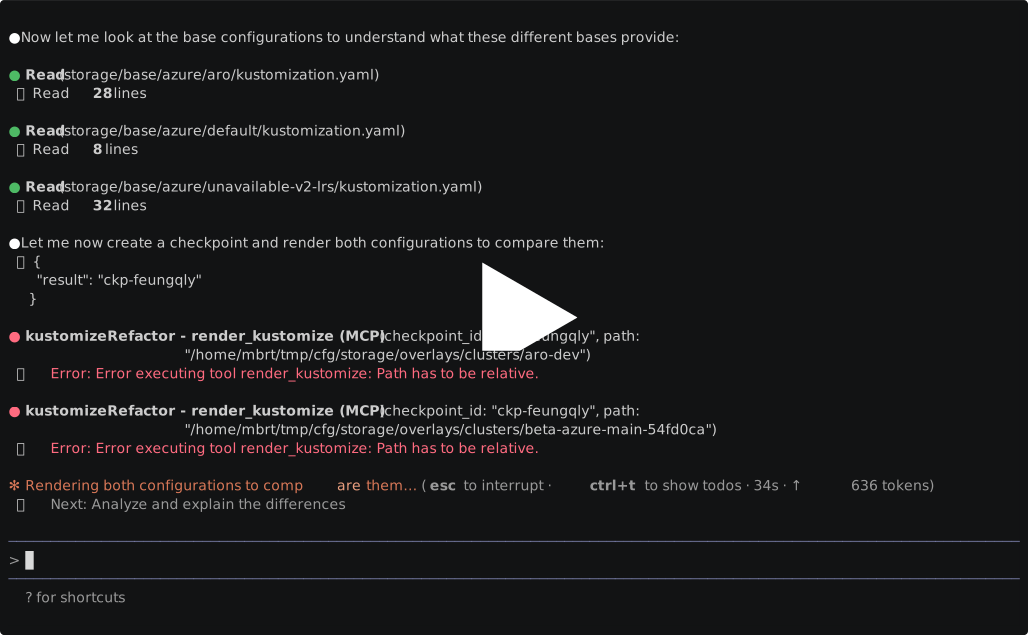
Why? Because Kustomize manifests depend on each other in non-obvious ways,
it's hard for a model to understand how a config change may impact multiple
environments. This MCP server gives them extra tools to make this safer:
Compute dependencies of a manifest
Render the end result of Kustomize overlays
Provide full and summarized diffs between overlays across directories and
checkpoints.
Available Tools
create_checkpoint: Creates a checkpoint where rendered configuration will be
stored.
clear_checkpoint: Clears all checkpoints or a specific checkpoint
render: Renders Kustomize configuration and saves it in a
checkpoint
diff_checkpoints: Compares all rendered configuration across two checkpoints
diff_paths: Compares two Kustomize configurations rendered in the
same checkpoint
dependencies: Returns dependencies for a Kustomization file
Related MCP server: mcp-kubernetes-server
Running the Server
NOTE
This requires access to your local file system, similarly to how thefilesystem
MCP Server works.
Using Docker
Run the server in a container (using the pre-built image):
docker run -i --rm -v "$(pwd):/workspace" ghcr.io/mbrt/kustomize-mcp:latest
The Docker image includes:
Mount your Kustomize configurations to the /workspace directory in the
container to work with them.
If you want to rebuild the image from source:
docker build -t my-kustomize-mcp:latest .
And use that image instead of ghcr.io/mbrt/kustomize-mcp.
Using UV (Local Development)
Start the MCP server:
The server will start by using the STDIO transport.
Usage with MCP clients
To integrate with VS Code, add the configuration to your user-level MCP
configuration file. Open the Command Palette (Ctrl + Shift + P) and run MCP: Open User Configuration. This will open your user mcp.json file where you can
add the server configuration.
{
  "servers": {
    "kustomize": {
      "command": "docker",
      "args": [
        "run",
        "-i",
        "--rm",
        "--mount", "type=bind,src=${workspaceFolder},dst=/workspace",
        "ghcr.io/mbrt/kustomize-mcp:latest"
      ]
    }
  }
}
To integrate with Claude Code, add this to your claude_desktop_config.json:
{
  "mcpServers": {
    "kustomize": {
      "command": "docker",
      "args": [
        "run",
        "--rm",
        "-i",
        "-a", "stdin",
        "-a", "stdout",
        "-v", "<PROJECT_DIR>:/workspace",
        "ghcr.io/mbrt/kustomize-mcp:latest"
      ]
    }
  }
}
Replace <PROJECT_DIR> with the root directory of your project.
To integrate with Gemini CLI, edit .gemini/settings.json:
{
  "mcpServers": {
    "kustomize": {
      "command": "docker",
      "args": [
        "run",
        "--rm",
        "-i",
        "-a", "stdin",
        "-a", "stdout",
        "-v", "${PWD}:/workspace",
        "ghcr.io/mbrt/kustomize-mcp:latest"
      ]
    }
  }
}
Testing the Server
Run unit tests:
After running the server on one shell, use the dev tool to verify the server is
working:
uv run mcp dev ./server.py
