

A
licenseNot graded
qualityF
maintenanceAn MCP server that provides tools to load and fetch documentation from any llms.txt source, giving users full control over context retrieval for LLMs in IDE agents and applications.
1,027
MIT

systems-mcp — это MCP-сервер для взаимодействия с библиотекой lethain:systems для моделирования систем.
Он предоставляет два инструмента:
run_systems_model запускает systems спецификацию системной модели. Принимает два параметра: спецификацию и, необязательно, количество раундов для запуска модели (по умолчанию 100).
load_systems_documentation загружает документацию и примеры в контекстное окно. Это полезно для подготовки моделей, чтобы они были более полезны при написании моделей систем.
Он предназначен для локального запуска совместно с Claude Desktop или аналогичным инструментом.
Вот пример использования systems-mcp для запуска и рендеринга модели.
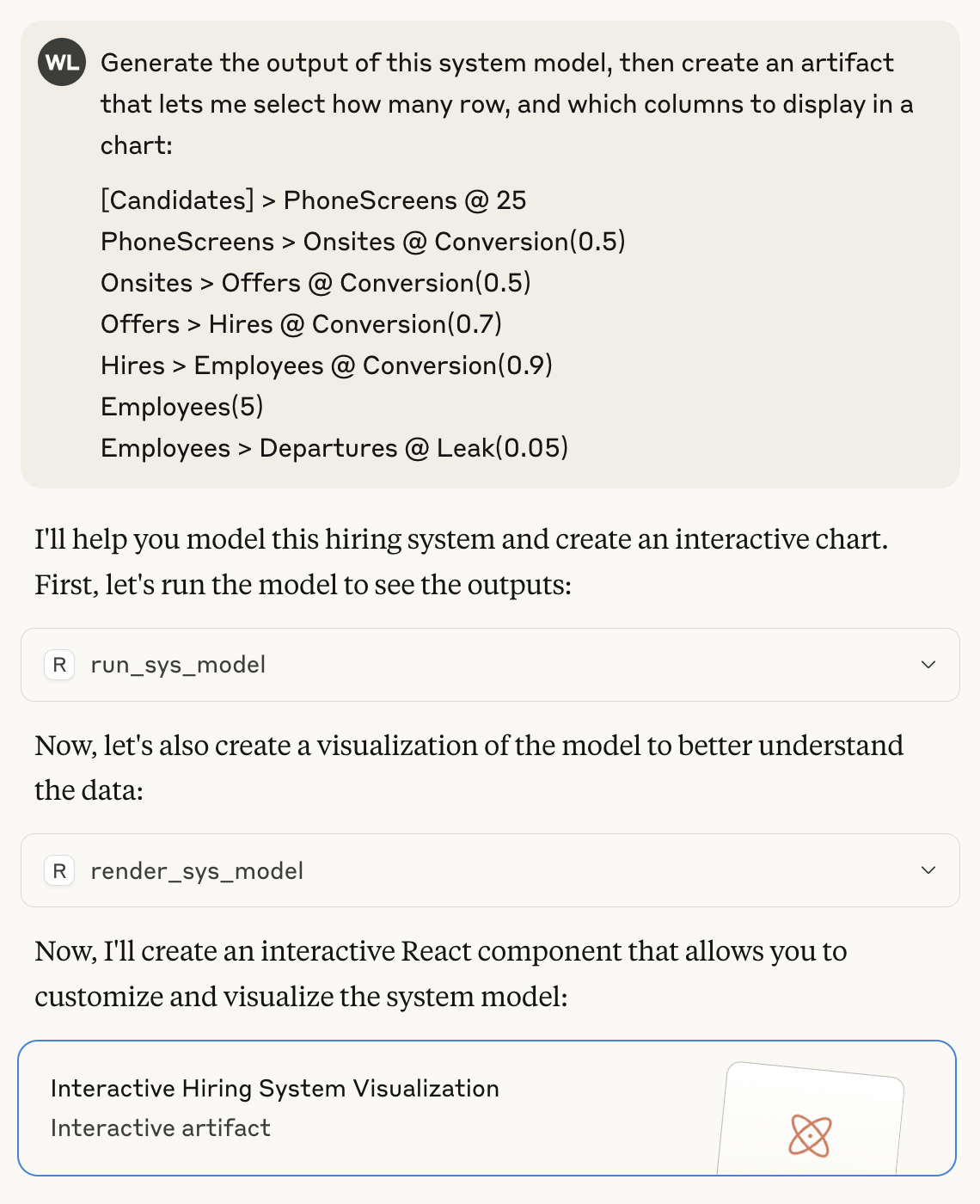
Вот артефакт, сгенерированный из этого запроса, включая выходные данные запуска системной модели.

Наконец, вот пример использования инструмента load_systems_documentation для подготовки контекстного окна и его использования для помощи в создании спецификации систем. Это примерно эквивалентно включению lethain:systems/README.md в контекстное окно, но также включает несколько дополнительных примеров (см. включенные файлы в ./docs/ .

Затем вы можете визуализировать модель, как и прежде.
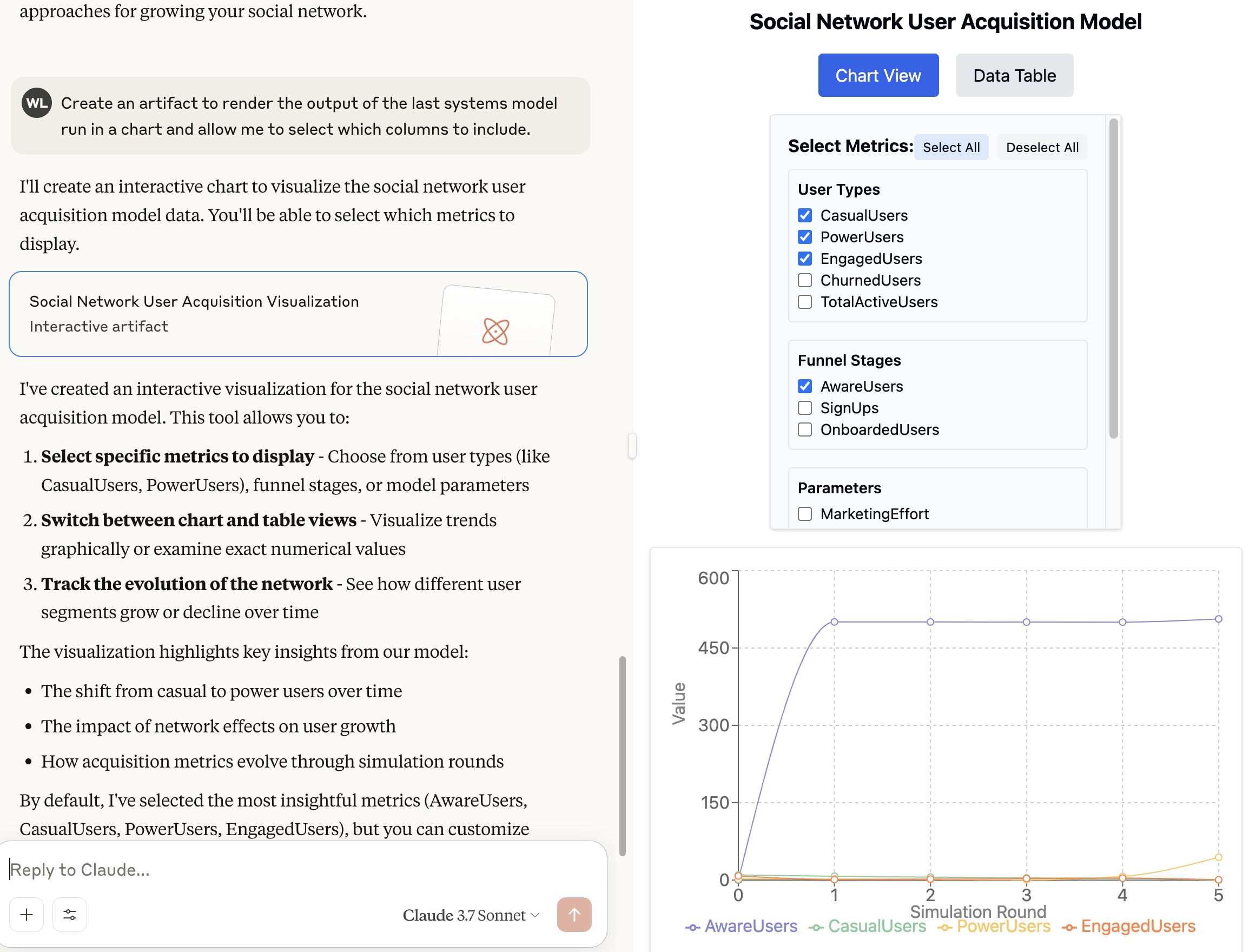
Самое интересное здесь то, что я никогда лично не использовал systems для моделирования социальных сетей, но, несмотря на это, LLM смог проделать на удивление приличную работу по созданию спецификации.
Related MCP server: MCP Server Demo
В этих инструкциях описывается установка Claude Desktop на OS X. На других платформах она должна работать аналогично.
Установите Claude Desktop .
Клонируйте systems-mcp в удобное место, я предполагаю /Users/will/systems-mcp
Убедитесь, что у вас установлен uv , вы можете следовать этим инструкциям.
Перейдите в Cladue Desktop, Setting, Developer и создайте свой файл конфигурации MCP. Затем вам нужно обновить claude_desktop_config.json . (Обратите внимание, что вам следует заменить will на своего пользователя, например, вывод whoami .
 cd /Users/will/Library/Application Support/Claude
 vi claude_desktop_config.json
Затем добавьте этот раздел:
 {
   "mcpServers": {
     "systems": {
       "command": "uv",
       "args": [
         "--directory",
         "/Users/will/systems-mcp",
         "run",
         "main.py"
       ]
     }
   }
 }
Закройте Клода и откройте его снова.
Это должно сработать...
Load systems documentation, examples, and specification details to improve the models ability to generate specifications.
Returns: Documentation and several examples of systems models
Inputs: no named parameters. Returns: result
Run a systems model and return output of list of dictionaries in JSON.
Args: spec: The systems model specification rounds: Number of rounds to run (default: 100)
Inputs: spec (required), rounds. Returns: result
Recent tool additions, removals, and schema changes observed during successful MCP inspections.
Loading tool schema changelog…
Scored across 2 tools
The two tools have completely distinct purposes: one loads documentation/examples for reference, while the other executes a model with given specifications. There is no overlap in functionality, and an agent would easily differentiate between them based on their clear descriptions.
Both tools follow a consistent verb_noun pattern with snake_case naming: load_systems_documentation and run_systems_model. The naming is predictable and readable, with no deviations in style or convention across the set.
With only 2 tools, the server feels thin for the domain of 'systems modeling,' which typically involves more operations like creating, updating, or analyzing models. This limited set may hinder agents from performing comprehensive tasks, as it lacks tools for specification generation, validation, or result analysis beyond basic execution.
The tool set is severely incomplete for systems modeling. It provides documentation loading and model execution but misses essential operations such as creating or editing specifications, validating models, analyzing outputs in-depth, or managing model versions. This creates significant gaps that will likely cause agent failures in real-world scenarios.
MCP server that lets your AI assistant build and deploy apps, hosting each one at a live URL.
MCP server for building and testing AI agents with multi-model experimentation and insights.
MCP server for generating rough-draft project plans from natural-language prompts.
Hosted MCP server and Agent Skills for specs, engineering threads, and project memory.