PathScan MCP Server
Click on "Install Server".
Wait a few minutes for the server to deploy. Once ready, it will show a "Started" state.
In the chat, type
@followed by the MCP server name and your instructions, e.g., "@PathScan MCP Serverscan example.com for vulnerabilities and give me a detailed report"
That's it! The server will respond to your query, and you can continue using it as needed.
Here is a step-by-step guide with screenshots.
使用方法
为dirsearch安装依赖: 进入dirsearch目录, 执行安装依赖的命令(这里我图省事, 选择把依赖安装在了全局环境中)
pip install -r .\requirements.txt在全局环境中再安装一个
pip install setuptools安装uv管理器: 这是一个极快的 Python 包和项目管理器,用 Rust 编写
powershell -ExecutionPolicy ByPass -c "irm https://astral.sh/uv/install.ps1 | iex"为MCP服务安装依赖
uv sync在本地部署firecrawl: 这是一个AI爬虫工具, 包含有数据清晰的功能,支持本地docker部署. 参考文章:
https://www.cnblogs.com/skystrive/p/18893148
https://docs.firecrawl.dev/contributing/guide
故障排除: 在使用本地部署的firecrawl进行网页爬取的时候, 返回
Unauthorized的解决方法: 修改.env配置文件中的字段->USE_DB_AUTHENTICATION的值设为false可以直接使用我给的
.env文件测试你的
firecrawl正在运行: 打开网址:http://{firecrawl server IP}:3002/test如果出现了
Hello, world!, 则说明服务正常运行了
6.编辑你的config.py文件
FIRECRAWL_HOST是你的firecrawl运行的HOST地址
GLOBAL_PYTHON_PATH是你的全局Python地址-> 获取全局Python地址: 在cmd中输入where python
启动你的MCP服务
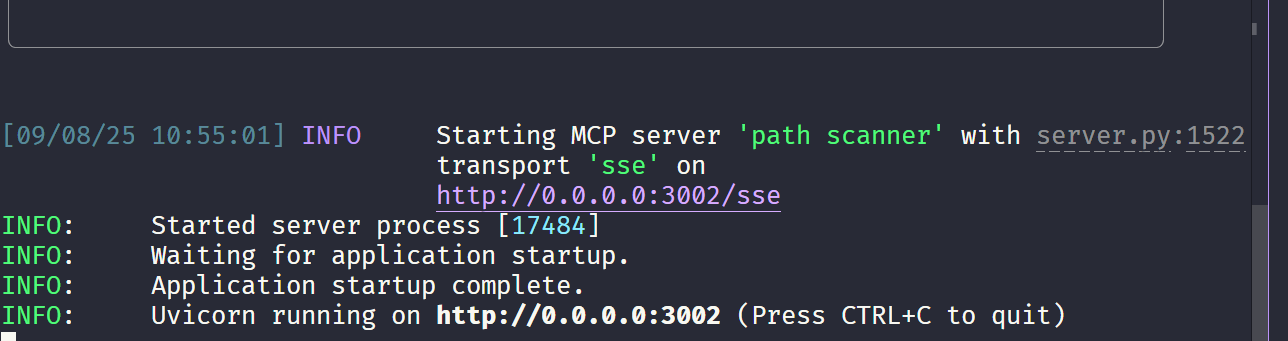
uv run main.py
出现如下日志说明你的服务启动成功了在
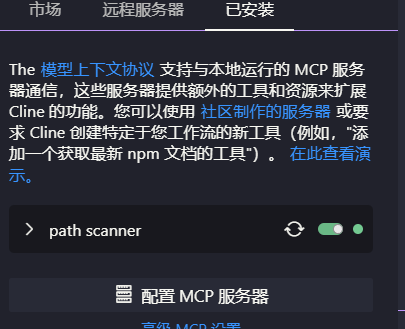
cline中添加这个服务直接编辑配置文件:
{ "mcpServers": { "path scanner": { "url": "http://127.0.0.1:8000/sse", "disabled": false, "autoApprove": [], "timeout": 1800 } } }
这样就说明你的MCP server可以被cline使用了
Prompt
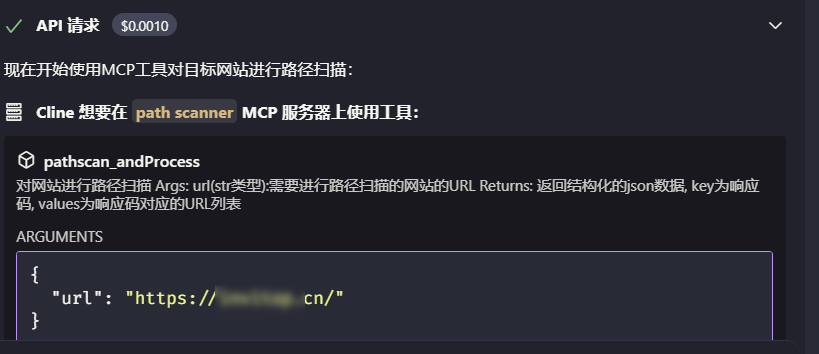
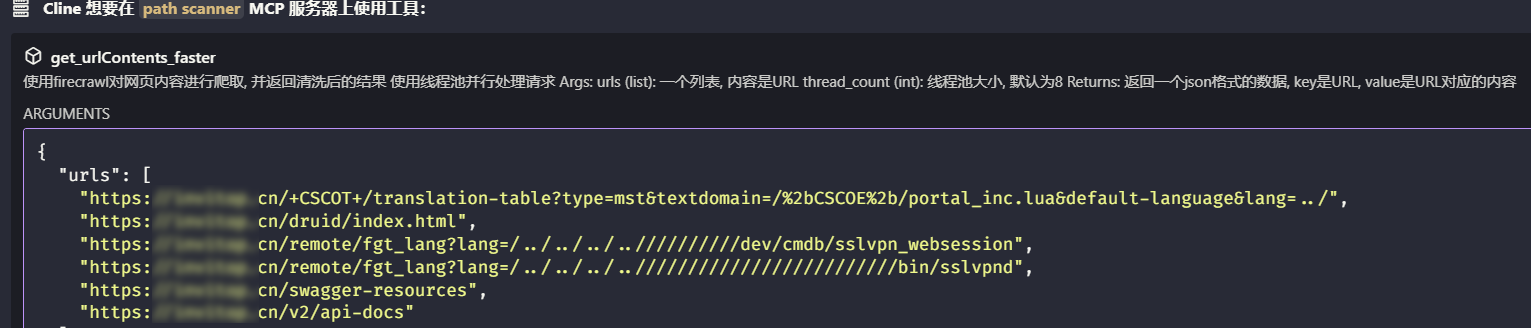
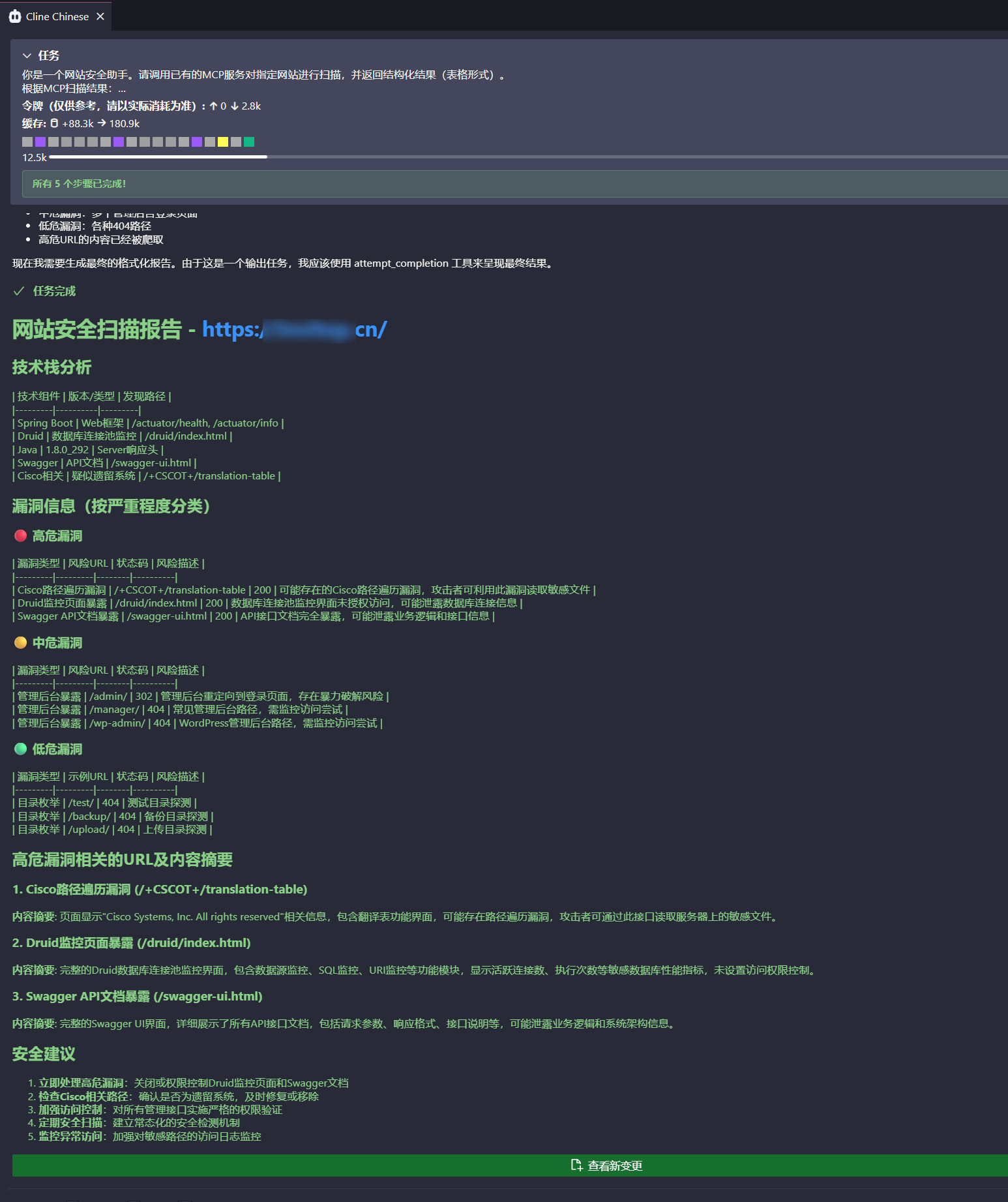
你是一个网站安全助手。请调用已有的MCP服务对指定网站进行扫描,并返回结构化结果(表格形式)。 根据MCP扫描结果: 提取并总结网站所使用的技术栈; 根据扫描报告中的风险等级,分类整理网站的漏洞信息(高危/中危/低危); 对于报告中标记为高危漏洞的相关URL,请进一步读取该URL的页面内容,并生成内容摘要; 最终请将数据汇总为以下结构输出: 技术栈 漏洞信息(按严重程度分类) 高危漏洞相关的URL及内容摘要 目标网站URL:
效果展示

TODO:
服务端尚未初始化完成就收到了客户端的请求, 解决办法: 在正式的使用服务之前init一下服务
参考:
此项目灵感来自于项目ai_dirscan
This server cannot be installed
Resources
Unclaimed servers have limited discoverability.
Looking for Admin?
If you are the server author, to access and configure the admin panel.
Latest Blog Posts
MCP directory API
We provide all the information about MCP servers via our MCP API.
curl -X GET 'https://glama.ai/api/mcp/v1/servers/lastmiao/pathscan-MCP-server'
If you have feedback or need assistance with the MCP directory API, please join our Discord server