MCP Example
Quick and simple repo to demonstrate the very basics MCP and Gemini CLI. Nothing more.
Related MCP server: Hello World MCP Server
Quick Setup
Quick setup of a new project (using uv):
Install UV
curl -LsSf https://astral.sh/uv/install.sh | sh
(linux and mac)
Clone project and initialize virtualenv
git clone https://github.com/jrmlhermitte/gemini-mcp-example.git
cd gemini-mcp-example
uv sync
source .venv/bin/activate
Write MCP Server And Test
The file we'll run is in gemini-mcp-example/main.py and already defined.
Take a look at it. The main components are
# ...
mcp = FastMCP("greeter")
# ...
@mcp.tool()
def greet(name: str) -> str:
    return f'Hello {name}!'
# ...
if __name__ == "__main__":
    # NOTE: stdio is the default.
    mcp.run(transport='stdio')
Run file
(Don't forget to activate your virtual env source .venv/bin/activate)
python gemini-mcp-example/main.py
Init communication
We're going to initialize the 2024-11-05 protocol version using stdin/stdout (the stdio protocol which we setup our fast MCP server to use).
Paste this exactly into your shell:
{"jsonrpc":"2.0","id":1,"method":"initialize","params":{"protocolVersion":"2024-11-05","capabilities":{"roots":{"listChanged":true},"tools":{"listChanged":true},"sampling":{},"elicitation":{}},"clientInfo":{"name":"ExampleClient","title":"ExampleClientDisplayName","version":"1.0.0"}}}
You should see:
{"jsonrpc":"2.0","id":1,"result":{"protocolVersion":"2024-11-05","capabilities":{"experimental":{},"prompts":{"listChanged":false},"resources":{"subscribe":false,"listChanged":false},"tools":{"listChanged":false}},"serverInfo":{"name":"greeter","version":"1.10.1"}}}
NOTE: The json commands here and below must be pasted as is. You cannot have newlines in between. If the formatting is incorrect, the server will just ignore your requests.
When you do, paste this to start the connection:
{"jsonrpc":"2.0","method":"notifications/initialized"}
Now type this to list available tools:
{"jsonrpc":"2.0","method":"tools/list","id":1}
you should see something like this (you may see additional logging):
{"jsonrpc":"2.0","id":1,"result":{"tools":[{"name":"greet","description":"","inputSchema":{"properties":{"name":{"title":"Name","type":"string"}},"required":["name"],"title":"greetArguments","type":"object"},"outputSchema":{"properties":{"result":{"title":"Result","type":"string"}},"required":["result"],"title":"greetOutput","type":"object"}}]}}
Congratulations! You have successfully started a Stdio connection with an MCP
server! Now test calling your tool:
{"jsonrpc":"2.0","id":1,"method":"tools/call","params":{"name":"greet","arguments":{"name":"Teal'c"}}}
you should then see:
{"jsonrpc":"2.0","id":1,"result":{"content":[{"type":"text","text":"Hello Teal'c!"}],"structuredContent":{"result":"Hello Teal'c!"},"isError":false}}
This is how you're going to setup an MCP server with Gemini.
Gemini CLI will run your server as a child process
and send commands to stdin and receive responses from stdout using the stdio protocol.
Gemini CLI
Integrating with Gemini CLI.
Install node
Install Gemini CLI:
npm install -g @google/gemini-cli
Add the Gemini extension from here (docs):
(NOTE: This should be run from the root of this github repo)
mkdir -p ~/gemini/extensions
ln -s $PWD/gemini-mcp-example ~/.gemini/extensions
Start gemini and list mcp servers
Then type:
You should see this:
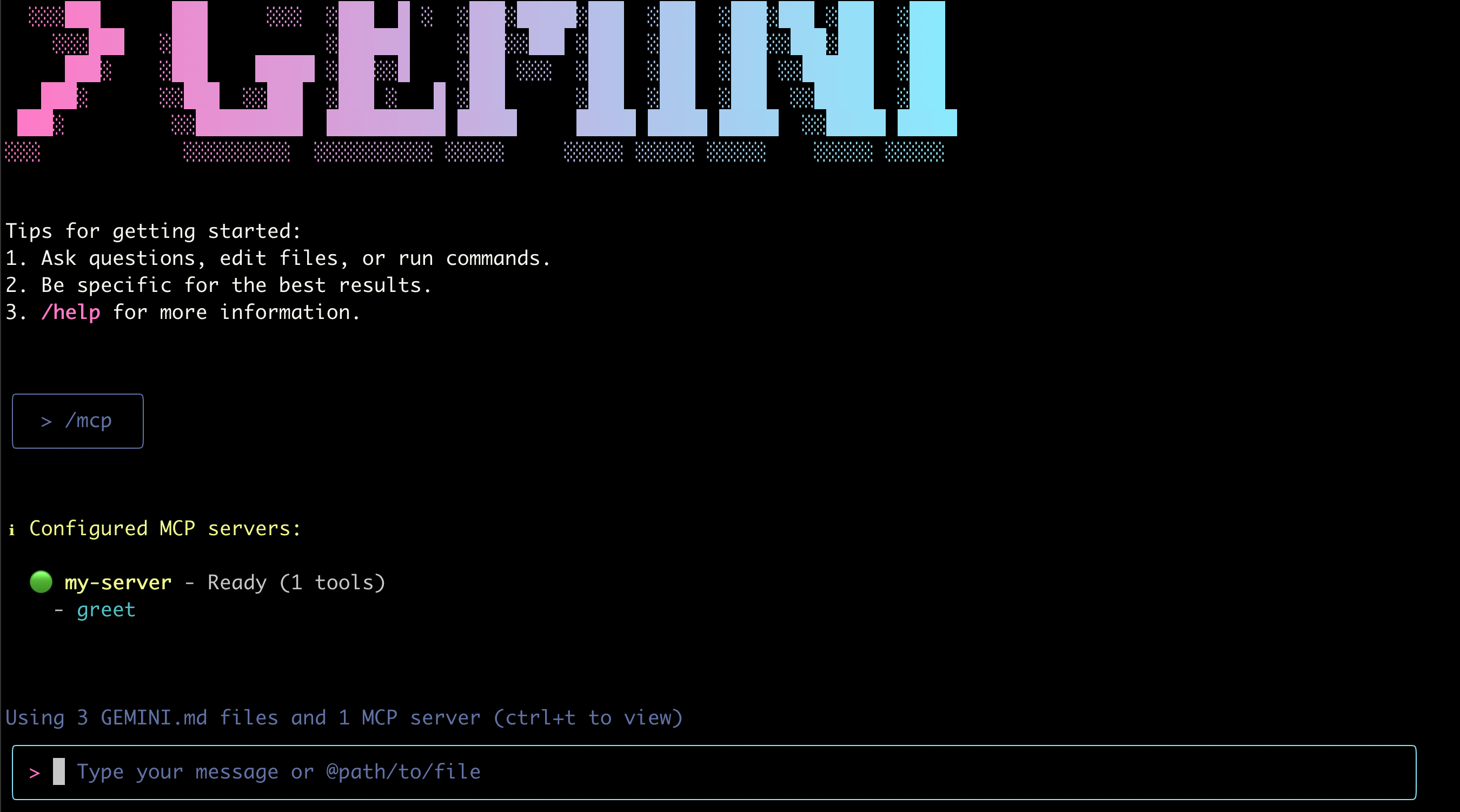
NOTE: You must start gemini from the code folder. The reason is that the
extension runs python ./gemini-mcp-example/main.py. If you want to make this runnable from everywhere, you'll need to make sure your base python environment contains the fastmcp library and that the gemini-extension.json refers to an absolute path.
NOTE: If this is your first time setting up Gemini CLI, you will also see some easy to follow setup steps.
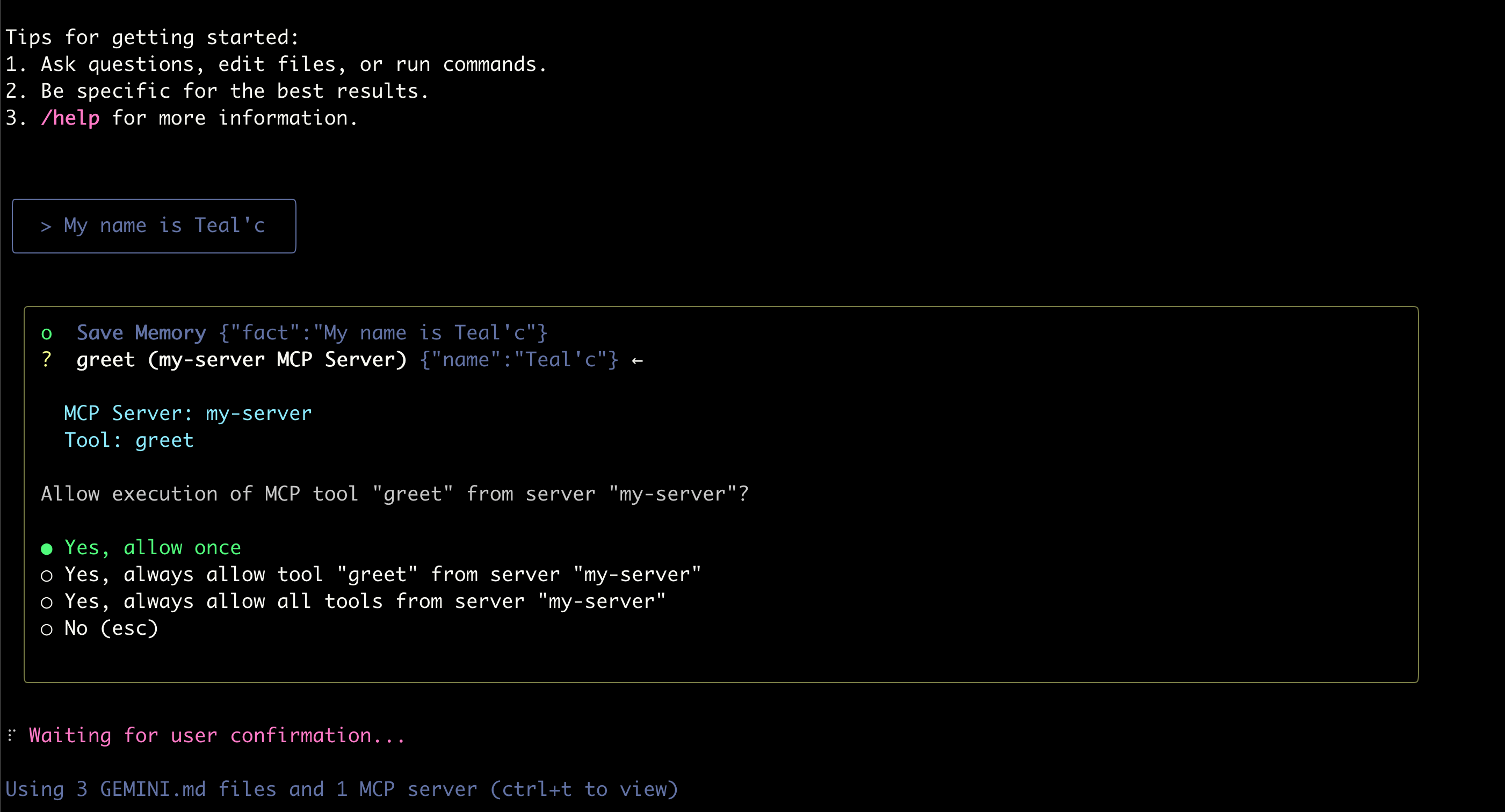
Give it your name. It will likely try to call your tools.
Input something like:
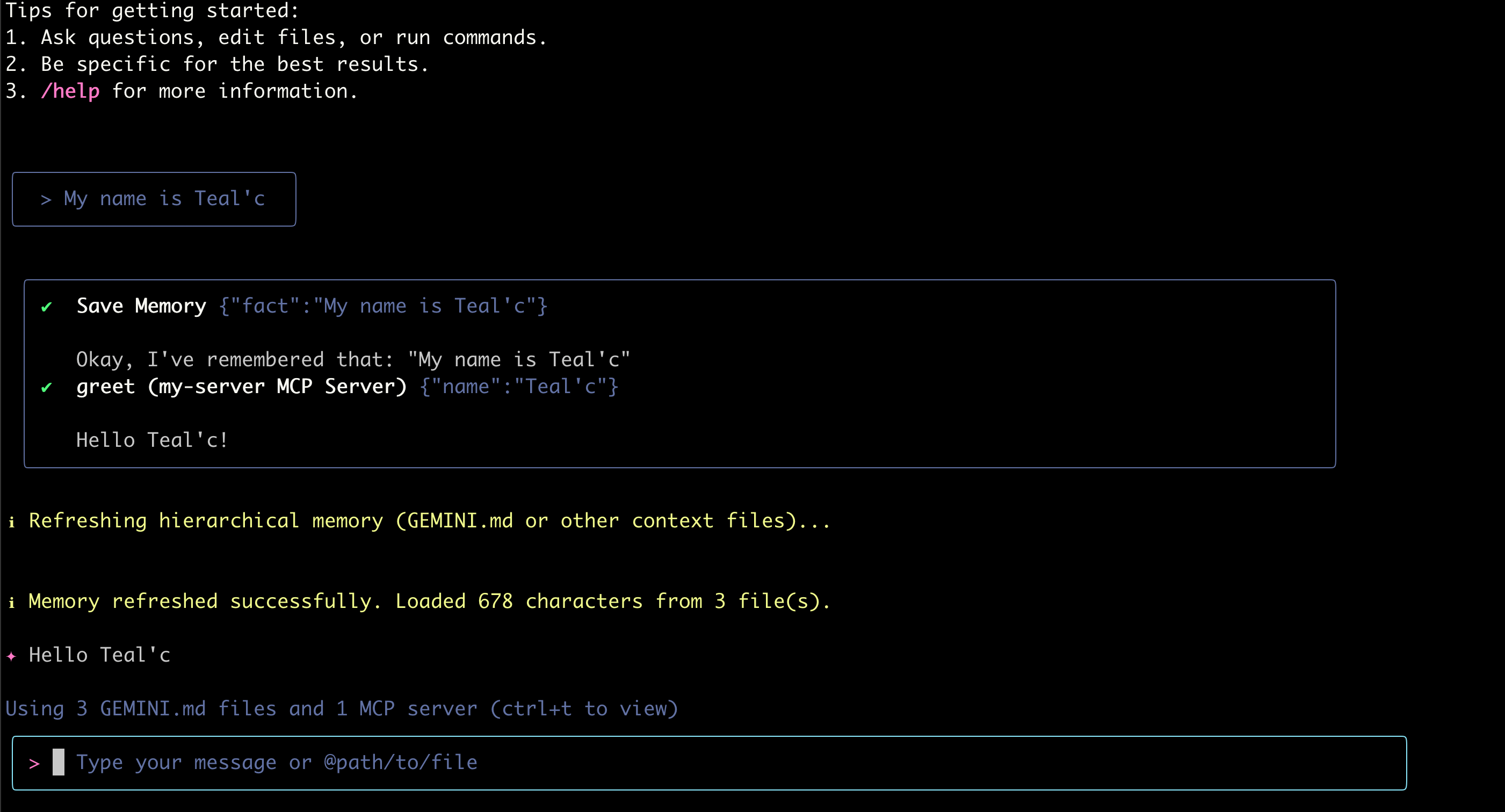
Gemini should figure that it might want to call the greeting tool, given you've introduced yourself. You should get a request to call the tool:
And it should hopefully have called the tool.
Troubleshooting
Running into problems? Try running the mcp server yourself to see if it's able to start up:
source .venv/bin/activate
python gemini-extension/main.py
(Also don't forget to run source .venv/bin/activate before starting gemini; We're running this in a local virtual environment here.)
Where to go from here?
This demonstrates how easy it is to setup an MCP server and integrate it with Gemini. You should be able to have a basic enough understanding to integrate it with your own tools now!

