

A
licenseNot graded
qualityF
maintenanceAn MCP server that provides tools to load and fetch documentation from any llms.txt source, giving users full control over context retrieval for LLMs in IDE agents and applications.
1,027
MIT

The Systems MCP server enables interaction with the lethain:systems library for systems modeling, providing two main capabilities:
Run Systems Models: Execute systems model specifications using the run_systems_model function, optionally specifying the number of rounds, and receive the output as JSON.
Load Documentation: Load systems documentation, examples, and specification details into the context window to enhance the model's ability to generate accurate systems specifications.
Provides tools for interacting with the lethain:systems library for systems modeling, allowing users to run and visualize systems models directly through the interface.
Click on "Deploy Server".
Wait a few minutes for the server to deploy. Once ready, it will show a "Started" state.
In the chat, type @ followed by the MCP server name and your instructions, e.g., "@Systems MCP run a simple supply chain model with 50 rounds"
That's it! The server will respond to your query, and you can continue using it as needed.
Here is a step-by-step guide with screenshots.
systems-mcp is an MCP server for interacting with
the lethain:systems library for systems modeling.
It provides two tools:
run_systems_model runs the systems specification of a systems model.
Takes two parameters, the specification and, optionally, the number of
rounds to run the model (defaulting to 100).
load_systems_documentation loads documentation and examples into the context window.
This is useful for priming models to be more helpful at writing systems models.
It is intended for running locally in conjunction with Claude Desktop or a similar tool.
Here's an example of using systems-mcp to run and render a model.
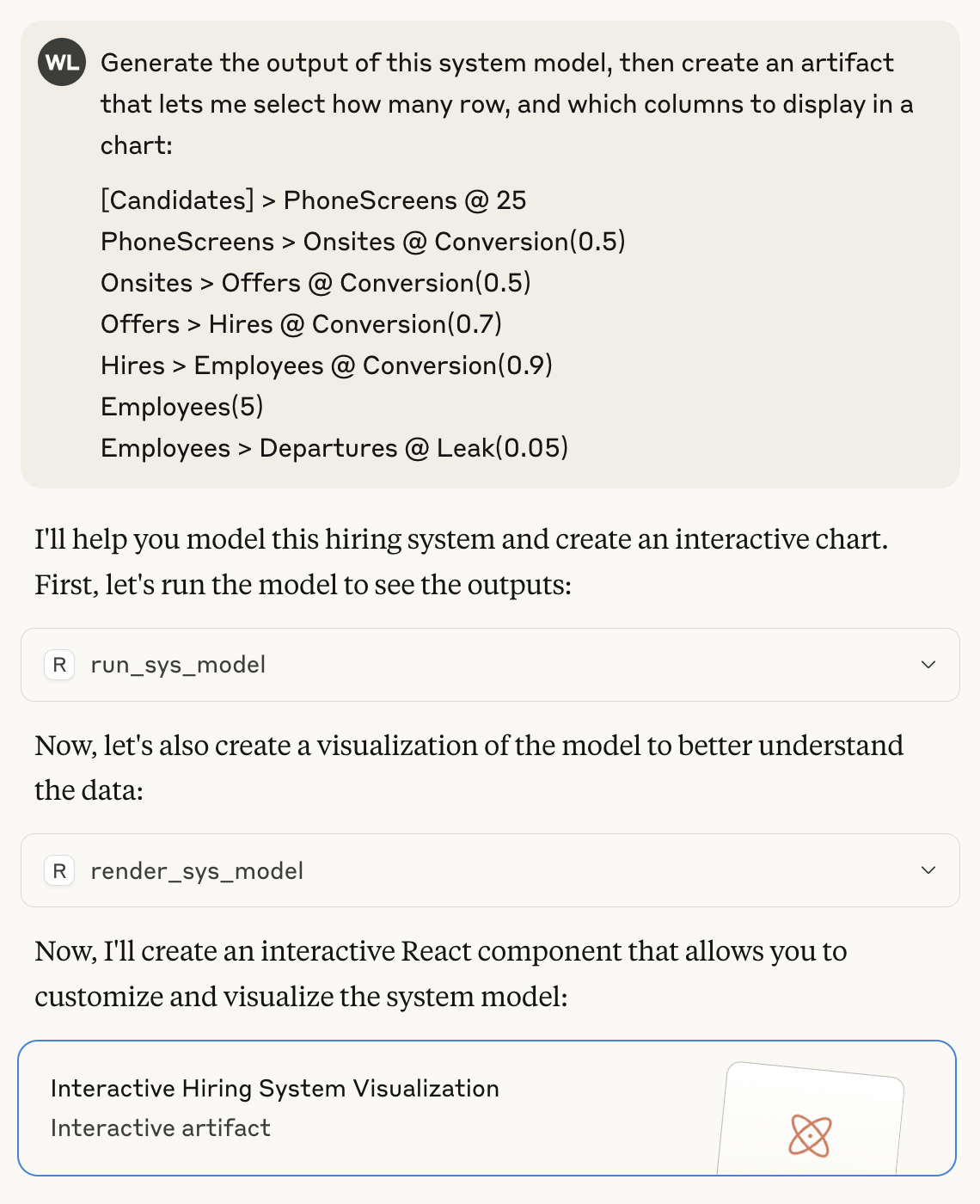
Here is the artifact generated from that prompt, including the output from running the systems model.

Finally, here is an example of using the load_systems_documentation tool to prime
the context window and using it to help generate a systems specification.
This is loosely equivalent to including lethain:systems/README.md in the context window,
but also includes a handful of additional examples
(see the included files in ./docs/.

Then you can render the model as before.
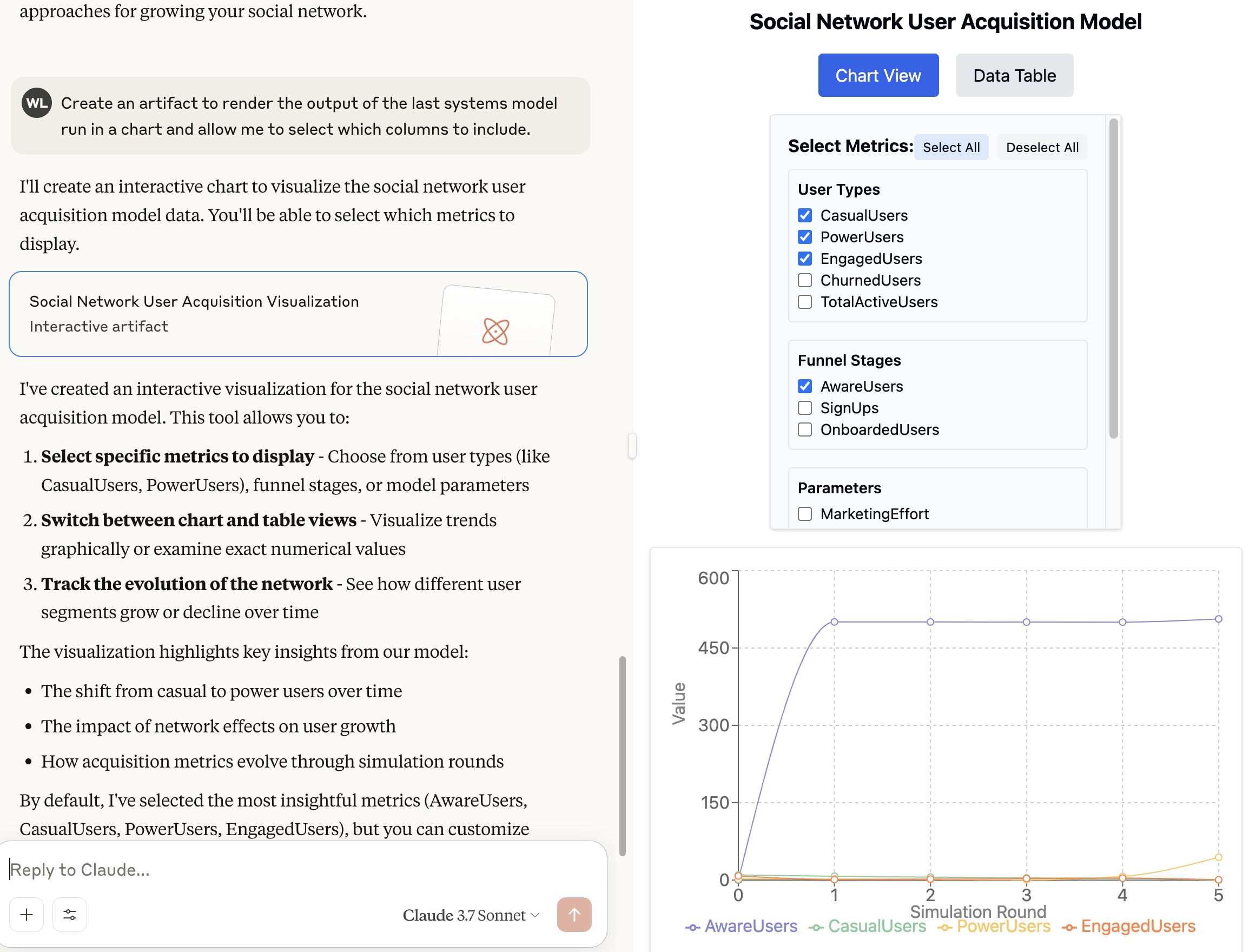
The most interesting piece here is that I've never personally used systems to model a social network,
but the LLM was able to do a remarkably decent job at generating a specification despite that.
Related MCP server: MCP Server Demo
These instructions describe installation for Claude Desktop on OS X. It should work similarly on other platforms.
Install Claude Desktop.
Clone systems-mcp into
a convenient location, I'm assuming /Users/will/systems-mcp
Make sure you have uv installed, you can follow these instructions
Go to Cladue Desktop, Setting, Developer, and have it create your MCP config file.
Then you want to update your claude_desktop_config.json.
(Note that you should replace will with your user, e.g. the output of whoami.
 cd  ~/Library/Application\ Support/Claude/
 vi claude_desktop_config.json
Then add this section:
 {
   "mcpServers": {
     "systems": {
       "command": "uv",
       "args": [
         "--directory",
         "/Users/will/systems-mcp",
         "run",
         "main.py"
       ]
     }
   }
 }
Close Claude and reopen it.
It should work...
Load systems documentation, examples, and specification details to improve the models ability to generate specifications.
Returns: Documentation and several examples of systems models
Inputs: no named parameters. Returns: result
Run a systems model and return output of list of dictionaries in JSON.
Args: spec: The systems model specification rounds: Number of rounds to run (default: 100)
Inputs: spec (required), rounds. Returns: result
Recent tool additions, removals, and schema changes observed during successful MCP inspections.
Loading tool schema changelog…
Scored across 2 tools
The two tools have completely distinct purposes: one loads documentation/examples for reference, while the other executes a model with given specifications. There is no overlap in functionality, and an agent would easily differentiate between them based on their clear descriptions.
Both tools follow a consistent verb_noun pattern with snake_case naming: load_systems_documentation and run_systems_model. The naming is predictable and readable, with no deviations in style or convention across the set.
With only 2 tools, the server feels thin for the domain of 'systems modeling,' which typically involves more operations like creating, updating, or analyzing models. This limited set may hinder agents from performing comprehensive tasks, as it lacks tools for specification generation, validation, or result analysis beyond basic execution.
The tool set is severely incomplete for systems modeling. It provides documentation loading and model execution but misses essential operations such as creating or editing specifications, validating models, analyzing outputs in-depth, or managing model versions. This creates significant gaps that will likely cause agent failures in real-world scenarios.
MCP server that lets your AI assistant build and deploy apps, hosting each one at a live URL.
MCP server for building and testing AI agents with multi-model experimentation and insights.
MCP server for generating rough-draft project plans from natural-language prompts.
Hosted MCP server and Agent Skills for specs, engineering threads, and project memory.