

A
licenseB
qualityD
maintenanceAn MCP server integrating Google Analytics 4, Search Console, and Indexing API, enabling AI agents to run reports, inspect URLs, manage properties, and request indexing.
16
429 npm
2
MIT

Provides access to Google Analytics 4 (GA4) metrics, enabling tools for fetching landing page data, generating trend reports, assessing data quality, and computing merged analytics outputs.
Enables interaction with Google Search Console to list sites and retrieve search performance data, including top queries and top pages.
Click on "Deploy Server".
Wait a few minutes for the server to deploy. Once ready, it will show a "Started" state.
In the chat, type @ followed by the MCP server name and your instructions, e.g., "@SEO Analytics MCP analyze my top pages and give me actionable SEO insights"
That's it! The server will respond to your query, and you can continue using it as needed.
Here is a step-by-step guide with screenshots.
MCP server for Google Search Console (GSC) + Google Analytics 4 (GA4).
.venv Means.venv is this project's private Python environment.
It contains its own Python interpreter and dependencies for this repo only.
run-local.sh activates .venv so the MCP server runs with the correct package versions.
stdio Meansstdio means the MCP client and server communicate through standard input/output streams.
The client starts run-local.sh, sends tool requests in, and reads JSON responses out.
No web server or HTTP endpoint is required for the default local setup.
Your MCP client (Claude/Codex) launches run-local.sh as a stdio server process.
run-local.sh prepares .venv, installs dependencies, loads config/.env, and validates config/service-account.json.
The Python server (seo-analytics-mcp) receives tool calls, fetches data from GSC/GA4 using the service account, and computes merged analysis outputs.
Results are returned to the MCP client as structured JSON.
Related MCP server: mcp-site-analyst
This project is deployed as a local process on your machine via stdio.
It is not an HTTP API service by default and does not require cloud hosting.
To "deploy" it for another environment, clone the repo there, provide config/.env and config/service-account.json, then register that machine's run-local.sh path in the MCP client.
Python 3.11+
Create local config files from templates:
cp config/.env.example config/.env
cp config/service-account.example.json config/service-account.json
Fill required values:
config/.env
DEFAULT_GSC_SITE_URL (required format: sc-domain:example.com)
DEFAULT_GA4_PROPERTY_ID
config/service-account.json
Replace all REPLACE_WITH_... fields with real Google service-account values.
Run the server:
./run-local.shThe script creates/uses .venv, installs dependencies, loads config/.env, validates credentials, and starts seo-analytics-mcp over stdio.
Use the local launcher script as the MCP server command:
/absolute/path/to/analytics/run-local.shAdd server:
codex mcp add seo-analytics -- /absolute/path/to/analytics/run-local.shVerify:
codex mcp listRemove:
codex mcp remove seo-analyticsAdd server:
claude mcp add -s project seo-analytics -- /absolute/path/to/analytics/run-local.shVerify:
claude mcp listRemove:
claude mcp remove seo-analyticsQuit Claude Desktop completely.
Edit ~/Library/Application Support/Claude/claude_desktop_config.json.
Add this server entry (merge into existing mcpServers if present):
{
  "mcpServers": {
    "seo-analytics": {
      "type": "stdio",
      "command": "/absolute/path/to/analytics/run-local.sh",
      "args": []
    }
  }
}
Start Claude Desktop again.
In a new chat, run tool capabilities to confirm connection.
capabilities
gsc_list_sites
gsc_top_pages
gsc_top_queries
ga4_landing_pages
analytics_merge_page_metrics
analytics_generate_action_items
analytics_trend_report
analytics_data_quality_report
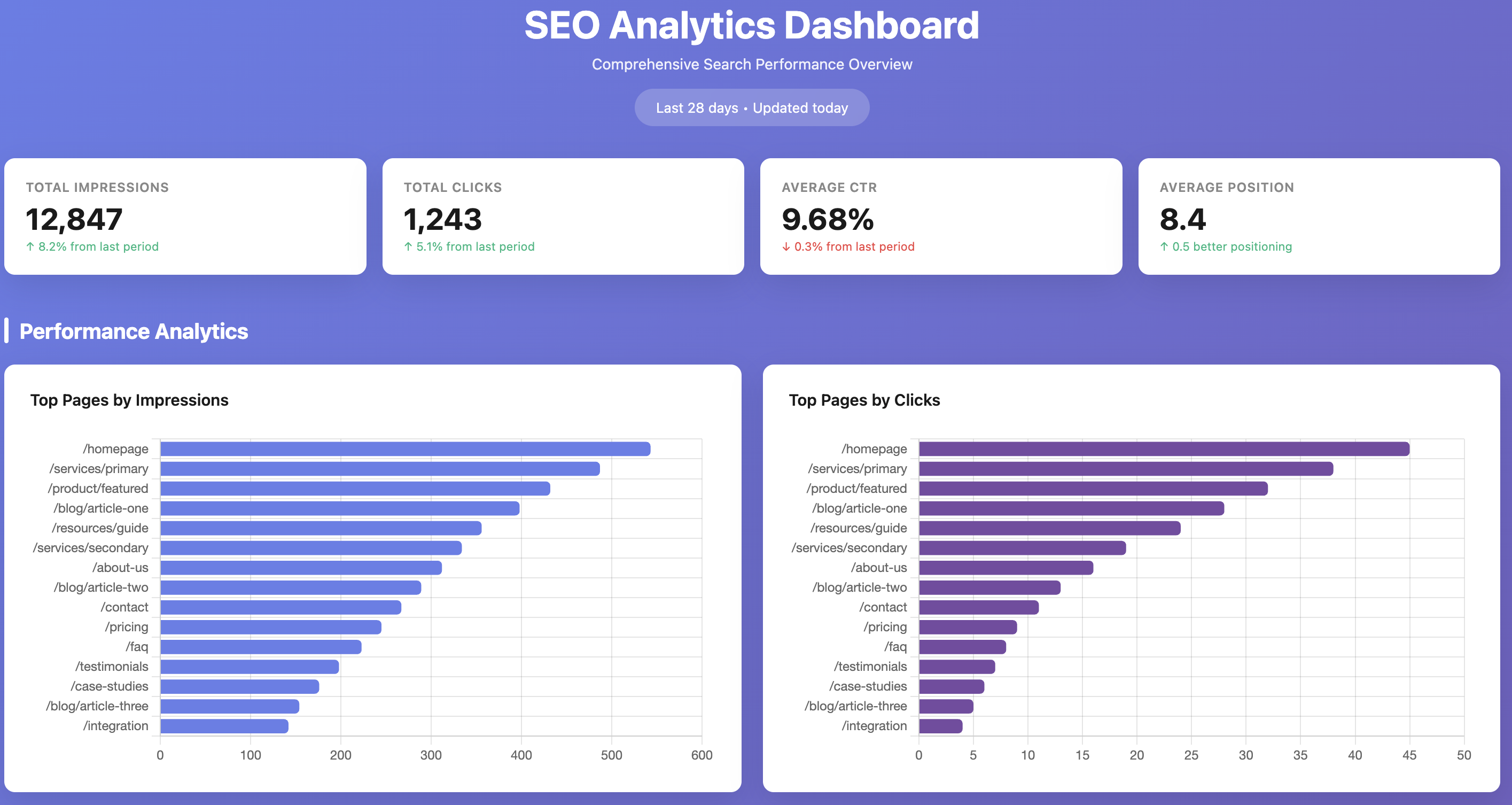
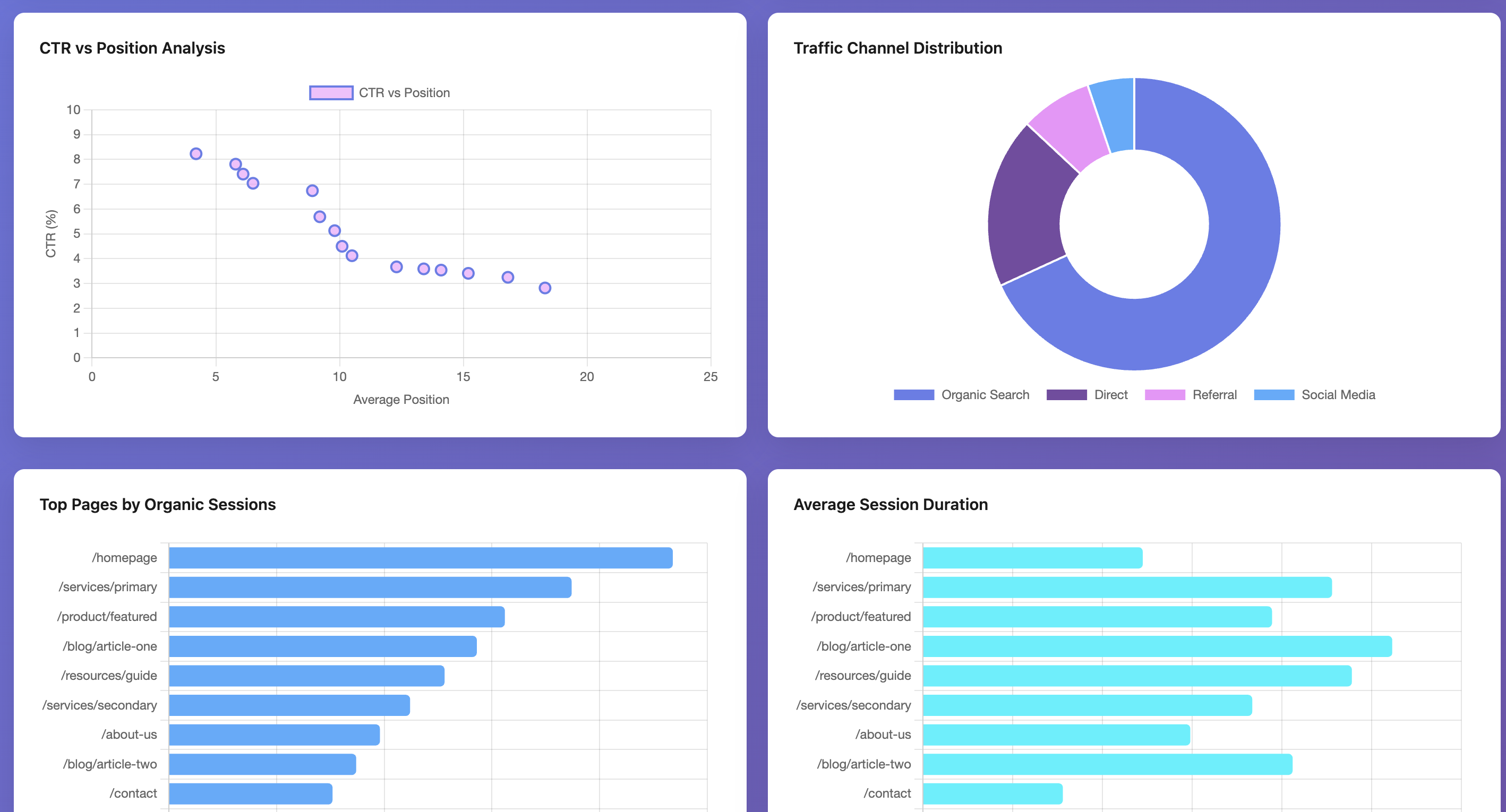
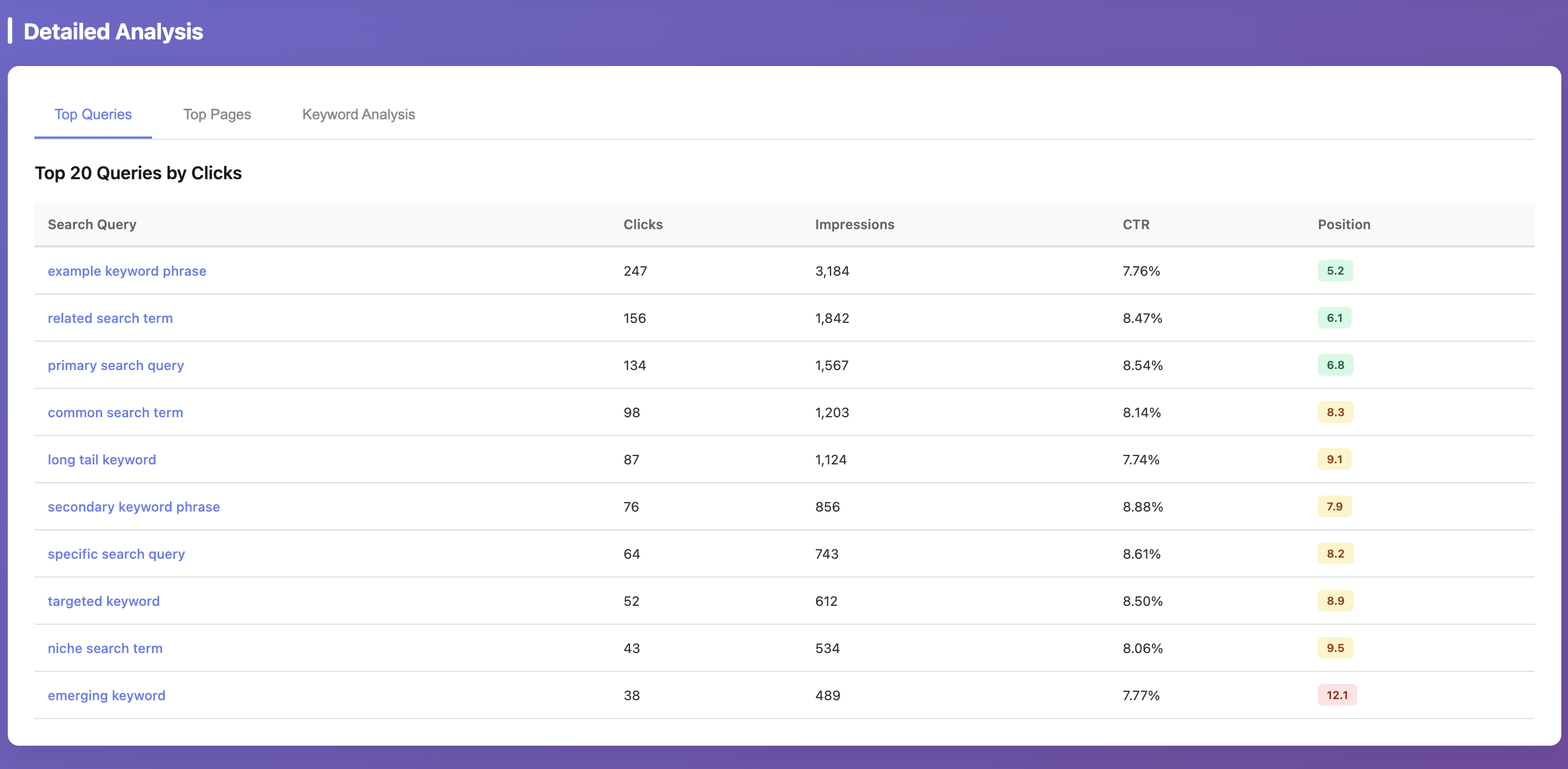
These screenshots are example outputs produced by using Claude Code with this MCP server. The MCP provides the underlying GSC/GA4 data and analytics tools; dashboard rendering is not generated by default by the server itself. For privacy reasons, values shown in the screenshots are randomized; the actual workflow was executed against real data.
service-account.json still contains placeholder values
Replace all REPLACE_WITH_... fields in config/service-account.json.
No such file or directory: .../credentials/service-account.json
You have a stale credential env override from an older setup.
Re-add the MCP server so it runs the latest run-local.sh and uses config/service-account.json.
Operation not permitted when Claude Desktop starts MCP
macOS is blocking execution from protected folders (commonly ~/Documents).
Either grant Claude Desktop access in System Settings -> Privacy & Security (Files and Folders and/or Full Disk Access) or move the repo to a non-protected path like ~/dev/analytics.
After changing permissions/path, restart Claude Desktop and re-add the MCP entry if needed.
Missing property_id and DEFAULT_GA4_PROPERTY_ID is not set
Set DEFAULT_GA4_PROPERTY_ID in config/.env.
Missing site_url...
Set DEFAULT_GSC_SITE_URL in config/.env.
GSC permission error on https://... property
This server enforces GSC properties in sc-domain:<domain> format to avoid URL-prefix mismatch issues.
Use a Domain property in Search Console and grant your service account access there.
Never commit config/service-account.json or config/.env.
Commit only template files:
config/service-account.example.json
config/.env.example
Show merge coverage and top URL mismatches between GSC and GA4.
Inputs: site_url, property_id, start_date, end_date, +2 more. Returns: object
Generate prioritized SEO and content action items from merged data.
Inputs: site_url, property_id, start_date, end_date, +4 more. Returns: object
Merge normalized GSC + GA4 page metrics into one dataset.
Inputs: site_url, property_id, start_date, end_date, +2 more. Returns: object
Get top pages by clicks, impressions, sessions, and conversions.
Inputs: site_url, property_id, start_date, end_date, +2 more. Returns: object
Find high-impression query/page pairs with weak CTR and weak on-page outcomes.
Inputs: site_url, property_id, start_date, end_date, +3 more. Returns: object
Extract high-impact query token clusters to guide content focus.
Inputs: site_url, start_date, end_date, min_query_impressions, +2 more. Returns: object
Compare current vs previous period to surface gainers and decliners.
Inputs: site_url, property_id, start_date, end_date, +2 more. Returns: object
Show enabled connectors, defaults, and key analysis thresholds.
Inputs: no named parameters. Returns: object
Break down GA4 landing pages by default channel group.
Inputs: property_id, start_date, end_date, top_n. Returns: object
Return GA4 landing pages with engagement and conversion metrics.
Inputs: property_id, start_date, end_date, top_n, +1 more. Returns: object
Run raw GA4 report with optional dimension/metric filters and ordering.
Inputs: property_id, start_date, end_date, dimensions, +8 more. Returns: object
List Search Console properties available to the authenticated account.
Inputs: no named parameters. Returns: object
Return query+page combinations from GSC for intent/page matching analysis.
Inputs: site_url, start_date, end_date, search_type, +2 more. Returns: object
Run a raw Search Console Search Analytics query with full options.
Inputs: site_url, start_date, end_date, dimensions, +6 more. Returns: object
Return top pages from GSC with clicks, impressions, CTR, and position.
Inputs: site_url, start_date, end_date, search_type, +2 more. Returns: object
Return top queries from GSC by clicks.
Inputs: site_url, start_date, end_date, search_type, +2 more. Returns: object
Recent tool additions, removals, and schema changes observed during successful MCP inspections.
Loading tool schema changelog…
Scored across 16 tools
Most tools have distinct purposes, such as merging data, generating reports, or querying specific platforms. However, some overlap exists between analytics tools like 'analytics_popularity_snapshot' and 'gsc_top_pages', which could cause confusion in selection for similar tasks.
The naming is mixed, with prefixes like 'analytics_', 'ga4_', and 'gsc_' used consistently within groups, but the overall pattern is not uniform. Tools like 'capabilities' break the verb_noun convention, and there is no single naming style across all tools.
With 16 tools, the count is slightly high but reasonable for an SEO analytics domain that covers data merging, reporting, and platform-specific queries. It provides comprehensive coverage without being overly bloated.
The tool set offers complete coverage for SEO analytics, including data integration from GSC and GA4, trend analysis, opportunity identification, and action item generation. There are no obvious gaps, supporting end-to-end workflows effectively.
Google Search Console, GA4 and PageSpeed MCP server for Claude, ChatGPT and Cursor. Free, hosted.
Read-only Google Search Console MCP server for AI assistants.
SEO MCP server for keyword research, SERP analysis, audits, and Search Console workflows.
Hosted MCP server for marketing agencies: connect Google Ads, GA4, Search Console, Meta, LinkedIn and more to Claude or ChatGPT. Pull reports and make changes via OAuth login, no setup.