
F
licenseB
qualityD
maintenanceA Model Context Protocol server that enables users to kickoff and monitor deployed CrewAI workflows through Claude Desktop.
2
59
-

[!NOTE] このプロジェクトは、新しいプラットフォームとの統合により継続的に更新されています。利用できるはずのサービスが表示されない場合、またはClaudeがプラットフォームを認識しない場合は、新しくクローンしたリポジトリから
npm run buildを実行して更新してください。最終更新日: 2025-04-26T20:08:00Z (UTC) - Dockerステータス統合を追加しました
世界で最も使用されているデジタル プラットフォーム (GitHub、Slack、Discord など) を監視します。
特定のサービスの詳細なステータス情報を取得する
各プラットフォーム内の特定のコンポーネントのステータスを確認する
status --githubなどのコマンドを使用したシンプルなクエリ インターフェース。
サービスステータスのリアルタイム更新
Related MCP server: mcp-rss-aggregator
タイムスタンプをクリックすると、ビデオのそのセクションにジャンプします。
00:00 - LinkedIn プラットフォームのステータス評価
LinkedInの運用健全性に関する包括的な分析。LinkedIn.com、LinkedIn Learning、Campaign Manager、Sales Navigator、Recruiter、Talent Solutionsといったコアサービスの詳細な調査を含みます。すべてのシステムはサービス中断なく完全に稼働していることが確認されました。
00:20 - GitHub インフラストラクチャのステータスの概要
GitHub のサービス可用性に関する詳細な評価。Git 操作、API リクエスト、アクション、Webhook、Issue、プルリクエスト、パッケージ、ページ、コードスペース、Copilot 機能など、重要なコンポーネントを網羅しています。すべての GitHub サービスにおいて、完全な運用状態を確認済みです。
00:40 - Vercelプラットフォームの信頼性分析
Vercelのグローバルエッジネットワークとデプロイメントインフラストラクチャを詳細に調査し、API、ダッシュボード、ビルド、サーバーレス関数、エッジ関数、グローバルCDNロケーションといったコアサービスに関する包括的なステータスレポートを提供します。すべてのVercelサービスは、全リージョンで動作確認済みです。
01:08 - Cloudflare ネットワークステータスの検査
Cloudflareのグローバルインフラストラクチャの状況を詳細に分析し、地理的地域および特定のサービスコンポーネントにおけるサービスの可用性を詳細に示します。コアサービスは引き続き機能しているものの、複数の地域(アフリカ、アジア、ヨーロッパ、ラテンアメリカ、中東、北米)でパフォーマンスの低下が確認されました。メンテナンス中の地域データセンターの詳細な評価と技術的影響分析も含まれています。
01:46 -グローバル運用状況レポート
主要なテクノロジープラットフォームとサービスプロバイダー全体の運用状況を統合的に概観します。GitHub、Vercel、Netlify、Asana、Atlassianなど、完全に稼働しているサービスと、Cloudflare、Twilioなど、パフォーマンスが低下しているサービスの両方を網羅しています。影響を受けるサービスに依存している組織向けの戦略的な推奨事項も含まれています。
Node.js 16以上
クロードデスクトップ
ステータス API にアクセスするためのインターネット接続
このリポジトリをクローンまたはダウンロードします:
git clone https://github.com/imprvhub/mcp-status-observer
cd mcp-status-observer
依存関係をインストールします:
npm installプロジェクトをビルドします。
npm run buildMCP サーバーを実行するには 2 つの方法があります。
ターミナルまたはコマンドプロンプトを開きます
プロジェクトディレクトリに移動する
サーバーを直接実行します。
node build/index.jsClaude Desktopの使用中は、このターミナルウィンドウを開いたままにしてください。ターミナルを閉じるまでサーバーは稼働し続けます。
Claude Desktopは、必要に応じてMCPサーバーを自動的に起動できます。設定手順は次のとおりです。
Claude Desktop の構成ファイルは次の場所にあります。
macOS : ~/Library/Application Support/Claude/claude_desktop_config.json
Windows : %APPDATA%\Claude\claude_desktop_config.json
Linux : ~/.config/Claude/claude_desktop_config.json
このファイルを編集して、Status Observer MCP設定を追加します。ファイルが存在しない場合は作成してください。
{
  "mcpServers": {
    "statusObserver": {
      "command": "node",
      "args": ["ABSOLUTE_PATH_TO_DIRECTORY/mcp-status-observer/build/index.js"]
    }
  }
}重要: ABSOLUTE_PATH_TO_DIRECTORY 、MCP をインストールした完全な絶対パスに置き換えてください。
macOS/Linuxの例: /Users/username/mcp-status-observer
Windows の例: C:\\Users\\username\\mcp-status-observer
既に他のMCPを設定している場合は、「mcpServers」オブジェクト内に「statusObserver」セクションを追加するだけです。複数のMCPを設定する例を以下に示します。
{
  "mcpServers": {
    "otherMcp1": {
      "command": "...",
      "args": ["..."]
    },
    "otherMcp2": {
      "command": "...",
      "args": ["..."]
    },
    "statusObserver": {
      "command": "node",
      "args": [
        "ABSOLUTE_PATH_TO_DIRECTORY/mcp-status-observer/build/index.js"
      ]
    }
  }
}
MCP サーバーは、 claude_desktop_config.jsonファイルの設定に基づいて、Claude Desktop が必要とするときに自動的に起動します。
設定を変更した後、Claude Desktopを再起動します。
Claudeでは、 statusコマンドを使用してステータスオブザーバーMCPサーバーと対話します。
MCPサーバーはClaude Desktopによって管理されるサブプロセスとして実行されます。
Status Observer MCP は、いくつかのコマンドを備えたstatusという名前の単一のツールを提供します。
指示 | 説明 | パラメータ | 例 |
| 利用可能なすべてのプラットフォームを一覧表示する | なし |
|
| 特定のプラットフォームのステータスを取得する | プラットフォーム名 |
|
| すべてのプラットフォームのステータスを取得する | なし |
|
Claude での Status Observer の使用方法に関するさまざまな例を次に示します。
status --all
status --amplitude
status --anthropic
status --asana
status --atlassian
status --cloudflare
status --digitalocean
status --discord
status --docker
status --dropbox
status --gcp
status --gemini
status --github
status --linkedin
status --netlify
status --npm
status --openai
status --reddit
status --slack
status --twilio
status --vercel
status --x
status list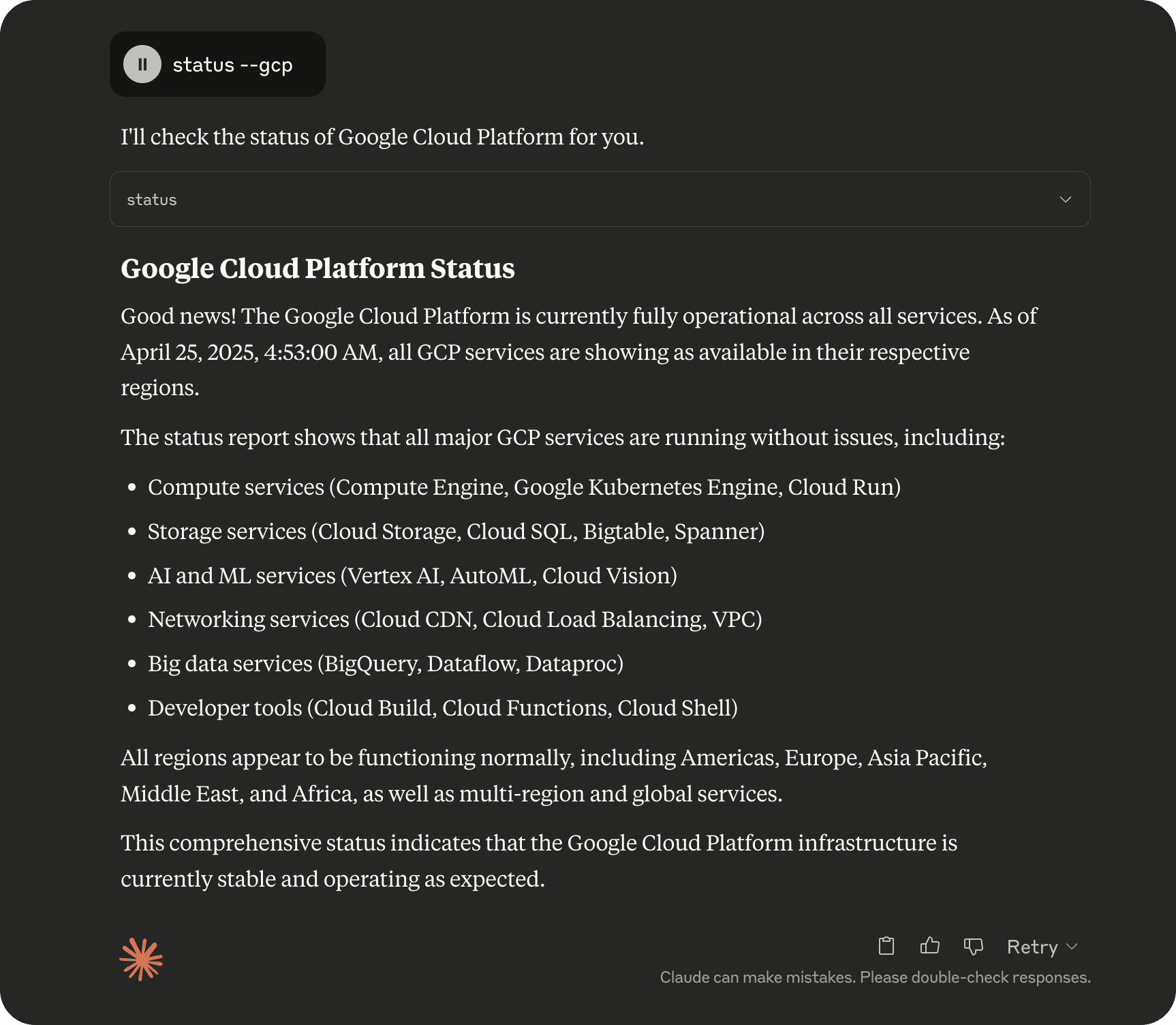
自然言語を使ってMCPと対話することもできます。クロードはこれらのリクエストを解釈し、適切なコマンドを使用します。
「現在、Google Cloud Platform サービスに問題がないか確認していただけますか?」
「最近、Claude または Anthropic API に関して何か問題はありましたか?」
「現在、OpenAI に障害は発生していますか?」
「LinkedIn の現状はどうですか?」
「プルリクエストがダウンしていますか?GitHub の状況はどうですか?」
「Google の Gemini AI で現在、サービスの中断や停止が発生しているかどうか教えていただけますか?」
「Docker Hub 自動ビルドに障害が発生していないか確認する」
「すべての主要プラットフォームのステータスを表示」
Claude Desktop で「MCP Status Observer: Server connected (MCP ステータス オブザーバー: サーバーが切断されました)」というエラーが表示された場合:
サーバーが実行中であることを確認します:
ターミナルを開き、プロジェクトディレクトリからnode build/index.js手動で実行します。
サーバーが正常に起動したら、このターミナルを開いたままClaudeを使用します。
設定を確認してください:
claude_desktop_config.jsonの絶対パスがシステムに合っていることを確認してください
Windowsのパスに二重のバックスラッシュ( \\ )を使用していることを確認してください
ファイルシステムのルートからの完全なパスを使用していることを確認してください
Claude に Status Observer ツールが表示されない場合は、次の手順に従ってください。
設定後、Claude Desktopを再起動してください。
Claude Desktop のログで MCP 通信エラーがないか確認します。
MCP サーバー プロセスが実行されていることを確認します (手動で実行して確認してください)
MCP サーバーが Claude Desktop MCP レジストリに正しく登録されていることを確認します。
サーバーが実行中かどうかを確認するには:
Windows : タスクマネージャーを開き、「詳細」タブに移動して「node.exe」を探します。
macOS/Linux : ターミナルを開き、 ps aux | grep nodeを実行します。
サーバーが実行中になっていない場合は、手動で起動するか、自動起動の方法を使用します。
貢献者は、 src/index.tsのinitializePlatformsメソッドを変更することで、簡単に他のプラットフォームのサポートを追加できます。手順は簡単です。
プラットフォームのステータスAPIエンドポイントを識別する
次のパラメータを使用してaddPlatformメソッドを使用して新しいエントリを追加します。
id : プラットフォームの一意の識別子(小文字、スペースなし)
name : プラットフォームの表示名
url : ステータスAPIエンドポイントURL
description : プラットフォームの簡単な説明
例:
this.addPlatform('newservice', 'New Service', 'https://status.newservice.com/api/v2/summary.json', 'Description of the service');ステータスAPIによって返されるデータは形式が異なる場合があります。新しいプラットフォームのAPIが既存のコードでは処理できない形式でデータを返す場合は、そのプラットフォーム向けの解析ロジックを追加する必要があるかもしれません。
このプロジェクトは、Mozilla Public License 2.0 に基づいてライセンスされています。詳細については、 LICENSEファイルを参照してください。
Check the operational status of major digital platforms, read from each vendor's official status API. Covers AI providers (Anthropic, OpenAI, Gemini), clouds (GCP, Cloudflare, DigitalOcean, Vercel, Netlify, Supabase) and developer or workplace tools (GitHub, Docker, npm, Slack, Atlassian, Discord, Dropbox, Twilio, Asana, Reddit, LinkedIn, Amplitude).
| Name | Required | Description | Default |
|---|---|---|---|
| command | Yes | 'list' to see every supported platform, 'all' for a one-line summary of each, or a platform id such as 'github', 'anthropic' or 'gcp'. A leading '--' is accepted too (e.g. '--github'). |
Does the description disclose side effects, auth requirements, rate limits, or destructive behavior?
No annotations are provided, so the description carries the full burden. It discloses a meaningful behavioral trait — data is read from each vendor's official status API, implying live external reads rather than cached/local data — but says nothing about rate limits, authentication, latency, caching, or failure behavior when a vendor API is unreachable.
Agents need to know what a tool does to the world before calling it. Descriptions should go beyond structured annotations to explain consequences.
Is the description appropriately sized, front-loaded, and free of redundancy?
Two sentences, front-loaded with the purpose before the coverage list. The long provider enumeration is justified because no enums exist in the schema, though it is dense enough to slightly dilute the core statement.
Shorter descriptions cost fewer tokens and are easier for agents to parse. Every sentence should earn its place.
Given the tool's complexity, does the description cover enough for an agent to succeed on first attempt?
For a single-parameter read tool with no output schema, the description is nearly sufficient: purpose, data source, and valid platform values are all covered. The one gap is that it never hints at the shape of the returned status information (e.g., per-platform status codes), leaving the agent to discover it empirically.
Complex tools with many parameters or behaviors need more documentation. Simple tools need less. This dimension scales expectations accordingly.
Does the description clarify parameter syntax, constraints, interactions, or defaults beyond what the schema provides?
Schema coverage is 100% and already documents 'list', 'all', and platform ids, so the baseline is 3. The description adds value beyond the schema by enumerating the concrete platform identifiers (github, anthropic, gcp, etc.), which compensates for the absence of any enum constraint on the command parameter.
Input schemas describe structure but not intent. Descriptions should explain non-obvious parameter relationships and valid value ranges.
Does the description clearly state what the tool does and how it differs from similar tools?
States a specific verb ('Check') and resource ('operational status of major digital platforms') and clarifies the data source ('each vendor's official status API'). The enumeration of covered providers makes the scope unambiguous even though no sibling tools exist to differentiate from.
Agents choose between tools based on descriptions. A clear purpose with a specific verb and resource helps agents select the right tool.
Does the description explain when to use this tool, when not to, or what alternatives exist?
Implies its use case (checking platform status) but offers no explicit when-to-use/when-not guidance or prerequisites. With no sibling tools, there is little to route against, so the omission is less costly, but the description still never says under what circumstances an agent should reach for this tool.
Agents often have multiple tools that could apply. Explicit usage guidance like "use X instead of Y when Z" prevents misuse.
Recent tool additions, removals, and schema changes observed during successful MCP inspections.
v0.8.0status1 field changedInput schema / properties / command / descriptionPrevious value: -"Command to execute (list, --all, or platform with -- prefix like --github)"New value: +"'list' to see every supported platform, 'all' for a one-line summary of each, or a platform id such as 'github', 'anthropic' or 'gcp'. A leading '--' is accepted too (e.g. '--github')."v1.0.0statusScored across 1 tool
With only a single tool, there is no possibility of confusion or misselection between tools. The one tool's purpose is unambiguous.
The lone tool 'status' is a simple, readable noun name. There is no naming pattern to violate, though it does not follow a verb_noun convention.
A single tool for a status-checking service is thin but arguably sufficient since it is a read-only fetch. It covers many vendors under one operation, making the surface borderline minimal.
The tool covers a broad set of vendors' status APIs, fulfilling the core domain purpose. However, it lacks operations for filtering by vendor, incident history, or per-service detail, which are minor gaps.
Uptime, SSL, DNS and domain monitoring you can talk to from Claude or any MCP client.
Model Context Protocol server for Studex tools, notifications, and profile integrations
A Model Context Protocol server for Wix AI tools
A comprehensive Model Context Protocol (MCP) server that enables AI assistants to interact with yo…