

A
licenseNot graded
qualityD
maintenanceAn MCP server that crawls API documentation websites and exposes their content to AI models, enabling them to search, browse, and reference API specifications.
1
MIT

Este servidor MCP remoto publica una tool para buscar y consultar la documentación del protocolo AT.
Herramienta | Descripción |
| Busca en los documentos de atproto |
Creado con amor 💙, para hacer la vida más fácil a los desarrolladores que construyen sobre el protocolo.
Este servidor MCP remoto está disponible públicamente en:
https://mcp-atproto-docs.immber.workers.dev/sseRelated MCP server: Docs-MCP
Creado utilizando la plantilla de servidor remoto sin autenticación MCP que proporciona CloudFlare.
Este servidor MCP consulta una instancia de AutoRAG de CloudFlare que es alimentada por un trabajador de Cloudflare con la documentación pública de ATprocol.
Trabajador cron => Cubo de almacenamiento R2 => Base de datos AutoRAG Vectorize
Este proyecto se inspiró originalmente en el servidor MCP de documentación de Cloudflare .
atproto-docs-worker es un trabajador de Cloudflare que rastrea y guarda la documentación en un bucket R2. Se ejecuta con una programación cron semanal.
Para ver o solicitar cambios a la lista de recursos que se incluyen actualmente, visite ese repositorio.
Conéctate con cualquier cliente compatible con MCP. Luego, pídele a tu agente de IA que use la herramienta search_documentation .
Puedes conectarte a este servidor MCP desde Cloudflare AI Playground, que es un cliente MCP remoto:
Ingrese la URL de su servidor MCP implementado ( https://mcp-atproto-docs.immber.workers.dev/sse )
¡Ahora puedes usar esta herramienta MCP directamente desde el área de juegos!
Para conectarse a este servidor MCP desde Claude Desktop, siga el inicio rápido de Anthropic y dentro de Claude Desktop vaya a Configuración > Desarrollador > Editar configuración.
Actualizar con esta configuración:
{
  "mcpServers": {
    "search_atproto_docs": {
      "command": "npx",
      "args": [
        "mcp-remote",
        "https://mcp-atproto-docs.immber.workers.dev/sse"
      ]
    }
  }
}
Reinicia Claude y deberías ver que las herramientas están disponibles.
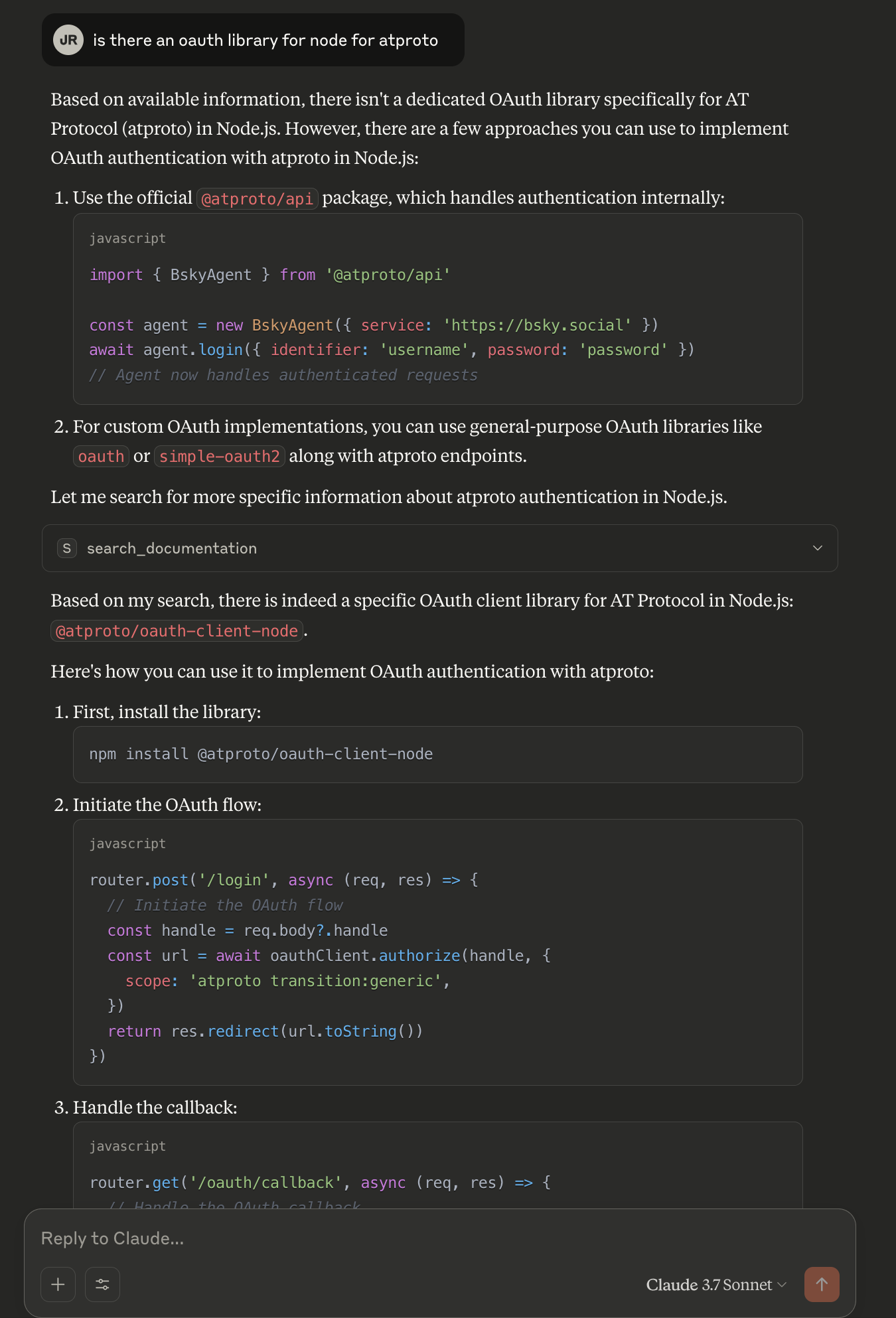
Search the documentation for the given query.
This tool can be used to answer questions about documentation. Results are limited and returned as semantically similar chunks to the query.| Name | Required | Description | Default |
|---|---|---|---|
| query | Yes |
Does the description disclose side effects, auth requirements, rate limits, or destructive behavior?
No annotations are provided, so the description carries the full burden. It discloses key behavioral traits: 'Results are limited and returned as semantically similar chunks to the query.' This adds useful context about result limitations and format. However, it doesn't cover other important aspects like error handling, authentication needs, or rate limits, leaving gaps for a tool with no annotation support.
Agents need to know what a tool does to the world before calling it. Descriptions should go beyond structured annotations to explain consequences.
Is the description appropriately sized, front-loaded, and free of redundancy?
The description is appropriately sized and front-loaded: the first sentence states the core purpose, and the second adds necessary context. Every sentence earns its place with no wasted words, making it efficient and easy to parse.
Shorter descriptions cost fewer tokens and are easier for agents to parse. Every sentence should earn its place.
Given the tool's complexity, does the description cover enough for an agent to succeed on first attempt?
Given the tool's moderate complexity (1 parameter, no output schema, no annotations), the description is somewhat complete but has gaps. It explains the purpose and result format but lacks details on error cases, authentication, or output structure. Without an output schema, more information on return values would be helpful, though the description does mention result limitations.
Complex tools with many parameters or behaviors need more documentation. Simple tools need less. This dimension scales expectations accordingly.
Does the description clarify parameter syntax, constraints, interactions, or defaults beyond what the schema provides?
The input schema has 1 parameter with 0% description coverage, so the description must compensate. It explains that the 'query' parameter is used to 'search the documentation' and 'answer questions about documentation,' providing clear semantic meaning beyond the schema. This adequately covers the single parameter, though it doesn't detail query syntax or examples.
Input schemas describe structure but not intent. Descriptions should explain non-obvious parameter relationships and valid value ranges.
Does the description clearly state what the tool does and how it differs from similar tools?
The description clearly states the tool's purpose: 'Search the documentation for the given query.' This specifies the verb ('search') and resource ('documentation'), making it easy to understand what the tool does. However, with no sibling tools mentioned, there's no opportunity to distinguish from alternatives, so it doesn't reach the highest score.
Agents choose between tools based on descriptions. A clear purpose with a specific verb and resource helps agents select the right tool.
Does the description explain when to use this tool, when not to, or what alternatives exist?
The description provides some usage context: 'This tool can be used to answer questions about documentation.' This implies when to use it, but it doesn't offer explicit guidance on when not to use it or mention any alternatives. With no sibling tools, the guidance is adequate but not comprehensive.
Agents often have multiple tools that could apply. Explicit usage guidance like "use X instead of Y when Z" prevents misuse.
Recent tool additions, removals, and schema changes observed during successful MCP inspections.
v1.0.0search_documentationScored across 1 tool
With only one tool, there is no possibility of ambiguity or overlap between tools. The tool has a clear, distinct purpose focused on searching documentation.
Since there is only one tool, naming consistency is inherently perfect. The tool name 'search_documentation' follows a clear verb_noun pattern.
A single tool is too few for a server named 'ATproto Docs MCP Server', which suggests a documentation-focused domain. This minimal set lacks essential operations like browsing, retrieving specific sections, or navigating documentation structure.
The tool surface is severely incomplete for a documentation server. It only provides search functionality, missing basic operations such as listing documentation topics, getting detailed content, or accessing related resources, which are critical for comprehensive documentation interaction.
The Remote MCP server acts as a standardized bridge between LLM applications (like Claude, ChatGPT, and Cursor) and external services, enabling AI agents to access external tools and resources. Its primary capability is providing a centralized search tool to discover other MCP servers and their respective tools. Unlike local implementations, it runs remotely with OAuth authentication and permission controls for security.
MCP server for agentverse documentation, generated by doc2mcp.
Remote MCP server for Tandem docs, install guides, SDKs, workflows, and agent setup help.
MCP server for querying Forkast documentation
