

A
licenseNot graded
qualityD
maintenanceAn MCP server that crawls API documentation websites and exposes their content to AI models, enabling them to search, browse, and reference API specifications.
1
MIT

This server allows you to search and query the ATprotocol documentation.
Search Documentation: Use the search_documentation tool to search for semantically similar chunks of text related to your query
MCP Compatibility: Connect using any MCP-compatible client, such as Cloudflare AI Playground or Claude Desktop
Public Access: Available at https://mcp-atproto-docs.immber.workers.dev/sse for developers building on the protocol
Provides integration with Cloudflare AI Playground for searching and querying ATprotocol documentation through the MCP server
Click on "Deploy Server".
Wait a few minutes for the server to deploy. Once ready, it will show a "Started" state.
In the chat, type @ followed by the MCP server name and your instructions, e.g., "@ATproto Docs MCP Server search for how to authenticate with ATproto"
That's it! The server will respond to your query, and you can continue using it as needed.
Here is a step-by-step guide with screenshots.
This remote MCP server publishes a tool for searching and querying the documentation for ATprotocol.
Tool | Description |
| Searches the atproto docs |
Created with love 💙, to make life easier for developers building on the protocol.
This remote MCP server is publicly available at:
https://mcp-atproto-docs.immber.workers.dev/sseRelated MCP server: Docs-MCP
Created using the remote MCP authless server template CloudFlare provides.
This MCP server queries a CloudFlare AutoRAG instance that is fed by a Cloudflare worker with ATprocol's public documentation.
cron worker => R2 storage bucket => AutoRAG Vectorize DB
This project was originally inspired by Cloudflare's Documentation MCP Server.
atproto-docs-worker is a cloudflare worker that crawls and saves documentation to an R2 bucket. It runs on a weekly cron schedule.
To view or request changes to the list of resources currently being included, please visit that repo.
Connect with any MCP compatible client. Then ask your AI agent of choice to use the search_documentation tool.
You can connect to this MCP server from the Cloudflare AI Playground, which is a remote MCP client:
Enter your deployed MCP server URL ( https://mcp-atproto-docs.immber.workers.dev/sse)
You can now use this MCP tool directly from the playground!
To connect to this MCP server from Claude Desktop, follow Anthropic's Quickstart and within Claude Desktop go to Settings > Developer > Edit Config.
Update with this configuration:
{
  "mcpServers": {
    "search_atproto_docs": {
      "command": "npx",
      "args": [
        "mcp-remote",
        "https://mcp-atproto-docs.immber.workers.dev/sse"
      ]
    }
  }
}
Restart Claude and you should see the tools become available.
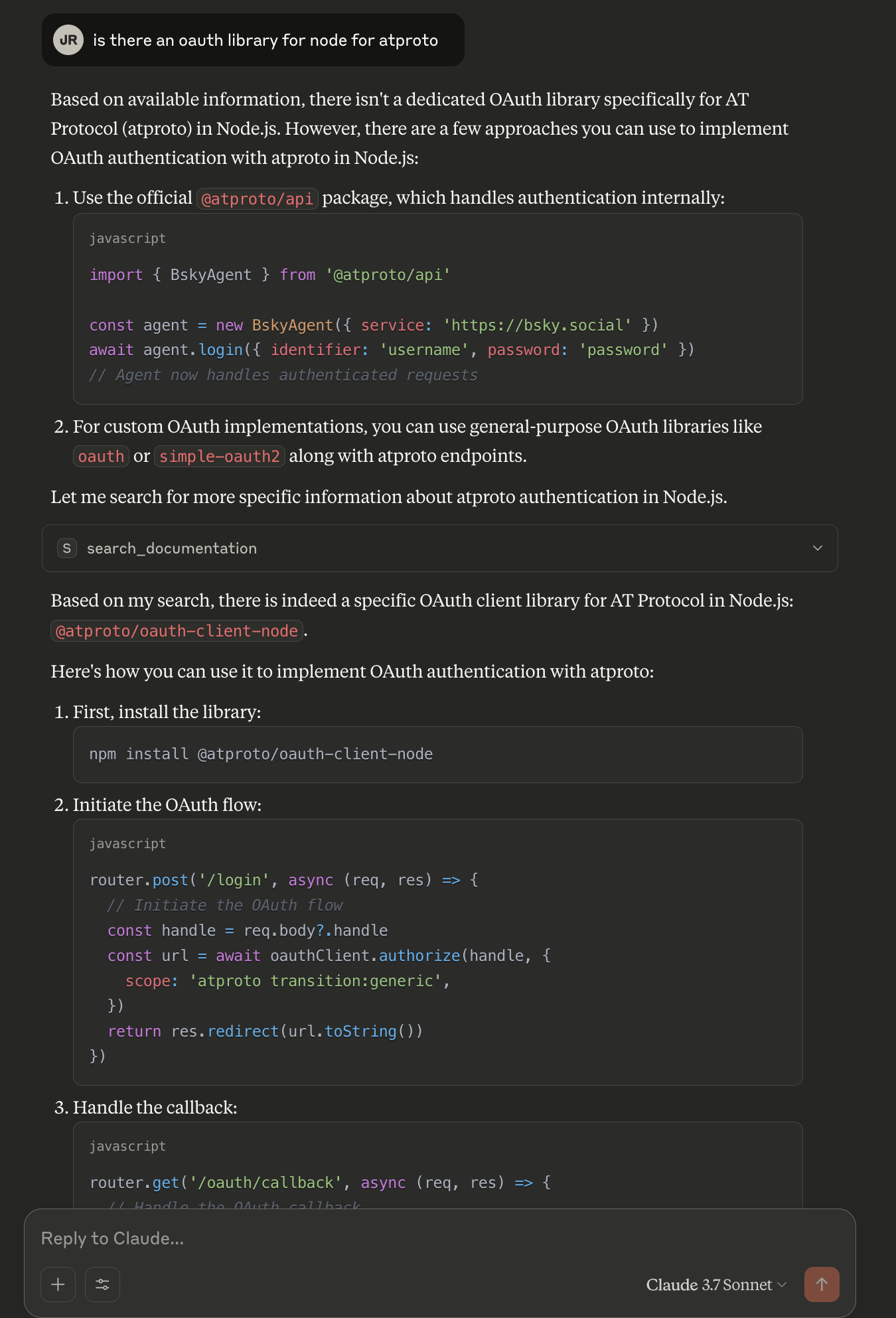
Search the documentation for the given query.
This tool can be used to answer questions about documentation. Results are limited and returned as semantically similar chunks to the query.Inputs: query (required).
Recent tool additions, removals, and schema changes observed during successful MCP inspections.
Loading tool schema changelog…
Scored across 1 tool
With only one tool, there is no possibility of ambiguity or overlap between tools. The tool has a clear, distinct purpose focused on searching documentation.
Since there is only one tool, naming consistency is inherently perfect. The tool name 'search_documentation' follows a clear verb_noun pattern.
A single tool is too few for a server named 'ATproto Docs MCP Server', which suggests a documentation-focused domain. This minimal set lacks essential operations like browsing, retrieving specific sections, or navigating documentation structure.
The tool surface is severely incomplete for a documentation server. It only provides search functionality, missing basic operations such as listing documentation topics, getting detailed content, or accessing related resources, which are critical for comprehensive documentation interaction.
The Remote MCP server acts as a standardized bridge between LLM applications (like Claude, ChatGPT, and Cursor) and external services, enabling AI agents to access external tools and resources. Its primary capability is providing a centralized search tool to discover other MCP servers and their respective tools. Unlike local implementations, it runs remotely with OAuth authentication and permission controls for security.
MCP server for agentverse documentation, generated by doc2mcp.
Remote MCP server for Tandem docs, install guides, SDKs, workflows, and agent setup help.
MCP server for querying Forkast documentation
