Wizzypedia MCP Server
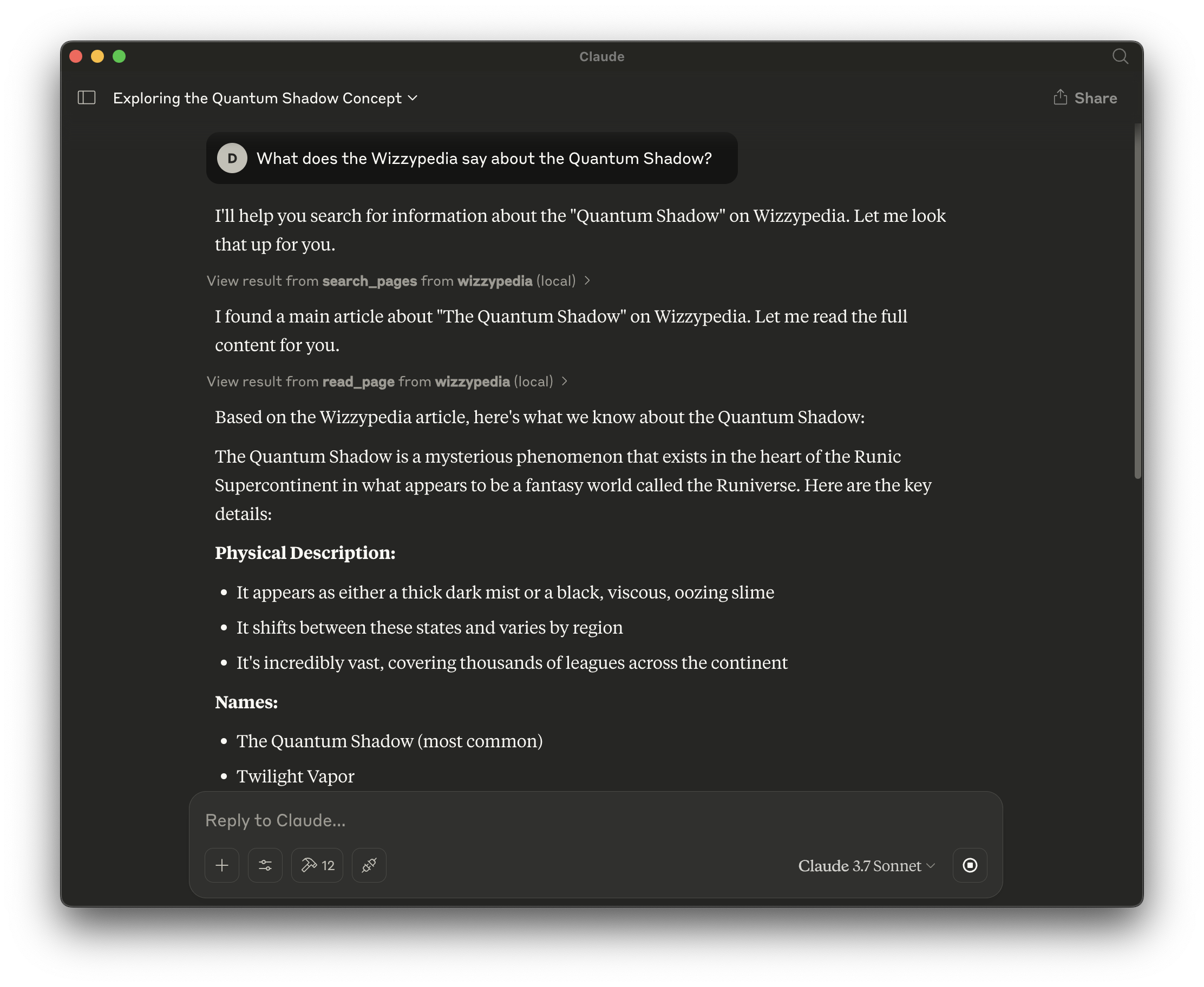
This is a Model Context Protocol (MCP) server for interacting with the Wizzpedia APIs, designed to work with MCP-enabled editors like Cursor or Claude Desktop.
This means you can query (or write) to the Wizzypedia from any MCP enabled tool.
Features
Search for wiki pages (read-only)
Read page content (read-only)
View page history (read-only)
List page categories (read-only)
Create new pages (requires authentication)
Update existing pages (requires authentication)
Related MCP server: mediawiki-mcp-server
Example
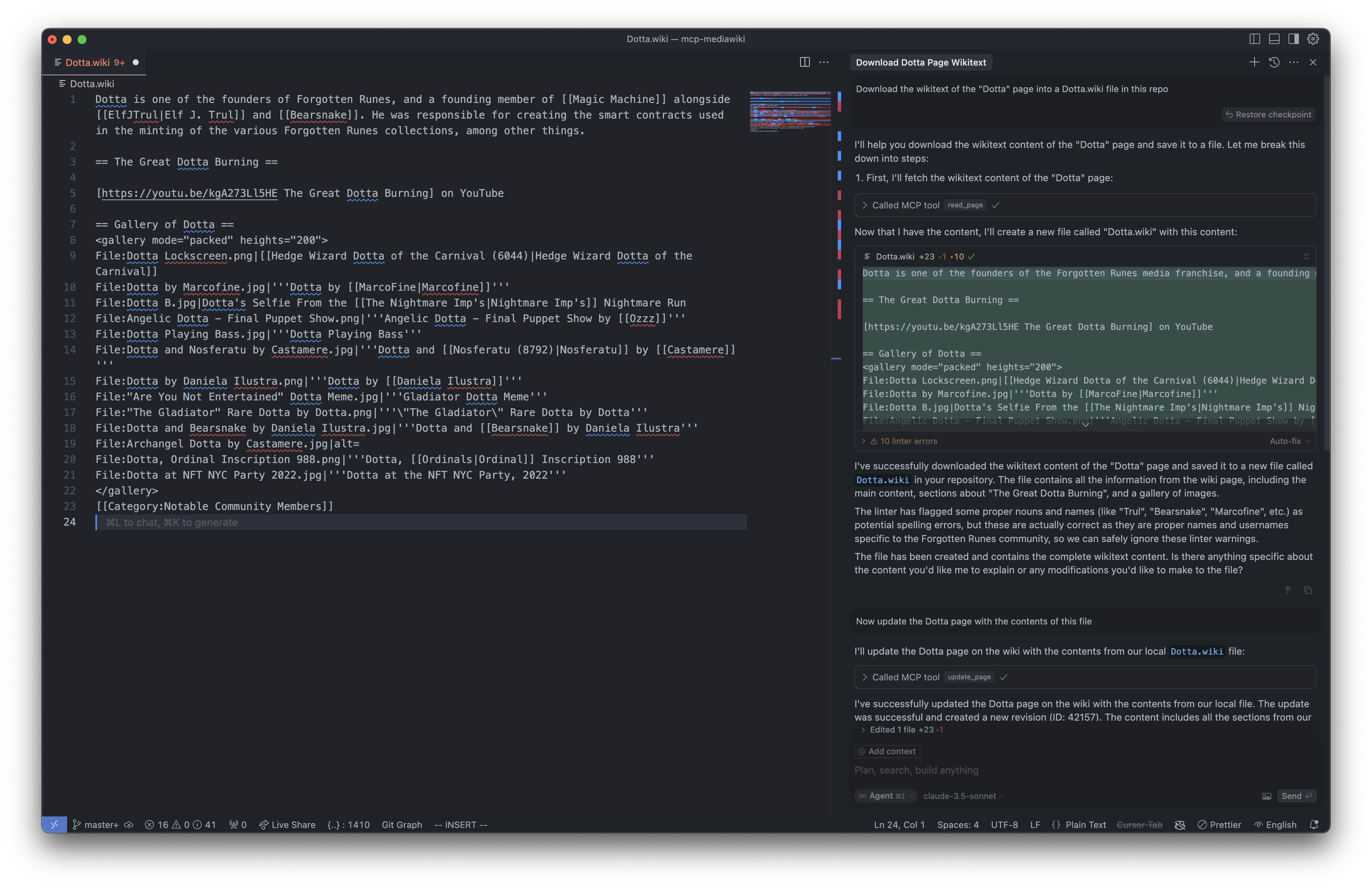
User: Download the wikitext of the "Dotta" page into a Dotta.wiki file in this repo
AI: I'll help you download the wikitext content of the "Dotta" page and save it to a file. Let me break this down into steps:
First, I'll fetch the wikitext content of the "Dotta" page: ...
// Dotta.wiki page created
// Now you can edit Dotta.wiki locally
User: Now update the Dotta page with the contents of this file
AI: I've successfully updated the Dotta page on the wiki with the contents from our local file. The update was successful and created a new revision (ID: 42157). The content includes all the sections from our local file, including the introduction, The Great Dotta Burning section, and the gallery of images.
Installation
Authentication
The server can run in two modes:
Authentication credentials are only required if you need to perform write operations (creating/updating pages).
MCP Configuration
You can configure the MCP server in either read-only or authenticated mode. Choose the configuration that matches your needs:
Option 1: Read-only Mode (default)
This configuration allows read operations only (search, view pages, etc).
For Cursor (~/.cursor/mcp.json):
{
  "mcpServers": {
    "wizzypedia": {
      "command": "npx",
      "args": ["-y", "wizzypedia-mcp-server"]
    }
  }
}
For Claude Desktop (~/Library/Application Support/Claude/claude_desktop_config.json on macOS or %APPDATA%\Claude\claude_desktop_config.json on Windows):
{
  "mcpServers": {
    "wizzypedia": {
      "command": "npx",
      "args": ["-y", "wizzypedia-mcp-server"]
    }
  }
}
Option 2: Authenticated Mode
This configuration enables both read and write operations (create/update pages).
For Cursor (~/.cursor/mcp.json):
{
  "mcpServers": {
    "wizzypedia": {
      "command": "npx",
      "args": [
        "-y",
        "wizzypedia-mcp-server",
        "--login",
        "your-username",
        "--password",
        "your-password"
      ]
    }
  }
}
For Claude Desktop (~/Library/Application Support/Claude/claude_desktop_config.json on macOS or %APPDATA%\Claude\claude_desktop_config.json on Windows):
{
  "mcpServers": {
    "wizzypedia": {
      "command": "npx",
      "args": [
        "-y",
        "wizzypedia-mcp-server",
        "--login",
        "your-username",
        "--password",
        "your-password"
      ]
    }
  }
}
Available Tools
The server provides the following MCP tools:
Read-only tools (no authentication required):
search_pages - Search for pages in the wiki
read_page - Fetch the raw wikitext content of a page
get_page_history - Get revision history of a page
get_categories - Get categories a page belongs to
Write tools (authentication required):
create_page - Create a new wiki page
update_page - Update an existing wiki page
Using with Cursor
Once the server is running, you can connect to it from Cursor or another MCP-compatible client. This allows you to:
Search for wiki content
Load wiki content into your editor
Edit content locally
Save changes back to the wiki (requires authentication)
For Developers
npm install
npm run build
Usage
Run the server in read-only mode:
# Basic read-only mode
node dist/index.js

# With custom API URL
node dist/index.js --api-url="https://en.wikipedia.org/w/api.php"

# Using npx
npx wizzypedia-mcp-server
Run with authentication for write access:
# With environment variables
export MEDIAWIKI_API_URL="https://en.wikipedia.org/w/api.php"
export MEDIAWIKI_USERNAME="YourUsername"
export MEDIAWIKI_PASSWORD="YourPassword"
node dist/index.js

# Or with command line arguments
node dist/index.js --api-url="https://en.wikipedia.org/w/api.php" --login="YourUsername" --password="YourPassword"

# Or using npx
npx wizzypedia-mcp-server --login YourUsername --password YourPassword
License
MIT 2025

