ナウトボットMCP



この Nautobot アプリは、MCP (Model Context Protocol) サーバーを Nautobot と統合し、ネットワークの自動化と管理のための AI 対応ツールとインターフェースを提供します。
概要
Nautobot MCPは、AIアシスタントやアプリケーションが標準化されたプロトコルを介してネットワークデータとやり取りすることを可能にします。このアプリはNautobotと並行してMCPサーバーを実行し、AIシステムが使用できるツールを公開します。
https://modelcontextprotocol.io/introduction
Related MCP server: network-mcp
Librechat を使用したデモ - Nautobot MCP に接続
https://github.com/user-attachments/assets/283d68c2-d35f-4506-b909-45c1850e7281
インストール
1. パッケージをインストールする
2. Nautobot設定のINSTALLED_APPSに追加する
# In your nautobot_config.py
PLUGINS = [
    "nautobot_mcp",
    # ... other plugins
]
3. 構成
Nautobot の構成システムを通じてアプリを構成します。
# In your nautobot_config.py
PLUGINS_CONFIG = {
    "nautobot_mcp": {
        "MCP_PORT": 8005,  # MCP server port
        "MCP_HOST": "0.0.0.0",  # Default is 0.0.0.0
        "MCP_CUSTOM_TOOLS_DIR": "/path/to/your/custom/tools",  # Directory for custom tools
        "MCP_LOAD_CORE_TOOLS": False,  # Load built-in tools
    },
}
4. アップグレード後にnautobotを実行する
nautobot-server post_upgrade
カスタムツール
MCP_CUSTOM_TOOLS_DIRで指定されたディレクトリに Python 関数を定義することで、独自のカスタム ツールを作成できます。
カスタムツールの例:
# In /path/to/your/custom/tools/my_tools.py

def some_tool(param1: str, param2: str) -> dict:
    """Some tool description"""
    # Your implementation here
    return {"result": f"Tool result for {param1} and {param2}"}
MCP サーバーは、指定されたディレクトリ内のすべての機能ベースのツールを自動的に検出し、登録します。
展開オプション
方法1: 手動開始
MCP サーバーを手動で起動できます。
nautobot-server start_mcp_server
方法 2: Systemd サービス (本番環境に推奨)
/etc/systemd/system/nautobot-mcp.serviceに systemd サービス ファイルを作成します。
[Unit]
Description=Nautobot MCP Server
After=network-online.target
Wants=network-online.target

[Service]
User=nautobot
Group=nautobot
WorkingDirectory=/opt/nautobot
ExecStart=/opt/nautobot/venv/bin/nautobot-server start_mcp_server
Restart=on-failure
RestartSec=30
PrivateTmp=true

[Install]
WantedBy=multi-user.target
次に、サービスを有効にして開始します。
sudo systemctl daemon-reload
sudo systemctl enable --now nautobot-mcp.service
利用可能なツールの表示
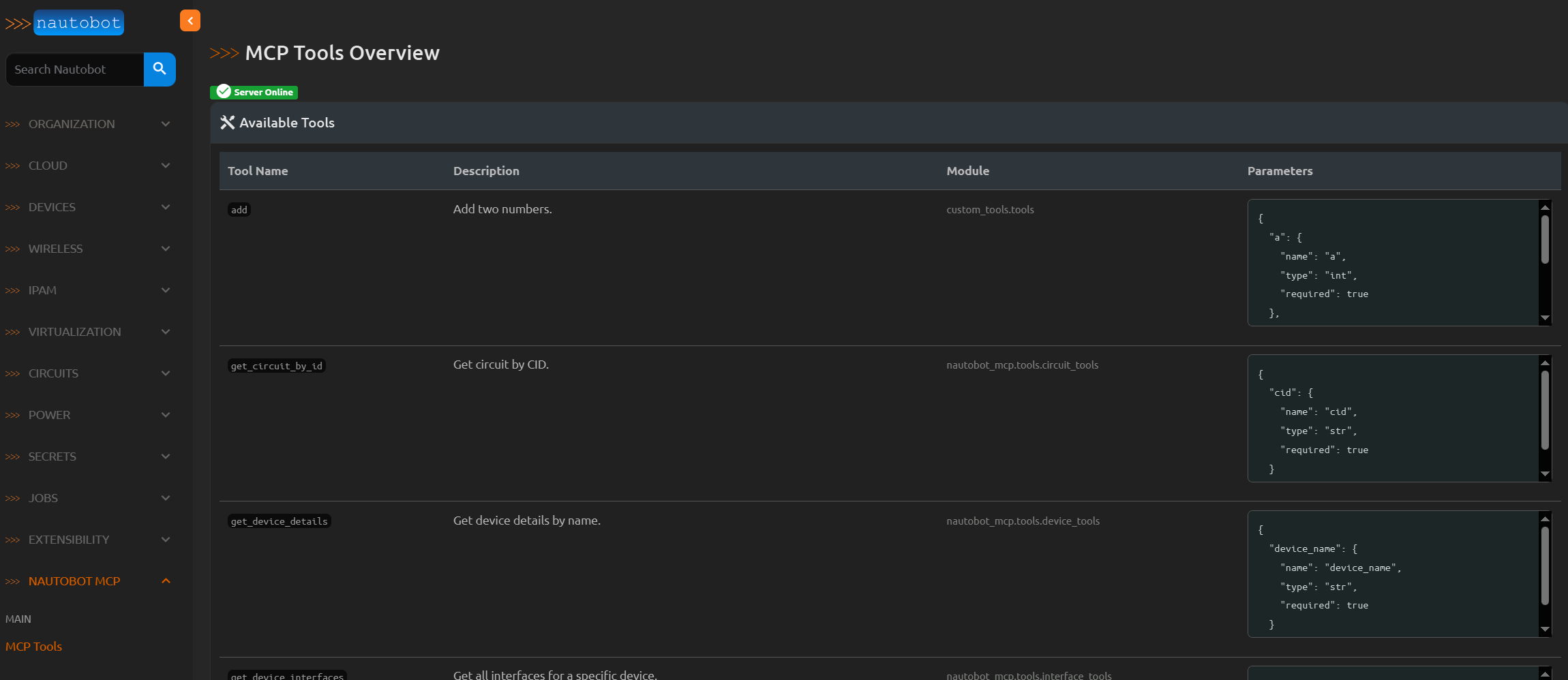
登録されているすべてのツールは、Nautobot Web インターフェースで次の場所から確認できます。
https://your-nautobot-server/plugins/nautobot-mcp/tools/
このページには、利用可能なすべてのツール、その説明、モジュール パス、およびパラメーターの仕様が表示されます。
やるべきこと
[ ] ツールの実行を特定の Nautobot ワーカーにルーティングする方法を追加します。
[ ] Nautobot Web インターフェースのツール ビューを拡張して、ツールの使用状況の統計を表示します。
[ ] MCP サーバーを実行するための Docker コンテナを作成します。
[ ] テストを追加します。
ライセンス
このプロジェクトは、Apache License 2.0 に基づいてライセンスされています。詳細については、LICENSE ファイルを参照してください。


