F
licenseNot graded
qualityD
maintenanceProvides a server utilizing Model Context Protocol to enable human-like browser automation with Playwright, allowing control over browser actions such as navigation, element interaction, and scrolling.
8
-

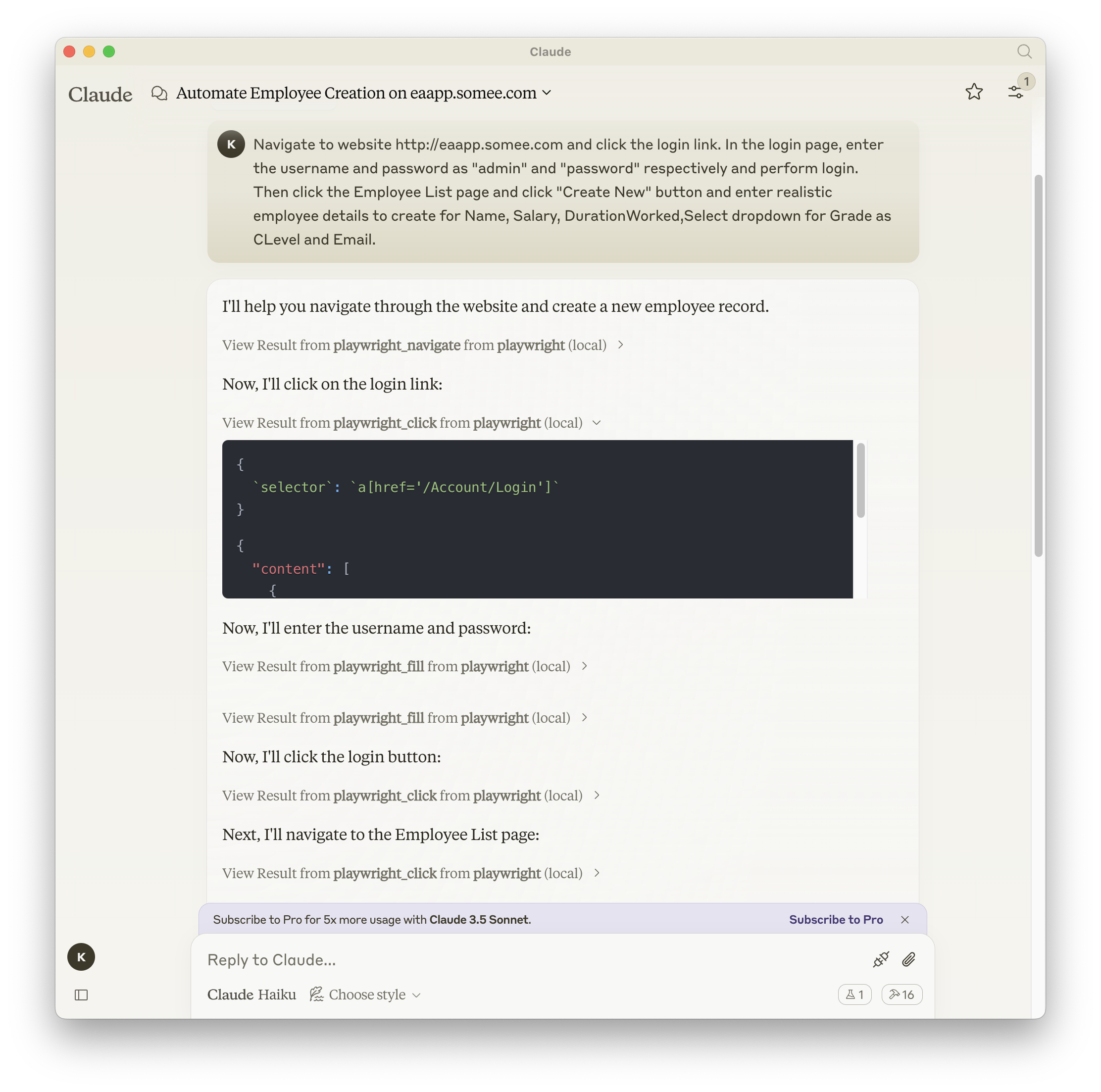
一个使用 Playwright 提供浏览器自动化功能的模型上下文协议 (MLM) 服务器。该服务器使 LLM 能够与网页交互、截取屏幕截图、生成测试代码、从网页中提取网页数据,并在真实的浏览器环境中执行 JavaScript。
Related MCP server: Puppeteer MCP Server
您可以使用 npm、mcp-get 或 Smithery 安装该软件包:
使用 npm:
npm install -g @executeautomation/playwright-mcp-server使用 mcp-get:
npx @michaellatman/mcp-get@latest install @executeautomation/playwright-mcp-server使用 Smithery
要通过Smithery自动为 Claude Desktop 安装 Playwright MCP:
npx @smithery/cli install @executeautomation/playwright-mcp-server --client claude使用以下按钮之一在 VS Code 中安装 Playwright MCP 服务器:
或者,您可以使用 VS Code CLI 安装 Playwright MCP 服务器:
# For VS Code
code --add-mcp '{"name":"playwright","command":"npx","args":["@executeautomation/playwright-mcp-server"]}'
# For VS Code Insiders
code-insiders --add-mcp '{"name":"playwright","command":"npx","args":["@executeautomation/playwright-mcp-server"]}'安装后,ExecuteAutomation Playwright MCP 服务器将可与 VS Code 中的 GitHub Copilot 代理一起使用。
以下是使用 Playwright 服务器的 Claude Desktop 配置:
{
  "mcpServers": {
    "playwright": {
      "command": "npx",
      "args": ["-y", "@executeautomation/playwright-mcp-server"]
    }
  }
}该项目使用 Jest 进行测试。测试位于src/__tests__目录中。
您可以使用以下命令之一运行测试:
# Run tests using the custom script (with coverage)
node run-tests.cjs

# Run tests using npm scripts
npm test           # Run tests without coverage
npm run test:coverage  # Run tests with coverage
npm run test:custom # Run tests with custom script (same as node run-tests.cjs)测试覆盖率报告将在coverage目录中生成。
evals 包会加载一个 mcp 客户端,然后运行 index.ts 文件,因此测试之间无需重新构建。您可以通过在 npx 命令前添加前缀来加载环境变量。完整文档可在此处找到。
OPENAI_API_KEY=your-key npx mcp-eval src/evals/evals.ts src/tools/codegen/index.tsClear a code generation session without generating a test
Inputs: sessionId (required).
End a code generation session and generate the test file
Inputs: sessionId (required).
Get information about a code generation session
Inputs: sessionId (required).
Wait for and validate a previously initiated HTTP response wait operation.
Inputs: id (required), value.
Click an element on the page
Inputs: selector (required).
Click a link and switch to the newly opened tab
Inputs: selector (required).
Close the browser and release all resources
Inputs: no named parameters.
Retrieve console logs from the browser with filtering options
Inputs: clear, limit, search, type.
Set a custom User Agent for the browser
Inputs: userAgent (required).
Perform an HTTP DELETE request
Inputs: url (required).
Drag an element to a target location
Inputs: sourceSelector (required), targetSelector (required).
Execute JavaScript in the browser console
Inputs: script (required).
Ask Playwright to start waiting for a HTTP response. This tool initiates the wait operation but does not wait for its completion.
Inputs: id (required), url (required).
fill out an input field
Inputs: selector (required), value (required).
Perform an HTTP GET request
Inputs: url (required).
Get the HTML content of the current page. By default, all tags are removed from the output unless removeScripts is explicitly set to false.
Inputs: cleanHtml, maxLength, minify, removeComments, +4 more.
Get the visible text content of the current page
Inputs: no named parameters.
Navigate back in browser history
Inputs: no named parameters.
Navigate forward in browser history
Inputs: no named parameters.
Hover an element on the page
Inputs: selector (required).
Click an element in an iframe on the page
Inputs: iframeSelector (required), selector (required).
Fill an element in an iframe on the page
Inputs: iframeSelector (required), selector (required), value (required).
Perform an HTTP PATCH request
Inputs: url (required), value (required).
Perform an HTTP POST request
Inputs: url (required), value (required), headers, token.
Press a keyboard key
Inputs: key (required), selector.
Perform an HTTP PUT request
Inputs: url (required), value (required).
Save the current page as a PDF file
Inputs: outputPath (required), filename, format, margin, +1 more.
Take a screenshot of the current page or a specific element
Inputs: name (required), downloadsDir, fullPage, height, +4 more.
Select an element on the page with Select tag
Inputs: selector (required), value (required).
Upload a file to an input[type='file'] element on the page
Inputs: filePath (required), selector (required).
Start a new code generation session to record Playwright actions
Inputs: options (required).
Recent tool additions, removals, and schema changes observed during successful MCP inspections.
Loading tool schema changelog…
Scored across 32 tools
Most tools have distinct purposes, with clear separation between navigation, interaction, HTTP requests, and code generation functions. However, some overlap exists between playwright_click and playwright_iframe_click, and between playwright_fill and playwright_iframe_fill, which could cause minor confusion about when to use the iframe variants versus regular versions.
Excellent naming consistency throughout. All tools follow a clear snake_case pattern with 'playwright_' prefix for browser operations and descriptive verb_noun combinations. The three codegen tools also follow a consistent pattern with 'codegen_session' suffix.
32 tools is quite large for an MCP server, bordering on heavy. While Playwright is a comprehensive browser automation library, this many tools may overwhelm agents and could potentially be consolidated (e.g., HTTP methods could be a single tool with method parameter).
The tool surface provides comprehensive coverage of Playwright's core functionality including navigation, element interaction, iframe handling, HTTP requests, debugging (console logs), file operations, PDF/screenshot generation, and code generation. No obvious gaps exist for typical browser automation workflows.
Official Browserless MCP server: browser automation, scraping, screenshots and PDFs for AI agents.
Cloud browser, web extraction, screenshots, and remote CDP tools for AI agents.
A comprehensive Model Context Protocol (MCP) server that enables AI assistants to interact with yo…
A Model Context Protocol server for Wix AI tools