
F
licenseNot graded
qualityD
maintenanceProvides a server utilizing Model Context Protocol to enable human-like browser automation with Playwright, allowing control over browser actions such as navigation, element interaction, and scrolling.
8
-

Playwrightを用いたブラウザ自動化機能を提供するモデルコンテキストプロトコル(LLM)サーバー。このサーバーにより、LLMはWebページとのインタラクション、スクリーンショットの取得、テストコードの生成、ページのWebスクレイピング、そして実際のブラウザ環境でのJavaScript実行が可能になります。
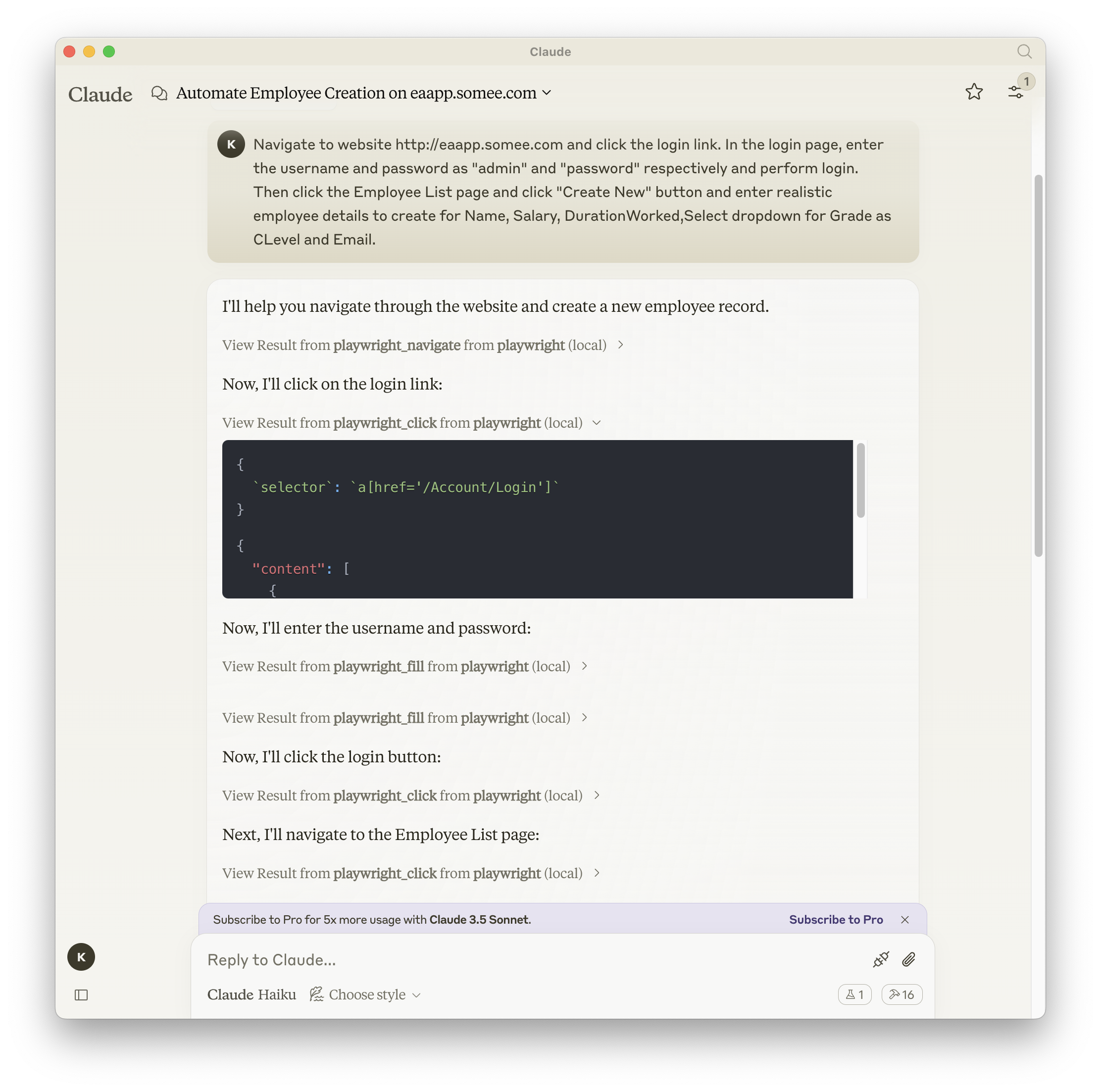
Related MCP server: Puppeteer MCP Server
npm、mcp-get、Smithery のいずれかを使用してパッケージをインストールできます。
npm を使用する場合:
npm install -g @executeautomation/playwright-mcp-servermcp-get の使用:
npx @michaellatman/mcp-get@latest install @executeautomation/playwright-mcp-server鍛冶屋を使う
Smithery経由で Claude Desktop 用の Playwright MCP を自動的にインストールするには:
npx @smithery/cli install @executeautomation/playwright-mcp-server --client claude次のいずれかのボタンを使用して、VS Code に Playwright MCP サーバーをインストールします。
あるいは、VS Code CLI を使用して Playwright MCP サーバーをインストールすることもできます。
# For VS Code
code --add-mcp '{"name":"playwright","command":"npx","args":["@executeautomation/playwright-mcp-server"]}'
# For VS Code Insiders
code-insiders --add-mcp '{"name":"playwright","command":"npx","args":["@executeautomation/playwright-mcp-server"]}'インストール後、ExecuteAutomation Playwright MCP サーバーを VS Code の GitHub Copilot エージェントで使用できるようになります。
Playwright サーバーを使用するための Claude Desktop の構成は次のとおりです。
{
  "mcpServers": {
    "playwright": {
      "command": "npx",
      "args": ["-y", "@executeautomation/playwright-mcp-server"]
    }
  }
}このプロジェクトではテストにJestを使用しています。テストはsrc/__tests__ディレクトリにあります。
次のいずれかのコマンドを使用してテストを実行できます。
# Run tests using the custom script (with coverage)
node run-tests.cjs

# Run tests using npm scripts
npm test           # Run tests without coverage
npm run test:coverage  # Run tests with coverage
npm run test:custom    # Run tests with custom script (same as node run-tests.cjs)
テスト カバレッジ レポートは、 coverageディレクトリに生成されます。
evalsパッケージはmcpクライアントをロードし、index.tsファイルを実行するため、テスト間で再構築する必要はありません。npxコマンドの先頭に環境変数をロードすることもできます。完全なドキュメントはこちらでご覧いただけます。
OPENAI_API_KEY=your-key npx mcp-eval src/evals/evals.ts src/tools/codegen/index.tsClear a code generation session without generating a test
| Name | Required | Description | Default |
|---|---|---|---|
| sessionId | Yes | ID of the session to clear |
Does the description disclose side effects, auth requirements, rate limits, or destructive behavior?
No annotations are provided, so the description carries the full burden. It states the tool clears a session, implying a destructive/mutation operation, but doesn't disclose behavioral traits such as whether this is reversible, what 'clear' entails (e.g., deleting data, resetting state), permissions required, error handling, or side effects. For a mutation tool with zero annotation coverage, this is inadequate.
Agents need to know what a tool does to the world before calling it. Descriptions should go beyond structured annotations to explain consequences.
Is the description appropriately sized, front-loaded, and free of redundancy?
The description is a single, efficient sentence that is front-loaded with the core action ('Clear a code generation session') and adds a clarifying detail ('without generating a test'). There is no wasted text, and it's appropriately sized for the tool's complexity.
Shorter descriptions cost fewer tokens and are easier for agents to parse. Every sentence should earn its place.
Given the tool's complexity, does the description cover enough for an agent to succeed on first attempt?
Given the tool is a mutation operation (clearing a session) with no annotations and no output schema, the description is incomplete. It doesn't explain what 'clear' means behaviorally, what happens after clearing, potential errors, or return values. For a destructive tool, more context is needed to be fully helpful.
Complex tools with many parameters or behaviors need more documentation. Simple tools need less. This dimension scales expectations accordingly.
Does the description clarify parameter syntax, constraints, interactions, or defaults beyond what the schema provides?
The input schema has 100% description coverage, with 'sessionId' documented as 'ID of the session to clear'. The description doesn't add any parameter semantics beyond this, such as format examples or constraints. With high schema coverage, the baseline is 3, as the schema does the heavy lifting and no extra value is added.
Input schemas describe structure but not intent. Descriptions should explain non-obvious parameter relationships and valid value ranges.
Does the description clearly state what the tool does and how it differs from similar tools?
The description clearly states the action ('Clear') and resource ('a code generation session'), specifying what the tool does. It distinguishes from potential sibling 'end_codegen_session' by noting it clears 'without generating a test', though it doesn't explicitly name alternatives. This provides good clarity but lacks explicit sibling differentiation for a full 5.
Agents choose between tools based on descriptions. A clear purpose with a specific verb and resource helps agents select the right tool.
Does the description explain when to use this tool, when not to, or what alternatives exist?
The description implies usage by stating 'without generating a test', which hints at when not to use it (i.e., if you want a test, use something else). However, it doesn't provide explicit guidance on when to use this tool versus alternatives like 'end_codegen_session' or other session management tools, nor does it mention prerequisites or context. This is minimal guidance.
Agents often have multiple tools that could apply. Explicit usage guidance like "use X instead of Y when Z" prevents misuse.
End a code generation session and generate the test file
| Name | Required | Description | Default |
|---|---|---|---|
| sessionId | Yes | ID of the session to end |
Does the description disclose side effects, auth requirements, rate limits, or destructive behavior?
No annotations are provided, so the description carries the full burden. It mentions ending a session and generating a test file, but lacks details on behavioral traits: it doesn't specify if this is destructive (e.g., deletes session data), what permissions are needed, how the test file is generated (e.g., format, location), or error handling. The description is too vague for a mutation tool with zero annotation coverage.
Agents need to know what a tool does to the world before calling it. Descriptions should go beyond structured annotations to explain consequences.
Is the description appropriately sized, front-loaded, and free of redundancy?
The description is a single, efficient sentence that front-loads the core action ('End a code generation session') and adds a secondary outcome ('and generate the test file'). There is no wasted language, and it's appropriately sized for the tool's complexity.
Shorter descriptions cost fewer tokens and are easier for agents to parse. Every sentence should earn its place.
Given the tool's complexity, does the description cover enough for an agent to succeed on first attempt?
Given the tool's complexity (a mutation with no annotations and no output schema), the description is incomplete. It doesn't explain what 'ending' entails (e.g., cleanup, persistence), how the test file is generated or returned, or potential side effects. For a tool that modifies state and produces output, more context is needed to be fully helpful.
Complex tools with many parameters or behaviors need more documentation. Simple tools need less. This dimension scales expectations accordingly.
Does the description clarify parameter syntax, constraints, interactions, or defaults beyond what the schema provides?
The input schema has 100% description coverage, with 'sessionId' clearly documented. The description adds no parameter-specific information beyond what the schema provides (e.g., no details on sessionId format or validation). With high schema coverage, the baseline is 3, as the description doesn't compensate but also doesn't detract.
Input schemas describe structure but not intent. Descriptions should explain non-obvious parameter relationships and valid value ranges.
Does the description clearly state what the tool does and how it differs from similar tools?
The description clearly states the verb ('End') and resource ('a code generation session'), and specifies an additional action ('generate the test file'). It distinguishes from siblings like 'clear_codegen_session' (which likely clears without generating) and 'get_codegen_session' (which retrieves without ending). However, it doesn't explicitly differentiate from all siblings, keeping it at 4 rather than 5.
Agents choose between tools based on descriptions. A clear purpose with a specific verb and resource helps agents select the right tool.
Does the description explain when to use this tool, when not to, or what alternatives exist?
The description provides no guidance on when to use this tool versus alternatives. It doesn't mention prerequisites (e.g., needing an active session from 'start_codegen_session'), exclusions, or comparisons to siblings like 'clear_codegen_session'. Usage is implied but not explicitly stated, resulting in minimal guidance.
Agents often have multiple tools that could apply. Explicit usage guidance like "use X instead of Y when Z" prevents misuse.
Get information about a code generation session
| Name | Required | Description | Default |
|---|---|---|---|
| sessionId | Yes | ID of the session to retrieve |
Does the description disclose side effects, auth requirements, rate limits, or destructive behavior?
With no annotations provided, the description carries the full burden of behavioral disclosure. It states it 'gets information,' implying a read-only operation, but doesn't specify whether this requires authentication, has rate limits, returns structured data, or what happens if the session doesn't exist. This is a significant gap for a tool with zero annotation coverage.
Agents need to know what a tool does to the world before calling it. Descriptions should go beyond structured annotations to explain consequences.
Is the description appropriately sized, front-loaded, and free of redundancy?
The description is a single, efficient sentence that directly states the tool's purpose without unnecessary words. It's appropriately sized for a simple retrieval tool, though it could be slightly more informative without losing conciseness.
Shorter descriptions cost fewer tokens and are easier for agents to parse. Every sentence should earn its place.
Given the tool's complexity, does the description cover enough for an agent to succeed on first attempt?
For a tool with no annotations and no output schema, the description is incomplete. It doesn't explain what information is returned (e.g., session status, code generated), behavioral aspects like error handling, or how it fits with sibling tools. This leaves gaps for an AI agent to understand the full context of use.
Complex tools with many parameters or behaviors need more documentation. Simple tools need less. This dimension scales expectations accordingly.
Does the description clarify parameter syntax, constraints, interactions, or defaults beyond what the schema provides?
The input schema has 100% description coverage, with the single parameter 'sessionId' documented as 'ID of the session to retrieve.' The description adds no additional meaning beyond this, such as format examples or source context. Given the high schema coverage, the baseline score of 3 is appropriate as the schema handles the parameter documentation adequately.
Input schemas describe structure but not intent. Descriptions should explain non-obvious parameter relationships and valid value ranges.
Does the description clearly state what the tool does and how it differs from similar tools?
The description clearly states the verb 'Get' and the resource 'information about a code generation session', making the purpose understandable. However, it doesn't distinguish this from sibling tools like 'start_codegen_session' or 'end_codegen_session' beyond the basic action, missing specific differentiation about what information is retrieved versus what those other tools do.
Agents choose between tools based on descriptions. A clear purpose with a specific verb and resource helps agents select the right tool.
Does the description explain when to use this tool, when not to, or what alternatives exist?
The description provides no guidance on when to use this tool versus alternatives. It doesn't mention prerequisites (e.g., needing an existing session ID from 'start_codegen_session'), exclusions, or comparisons to other tools like 'clear_codegen_session', leaving the agent to infer usage context.
Agents often have multiple tools that could apply. Explicit usage guidance like "use X instead of Y when Z" prevents misuse.
Wait for and validate a previously initiated HTTP response wait operation.
| Name | Required | Description | Default |
|---|---|---|---|
| id | Yes | Identifier of the HTTP response initially expected using `Playwright_expect_response`. | |
| value | No | Data to expect in the body of the HTTP response. If provided, the assertion will fail if this value is not found in the response body. |
Does the description disclose side effects, auth requirements, rate limits, or destructive behavior?
With no annotations provided, the description carries full burden but only states it 'waits for and validates' without detailing behavioral traits like timeout behavior, error handling, or what happens if validation fails. It mentions assertion failure if value not found, but lacks context on retries, logging, or performance implications.
Agents need to know what a tool does to the world before calling it. Descriptions should go beyond structured annotations to explain consequences.
Is the description appropriately sized, front-loaded, and free of redundancy?
The description is a single, efficient sentence with zero waste—it directly states the tool's function without unnecessary words. It's appropriately sized and front-loaded, making it easy to parse quickly.
Shorter descriptions cost fewer tokens and are easier for agents to parse. Every sentence should earn its place.
Given the tool's complexity, does the description cover enough for an agent to succeed on first attempt?
Given no annotations and no output schema, the description is minimal but covers the basic operation. For a validation tool with 2 parameters, it lacks details on return values, error conditions, or integration context, leaving gaps in completeness despite the concise description.
Complex tools with many parameters or behaviors need more documentation. Simple tools need less. This dimension scales expectations accordingly.
Does the description clarify parameter syntax, constraints, interactions, or defaults beyond what the schema provides?
Schema description coverage is 100%, so the schema already fully documents both parameters. The description adds no additional meaning beyond what's in the schema descriptions, such as examples or edge cases. Baseline 3 is appropriate when schema does the heavy lifting.
Input schemas describe structure but not intent. Descriptions should explain non-obvious parameter relationships and valid value ranges.
Does the description clearly state what the tool does and how it differs from similar tools?
The description clearly states the tool's purpose as 'Wait for and validate a previously initiated HTTP response wait operation,' which specifies the action (wait and validate) and resource (HTTP response). It distinguishes from siblings by referencing `playwright_expect_response`, but doesn't explicitly differentiate from other validation tools like `playwright_console_logs`.
Agents choose between tools based on descriptions. A clear purpose with a specific verb and resource helps agents select the right tool.
Does the description explain when to use this tool, when not to, or what alternatives exist?
The description implies usage by referencing `playwright_expect_response` as a prerequisite, suggesting it should be used after that tool. However, it doesn't provide explicit when-to-use guidance, alternatives, or exclusions compared to other validation tools in the sibling list.
Agents often have multiple tools that could apply. Explicit usage guidance like "use X instead of Y when Z" prevents misuse.
Click an element on the page
| Name | Required | Description | Default |
|---|---|---|---|
| selector | Yes | CSS selector for the element to click |
Does the description disclose side effects, auth requirements, rate limits, or destructive behavior?
With no annotations, the description must disclose behavioral traits but only states the action. It does not mention whether the tool waits for the element, scrolls into view, or what happens on errors (e.g., timeout, element not found). This leaves critical behavioral details unspecified.
Agents need to know what a tool does to the world before calling it. Descriptions should go beyond structured annotations to explain consequences.
Is the description appropriately sized, front-loaded, and free of redundancy?
The description is a single concise sentence with no fluff, but it is under-specified and lacks detail. Conciseness is not achieved at the expense of informativeness.
Shorter descriptions cost fewer tokens and are easier for agents to parse. Every sentence should earn its place.
Given the tool's complexity, does the description cover enough for an agent to succeed on first attempt?
Given no output schema and only one parameter, the description is incomplete. It does not explain return value, side effects, or behavior in edge cases, which is important for a simple action tool.
Complex tools with many parameters or behaviors need more documentation. Simple tools need less. This dimension scales expectations accordingly.
Does the description clarify parameter syntax, constraints, interactions, or defaults beyond what the schema provides?
Input schema coverage is 100% with a single required parameter 'selector' well-described in the schema. The description adds no additional meaning beyond the schema, meeting the baseline expectation for high coverage.
Input schemas describe structure but not intent. Descriptions should explain non-obvious parameter relationships and valid value ranges.
Does the description clearly state what the tool does and how it differs from similar tools?
The description 'Click an element on the page' clearly states the action and resource, but it is essentially a restatement of the tool name 'playwright_click' and does not differentiate from sibling tools like playwright_hover or playwright_fill.
Agents choose between tools based on descriptions. A clear purpose with a specific verb and resource helps agents select the right tool.
Does the description explain when to use this tool, when not to, or what alternatives exist?
No guidance is provided on when to use this tool versus alternatives. The description lacks context about prerequisites, such as requiring the page to be loaded or the element to be visible, which could be inferred but is not explicit.
Agents often have multiple tools that could apply. Explicit usage guidance like "use X instead of Y when Z" prevents misuse.
Click a link and switch to the newly opened tab
| Name | Required | Description | Default |
|---|---|---|---|
| selector | Yes | CSS selector for the link to click |
Does the description disclose side effects, auth requirements, rate limits, or destructive behavior?
No annotations are provided, so the description carries the full burden. It mentions the action and outcome but lacks critical behavioral details, such as whether it waits for the new tab to load, handles pop-ups, requires specific page states, or what happens if no new tab opens. For a tool with potential side effects (tab switching), this is insufficient disclosure.
Agents need to know what a tool does to the world before calling it. Descriptions should go beyond structured annotations to explain consequences.
Is the description appropriately sized, front-loaded, and free of redundancy?
The description is a single, front-loaded sentence that efficiently conveys the core functionality without any wasted words. Every part ('Click a link', 'switch to the newly opened tab') earns its place by directly informing the tool's purpose and usage.
Shorter descriptions cost fewer tokens and are easier for agents to parse. Every sentence should earn its place.
Given the tool's complexity, does the description cover enough for an agent to succeed on first attempt?
Given no annotations, no output schema, and a tool that performs a potentially complex action (clicking and tab switching), the description is incomplete. It doesn't cover behavioral aspects like error handling, return values, or prerequisites (e.g., needing an existing page context), leaving gaps for an AI agent to use it correctly.
Complex tools with many parameters or behaviors need more documentation. Simple tools need less. This dimension scales expectations accordingly.
Does the description clarify parameter syntax, constraints, interactions, or defaults beyond what the schema provides?
The input schema has 100% description coverage, with the 'selector' parameter clearly documented as a CSS selector. The description adds no additional parameter semantics beyond what the schema provides, such as examples or constraints on selector types. Baseline 3 is appropriate since the schema does the heavy lifting.
Input schemas describe structure but not intent. Descriptions should explain non-obvious parameter relationships and valid value ranges.
Does the description clearly state what the tool does and how it differs from similar tools?
The description clearly states the specific action ('Click a link and switch to the newly opened tab'), which distinguishes it from sibling tools like 'playwright_click' (which only clicks) and 'playwright_get' (which navigates). It explicitly mentions the resource (a link) and the outcome (switching to a new tab), making the purpose unambiguous.
Agents choose between tools based on descriptions. A clear purpose with a specific verb and resource helps agents select the right tool.
Does the description explain when to use this tool, when not to, or what alternatives exist?
The description implies usage context by specifying it's for clicking links that open new tabs, which differentiates it from tools for other interactions (e.g., 'playwright_fill' for forms). However, it doesn't explicitly state when not to use it or name alternatives, such as using 'playwright_click' if no tab switch is needed, leaving some guidance implicit.
Agents often have multiple tools that could apply. Explicit usage guidance like "use X instead of Y when Z" prevents misuse.
Close the browser and release all resources
| Name | Required | Description | Default |
|---|---|---|---|
No parameters | |||
Does the description disclose side effects, auth requirements, rate limits, or destructive behavior?
With no annotations provided, the description carries full burden but only states the basic action. It misses behavioral details like whether this is destructive (likely yes, but not confirmed), if it requires an active browser session, or potential side effects (e.g., releasing resources).
Agents need to know what a tool does to the world before calling it. Descriptions should go beyond structured annotations to explain consequences.
Is the description appropriately sized, front-loaded, and free of redundancy?
The description is a single, efficient sentence with zero wasted words. It is front-loaded with the core action and resource, making it immediately understandable without redundancy.
Shorter descriptions cost fewer tokens and are easier for agents to parse. Every sentence should earn its place.
Given the tool's complexity, does the description cover enough for an agent to succeed on first attempt?
For a tool with no annotations or output schema, the description is insufficient. It lacks context on prerequisites (e.g., must have an open browser), consequences (e.g., irreversible closure), or what happens post-execution (e.g., session state).
Complex tools with many parameters or behaviors need more documentation. Simple tools need less. This dimension scales expectations accordingly.
Does the description clarify parameter syntax, constraints, interactions, or defaults beyond what the schema provides?
The tool has 0 parameters with 100% schema coverage, so no parameter documentation is needed. The description appropriately omits parameter details, earning a high baseline score for not adding unnecessary information.
Input schemas describe structure but not intent. Descriptions should explain non-obvious parameter relationships and valid value ranges.
Does the description clearly state what the tool does and how it differs from similar tools?
The description clearly states the specific action ('Close') and the resource ('the browser'), distinguishing it from sibling tools like playwright_navigate or playwright_get. It precisely communicates the tool's function without ambiguity.
Agents choose between tools based on descriptions. A clear purpose with a specific verb and resource helps agents select the right tool.
Does the description explain when to use this tool, when not to, or what alternatives exist?
The description provides no guidance on when to use this tool versus alternatives (e.g., end_codegen_session for session termination) or prerequisites (e.g., after completing browser operations). It lacks context for appropriate invocation timing.
Agents often have multiple tools that could apply. Explicit usage guidance like "use X instead of Y when Z" prevents misuse.
Retrieve console logs from the browser with filtering options
| Name | Required | Description | Default |
|---|---|---|---|
| clear | No | Whether to clear logs after retrieval (default: false) | |
| limit | No | Maximum number of logs to return | |
| search | No | Text to search for in logs (handles text with square brackets) | |
| type | No | Type of logs to retrieve (all, error, warning, log, info, debug, exception) |
Does the description disclose side effects, auth requirements, rate limits, or destructive behavior?
No annotations are provided, so the description carries the full burden of behavioral disclosure. It mentions 'retrieve' and 'filtering options', but fails to disclose critical traits: whether this is a read-only operation, if it requires specific browser states, potential side effects (e.g., clearing logs as per the 'clear' parameter), or error handling. For a tool with no annotation coverage, this is a significant gap in transparency.
Agents need to know what a tool does to the world before calling it. Descriptions should go beyond structured annotations to explain consequences.
Is the description appropriately sized, front-loaded, and free of redundancy?
The description is a single, efficient sentence that front-loads the core action ('retrieve console logs') and mentions key capabilities ('filtering options') without unnecessary words. It earns its place by being direct and to the point, making it easy for an agent to parse quickly.
Shorter descriptions cost fewer tokens and are easier for agents to parse. Every sentence should earn its place.
Given the tool's complexity, does the description cover enough for an agent to succeed on first attempt?
Given the complexity of browser interaction tools and the lack of annotations and output schema, the description is insufficient. It doesn't explain return values (e.g., log format, structure), error conditions, or dependencies on other tools (like requiring a started session). For a tool with 4 parameters and no structured output information, more contextual detail is needed to guide effective use.
Complex tools with many parameters or behaviors need more documentation. Simple tools need less. This dimension scales expectations accordingly.
Does the description clarify parameter syntax, constraints, interactions, or defaults beyond what the schema provides?
Schema description coverage is 100%, meaning all parameters are documented in the schema itself. The description adds minimal value beyond the schema by hinting at 'filtering options', but doesn't elaborate on parameter interactions or provide additional context. With high schema coverage, the baseline score of 3 is appropriate as the description doesn't compensate with extra semantic insights.
Input schemas describe structure but not intent. Descriptions should explain non-obvious parameter relationships and valid value ranges.
Does the description clearly state what the tool does and how it differs from similar tools?
The description clearly states the verb 'retrieve' and the resource 'console logs from the browser', making the purpose evident. It also mentions 'filtering options' which hints at capabilities. However, it doesn't explicitly distinguish this tool from potential sibling tools that might also retrieve logs or handle browser interactions, keeping it from a perfect score.
Agents choose between tools based on descriptions. A clear purpose with a specific verb and resource helps agents select the right tool.
Does the description explain when to use this tool, when not to, or what alternatives exist?
The description provides no guidance on when to use this tool versus alternatives. It doesn't mention prerequisites (e.g., requiring an active browser session), exclusions, or compare it to sibling tools like 'playwright_get_visible_text' or 'playwright_evaluate' that might overlap in debugging contexts. This lack of context leaves the agent guessing about optimal usage scenarios.
Agents often have multiple tools that could apply. Explicit usage guidance like "use X instead of Y when Z" prevents misuse.
Set a custom User Agent for the browser
| Name | Required | Description | Default |
|---|---|---|---|
| userAgent | Yes | Custom User Agent for the Playwright browser instance |
Does the description disclose side effects, auth requirements, rate limits, or destructive behavior?
With no annotations provided, the description carries the full burden of behavioral disclosure. It states the tool sets a custom User Agent but does not cover critical aspects like whether this affects all subsequent browser actions, requires specific browser state, has side effects, or how it interacts with other Playwright tools. This leaves significant gaps in understanding its behavior.
Agents need to know what a tool does to the world before calling it. Descriptions should go beyond structured annotations to explain consequences.
Is the description appropriately sized, front-loaded, and free of redundancy?
The description is a single, direct sentence that efficiently conveys the core function without unnecessary words. It is front-loaded and wastes no space, making it highly concise and well-structured for quick comprehension.
Shorter descriptions cost fewer tokens and are easier for agents to parse. Every sentence should earn its place.
Given the tool's complexity, does the description cover enough for an agent to succeed on first attempt?
Given the tool's complexity as a browser configuration action with no annotations and no output schema, the description is incomplete. It fails to address behavioral context, usage scenarios, or expected outcomes, leaving the agent with insufficient information to effectively invoke or understand the tool's impact.
Complex tools with many parameters or behaviors need more documentation. Simple tools need less. This dimension scales expectations accordingly.
Does the description clarify parameter syntax, constraints, interactions, or defaults beyond what the schema provides?
The input schema has 100% description coverage, with the 'userAgent' parameter well-documented as 'Custom User Agent for the Playwright browser instance'. The description adds no additional meaning beyond this, such as format examples or constraints, so it meets the baseline for high schema coverage without compensating further.
Input schemas describe structure but not intent. Descriptions should explain non-obvious parameter relationships and valid value ranges.
Does the description clearly state what the tool does and how it differs from similar tools?
The description 'Set a custom User Agent for the browser' clearly states the action ('Set') and resource ('User Agent for the browser'), making the purpose evident. However, it does not explicitly differentiate from sibling tools like 'playwright_navigate' or 'playwright_get', which might also involve browser configuration, leaving room for minor ambiguity in distinguishing its specific role.
Agents choose between tools based on descriptions. A clear purpose with a specific verb and resource helps agents select the right tool.
Does the description explain when to use this tool, when not to, or what alternatives exist?
The description provides no guidance on when to use this tool versus alternatives, such as default User Agent settings or other browser configuration methods. It lacks context on prerequisites, timing, or exclusions, offering only a basic functional statement without usage instructions.
Agents often have multiple tools that could apply. Explicit usage guidance like "use X instead of Y when Z" prevents misuse.
Perform an HTTP DELETE request
| Name | Required | Description | Default |
|---|---|---|---|
| url | Yes | URL to perform DELETE operation |
Does the description disclose side effects, auth requirements, rate limits, or destructive behavior?
With no annotations provided, the description carries full burden but only states the action without behavioral details. It doesn't disclose effects (e.g., data deletion, side effects), authentication needs, error handling, or response format, which are critical for a destructive operation like DELETE.
Agents need to know what a tool does to the world before calling it. Descriptions should go beyond structured annotations to explain consequences.
Is the description appropriately sized, front-loaded, and free of redundancy?
The description is a single, efficient sentence with zero waste, clearly front-loaded with the core action. It's appropriately sized for a simple tool, making it easy to parse quickly.
Shorter descriptions cost fewer tokens and are easier for agents to parse. Every sentence should earn its place.
Given the tool's complexity, does the description cover enough for an agent to succeed on first attempt?
Given the tool's complexity (HTTP DELETE is a destructive operation) and lack of annotations or output schema, the description is incomplete. It fails to address key aspects like what the tool returns, error conditions, or safety warnings, leaving significant gaps for agent understanding.
Complex tools with many parameters or behaviors need more documentation. Simple tools need less. This dimension scales expectations accordingly.
Does the description clarify parameter syntax, constraints, interactions, or defaults beyond what the schema provides?
Schema description coverage is 100%, with the 'url' parameter documented in the schema. The description adds no additional meaning beyond what the schema provides, such as URL format examples or constraints, so it meets the baseline for high coverage without extra value.
Input schemas describe structure but not intent. Descriptions should explain non-obvious parameter relationships and valid value ranges.
Does the description clearly state what the tool does and how it differs from similar tools?
The description clearly states the action ('Perform an HTTP DELETE request'), which is a specific verb. It distinguishes from siblings like playwright_post or playwright_put by specifying the HTTP method, but doesn't explicitly mention the resource being deleted (e.g., web content or API endpoint), keeping it slightly generic.
Agents choose between tools based on descriptions. A clear purpose with a specific verb and resource helps agents select the right tool.
Does the description explain when to use this tool, when not to, or what alternatives exist?
No guidance on when to use this tool versus alternatives is provided. It doesn't mention scenarios for DELETE requests (e.g., deleting resources in REST APIs) or differentiate from other HTTP methods in the sibling list, leaving usage context implied but unspecified.
Agents often have multiple tools that could apply. Explicit usage guidance like "use X instead of Y when Z" prevents misuse.
Drag an element to a target location
| Name | Required | Description | Default |
|---|---|---|---|
| sourceSelector | Yes | CSS selector for the element to drag | |
| targetSelector | Yes | CSS selector for the target location |
Does the description disclose side effects, auth requirements, rate limits, or destructive behavior?
With no annotations present, the description carries the full burden of disclosing behavioral traits. It only says 'Drag an element to a target location' without mentioning how the drag is performed (e.g., mouse events, scrolling, waiting), potential side effects, or error conditions.
Agents need to know what a tool does to the world before calling it. Descriptions should go beyond structured annotations to explain consequences.
Is the description appropriately sized, front-loaded, and free of redundancy?
The description is a single, concise sentence with no unnecessary words. It is front-loaded and efficient for a simple tool, though additional context would be beneficial.
Shorter descriptions cost fewer tokens and are easier for agents to parse. Every sentence should earn its place.
Given the tool's complexity, does the description cover enough for an agent to succeed on first attempt?
Given the tool's simplicity (2 parameters, no output schema, no annotations), the description is minimal. It does not explain the return value (likely void), any prerequisites (e.g., element visibility), or behaviors like scrolling or waiting, leaving gaps for an AI agent.
Complex tools with many parameters or behaviors need more documentation. Simple tools need less. This dimension scales expectations accordingly.
Does the description clarify parameter syntax, constraints, interactions, or defaults beyond what the schema provides?
Both parameters have descriptions in the schema (coverage 100%), so the schema already defines them. The description adds no extra meaning beyond that. Baseline of 3 is appropriate.
Input schemas describe structure but not intent. Descriptions should explain non-obvious parameter relationships and valid value ranges.
Does the description clearly state what the tool does and how it differs from similar tools?
The description clearly states the action ('drag') and the target ('element to a target location'). It distinguishes from sibling tools like playwright_click and playwright_hover, though it could specify that it simulates drag-and-drop actions.
Agents choose between tools based on descriptions. A clear purpose with a specific verb and resource helps agents select the right tool.
Does the description explain when to use this tool, when not to, or what alternatives exist?
No guidance is provided on when to use this tool versus alternatives such as playwright_click or playwright_hover. There are no prerequisites, exclusions, or contextual hints about appropriate use cases.
Agents often have multiple tools that could apply. Explicit usage guidance like "use X instead of Y when Z" prevents misuse.
Execute JavaScript in the browser console
| Name | Required | Description | Default |
|---|---|---|---|
| script | Yes | JavaScript code to execute |
Does the description disclose side effects, auth requirements, rate limits, or destructive behavior?
With no annotations provided, the description carries the full burden of behavioral disclosure. It states the action but fails to mention critical traits such as execution context (e.g., page scope), error handling, security implications, or whether it returns a value. This is inadequate for a tool that executes arbitrary JavaScript.
Agents need to know what a tool does to the world before calling it. Descriptions should go beyond structured annotations to explain consequences.
Is the description appropriately sized, front-loaded, and free of redundancy?
The description is a single, clear sentence with zero wasted words. It is front-loaded and efficiently conveys the core purpose without unnecessary elaboration, making it easy for an agent to parse quickly.
Shorter descriptions cost fewer tokens and are easier for agents to parse. Every sentence should earn its place.
Given the tool's complexity, does the description cover enough for an agent to succeed on first attempt?
Given the complexity of executing JavaScript in a browser (with no annotations or output schema), the description is insufficient. It lacks details on return values, error behavior, or execution scope, which are crucial for safe and effective use. This leaves significant gaps in understanding the tool's full context.
Complex tools with many parameters or behaviors need more documentation. Simple tools need less. This dimension scales expectations accordingly.
Does the description clarify parameter syntax, constraints, interactions, or defaults beyond what the schema provides?
The schema description coverage is 100%, with the 'script' parameter fully documented in the schema. The description adds no additional meaning beyond what the schema provides, such as examples or constraints on the JavaScript code. This meets the baseline for high schema coverage.
Input schemas describe structure but not intent. Descriptions should explain non-obvious parameter relationships and valid value ranges.
Does the description clearly state what the tool does and how it differs from similar tools?
The description clearly states the action ('Execute JavaScript') and the context ('in the browser console'), which is specific and unambiguous. However, it doesn't explicitly differentiate from sibling tools like 'playwright_console_logs' (which retrieves logs) or other JavaScript execution contexts, keeping it from a perfect score.
Agents choose between tools based on descriptions. A clear purpose with a specific verb and resource helps agents select the right tool.
Does the description explain when to use this tool, when not to, or what alternatives exist?
The description provides no guidance on when to use this tool versus alternatives. For example, it doesn't mention when to prefer this over other Playwright tools for interaction or how it relates to siblings like 'playwright_get_visible_html'. This lack of context leaves the agent without usage direction.
Agents often have multiple tools that could apply. Explicit usage guidance like "use X instead of Y when Z" prevents misuse.
Ask Playwright to start waiting for a HTTP response. This tool initiates the wait operation but does not wait for its completion.
| Name | Required | Description | Default |
|---|---|---|---|
| id | Yes | Unique & arbitrary identifier to be used for retrieving this response later with `Playwright_assert_response`. | |
| url | Yes | URL pattern to match in the response. |
Does the description disclose side effects, auth requirements, rate limits, or destructive behavior?
No annotations are provided, so the description carries the full burden. It discloses that the tool starts waiting without completion, which is a key behavioral trait, but lacks details on error handling, timeouts, or what happens if no response matches. For a tool with no annotations, this leaves significant gaps in understanding its behavior.
Agents need to know what a tool does to the world before calling it. Descriptions should go beyond structured annotations to explain consequences.
Is the description appropriately sized, front-loaded, and free of redundancy?
The description is highly concise and front-loaded, consisting of two sentences that directly state the purpose and a key behavioral note. Every sentence earns its place without redundancy, making it efficient and well-structured.
Shorter descriptions cost fewer tokens and are easier for agents to parse. Every sentence should earn its place.
Given the tool's complexity, does the description cover enough for an agent to succeed on first attempt?
Given the tool's complexity (initiating a wait for HTTP responses) and lack of annotations or output schema, the description is minimally adequate. It covers the basic purpose and a behavioral hint but does not address potential errors, dependencies on other tools, or return values, leaving room for more completeness in this context.
Complex tools with many parameters or behaviors need more documentation. Simple tools need less. This dimension scales expectations accordingly.
Does the description clarify parameter syntax, constraints, interactions, or defaults beyond what the schema provides?
The input schema has 100% description coverage, providing clear details for both parameters ('id' and 'url'). The description does not add any meaning beyond the schema, such as explaining parameter interactions or usage examples. With high schema coverage, a baseline score of 3 is appropriate as the schema handles the heavy lifting.
Input schemas describe structure but not intent. Descriptions should explain non-obvious parameter relationships and valid value ranges.
Does the description clearly state what the tool does and how it differs from similar tools?
The description clearly states the tool's purpose: 'Ask Playwright to start waiting for a HTTP response.' It specifies the action ('start waiting') and resource ('HTTP response'), but does not explicitly differentiate it from sibling tools like 'playwright_assert_response', which retrieves the response later. This makes it clear but not fully sibling-aware.
Agents choose between tools based on descriptions. A clear purpose with a specific verb and resource helps agents select the right tool.
Does the description explain when to use this tool, when not to, or what alternatives exist?
The description implies usage by mentioning that this tool 'initiates the wait operation but does not wait for its completion,' suggesting it should be used before 'playwright_assert_response' for retrieval. However, it does not provide explicit when-to-use guidance or alternatives, leaving the context somewhat inferred rather than clearly stated.
Agents often have multiple tools that could apply. Explicit usage guidance like "use X instead of Y when Z" prevents misuse.
fill out an input field
| Name | Required | Description | Default |
|---|---|---|---|
| selector | Yes | CSS selector for input field | |
| value | Yes | Value to fill |
Does the description disclose side effects, auth requirements, rate limits, or destructive behavior?
No annotations are provided, so the description carries full burden. It states 'fill out an input field' which implies a write operation, but doesn't disclose behavioral traits like whether it waits for the field to be visible, handles validation, triggers events, or has side effects. For a mutation tool with zero annotation coverage, this is a significant gap in transparency.
Agents need to know what a tool does to the world before calling it. Descriptions should go beyond structured annotations to explain consequences.
Is the description appropriately sized, front-loaded, and free of redundancy?
The description is a single, efficient phrase: 'fill out an input field'. It's front-loaded with the core action and target, with zero wasted words. Every part of the sentence directly contributes to understanding the tool's purpose.
Shorter descriptions cost fewer tokens and are easier for agents to parse. Every sentence should earn its place.
Given the tool's complexity, does the description cover enough for an agent to succeed on first attempt?
Given the complexity of a browser automation tool with no annotations and no output schema, the description is incomplete. It doesn't explain return values, error conditions, or interaction details. For a mutation tool in a Playwright context, more context on behavior and outcomes is needed to be fully helpful.
Complex tools with many parameters or behaviors need more documentation. Simple tools need less. This dimension scales expectations accordingly.
Does the description clarify parameter syntax, constraints, interactions, or defaults beyond what the schema provides?
Schema description coverage is 100%, with clear documentation for 'selector' (CSS selector) and 'value' (value to fill). The description doesn't add any meaning beyond this, such as examples or constraints. With high schema coverage, the baseline is 3, as the description doesn't compensate but also doesn't detract from the schema's information.
Input schemas describe structure but not intent. Descriptions should explain non-obvious parameter relationships and valid value ranges.
Does the description clearly state what the tool does and how it differs from similar tools?
The description 'fill out an input field' clearly states the action (fill) and target (input field), but it's vague about scope and doesn't differentiate from siblings like playwright_type or playwright_press_key that might handle similar input interactions. It specifies the resource but lacks precision about what 'fill' entails compared to other input methods.
Agents choose between tools based on descriptions. A clear purpose with a specific verb and resource helps agents select the right tool.
Does the description explain when to use this tool, when not to, or what alternatives exist?
No guidance is provided on when to use this tool versus alternatives. With siblings like playwright_press_key (for keyboard input) and playwright_type (which might simulate typing), the description doesn't indicate if this is for direct value setting, form completion, or specific input types. There's no mention of prerequisites, context, or exclusions.
Agents often have multiple tools that could apply. Explicit usage guidance like "use X instead of Y when Z" prevents misuse.
Perform an HTTP GET request
| Name | Required | Description | Default |
|---|---|---|---|
| url | Yes | URL to perform GET operation |
Does the description disclose side effects, auth requirements, rate limits, or destructive behavior?
No annotations are provided, so the description carries the full burden of behavioral disclosure. It states the action but lacks critical details: it doesn't mention if this opens a new page, handles redirects, includes headers, manages cookies, or returns response data. For an HTTP tool with zero annotation coverage, this is a significant gap in transparency.
Agents need to know what a tool does to the world before calling it. Descriptions should go beyond structured annotations to explain consequences.
Is the description appropriately sized, front-loaded, and free of redundancy?
The description is extremely concise—a single, direct sentence with no wasted words. It's front-loaded with the core action, making it easy to parse quickly. Every word earns its place by conveying the essential purpose without fluff.
Shorter descriptions cost fewer tokens and are easier for agents to parse. Every sentence should earn its place.
Given the tool's complexity, does the description cover enough for an agent to succeed on first attempt?
Given the complexity of HTTP requests and the lack of annotations and output schema, the description is incomplete. It doesn't cover behavioral aspects like error handling, response format, or integration with other Playwright tools (e.g., page state). For a tool that likely interacts with web pages, more context is needed to understand its full role and limitations.
Complex tools with many parameters or behaviors need more documentation. Simple tools need less. This dimension scales expectations accordingly.
Does the description clarify parameter syntax, constraints, interactions, or defaults beyond what the schema provides?
The schema description coverage is 100%, with the 'url' parameter clearly documented in the schema. The description doesn't add any meaning beyond what the schema provides—it doesn't explain URL format requirements, encoding, or base URL context. Given the high schema coverage, the baseline score of 3 is appropriate as the schema handles the parameter documentation adequately.
Input schemas describe structure but not intent. Descriptions should explain non-obvious parameter relationships and valid value ranges.
Does the description clearly state what the tool does and how it differs from similar tools?
The description clearly states the verb ('Perform') and resource ('HTTP GET request'), making the purpose immediately understandable. However, it doesn't differentiate from sibling tools like playwright_post or playwright_navigate, which are also HTTP-related actions, so it doesn't fully distinguish itself within the family of Playwright tools.
Agents choose between tools based on descriptions. A clear purpose with a specific verb and resource helps agents select the right tool.
Does the description explain when to use this tool, when not to, or what alternatives exist?
The description provides no guidance on when to use this tool versus alternatives. With siblings like playwright_navigate (likely for page navigation) and playwright_post (for POST requests), there's no indication of context, prerequisites, or exclusions. It's a generic statement that offers no usage direction.
Agents often have multiple tools that could apply. Explicit usage guidance like "use X instead of Y when Z" prevents misuse.
Get the HTML content of the current page. By default, all tags are removed from the output unless removeScripts is explicitly set to false.
| Name | Required | Description | Default |
|---|---|---|---|
| cleanHtml | No | Perform comprehensive HTML cleaning (default: false) | |
| maxLength | No | Maximum number of characters to return (default: 20000) | |
| minify | No | Minify the HTML output (default: false) | |
| removeComments | No | Remove all HTML comments (default: false) | |
| removeMeta | No | Remove all meta tags from the HTML (default: false) | |
| removeScripts | No | Remove all script tags from the HTML (default: true) | |
| removeStyles | No | Remove all style tags from the HTML (default: false) | |
| selector | No | CSS selector to limit the HTML to a specific container |
Does the description disclose side effects, auth requirements, rate limits, or destructive behavior?
With no annotations provided, the description carries the full burden of behavioral disclosure. It mentions that script tags are removed by default, which is a useful behavioral trait. However, it doesn't cover other critical aspects like whether this tool requires a page to be loaded, if it's read-only or has side effects, potential performance impacts, or error handling. For a tool with 8 parameters and no annotation coverage, this is insufficient.
Agents need to know what a tool does to the world before calling it. Descriptions should go beyond structured annotations to explain consequences.
Is the description appropriately sized, front-loaded, and free of redundancy?
The description is extremely concise with just two sentences that directly address the tool's core functionality and a key parameter behavior. Every word serves a purpose, and it's front-loaded with the main purpose. There's no wasted language or redundancy.
Shorter descriptions cost fewer tokens and are easier for agents to parse. Every sentence should earn its place.
Given the tool's complexity, does the description cover enough for an agent to succeed on first attempt?
Given the tool's complexity (8 parameters, no annotations, no output schema), the description is incomplete. It doesn't explain what 'visible HTML' means in practice (e.g., rendered DOM vs. source), how it interacts with dynamic content, or what the return format looks like. For a tool that likely returns substantial HTML data, more context about output structure or limitations would be helpful.
Complex tools with many parameters or behaviors need more documentation. Simple tools need less. This dimension scales expectations accordingly.
Does the description clarify parameter syntax, constraints, interactions, or defaults beyond what the schema provides?
The description adds minimal parameter semantics beyond the schema. It clarifies the default behavior for 'removeScripts' (true unless explicitly set to false), which isn't fully captured in the schema's description. However, with 100% schema description coverage, the schema already documents all 8 parameters thoroughly. The description doesn't add meaningful context for other parameters like 'cleanHtml' or 'selector', so it meets the baseline of 3.
Input schemas describe structure but not intent. Descriptions should explain non-obvious parameter relationships and valid value ranges.
Does the description clearly state what the tool does and how it differs from similar tools?
The description clearly states the tool's purpose: 'Get the HTML content of the current page.' It specifies the verb ('Get') and resource ('HTML content'), making the function unambiguous. However, it doesn't explicitly differentiate from sibling tools like 'playwright_get_visible_text' or 'playwright_screenshot', which also retrieve page content in different formats.
Agents choose between tools based on descriptions. A clear purpose with a specific verb and resource helps agents select the right tool.
Does the description explain when to use this tool, when not to, or what alternatives exist?
The description provides no guidance on when to use this tool versus alternatives. It mentions a default behavior for script removal but doesn't compare it to other tools like 'playwright_get_visible_text' for text-only extraction or 'playwright_screenshot' for visual capture. There's no context about prerequisites or typical use cases.
Agents often have multiple tools that could apply. Explicit usage guidance like "use X instead of Y when Z" prevents misuse.
Get the visible text content of the current page
| Name | Required | Description | Default |
|---|---|---|---|
No parameters | |||
Does the description disclose side effects, auth requirements, rate limits, or destructive behavior?
No annotations exist, and the description is minimal. It does not disclose behavioral traits such as whether it returns plain text stripped of formatting, scripts, or images, nor any limitations or side effects.
Agents need to know what a tool does to the world before calling it. Descriptions should go beyond structured annotations to explain consequences.
Is the description appropriately sized, front-loaded, and free of redundancy?
The description is a single, efficient sentence with no extraneous information, front-loading the core functionality.
Shorter descriptions cost fewer tokens and are easier for agents to parse. Every sentence should earn its place.
Given the tool's complexity, does the description cover enough for an agent to succeed on first attempt?
For a parameterless tool, the description is minimally complete. However, it lacks information on return format, potential errors, or behavior on empty pages, which would be helpful given the context of many sibling tools.
Complex tools with many parameters or behaviors need more documentation. Simple tools need less. This dimension scales expectations accordingly.
Does the description clarify parameter syntax, constraints, interactions, or defaults beyond what the schema provides?
With no parameters and 100% schema coverage, the description adds no additional meaning beyond the schema. Baseline score of 3 is appropriate.
Input schemas describe structure but not intent. Descriptions should explain non-obvious parameter relationships and valid value ranges.
Does the description clearly state what the tool does and how it differs from similar tools?
The description clearly states the tool gets the visible text content of the current page, using specific verb and resource. It naturally distinguishes from sibling tools like playwright_get_visible_html which returns HTML.
Agents choose between tools based on descriptions. A clear purpose with a specific verb and resource helps agents select the right tool.
Does the description explain when to use this tool, when not to, or what alternatives exist?
No usage guidelines provided. The description does not indicate when to use this tool versus alternatives (e.g., playwright_get_visible_html or page analysis tools).
Agents often have multiple tools that could apply. Explicit usage guidance like "use X instead of Y when Z" prevents misuse.
Navigate back in browser history
| Name | Required | Description | Default |
|---|---|---|---|
No parameters | |||
Does the description disclose side effects, auth requirements, rate limits, or destructive behavior?
No annotations are provided, so the description must carry the full burden. It only states the basic action without disclosing preconditions (e.g., requires history), error behavior, or side effects.
Agents need to know what a tool does to the world before calling it. Descriptions should go beyond structured annotations to explain consequences.
Is the description appropriately sized, front-loaded, and free of redundancy?
The description is very concise with only four words, no waste. However, it could be slightly more structured by including a note about precondition, but for a simple tool it is acceptable.
Shorter descriptions cost fewer tokens and are easier for agents to parse. Every sentence should earn its place.
Given the tool's complexity, does the description cover enough for an agent to succeed on first attempt?
The tool is simple with no parameters or output schema. The description adequately conveys the primary action but lacks context about prerequisites or limitations, making it minimally viable.
Complex tools with many parameters or behaviors need more documentation. Simple tools need less. This dimension scales expectations accordingly.
Does the description clarify parameter syntax, constraints, interactions, or defaults beyond what the schema provides?
There are no parameters, and schema coverage is 100%. The baseline of 4 is appropriate since the description does not need to add parameter semantics for a parameterless tool.
Input schemas describe structure but not intent. Descriptions should explain non-obvious parameter relationships and valid value ranges.
Does the description clearly state what the tool does and how it differs from similar tools?
The description clearly states the action ('navigate back') and the resource ('browser history'). It is unambiguous and distinguishes itself from sibling tools like 'playwright_go_forward' and 'playwright_navigate'.
Agents choose between tools based on descriptions. A clear purpose with a specific verb and resource helps agents select the right tool.
Does the description explain when to use this tool, when not to, or what alternatives exist?
No guidance is provided on when to use this tool versus alternatives. For example, it does not mention that it only works if there is a previous page, nor does it compare to 'playwright_go_forward' or 'playwright_navigate'.
Agents often have multiple tools that could apply. Explicit usage guidance like "use X instead of Y when Z" prevents misuse.
Navigate forward in browser history
| Name | Required | Description | Default |
|---|---|---|---|
No parameters | |||
Does the description disclose side effects, auth requirements, rate limits, or destructive behavior?
No annotations provided, so the description carries full burden. It only restates the tool's name and lacks disclosure about edge cases (e.g., behavior when at the latest page or if history is empty).
Agents need to know what a tool does to the world before calling it. Descriptions should go beyond structured annotations to explain consequences.
Is the description appropriately sized, front-loaded, and free of redundancy?
A single sentence is highly concise and front-loaded with the core action. Every word earns its place; no redundancy.
Shorter descriptions cost fewer tokens and are easier for agents to parse. Every sentence should earn its place.
Given the tool's complexity, does the description cover enough for an agent to succeed on first attempt?
For a simple action with no parameters or output schema, the description captures the essential purpose. However, it lacks details about edge cases (e.g., if no forward history exists), slightly reducing completeness.
Complex tools with many parameters or behaviors need more documentation. Simple tools need less. This dimension scales expectations accordingly.
Does the description clarify parameter syntax, constraints, interactions, or defaults beyond what the schema provides?
No parameters are defined, and schema coverage is 100%. The description adds no parameter information, but that is acceptable given zero parameters; baseline 4 is appropriate.
Input schemas describe structure but not intent. Descriptions should explain non-obvious parameter relationships and valid value ranges.
Does the description clearly state what the tool does and how it differs from similar tools?
The description clearly states the verb 'navigate' and the resource 'forward in browser history', making the tool's purpose immediately understandable. It distinguishes itself from siblings like 'playwright_go_back'.
Agents choose between tools based on descriptions. A clear purpose with a specific verb and resource helps agents select the right tool.
Does the description explain when to use this tool, when not to, or what alternatives exist?
No explicit guidance on when to use this tool versus alternatives (e.g., navigating via URL or clicking a link). Usage is implied as a standard browser history forward action, but no exclusions or context are provided.
Agents often have multiple tools that could apply. Explicit usage guidance like "use X instead of Y when Z" prevents misuse.
Hover an element on the page
| Name | Required | Description | Default |
|---|---|---|---|
| selector | Yes | CSS selector for element to hover |
Does the description disclose side effects, auth requirements, rate limits, or destructive behavior?
With no annotations provided, the description carries the full burden of behavioral disclosure. It states the action but lacks details on effects (e.g., triggers hover events, may reveal tooltips), error handling, or dependencies (e.g., requires a loaded page). This leaves significant gaps for a mutation tool.
Agents need to know what a tool does to the world before calling it. Descriptions should go beyond structured annotations to explain consequences.
Is the description appropriately sized, front-loaded, and free of redundancy?
The description is a single, efficient sentence that directly states the tool's function without any wasted words. It is front-loaded and appropriately sized for a simple action, earning full marks for conciseness.
Shorter descriptions cost fewer tokens and are easier for agents to parse. Every sentence should earn its place.
Given the tool's complexity, does the description cover enough for an agent to succeed on first attempt?
Given the tool's mutation nature (hovering implies interaction) and lack of annotations or output schema, the description is incomplete. It doesn't cover behavioral outcomes, error cases, or return values, which are critical for an AI agent to use it correctly in a Playwright context.
Complex tools with many parameters or behaviors need more documentation. Simple tools need less. This dimension scales expectations accordingly.
Does the description clarify parameter syntax, constraints, interactions, or defaults beyond what the schema provides?
Schema description coverage is 100%, with the single parameter 'selector' documented as 'CSS selector for element to hover'. The description adds no additional meaning beyond this, such as selector syntax examples or constraints, so it meets the baseline for high schema coverage without compensating value.
Input schemas describe structure but not intent. Descriptions should explain non-obvious parameter relationships and valid value ranges.
Does the description clearly state what the tool does and how it differs from similar tools?
The description clearly states the action ('hover') and target ('an element on the page'), which is specific and unambiguous. However, it doesn't distinguish this tool from its many sibling Playwright tools (like playwright_click or playwright_drag) beyond the hover action itself, missing explicit differentiation.
Agents choose between tools based on descriptions. A clear purpose with a specific verb and resource helps agents select the right tool.
Does the description explain when to use this tool, when not to, or what alternatives exist?
No guidance is provided on when to use this tool versus alternatives. It doesn't mention prerequisites (e.g., needing an active page), exclusions, or compare it to similar tools like playwright_click for interactions, leaving usage context implied rather than explicit.
Agents often have multiple tools that could apply. Explicit usage guidance like "use X instead of Y when Z" prevents misuse.
Click an element in an iframe on the page
| Name | Required | Description | Default |
|---|---|---|---|
| iframeSelector | Yes | CSS selector for the iframe containing the element to click | |
| selector | Yes | CSS selector for the element to click |
Does the description disclose side effects, auth requirements, rate limits, or destructive behavior?
No annotations are provided, so the description carries the full burden. It states the action ('click') but doesn't disclose behavioral traits like error handling (e.g., if the iframe or element isn't found), side effects (e.g., page navigation), or performance aspects. This is a significant gap for a mutation tool.
Agents need to know what a tool does to the world before calling it. Descriptions should go beyond structured annotations to explain consequences.
Is the description appropriately sized, front-loaded, and free of redundancy?
The description is a single, efficient sentence with zero waste, front-loading the core action. It's appropriately sized for the tool's purpose.
Shorter descriptions cost fewer tokens and are easier for agents to parse. Every sentence should earn its place.
Given the tool's complexity, does the description cover enough for an agent to succeed on first attempt?
Given no annotations, no output schema, and a mutation tool (clicking implies interaction), the description is incomplete. It lacks details on return values, error cases, or prerequisites (e.g., page must be loaded), making it inadequate for safe agent use.
Complex tools with many parameters or behaviors need more documentation. Simple tools need less. This dimension scales expectations accordingly.
Does the description clarify parameter syntax, constraints, interactions, or defaults beyond what the schema provides?
Schema description coverage is 100%, with clear descriptions for both parameters ('iframeSelector' and 'selector'). The description adds no additional meaning beyond the schema, such as syntax examples or constraints, so it meets the baseline for high coverage.
Input schemas describe structure but not intent. Descriptions should explain non-obvious parameter relationships and valid value ranges.
Does the description clearly state what the tool does and how it differs from similar tools?
The description clearly states the action ('click') and target ('an element in an iframe on the page'), which is specific and understandable. However, it doesn't explicitly differentiate from sibling tools like 'playwright_click' (which presumably clicks elements not in iframes), missing full sibling distinction.
Agents choose between tools based on descriptions. A clear purpose with a specific verb and resource helps agents select the right tool.
Does the description explain when to use this tool, when not to, or what alternatives exist?
The description provides no guidance on when to use this tool versus alternatives, such as 'playwright_click' for non-iframe elements or other iframe-related tools. It lacks explicit context or exclusions, leaving usage unclear.
Agents often have multiple tools that could apply. Explicit usage guidance like "use X instead of Y when Z" prevents misuse.
Fill an element in an iframe on the page
| Name | Required | Description | Default |
|---|---|---|---|
| iframeSelector | Yes | CSS selector for the iframe containing the element to fill | |
| selector | Yes | CSS selector for the element to fill | |
| value | Yes | Value to fill |
Does the description disclose side effects, auth requirements, rate limits, or destructive behavior?
No annotations are provided, so the description carries the full burden of behavioral disclosure. It states the action ('fill') but doesn't explain what 'fill' entails (e.g., typing text, clearing existing content, triggering events), potential side effects (e.g., page reloads, validation), error conditions, or performance implications. This leaves significant gaps for a mutation tool.
Agents need to know what a tool does to the world before calling it. Descriptions should go beyond structured annotations to explain consequences.
Is the description appropriately sized, front-loaded, and free of redundancy?
The description is a single, direct sentence with no wasted words. It front-loads the core action and context efficiently, making it easy to parse and understand immediately.
Shorter descriptions cost fewer tokens and are easier for agents to parse. Every sentence should earn its place.
Given the tool's complexity, does the description cover enough for an agent to succeed on first attempt?
For a mutation tool with no annotations and no output schema, the description is incomplete. It lacks details on behavior (e.g., how filling works, error handling), usage context (e.g., when to apply), and output expectations. While the schema covers parameters well, the overall context for safe and effective use is insufficient.
Complex tools with many parameters or behaviors need more documentation. Simple tools need less. This dimension scales expectations accordingly.
Does the description clarify parameter syntax, constraints, interactions, or defaults beyond what the schema provides?
Schema description coverage is 100%, with clear descriptions for all three parameters (iframeSelector, selector, value). The description adds no additional parameter semantics beyond what the schema provides, such as examples or constraints. Since the schema is comprehensive, the baseline score of 3 is appropriate.
Input schemas describe structure but not intent. Descriptions should explain non-obvious parameter relationships and valid value ranges.
Does the description clearly state what the tool does and how it differs from similar tools?
The description clearly states the action ('fill') and target ('an element in an iframe on the page'), which is specific and unambiguous. It distinguishes itself from sibling tools like 'playwright_fill' by specifying the iframe context, though it doesn't explicitly mention how it differs from other iframe-related tools like 'playwright_iframe_click'.
Agents choose between tools based on descriptions. A clear purpose with a specific verb and resource helps agents select the right tool.
Does the description explain when to use this tool, when not to, or what alternatives exist?
The description provides no guidance on when to use this tool versus alternatives. It doesn't mention when to choose this over 'playwright_fill' (for non-iframe elements) or 'playwright_iframe_click' (for clicking instead of filling), nor does it specify prerequisites like requiring the iframe to be accessible or the page to be loaded.
Agents often have multiple tools that could apply. Explicit usage guidance like "use X instead of Y when Z" prevents misuse.
Perform an HTTP PATCH request
| Name | Required | Description | Default |
|---|---|---|---|
| url | Yes | URL to perform PUT operation | |
| value | Yes | Data to PATCH in the body |
Does the description disclose side effects, auth requirements, rate limits, or destructive behavior?
With no annotations provided, the description carries full burden but only states the action without behavioral details. It doesn't disclose authentication needs, rate limits, error handling, or what the PATCH operation entails (e.g., partial updates). This leaves significant gaps for a mutation tool.
Agents need to know what a tool does to the world before calling it. Descriptions should go beyond structured annotations to explain consequences.
Is the description appropriately sized, front-loaded, and free of redundancy?
The description is a single, efficient sentence with no wasted words. It's front-loaded and appropriately sized for a simple tool, making it easy to parse quickly.
Shorter descriptions cost fewer tokens and are easier for agents to parse. Every sentence should earn its place.
Given the tool's complexity, does the description cover enough for an agent to succeed on first attempt?
Given this is a mutation tool with no annotations and no output schema, the description is incomplete. It lacks details on behavior, error cases, or return values, which are crucial for safe and effective use in an AI agent context.
Complex tools with many parameters or behaviors need more documentation. Simple tools need less. This dimension scales expectations accordingly.
Does the description clarify parameter syntax, constraints, interactions, or defaults beyond what the schema provides?
Schema description coverage is 100%, so the schema already documents both parameters (url and value). The description adds no additional meaning beyond what the schema provides, such as format examples or constraints, meeting the baseline for high coverage.
Input schemas describe structure but not intent. Descriptions should explain non-obvious parameter relationships and valid value ranges.
Does the description clearly state what the tool does and how it differs from similar tools?
The description 'Perform an HTTP PATCH request' states the action (perform) and resource (HTTP PATCH request), making the purpose clear. However, it doesn't distinguish this from sibling tools like playwright_put or playwright_post, which are also HTTP methods, leaving the distinction implicit rather than explicit.
Agents choose between tools based on descriptions. A clear purpose with a specific verb and resource helps agents select the right tool.
Does the description explain when to use this tool, when not to, or what alternatives exist?
The description provides no guidance on when to use this tool versus alternatives. It doesn't mention when to choose PATCH over PUT or POST, nor does it reference sibling tools, leaving usage context entirely to inference from the tool name alone.
Agents often have multiple tools that could apply. Explicit usage guidance like "use X instead of Y when Z" prevents misuse.
Perform an HTTP POST request
| Name | Required | Description | Default |
|---|---|---|---|
| headers | No | Additional headers to include in the request | |
| token | No | Bearer token for authorization | |
| url | Yes | URL to perform POST operation | |
| value | Yes | Data to post in the body |
Does the description disclose side effects, auth requirements, rate limits, or destructive behavior?
No annotations are provided, so the description carries full burden for behavioral disclosure. 'Perform an HTTP POST request' indicates a write operation but doesn't disclose authentication requirements (though the token parameter hints at this), rate limits, error handling, timeout behavior, or what happens on success/failure. For a mutation tool with zero annotation coverage, this is insufficient.
Agents need to know what a tool does to the world before calling it. Descriptions should go beyond structured annotations to explain consequences.
Is the description appropriately sized, front-loaded, and free of redundancy?
The description is maximally concise - a single clear phrase that communicates the core functionality without any wasted words. It's front-loaded with the essential information and earns its place efficiently.
Shorter descriptions cost fewer tokens and are easier for agents to parse. Every sentence should earn its place.
Given the tool's complexity, does the description cover enough for an agent to succeed on first attempt?
For a mutation tool with no annotations and no output schema, the description is inadequate. It doesn't explain what the tool returns, error conditions, authentication requirements, or how it integrates with the broader playwright automation context. Given the complexity of HTTP operations and the rich sibling tool ecosystem, more context is needed.
Complex tools with many parameters or behaviors need more documentation. Simple tools need less. This dimension scales expectations accordingly.
Does the description clarify parameter syntax, constraints, interactions, or defaults beyond what the schema provides?
With 100% schema description coverage, all parameters are well-documented in the schema itself. The description adds no additional parameter semantics beyond what's already in the schema descriptions. The baseline score of 3 is appropriate when the schema does the heavy lifting for parameter documentation.
Input schemas describe structure but not intent. Descriptions should explain non-obvious parameter relationships and valid value ranges.
Does the description clearly state what the tool does and how it differs from similar tools?
The description 'Perform an HTTP POST request' clearly states the action (POST) and resource type (HTTP request), making the purpose immediately understandable. However, it doesn't differentiate this tool from its sibling POST-related tools like playwright_patch or playwright_put, which also perform HTTP operations with different methods.
Agents choose between tools based on descriptions. A clear purpose with a specific verb and resource helps agents select the right tool.
Does the description explain when to use this tool, when not to, or what alternatives exist?
The description provides no guidance on when to use this tool versus alternatives. With multiple HTTP method tools available (POST, PATCH, PUT, DELETE, GET), there's no indication of when POST is appropriate versus other methods or how this tool relates to other playwright tools for browser automation.
Agents often have multiple tools that could apply. Explicit usage guidance like "use X instead of Y when Z" prevents misuse.
Press a keyboard key
| Name | Required | Description | Default |
|---|---|---|---|
| key | Yes | Key to press (e.g. 'Enter', 'ArrowDown', 'a') | |
| selector | No | Optional CSS selector to focus before pressing key |
Does the description disclose side effects, auth requirements, rate limits, or destructive behavior?
With no annotations, the description carries full burden but only states the basic action. It doesn't disclose behavioral traits like whether it waits for page readiness, handles focus, or has side effects (e.g., triggering events). This is inadequate for a tool that interacts with a browser, leaving key behaviors unspecified.
Agents need to know what a tool does to the world before calling it. Descriptions should go beyond structured annotations to explain consequences.
Is the description appropriately sized, front-loaded, and free of redundancy?
The description is extremely concise—a single sentence with zero waste. It's front-loaded and to the point, making it easy to parse quickly. Every word earns its place, though this conciseness contributes to gaps in other dimensions.
Shorter descriptions cost fewer tokens and are easier for agents to parse. Every sentence should earn its place.
Given the tool's complexity, does the description cover enough for an agent to succeed on first attempt?
Given the complexity of browser automation and lack of annotations or output schema, the description is incomplete. It doesn't explain what happens after pressing the key (e.g., page updates, errors) or prerequisites like needing an active Playwright session. This leaves significant gaps for an agent to use the tool effectively.
Complex tools with many parameters or behaviors need more documentation. Simple tools need less. This dimension scales expectations accordingly.
Does the description clarify parameter syntax, constraints, interactions, or defaults beyond what the schema provides?
Schema description coverage is 100%, so the schema already documents both parameters (key and selector) well. The description adds no additional meaning beyond what's in the schema, such as examples or edge cases. Baseline 3 is appropriate as the schema does the heavy lifting.
Input schemas describe structure but not intent. Descriptions should explain non-obvious parameter relationships and valid value ranges.
Does the description clearly state what the tool does and how it differs from similar tools?
The description 'Press a keyboard key' states a clear action (press) and target (keyboard key), but it's vague about context—it doesn't specify this is for browser automation via Playwright or distinguish it from similar tools like playwright_click or playwright_fill. It's functional but lacks specificity compared to siblings.
Agents choose between tools based on descriptions. A clear purpose with a specific verb and resource helps agents select the right tool.
Does the description explain when to use this tool, when not to, or what alternatives exist?
No guidance is provided on when to use this tool versus alternatives. It doesn't mention scenarios like form submission with 'Enter' or navigation with arrow keys, nor does it reference sibling tools for related actions. The agent must infer usage from the tool name and schema alone.
Agents often have multiple tools that could apply. Explicit usage guidance like "use X instead of Y when Z" prevents misuse.
Perform an HTTP PUT request
| Name | Required | Description | Default |
|---|---|---|---|
| url | Yes | URL to perform PUT operation | |
| value | Yes | Data to PUT in the body |
Does the description disclose side effects, auth requirements, rate limits, or destructive behavior?
No annotations are provided, so the description carries the full burden of behavioral disclosure. While it mentions 'Perform an HTTP PUT request', it doesn't describe what this entails—whether it requires authentication, has side effects (mutations), handles errors, or returns specific response data. For a mutation tool with zero annotation coverage, this is a significant gap in transparency.
Agents need to know what a tool does to the world before calling it. Descriptions should go beyond structured annotations to explain consequences.
Is the description appropriately sized, front-loaded, and free of redundancy?
The description is a single, efficient sentence ('Perform an HTTP PUT request') with zero waste. It's front-loaded and appropriately sized for the tool's purpose, making it easy to parse quickly.
Shorter descriptions cost fewer tokens and are easier for agents to parse. Every sentence should earn its place.
Given the tool's complexity, does the description cover enough for an agent to succeed on first attempt?
Given the complexity of an HTTP PUT operation (a mutation tool with no annotations and no output schema), the description is incomplete. It doesn't explain what the tool returns, error handling, authentication needs, or typical use cases. For a tool that likely modifies server-side resources, more context is needed to guide safe and effective usage.
Complex tools with many parameters or behaviors need more documentation. Simple tools need less. This dimension scales expectations accordingly.
Does the description clarify parameter syntax, constraints, interactions, or defaults beyond what the schema provides?
The input schema has 100% description coverage, with clear documentation for both parameters ('url' and 'value'). The description doesn't add any semantic details beyond what the schema provides, such as format examples or constraints. With high schema coverage, the baseline score of 3 is appropriate.
Input schemas describe structure but not intent. Descriptions should explain non-obvious parameter relationships and valid value ranges.
Does the description clearly state what the tool does and how it differs from similar tools?
The description clearly states the action ('Perform an HTTP PUT request'), which is a specific verb+resource combination. However, it doesn't distinguish this tool from its sibling 'playwright_patch' or 'playwright_post', which are also HTTP methods. The purpose is clear but lacks sibling differentiation.
Agents choose between tools based on descriptions. A clear purpose with a specific verb and resource helps agents select the right tool.
Does the description explain when to use this tool, when not to, or what alternatives exist?
The description provides no guidance on when to use this tool versus alternatives like 'playwright_patch' or 'playwright_post'. There's no mention of typical use cases for PUT requests (e.g., updating resources) or prerequisites. It's a generic statement with no usage context.
Agents often have multiple tools that could apply. Explicit usage guidance like "use X instead of Y when Z" prevents misuse.
Save the current page as a PDF file
| Name | Required | Description | Default |
|---|---|---|---|
| filename | No | Name of the PDF file (default: page.pdf) | |
| format | No | Page format (e.g. 'A4', 'Letter') | |
| margin | No | Page margins | |
| outputPath | Yes | Directory path where PDF will be saved | |
| printBackground | No | Whether to print background graphics |
Does the description disclose side effects, auth requirements, rate limits, or destructive behavior?
With no annotations provided, the description carries full burden for behavioral disclosure. It states the action ('Save') but lacks critical details: whether this requires specific permissions, if it overwrites existing files, what happens on failure, or typical performance characteristics. The description is too minimal for a mutation tool with no annotation coverage.
Agents need to know what a tool does to the world before calling it. Descriptions should go beyond structured annotations to explain consequences.
Is the description appropriately sized, front-loaded, and free of redundancy?
The description is a single, efficient sentence that directly states the tool's function without unnecessary words. It's appropriately sized for a straightforward tool and front-loads the core purpose effectively.
Shorter descriptions cost fewer tokens and are easier for agents to parse. Every sentence should earn its place.
Given the tool's complexity, does the description cover enough for an agent to succeed on first attempt?
For a mutation tool with no annotations and no output schema, the description is inadequate. It doesn't explain what the tool returns (e.g., success confirmation, file path), error conditions, or behavioral nuances. Given the complexity of PDF generation with multiple parameters, more context is needed for effective use.
Complex tools with many parameters or behaviors need more documentation. Simple tools need less. This dimension scales expectations accordingly.
Does the description clarify parameter syntax, constraints, interactions, or defaults beyond what the schema provides?
Schema description coverage is 100%, so the schema fully documents all 5 parameters. The description adds no parameter-specific information beyond what's in the schema, meeting the baseline score of 3 for high schema coverage without additional value.
Input schemas describe structure but not intent. Descriptions should explain non-obvious parameter relationships and valid value ranges.
Does the description clearly state what the tool does and how it differs from similar tools?
The description clearly states the action ('Save') and resource ('current page as a PDF file'), making the purpose immediately understandable. However, it doesn't explicitly differentiate from sibling tools like 'playwright_screenshot' which captures images rather than PDFs, preventing a perfect score.
Agents choose between tools based on descriptions. A clear purpose with a specific verb and resource helps agents select the right tool.
Does the description explain when to use this tool, when not to, or what alternatives exist?
The description provides no guidance on when to use this tool versus alternatives. It doesn't mention prerequisites (e.g., needing an active page context), compare it to 'playwright_screenshot' for different output formats, or specify scenarios where PDF generation is preferred over other capture methods.
Agents often have multiple tools that could apply. Explicit usage guidance like "use X instead of Y when Z" prevents misuse.
Take a screenshot of the current page or a specific element
| Name | Required | Description | Default |
|---|---|---|---|
| downloadsDir | No | Custom downloads directory path (default: user's Downloads folder) | |
| fullPage | No | Store screenshot of the entire page (default: false) | |
| height | No | Height in pixels (default: 600) | |
| name | Yes | Name for the screenshot | |
| savePng | No | Save screenshot as PNG file (default: false) | |
| selector | No | CSS selector for element to screenshot | |
| storeBase64 | No | Store screenshot in base64 format (default: true) | |
| width | No | Width in pixels (default: 800) |
Does the description disclose side effects, auth requirements, rate limits, or destructive behavior?
With no annotations provided, the description carries full burden for behavioral disclosure but only states the basic action without details on permissions, side effects, output format (e.g., file vs. base64), or error handling. It mentions 'take a screenshot' but doesn't clarify if this is a read-only operation or has other behavioral traits like rate limits or dependencies.
Agents need to know what a tool does to the world before calling it. Descriptions should go beyond structured annotations to explain consequences.
Is the description appropriately sized, front-loaded, and free of redundancy?
The description is a single, efficient sentence that front-loads the core purpose without unnecessary words. Every part earns its place by specifying the action and scope, making it appropriately sized for the tool's complexity.
Shorter descriptions cost fewer tokens and are easier for agents to parse. Every sentence should earn its place.
Given the tool's complexity, does the description cover enough for an agent to succeed on first attempt?
Given the tool's complexity (8 parameters, no output schema, no annotations), the description is incomplete. It lacks information on output format, behavioral context, and usage guidelines, which are crucial for an AI agent to invoke it correctly without structured support from annotations or output schema.
Complex tools with many parameters or behaviors need more documentation. Simple tools need less. This dimension scales expectations accordingly.
Does the description clarify parameter syntax, constraints, interactions, or defaults beyond what the schema provides?
Schema description coverage is 100%, providing detailed descriptions for all 8 parameters. The description adds no parameter-specific information beyond implying a 'selector' for element targeting, which is already covered in the schema. This meets the baseline of 3 since the schema does the heavy lifting.
Input schemas describe structure but not intent. Descriptions should explain non-obvious parameter relationships and valid value ranges.
Does the description clearly state what the tool does and how it differs from similar tools?
The description clearly states the action ('take a screenshot') and the target ('current page or a specific element'), which provides a specific verb+resource combination. However, it doesn't distinguish this tool from potential screenshot alternatives among its siblings (like playwright_save_as_pdf), though no direct screenshot sibling exists in the provided list.
Agents choose between tools based on descriptions. A clear purpose with a specific verb and resource helps agents select the right tool.
Does the description explain when to use this tool, when not to, or what alternatives exist?
The description provides no guidance on when to use this tool versus alternatives, prerequisites, or context for invocation. It lacks explicit when/when-not statements or references to sibling tools, leaving usage entirely implicit based on the action described.
Agents often have multiple tools that could apply. Explicit usage guidance like "use X instead of Y when Z" prevents misuse.
Select an element on the page with Select tag
| Name | Required | Description | Default |
|---|---|---|---|
| selector | Yes | CSS selector for element to select | |
| value | Yes | Value to select |
Does the description disclose side effects, auth requirements, rate limits, or destructive behavior?
No annotations are provided, so the description carries the full burden of behavioral disclosure. It mentions 'Select an element' but doesn't explain what this entails (e.g., does it trigger events, require the element to be visible, or have side effects like page navigation?). This is inadequate for a mutation tool with zero annotation coverage.
Agents need to know what a tool does to the world before calling it. Descriptions should go beyond structured annotations to explain consequences.
Is the description appropriately sized, front-loaded, and free of redundancy?
The description is a single, efficient sentence that directly states the tool's purpose without unnecessary words. It's appropriately sized and front-loaded, with every word contributing to clarity.
Shorter descriptions cost fewer tokens and are easier for agents to parse. Every sentence should earn its place.
Given the tool's complexity, does the description cover enough for an agent to succeed on first attempt?
Given the complexity of interacting with web elements and the lack of annotations or output schema, the description is insufficient. It doesn't cover behavioral aspects like error handling, return values, or dependencies on other tools (e.g., needing playwright_get first), leaving significant gaps for the agent.
Complex tools with many parameters or behaviors need more documentation. Simple tools need less. This dimension scales expectations accordingly.
Does the description clarify parameter syntax, constraints, interactions, or defaults beyond what the schema provides?
Schema description coverage is 100%, with clear descriptions for both parameters (selector and value). The description adds no additional meaning beyond what the schema provides, such as examples or constraints, so it meets the baseline of 3 for high schema coverage.
Input schemas describe structure but not intent. Descriptions should explain non-obvious parameter relationships and valid value ranges.
Does the description clearly state what the tool does and how it differs from similar tools?
The description clearly states the action ('Select an element') and the target ('on the page with Select tag'), which is a specific verb+resource combination. However, it doesn't distinguish this tool from sibling tools like playwright_click or playwright_fill, which also interact with page elements, so it lacks sibling differentiation.
Agents choose between tools based on descriptions. A clear purpose with a specific verb and resource helps agents select the right tool.
Does the description explain when to use this tool, when not to, or what alternatives exist?
The description provides no guidance on when to use this tool versus alternatives. It doesn't mention prerequisites (e.g., needing an active page), exclusions, or comparisons to other playwright tools that might handle similar interactions, leaving the agent without context for selection.
Agents often have multiple tools that could apply. Explicit usage guidance like "use X instead of Y when Z" prevents misuse.
Upload a file to an input[type='file'] element on the page
| Name | Required | Description | Default |
|---|---|---|---|
| filePath | Yes | Absolute path to the file to upload | |
| selector | Yes | CSS selector for the file input element |
Does the description disclose side effects, auth requirements, rate limits, or destructive behavior?
With no annotations provided, the description carries the full burden of behavioral disclosure. It mentions uploading a file but fails to describe key behaviors: whether it waits for the upload to complete, handles errors (e.g., invalid file paths or selectors), or affects page state. For a mutation tool with zero annotation coverage, this is a significant gap in transparency.
Agents need to know what a tool does to the world before calling it. Descriptions should go beyond structured annotations to explain consequences.
Is the description appropriately sized, front-loaded, and free of redundancy?
The description is a single, direct sentence that efficiently conveys the core purpose without unnecessary words. It is front-loaded with the main action and target, making it easy to parse quickly. Every part of the sentence serves a clear functional role.
Shorter descriptions cost fewer tokens and are easier for agents to parse. Every sentence should earn its place.
Given the tool's complexity, does the description cover enough for an agent to succeed on first attempt?
Given the tool's complexity (a mutation operation with no annotations and no output schema), the description is incomplete. It doesn't address behavioral aspects like error handling, success criteria, or return values, leaving gaps that could hinder an agent's ability to use it effectively. The high schema coverage helps but doesn't compensate for the lack of operational context.
Complex tools with many parameters or behaviors need more documentation. Simple tools need less. This dimension scales expectations accordingly.
Does the description clarify parameter syntax, constraints, interactions, or defaults beyond what the schema provides?
The input schema has 100% description coverage, with clear documentation for both parameters (filePath and selector). The description adds no additional semantic context beyond what the schema provides, such as examples or constraints (e.g., file size limits or selector specificity). This meets the baseline for high schema coverage but doesn't enhance understanding.
Input schemas describe structure but not intent. Descriptions should explain non-obvious parameter relationships and valid value ranges.
Does the description clearly state what the tool does and how it differs from similar tools?
The description clearly states the action ('upload a file') and target ('to an input[type='file'] element on the page'), which is specific and unambiguous. It doesn't explicitly differentiate from sibling tools like playwright_fill or playwright_select, but the focus on file uploads makes it reasonably distinct within the Playwright toolset.
Agents choose between tools based on descriptions. A clear purpose with a specific verb and resource helps agents select the right tool.
Does the description explain when to use this tool, when not to, or what alternatives exist?
The description provides no guidance on when to use this tool versus alternatives like playwright_fill (which might handle text inputs) or other file-handling methods. It lacks context about prerequisites, such as needing the element to be visible or interactable, or when not to use it (e.g., for non-file inputs).
Agents often have multiple tools that could apply. Explicit usage guidance like "use X instead of Y when Z" prevents misuse.
Start a new code generation session to record Playwright actions
| Name | Required | Description | Default |
|---|---|---|---|
| options | Yes | Code generation options |
Does the description disclose side effects, auth requirements, rate limits, or destructive behavior?
No annotations are provided, so the description carries the full burden of behavioral disclosure. It mentions recording Playwright actions, but lacks details on session lifecycle, permissions, rate limits, or what happens if a session is already active. For a tool that initiates a stateful process, this is a significant gap in transparency.
Agents need to know what a tool does to the world before calling it. Descriptions should go beyond structured annotations to explain consequences.
Is the description appropriately sized, front-loaded, and free of redundancy?
The description is a single, efficient sentence that directly states the tool's purpose without unnecessary words. It is front-loaded and appropriately sized, with every part contributing to understanding the tool's function.
Shorter descriptions cost fewer tokens and are easier for agents to parse. Every sentence should earn its place.
Given the tool's complexity, does the description cover enough for an agent to succeed on first attempt?
Given the complexity of starting a code generation session with no annotations and no output schema, the description is incomplete. It doesn't explain what the tool returns, how the session interacts with other tools, or error conditions. For a state-initiating tool, more context is needed to guide effective use.
Complex tools with many parameters or behaviors need more documentation. Simple tools need less. This dimension scales expectations accordingly.
Does the description clarify parameter syntax, constraints, interactions, or defaults beyond what the schema provides?
Schema description coverage is 100%, so the schema fully documents the single parameter 'options' and its nested properties. The description adds no additional parameter semantics beyond what the schema provides, such as default values or usage examples. With high schema coverage, the baseline score of 3 is appropriate.
Input schemas describe structure but not intent. Descriptions should explain non-obvious parameter relationships and valid value ranges.
Does the description clearly state what the tool does and how it differs from similar tools?
The description clearly states the action ('Start a new code generation session') and the resource ('to record Playwright actions'), making the purpose evident. It distinguishes from siblings like 'clear_codegen_session' or 'end_codegen_session' by specifying the initiation of a session, though it doesn't explicitly contrast with all siblings like 'get_codegen_session'.
Agents choose between tools based on descriptions. A clear purpose with a specific verb and resource helps agents select the right tool.
Does the description explain when to use this tool, when not to, or what alternatives exist?
The description provides no guidance on when to use this tool versus alternatives. It doesn't mention prerequisites, such as needing an active Playwright context, or when to choose this over other session-related tools like 'get_codegen_session'. Usage is implied only by the verb 'start', but no explicit context or exclusions are provided.
Agents often have multiple tools that could apply. Explicit usage guidance like "use X instead of Y when Z" prevents misuse.
Recent tool additions, removals, and schema changes observed during successful MCP inspections.
v1.0.0clear_codegen_sessionend_codegen_sessionget_codegen_sessionplaywright_assert_responseplaywright_clickplaywright_click_and_switch_tabplaywright_closeplaywright_console_logsplaywright_custom_user_agentplaywright_deleteplaywright_dragplaywright_evaluateplaywright_expect_responseplaywright_fillplaywright_getplaywright_get_visible_htmlplaywright_get_visible_textplaywright_go_backplaywright_go_forwardplaywright_hoverplaywright_iframe_clickplaywright_iframe_fillplaywright_navigateplaywright_patchplaywright_postplaywright_press_keyplaywright_putplaywright_save_as_pdfplaywright_screenshotplaywright_selectplaywright_upload_filestart_codegen_sessionScored across 32 tools
Most tools have distinct purposes, with clear separation between navigation, interaction, HTTP requests, and code generation functions. However, some overlap exists between playwright_click and playwright_iframe_click, and between playwright_fill and playwright_iframe_fill, which could cause minor confusion about when to use the iframe variants versus regular versions.
Excellent naming consistency throughout. All tools follow a clear snake_case pattern with 'playwright_' prefix for browser operations and descriptive verb_noun combinations. The three codegen tools also follow a consistent pattern with 'codegen_session' suffix.
32 tools is quite large for an MCP server, bordering on heavy. While Playwright is a comprehensive browser automation library, this many tools may overwhelm agents and could potentially be consolidated (e.g., HTTP methods could be a single tool with method parameter).
The tool surface provides comprehensive coverage of Playwright's core functionality including navigation, element interaction, iframe handling, HTTP requests, debugging (console logs), file operations, PDF/screenshot generation, and code generation. No obvious gaps exist for typical browser automation workflows.
A comprehensive Model Context Protocol (MCP) server that enables AI assistants to interact with yo…
A Model Context Protocol server for Wix AI tools
Provides cloud browser automation capabilities using Stagehand and Browserbase, enabling LLMs to i…
Enable secure connectivity between Sentry issues and debugging data, and LLM clients, using a Model Context Protocol (MCP) server.