MCP ArcKnowledge

它是如何工作的?
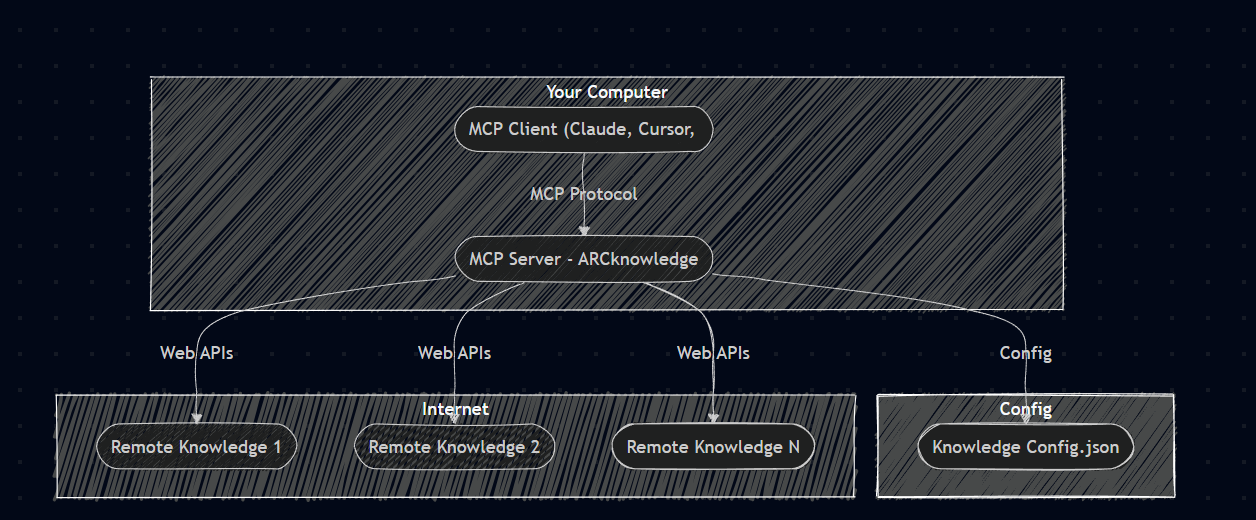
这是用于您的自定义 webhook 端点(知识库)的模型上下文协议 (MCP) 服务器。
有了它,您可以轻松管理和查询您的知识库列表(Webhook 端点)。您可以通过注册 URL 来添加新的文档源,并可选择提供描述和 API 密钥。
您还可以列出所有已注册的文档源并查看其详细信息。
当您准备好询问/搜索时,您可以使用文本问题查询知识库,指定要搜索的来源或将其留空以搜索所有来源。
然后,该工具将汇总来自查询源的结果并提供给您。
先决条件
Related MCP server: SourceSync.ai MCP Server
概念
想象一下,能够桥接 1 个统一的设置,您可以在一个配置中连接所有自定义知识库端点 webhook,从而无需多个 MCP 服务器。
演示
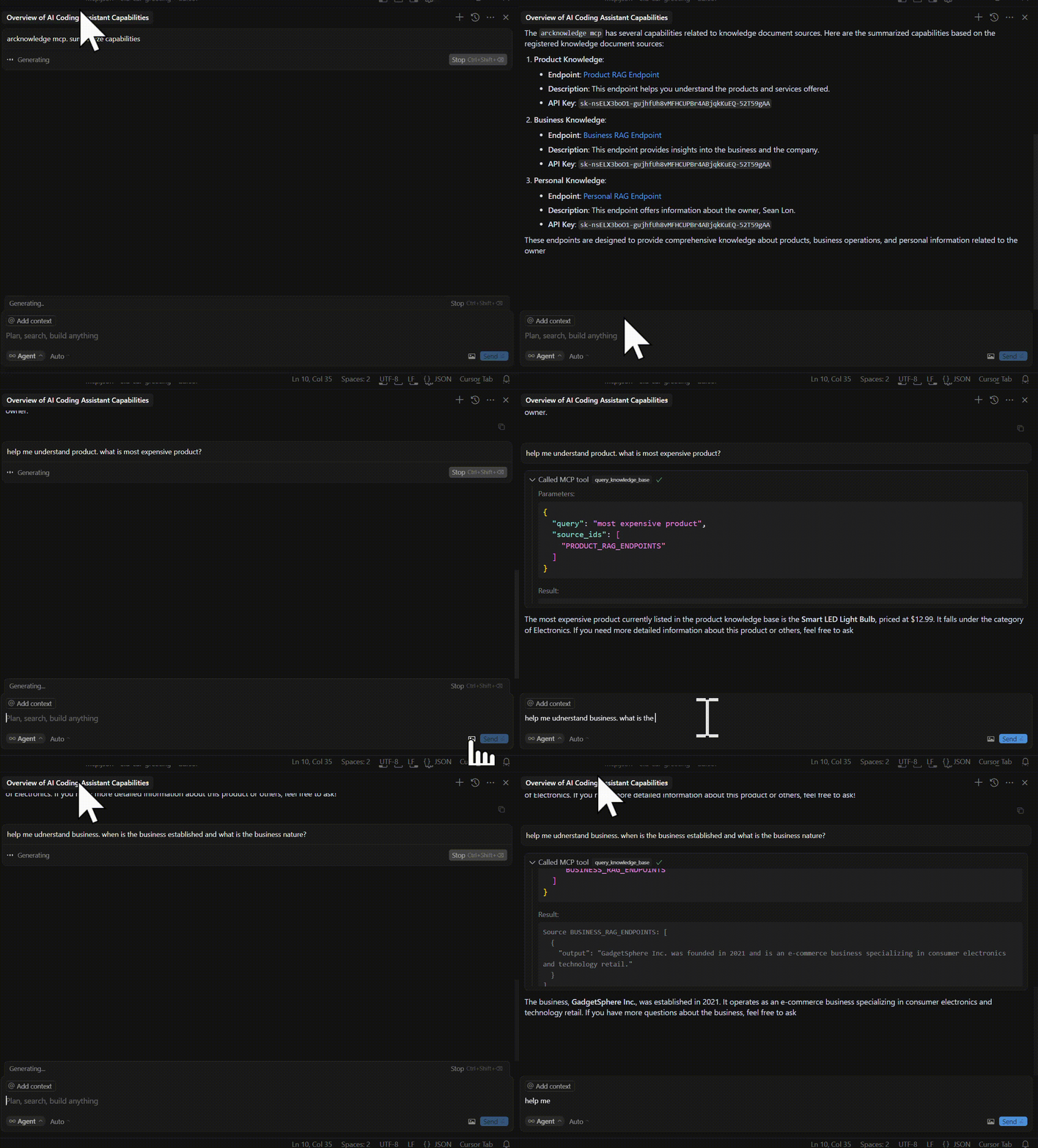
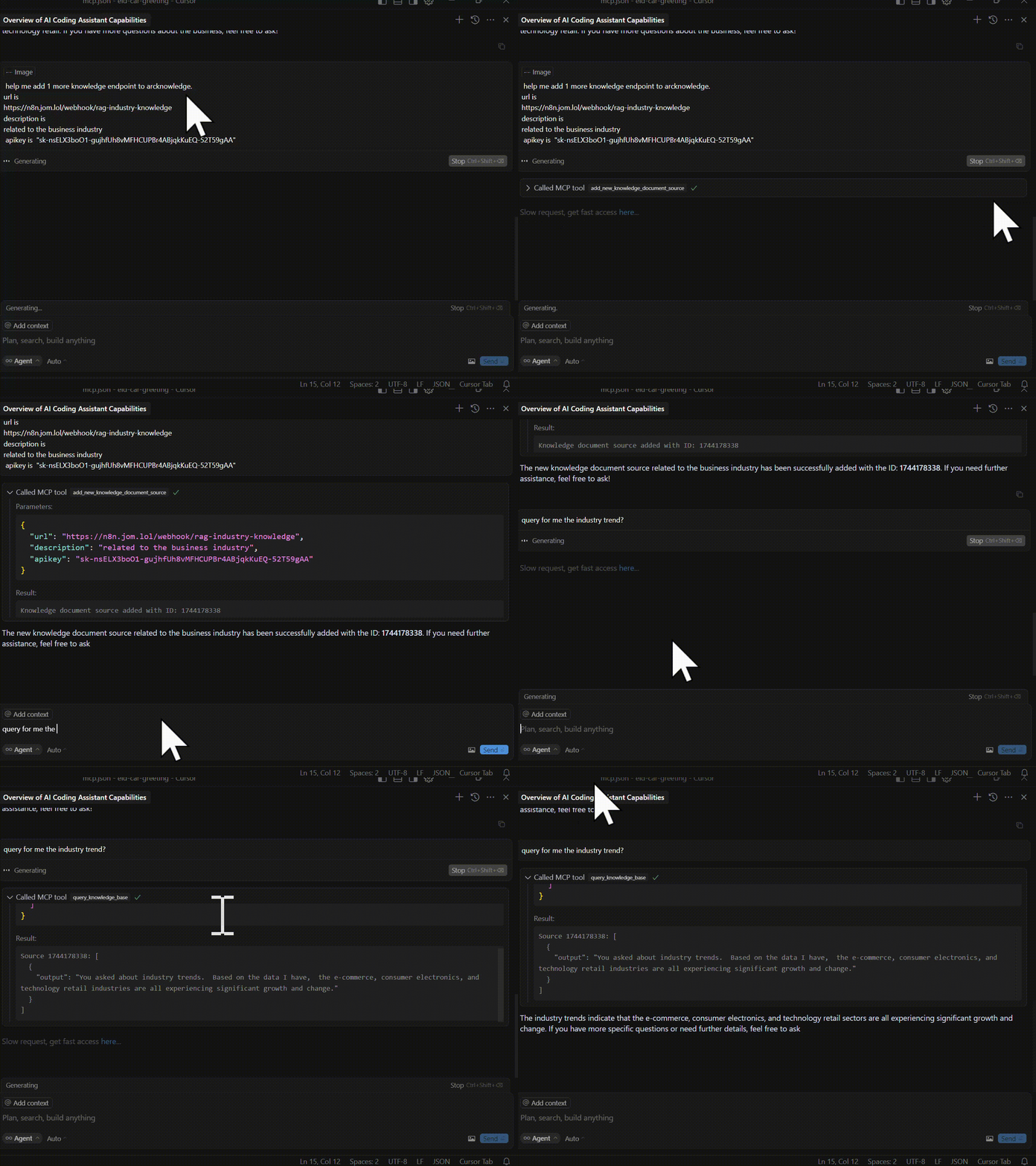
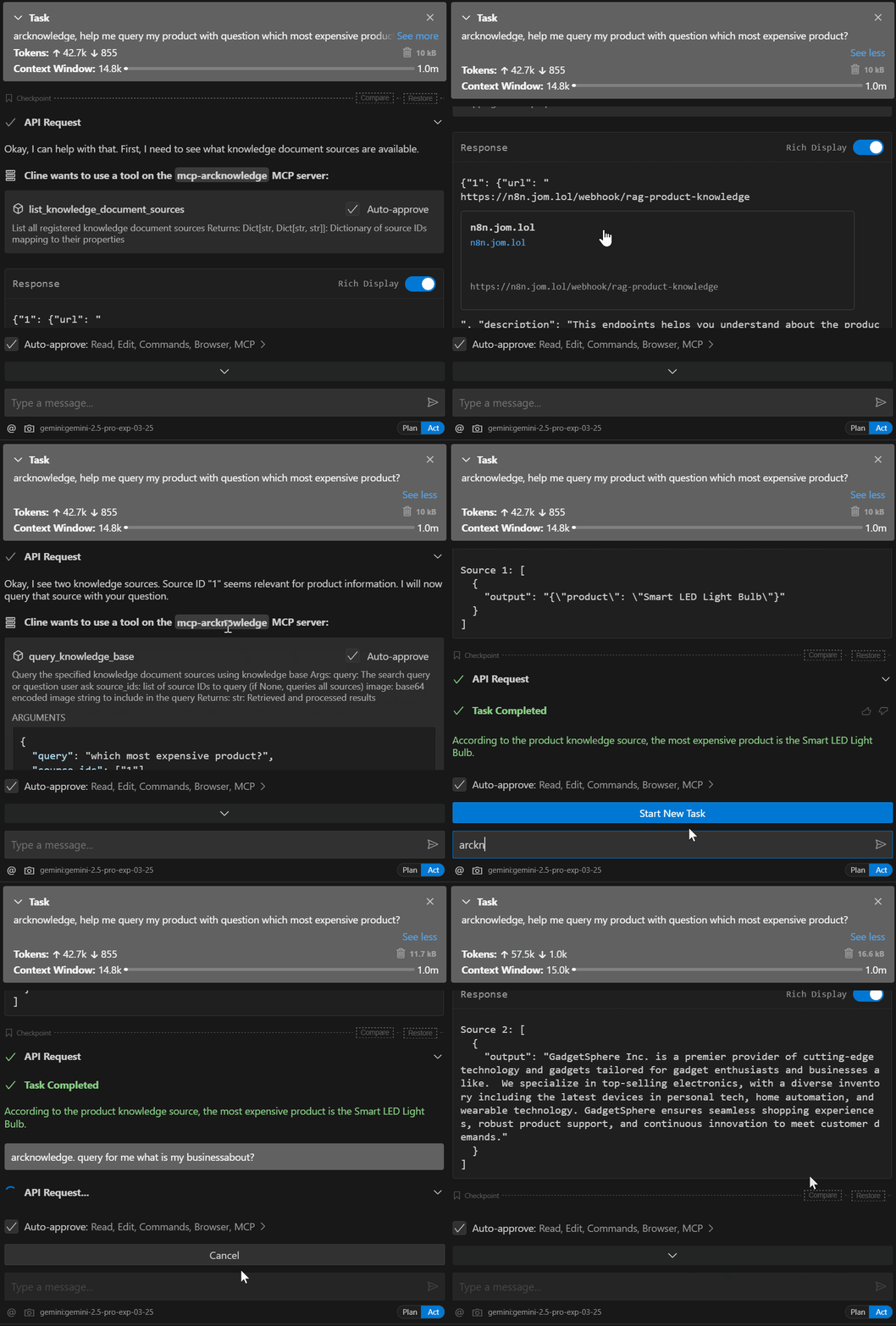
观看 mcp 光标视频
设置安装
1.克隆仓库
git clone https://github.com/dragonjump/mcp-arcknowledge
cd mcp-arcknowledge
配置端点复制或更改knowledge_document_sources.json文件。请参阅sample_endpoint文件夹,了解当前知识端点 API 架构的支持情况。您可以根据需要更改代码。
连接到 MCP 服务器
使用适当的 {{PATH}} 值复制以下 json:
 {
     "mcpServers": {
         "mcp-arcknowledge": {
             "command": "cmd /c uv",
             "args": [
                 "--directory",
                 "C:/Users/Acer/OneDrive/GitHub/YourDrive",
                 "run",
                 "main.py"
             ],
             "env": {
                 "DOCUMENT_SOURCES_PATH": "C:/Users/Acer/OneDrive/GitHub/YourDrive/testcustomother.json"
             }
         }
     }
 }
对于Claude ,将其保存为claude_desktop_config.json并保存在 Claude Desktop 配置目录中:
~/Library/Application Support/Claude/claude_desktop_config.json
对于Cursor ,将其保存为mcp.json并保存在 Cursor 配置目录中:
对于cline ,将其保存为cline_mcp_settings.json在您的配置中
重启客户端:Claude Desktop / Cursor / Cline / Windsurf打开并重启 mcp 的客户端 ide。例如 Claude/Cursor/Cline/等
Windows 兼容性
如果您在 Windows 上运行此项目,请注意, go-sqlite3需要启用 CGO才能编译并正常工作。默认情况下, CGO 在 Windows 上处于禁用状态,因此您需要显式启用它并安装 C 编译器。
使其工作的步骤:
安装 C 编译器
我们建议使用MSYS2为 Windows 安装 C 编译器。安装 MSYS2 后,请确保将ucrt64\bin文件夹添加到PATH中。
→此处提供分步指南。
架构概述
该应用程序由简单的主要组件组成:
Python MCP 服务器( main.py ):实现模型上下文协议(MCP)的 Python 服务器,它提供标准化的工具客户端与数据交互并调用 api 调用。
数据存储
技术细节
客户端向 Python MCP 服务器发送请求
MCP 服务器查找其运行时配置知识库。
然后根据您的查询,它会调用您的知识库端点 API,
故障排除
启动服务器
配置以开发模式运行服务器:
或者安装它以便与 Claude 一起使用:
可用工具
1. 默认从 knowledge_document_sources.json 加载知识列表
默认从配置中加载知识源
knowledge_document_sources.json
您可以从 mcp.json 环境配置中加载自定义知识
        "env": {
            "DOCUMENT_SOURCES_PATH": "C:/Users/Acer/OneDrive/Somewhere/YourDrive/your-custom.json"
        }
2. 列出所有当前注册的知识源
显示并解释所有注册知识源的列表。
eg. Show me my arcknowledge list
3.添加新的知识文档源
添加新的 arcknowledge 端点 URL 文档源。请提供 URL、描述目的以及 API 密钥(如有)。
eg. Add new arcknowledge data source. Endpoint is http://something.com/api/123.
Purpose is to handle questions on 123 topic. Api key is 'sk-2123123'
4.查询特定知识文档来源
使用 query_knowledge_base 查询从这些源构建的 arcknowledge 库。
eg. Query for me my  knowledge base for product. Question is : Which is most expensive product?


eg. Query for me my  arcknowledge base for business. Question is :When is the business established?

eg. Query for me all my  arcknowledge base  . Question is :When is the business established? Which is most expensive product?
工具功能
add_new_knowledge_document_source(url: str, description:str = None, apikey:str = None) -> str
list_knowledge_document_sources() -> Dict[str, Dict[str, str]]
query_knowledge_base(query: str, source_ids: List[str] = [], image: str = '') -> str
发展
关键文件项目结构
mcp-arcknowledge/
├── main.py          # Main server implementation
├── README.md           # Documentation
├── requirements.txt    # Project dependencies
光标 AI MCP 配置
在项目根目录中创建一个mcp.json文件:
{
    "name": "mcp-webhook-ai-agent",
    "version": "1.0.0",
    "description": "Webhook AI agent with RAG capabilities",
    "main": "main.py",
    "tools": [
        {
            "name": "set_document_source",
            "description": "Register a new document source URL for RAG operations"
        },
        {
            "name": "list_document_sources",
            "description": "List all registered document sources"
        },
        {
            "name": "query_rag",
            "description": "Query the specified document sources using RAG"
        },
        {
            "name": "process_post_query",
            "description": "Process a POST request with a query payload"
        }
    ],
    "dependencies": {
        "fastmcp": ">=0.4.0",
        "requests": ">=2.31.0",
        "pydantic": ">=2.0.0"
    }
}
配置光标AI:
打开光标 AI 设置
导航至 MCP 部分
添加mcp.json文件的路径
重新启动 Cursor AI 以应用更改
验证配置:
# Check if MCP is properly configured
fastmcp check mcp.json

# List available tools
fastmcp list
添加新功能
在main.py中定义新模型
使用@mcp.tool()装饰器添加新工具
根据需要更新文档
执照
麻省理工学院
贡献
分叉存储库
创建你的功能分支
提交你的更改
推送到分支
创建新的 Pull 请求
