Arbitrum MCP Server


A Model Context Protocol (MCP) server for interfacing with Arbitrum Nitro nodes and chains in natural language. Monitor chain health, batch posting, assertions, and gas prices across all Arbitrum networks including core chains (Arbitrum One, Nova) and Orbit chains.
Demo
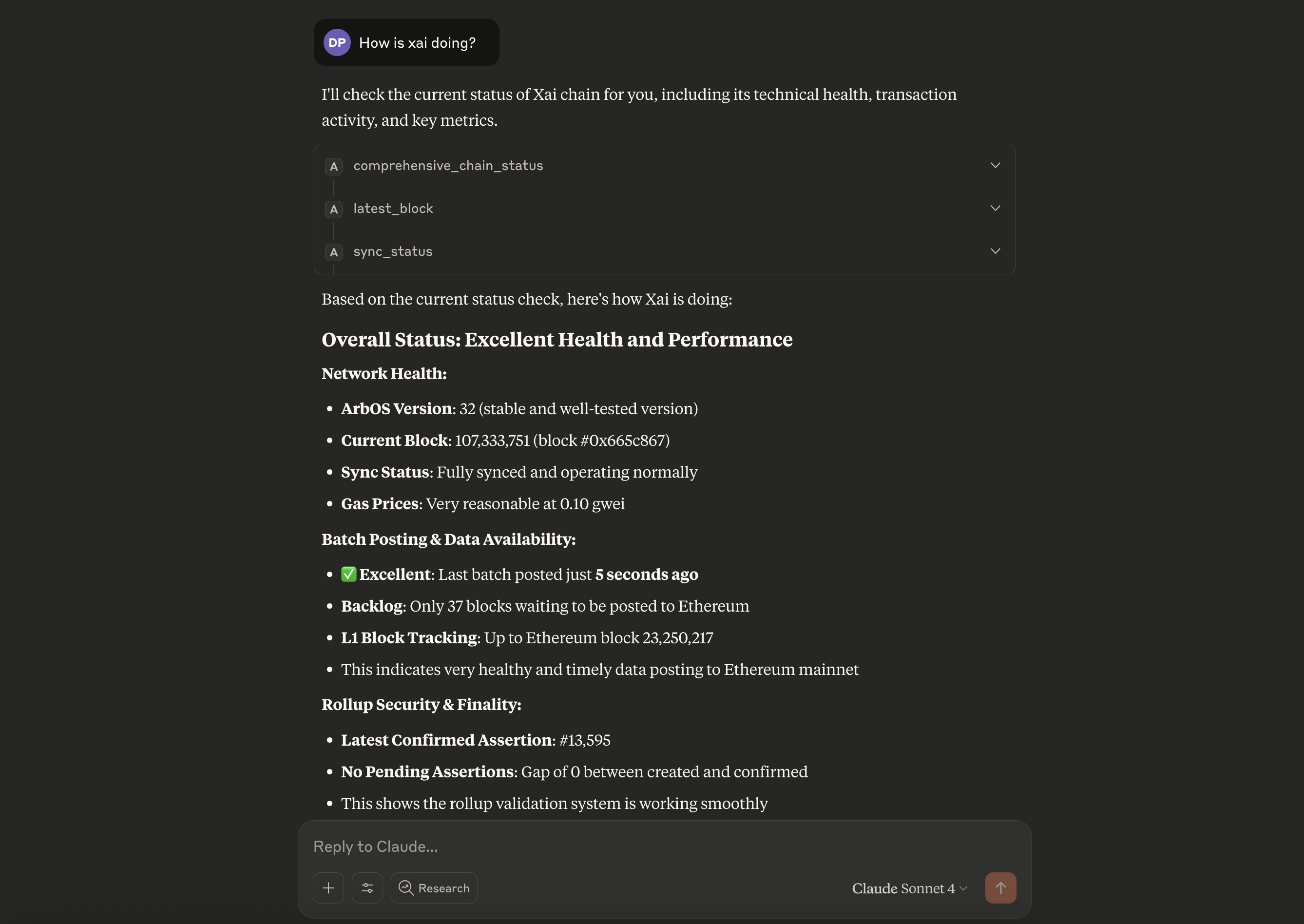
Monitor Arbitrum chains with natural language queries through any MCP-compatible client
Related MCP server: EVM MCP Server
Features
Core Monitoring Tools
Comprehensive Chain Status - Complete health overview for any Arbitrum chain
Batch Posting Monitoring - Track sequencer batch delivery and backlog
Assertion Monitoring - Monitor NodeCreated vs NodeConfirmed events
Gas Price Monitoring - Track current gas prices and detect spikes
ArbOS Version Detection - Get current ArbOS version for any chain
Chain Support
Core Arbitrum Chains - Arbitrum One, Arbitrum Nova
Orbit Chains - All public Orbit chains (Xai, Superposition, etc.)
Auto-Resolution - Contract addresses resolved automatically from chain names
Arbitrum Node APIs
Health checks and sync status
Transaction tracing (arbtrace_*)
Debug and validation APIs
Maintenance operations
Timeboost express lanes
Usage Examples
"What is the current status of Xai?"
comprehensive_chain_status --chainName "Xai"
"Are batches being posted for Arbitrum One?"
batch_posting_status --chainName "Arbitrum One"
"Check gas prices on Nova"
gas_status --chainName "Nova"
Available Tools
Monitoring Tools
comprehensive_chain_status - Complete chain health overview
batch_posting_status - Batch posting monitoring
assertion_status - Assertion creation/confirmation tracking
gas_status - Current gas price information
Chain Information
list_chains - Show all available Arbitrum chains
search_chains - Find chains by name or ID
chain_info - Get detailed chain information
arbos_version - Get ArbOS version for any chain
Node Operations
node_health - Check node health status
sync_status - Get synchronization status
latest_block - Get latest block information
Account Operations
get_balance / get_balance_ether - Check account balances
get_transaction / get_transaction_receipt - Transaction details
is_contract - Check if address is a contract
Key Benefits
Comprehensive Monitoring - Complete chain health overview in one query
Multi-Chain Support - Consistent interface across all Arbitrum chains
Natural Language Interface - Query blockchain data using plain English
Real-Time Data - Live blockchain data with automatic chain discovery
Troubleshooting Ready - Quick health checks for issue diagnosis
Gas & Performance Tracking - Monitor network congestion and costs
Setup & Installation
Docker (Recommended)
The easiest way to run the MCP server with maximum client compatibility:
# Run directly from Docker Hub (no build required!)
docker run -i --rm dewanshparashar/arbitrum-mcp
Direct Node.js
# Install dependencies
npm install

# Build
npm run build

# Run
npm start
MCP Client Configuration
Claude Desktop
Add to your Claude Desktop configuration:
{
  "mcpServers": {
    "arbitrum-mcp": {
      "command": "docker",
      "args": ["run", "-i", "--rm", "dewanshparashar/arbitrum-mcp"]
    }
  }
}
Cline/Claude Code
{
  "mcpServers": {
    "arbitrum-mcp": {
      "command": "docker",
      "args": ["run", "-i", "--rm", "dewanshparashar/arbitrum-mcp"]
    }
  }
}
Development
# Install dependencies
npm install

# Build
npm run build

# Run tests
npm test

# Development mode with watch
npm run dev
Docker
See DOCKER.md for detailed Docker setup instructions.
⚠️ Important: When using Docker containers to connect to local testnodes, use http://host.docker.internal:8547 instead of http://127.0.0.1:8547 for the RPC URL.
Technology Stack
TypeScript - Type-safe development
Viem - Ethereum client for blockchain interactions
@arbitrum/sdk - Official Arbitrum SDK for core chain data
MCP SDK - Model Context Protocol implementation
Docker - Containerized deployment
Contributing
Fork the repository
Create a feature branch
Add tests for new functionality
Submit a pull request
License
MIT License - see LICENSE file for details.


