BPMN-MCP
A Model Context Protocol (MCP) server for creating and manipulating BPMN 2.0 workflow diagrams programmatically. This server enables AI assistants and other tools to generate, edit, and export business process diagrams in the standard BPMN format.
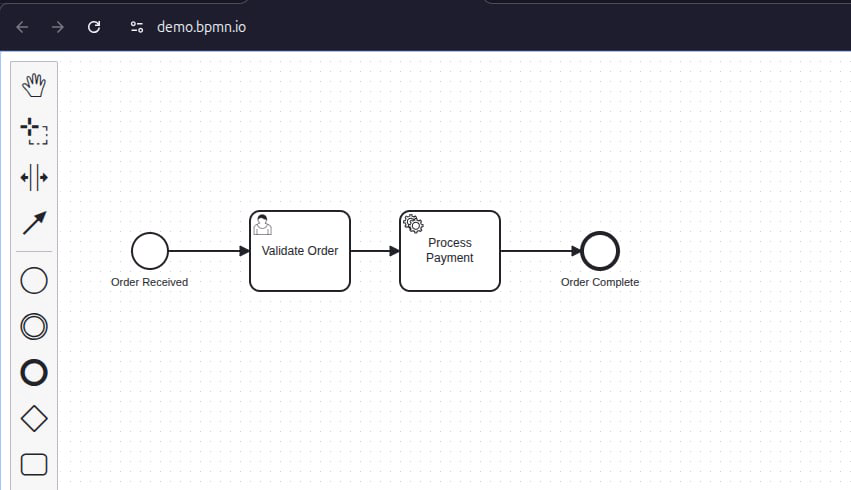
Features
Create BPMN Diagrams: Generate new workflow diagrams from scratch
Add Process Elements: Insert events, tasks, gateways, and subprocesses
Connect Elements: Create sequence flows between workflow components
Export Formats: Save diagrams as BPMN 2.0 XML or SVG
Import Support: Load and modify existing BPMN XML files
Smart Hints: Get helpful nudges to ensure complete workflows with proper connections
Related MCP server: camunda-mcp
Installation
Prerequisites
Node.js (v16 or higher)
npm or yarn
Local Setup
Clone the repository:
git clone https://github.com/dattmavis/BPMN-MCP.git
cd BPMN-MCP
Install dependencies:
Build the project:
Configuration
For Claude Desktop
Add the following to your Claude Desktop configuration file:
macOS: ~/Library/Application Support/Claude/claude_desktop_config.json
Windows: %APPDATA%\Claude\claude_desktop_config.json
{
  "mcpServers": {
    "bpmn": {
      "command": "node",
      "args": ["/absolute/path/to/BPMN-MCP/dist/index.js"]
    }
  }
}
Replace /absolute/path/to/BPMN-MCP with the actual path where you cloned this repository.
For Other AI Tools
This MCP server works with any tool that supports the Model Context Protocol. Configure it to run:
node /path/to/BPMN-MCP/dist/index.js
Usage
Once configured, you can ask your AI assistant to create BPMN diagrams. Here are some example requests:
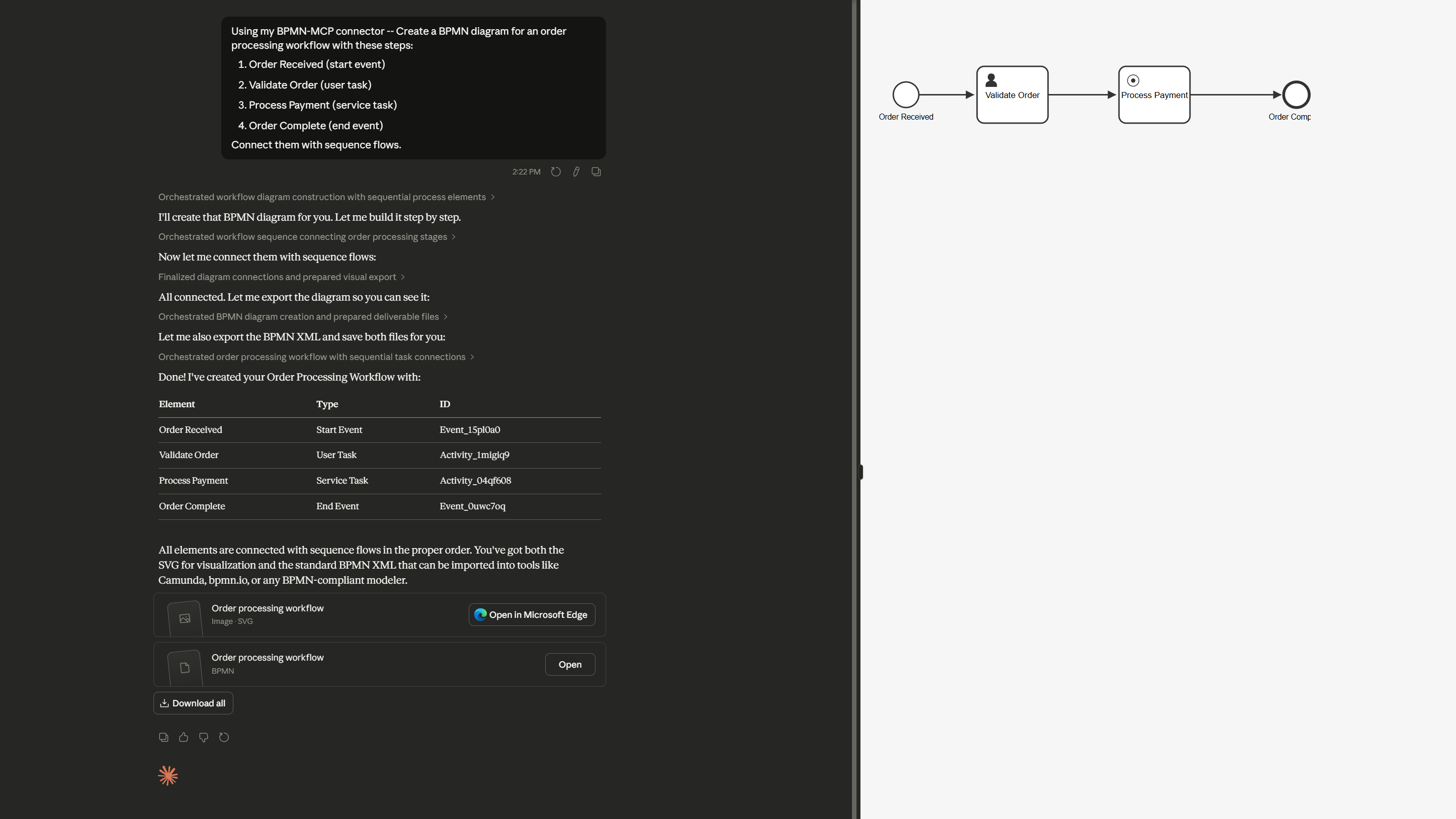
Creating a Simple Workflow
Create a BPMN diagram for an order processing workflow with these steps:
1. Order Received (start event)
2. Validate Order (user task)
3. Process Payment (service task)
4. Order Complete (end event)

Connect them with sequence flows.
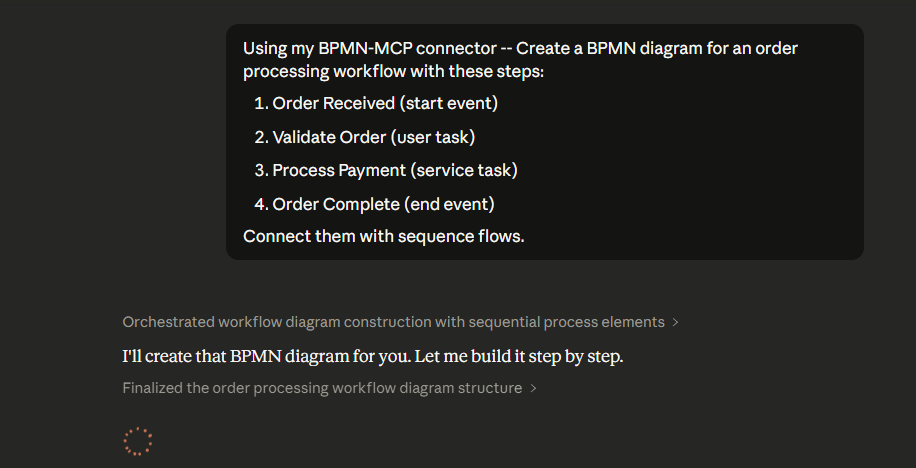
Creating a Workflow with Decision Points
Create a BPMN diagram for customer support ticket routing:
- Start: Ticket Received
- Task: Categorize Ticket
- Gateway: Check Priority
  - If High: Escalate to Senior Support
  - If Normal: Assign to Support Team
- Both paths lead to: Ticket Resolved (end)
Available Tools
The MCP server provides these tools:
create_bpmn_diagram
Creates a new BPMN diagram and returns a diagram ID.
add_bpmn_element
Adds an element to the diagram. Supported types:
Events: bpmn:StartEvent, bpmn:EndEvent, bpmn:IntermediateCatchEvent, bpmn:IntermediateThrowEvent
Tasks: bpmn:Task, bpmn:UserTask, bpmn:ServiceTask, bpmn:ScriptTask, bpmn:ManualTask, bpmn:BusinessRuleTask, bpmn:SendTask, bpmn:ReceiveTask
Gateways: bpmn:ExclusiveGateway, bpmn:ParallelGateway, bpmn:InclusiveGateway, bpmn:EventBasedGateway
Other: bpmn:SubProcess
connect_bpmn_elements
Creates a sequence flow between two elements.
export_bpmn_xml
Exports the diagram as BPMN 2.0 XML format.
export_bpmn_svg
Exports the diagram as SVG for visualization.
list_bpmn_elements
Lists all elements in a diagram.
import_bpmn_xml
Imports an existing BPMN XML file for editing.
Example Output
The server generates standard BPMN 2.0 XML files that can be opened in:
Example XML output:
<?xml version="1.0" encoding="UTF-8"?>
<bpmn:definitions xmlns:bpmn="http://www.omg.org/spec/BPMN/20100524/MODEL"
                   xmlns:bpmndi="http://www.omg.org/spec/BPMN/20100524/DI"
                   xmlns:dc="http://www.omg.org/spec/DD/20100524/DC"
                   xmlns:di="http://www.omg.org/spec/DD/20100524/DI">
  <bpmn:process id="Process_1" isExecutable="true">
    <bpmn:startEvent id="Event_1" name="Start">
      <bpmn:outgoing>Flow_1</bpmn:outgoing>
    </bpmn:startEvent>
    <bpmn:task id="Task_1" name="Process">
      <bpmn:incoming>Flow_1</bpmn:incoming>
      <bpmn:outgoing>Flow_2</bpmn:outgoing>
    </bpmn:task>
    <bpmn:endEvent id="Event_2" name="End">
      <bpmn:incoming>Flow_2</bpmn:incoming>
    </bpmn:endEvent>
    <bpmn:sequenceFlow id="Flow_1" sourceRef="Event_1" targetRef="Task_1" />
    <bpmn:sequenceFlow id="Flow_2" sourceRef="Task_1" targetRef="Event_2" />
  </bpmn:process>
  <!-- Diagram information omitted for brevity -->
</bpmn:definitions>
Development
Running in Development Mode
This will rebuild the project automatically when source files change.
Testing
You can test the server manually using the MCP protocol:
Then send JSON-RPC requests via stdin. Example:
{"jsonrpc":"2.0","id":1,"method":"tools/list","params":{}}
Technical Details
Architecture
Runtime: Node.js with TypeScript
BPMN Engine: bpmn-js (headless mode with jsdom)
Protocol: Model Context Protocol (MCP)
Output: BPMN 2.0 XML standard
Smart Workflow Hints
The server includes helpful hints to ensure complete diagrams:
Reminds you to connect elements when adding tasks/events
Warns when exporting diagrams with disconnected elements
Suggests using connect_bpmn_elements to create proper workflows
License
MIT
Contributing
Contributions are welcome! Please feel free to submit issues or pull requests.
Support
For issues or questions:
Related Projects
