
mcp-manimgl
**mcp-manimgl** — MCP server exposing manimgl (Manim OpenGL) mathematical animation functionality as tools for LLMs.
[](https://pypi.org/project/mcp-manimgl/)
[](https://pypi.org/project/mcp-manimgl/)
[](https://github.com/astral-sh/ruff)
mcp-name: io.github.daedalus/mcp-manimgl
## Install
```bash
pip install mcp-manimgl
```
Optional extras:
```bash
# For rendering (requires manimgl + system deps)
pip install "mcp-manimgl[render]"
# For audio narration + MIDI music support
pip install "mcp-manimgl[audio]"
```
## System Dependencies
| Dependency | Required for | Install |
|---|---|---|
| `ffmpeg` + `ffprobe` | Audio mixing, narration sync, music ducking | `apt install ffmpeg` |
| `libfluidsynth3` | MIDI file rendering to audio | `apt install libfluidsynth3` |
| SoundFont (`.sf2`/`.sf3`) | MIDI instrument sounds | `apt install fluidr3mono-gm-soundfont` |
| pangocairo, OpenGL | Manim rendering engine | See [manimgl docs](https://github.com/3b1b/manim) |
The server checks for non-Python dependencies at startup and reports any missing ones to stderr and via the `mcp-manimgl://info` resource.
## Usage
### MCP Server
```bash
# Run with stdio transport (default for MCP)
mcp-manimgl
```
### In Claude Desktop / Cursor / MCP clients
Add to your `mcp.json`:
```json
{
"mcpServers": {
"mcp-manimgl": {
"command": "mcp-manimgl"
}
}
}
```
## Tools
The server exposes these tool categories:
### Scene Management
- `create_scene` — Create/configure a new scene
- `clear_scene` — Remove all elements
- `add_wait` — Add wait/pause
- `set_camera` — Configure camera
- `set_config` — Set global rendering config
- `save_state` / `restore_state` — State management
- `generate_scene_script` — Get the generated Python script
### Mobject Creation
- `add_circle`, `add_square`, `add_rectangle`, `add_polygon`
- `add_line`, `add_arrow`, `add_dot`
- `add_text`, `add_tex` (LaTeX)
- `add_function_graph`, `add_parametric_curve`
- `add_coordinate_system`, `add_vector`
- `add_labeled_point`, `add_brace`, `add_number_line`
- `add_decimal_number`, `add_matrix`
- `add_3d_object` (sphere, cube, torus, cone, cylinder)
### Mobject Manipulation
- `move_to`, `shift`, `scale`, `rotate`
- `set_color`, `set_opacity`
- `next_to`, `align_to`
### Animations
- `animate_transform`, `animate_fade_in/out`, `animate_grow`
- `animate_rotate`, `animate_scale`, `animate_shift`
- `animate_indicate`, `animate_write`, `animate_set_color`
- `animate_move_along_path`, `animate_group`
### Audio
- `add_narration` — Generate TTS (gTTS) narration that plays at the current timeline position
- `add_background_music` — Add background music from audio files or **MIDI files** (auto-rendered via FluidSynth). Supports volume control, looping, and sidechain ducking during narration.
### Rendering
- `render_scene` — Render to video (auto-mixes background music + narration with ducking)
- `save_frame` — Save single frame
- `get_render_status` — Check environment
## Audio Features
### Narration
```python
# TTS narration at current timeline position
add_narration("Shor's algorithm factors large numbers in polynomial time.")
```
### Background Music
Accepts audio files (`.mp3`, `.wav`, `.ogg`) or MIDI files (`.mid`, `.midi`). MIDI files are rendered to audio using FluidSynth and the system SoundFont.
```python
# From an audio file
add_background_music("/path/to/music.mp3", volume=0.3, loop=True)
# From a MIDI file (auto-rendered)
add_background_music("/path/to/classical.mid", volume=0.2)
# With ducking configuration
add_background_music(
"bach_chorale.mid",
volume=0.25,
loop=True,
duck_threshold="-20dB",
duck_ratio=6,
duck_attack=0.05,
duck_release=0.3,
)
```
When both background music and narration are present, `render_scene` automatically:
1. Renders the video without audio via manimgl
2. Places the music track (looped if needed) at the configured volume
3. Places each narration track at its timeline position
4. Applies sidechain compression so music volume ducks during narration
5. Composites everything into the final MP4 via ffmpeg
## Example: Shor's Algorithm
A narrated animation explaining Shor's algorithm with LaTeX, 5 TTS narration tracks, and classical MIDI background music.
> **Watch:** [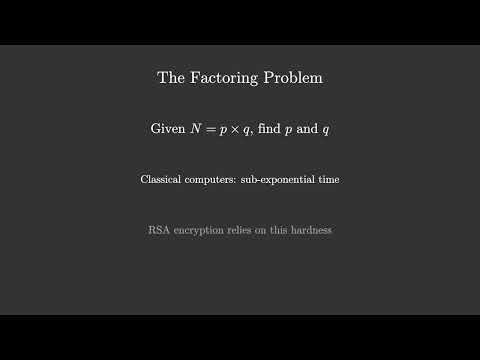](https://youtu.be/ojtm5Yuf33A)
MCP tool call sequence:
```
# 1. Configure scene
create_scene(background_color="#0a0a2e", resolution="1920x1080", fps=30)
# 2. Background music (auto-loops to fill video duration)
add_background_music("classical.mid", volume=0.25, loop=True)
# 3. Create mobjects + animate (5 sections)
add_tex("Shor's Algorithm", font_size=72, color="#FFD700")
add_tex("Integer Factorization on Quantum Computers", font_size=36, color="#88CCFF")
animate_fade_in("m_...", run_time=1.5)
# ... more shapes, LaTeX formulas, fade-ins, fade-outs ...
# 4. Narration at specific timeline positions
add_narration("Shor's algorithm factors large numbers...") # ~3.5s
add_narration("The factoring problem...") # ~18.5s
add_narration("Key insight: reduce factoring to period...") # ~36.1s
add_narration("Quantum period finding uses superposition...") # ~55.4s
add_narration("Summary of Shor's algorithm...") # ~76.3s
# 5. Render (auto-mixes video + narrations + ducked BGM)
render_scene(output_path="data/Shors_Algorithm.mp4")
```
See the full scene script at `shor_mcp.py` in the repository root.
## MIDI Rendering
MIDI files are rendered using `pyfluidsynth` with a system SoundFont. On Debian/Ubuntu:
```bash
sudo apt install fluidr3mono-gm-soundfont libfluidsynth3
pip install "mcp-manimgl[audio]"
```
Auto-discovered SoundFont paths:
- `/usr/share/sounds/sf3/` (`.sf3`)
- `/usr/share/sounds/sf2/` (`.sf2`)
- `/usr/share/fluidr3mono-gm-soundfont/`
## Development
```bash
git clone https://github.com/dclavijo/mcp-manimgl.git
cd mcp-manimgl
pip install -e ".[test]"
# run tests
pytest
# format
ruff format src/ tests/
# lint + type check
prospector --with-tool ruff --with-tool mypy src/
# security scan
semgrep --config=auto --severity=ERROR src/
# find unused code
vulture --min-confidence 90 src/
```
## MCP
mcp-name: io.github.dclavijo/mcp-manimgl
TDQS
Scored across 58 tools
Most tools have clear, specific purposes: add_* creates distinct object types, animate_* handles different animations, and set_*/get_* cover properties and queries. However, some overlap exists between generic tools like add_custom_code and animate_transform, and several add_* tools (e.g., add_vector vs add_arrow, add_function_graph vs add_parametric_curve) could confuse agents, especially with many missing descriptions.
Tool names follow a consistent verb_noun snake_case pattern: add_* for creation, animate_* for animations, set_* for properties, get_* for queries, and render_* for output. Minor exceptions like audio_duration don't break the overall predictability, and the grouping by prefix makes the set easy to navigate.
58 tools is excessive for a scene-builder server. Many similar operations are split into individual tools (18 add_* variants, 12 animate_* variants) that could be consolidated with parameters. While the domain is broad, the count makes the surface unwieldy and difficult for agents to choose from efficiently.
The set covers the full manim workflow: scene creation, object construction, transformations, animations, rendering, and audio. Gaps include no way to remove individual objects or animations (only clear_scene), and audio tracks once added cannot be removed or replaced. Overall, the core lifecycle is covered with minor dead ends.