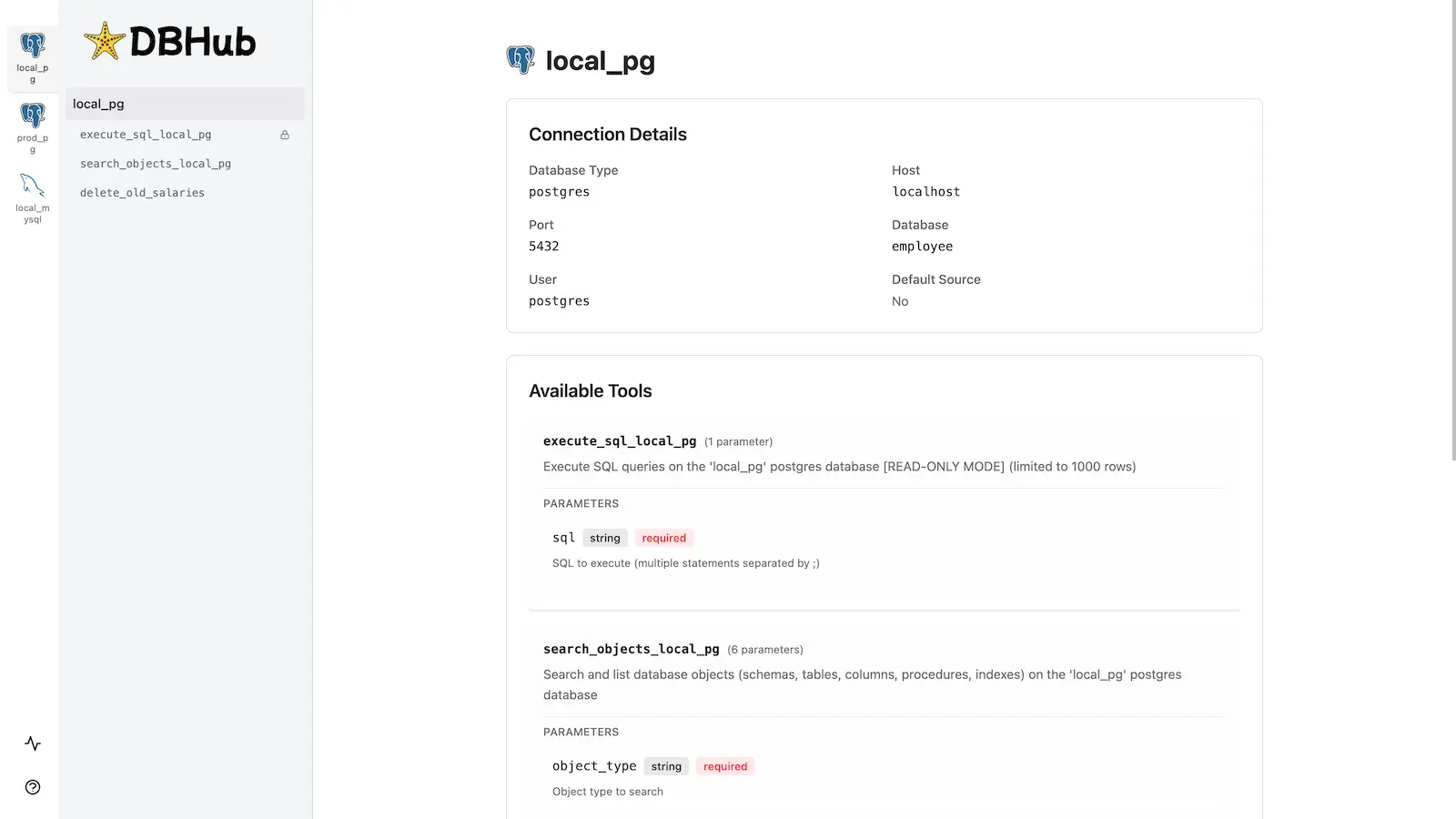
DBHub 是一个通用数据库网关,实现了模型上下文协议 (MCP) 服务器接口。该网关允许兼容 MCP 的客户端连接并探索不同的数据库。
+------------------+ +--------------+ +------------------+
| | | | | |
| | | | | |
| Claude Desktop +--->+ +--->+ PostgreSQL |
| | | | | |
| Cursor +--->+ DBHub +--->+ SQL Server |
| | | | | |
| Other MCP +--->+ +--->+ SQLite |
| Clients | | | | |
| | | +--->+ MySQL |
| | | | | |
| | | +--->+ MariaDB |
| | | | | |
| | | +--->+ Oracle |
| | | | | |
+------------------+ +--------------+ +------------------+
MCP Clients MCP Server Databases演示 SSE 端点
https://demo.dbhub.ai/sse连接了一个示例员工数据库。您可以将 Cursor 或 MCP Inspector 指向该数据库,以查看其实际运行情况。

Related MCP server: Supabase MCP Server
支持矩阵
数据库资源
资源名称 | URI 格式 | PostgreSQL | MySQL | MariaDB | SQL 服务器 | SQLite | 甲骨文 |
模式 |
| ✅ | ✅ | ✅ | ✅ | ✅ | ✅ |
表结构 |
| ✅ | ✅ | ✅ | ✅ | ✅ | ✅ |
表结构 |
| ✅ | ✅ | ✅ | ✅ | ✅ | ✅ |
表中索引 |
| ✅ | ✅ | ✅ | ✅ | ✅ | ✅ |
过程_在_架构中 |
| ✅ | ✅ | ✅ | ✅ | ❌ | ✅ |
过程详细信息 |
| ✅ | ✅ | ✅ | ✅ | ❌ | ✅ |
数据库工具
工具 | 命令名称 | PostgreSQL | MySQL | MariaDB | SQL 服务器 | SQLite | 甲骨文 |
执行 SQL |
| ✅ | ✅ | ✅ | ✅ | ✅ | ✅ |
列出连接器 |
| ✅ | ✅ | ✅ | ✅ | ✅ | ✅ |
提示功能
迅速的 | 命令名称 | PostgreSQL | MySQL | MariaDB | SQL 服务器 | SQLite | 甲骨文 |
生成 SQL |
| ✅ | ✅ | ✅ | ✅ | ✅ | ✅ |
解释数据库元素 |
| ✅ | ✅ | ✅ | ✅ | ✅ | ✅ |
安装
Docker
# PostgreSQL example
docker run --rm --init \
--name dbhub \
--publish 8080:8080 \
bytebase/dbhub \
--transport sse \
--port 8080 \
--dsn "postgres://user:password@localhost:5432/dbname?sslmode=disable"# Demo mode with sample employee database
docker run --rm --init \
--name dbhub \
--publish 8080:8080 \
bytebase/dbhub \
--transport sse \
--port 8080 \
--demo# Oracle example
docker run --rm --init \
--name dbhub \
--publish 8080:8080 \
bytebase/dbhub \
--transport sse \
--port 8080 \
--dsn "oracle://username:password@localhost:1521/service_name"# Oracle example with thick mode for connecting to 11g or older
docker run --rm --init \
--name dbhub \
--publish 8080:8080 \
bytebase/dbhub-oracle-thick \
--transport sse \
--port 8080 \
--dsn "oracle://username:password@localhost:1521/service_name"新公共管理
# PostgreSQL example
npx @bytebase/dbhub --transport sse --port 8080 --dsn "postgres://user:password@localhost:5432/dbname?sslmode=disable"# Demo mode with sample employee database
npx @bytebase/dbhub --transport sse --port 8080 --demo注意:演示模式包括捆绑的 SQLite 示例“员工”数据库,其中包含员工、部门、工资等表。
克劳德桌面

Claude Desktop 仅支持
stdio传输https://github.com/orgs/modelcontextprotocol/discussions/16
// claude_desktop_config.json
{
"mcpServers": {
"dbhub-postgres-docker": {
"command": "docker",
"args": [
"run",
"-i",
"--rm",
"bytebase/dbhub",
"--transport",
"stdio",
"--dsn",
// Use host.docker.internal as the host if connecting to the local db
"postgres://user:password@host.docker.internal:5432/dbname?sslmode=disable"
]
},
"dbhub-postgres-npx": {
"command": "npx",
"args": [
"-y",
"@bytebase/dbhub",
"--transport",
"stdio",
"--dsn",
"postgres://user:password@localhost:5432/dbname?sslmode=disable"
]
},
"dbhub-demo": {
"command": "npx",
"args": ["-y", "@bytebase/dbhub", "--transport", "stdio", "--demo"]
}
}
}光标

Cursor 同时支持
stdio和sse。按照Cursor MCP 指南并确保使用代理模式。
用法
SSL 连接
您可以使用 DSN 字符串中的sslmode参数指定 SSL 模式:
数据库 |
|
| 默认 SSL 行为 |
PostgreSQL | ✅ | ✅ | 证书验证 |
MySQL | ✅ | ✅ | 证书验证 |
MariaDB | ✅ | ✅ | 证书验证 |
SQL 服务器 | ✅ | ✅ | 证书验证 |
甲骨文 | ✅ | ✅ | N/A(使用 Oracle 客户端配置) |
SQLite | ❌ | ❌ | N/A(基于文件) |
SSL 模式选项:
sslmode=disable:关闭所有 SSL/TLS 加密。数据以明文形式传输。sslmode=require:连接已加密,但不验证服务器证书。这可以防止数据包嗅探,但不能防止中间人攻击。您可以使用受信任的自签名 CA 进行此设置。
如果不指定sslmode ,大多数数据库默认使用证书验证,这提供了最高级别的安全性。
使用示例:
# Disable SSL
postgres://user:password@localhost:5432/dbname?sslmode=disable
# Require SSL without certificate verification
postgres://user:password@localhost:5432/dbname?sslmode=require
# Standard SSL with certificate verification (default)
postgres://user:password@localhost:5432/dbname只读模式
您可以在只读模式下运行 DBHub,这会将 SQL 查询执行限制为只读操作:
# Enable read-only mode
npx @bytebase/dbhub --readonly --dsn "postgres://user:password@localhost:5432/dbname"在只读模式下,只允许进行只读 SQL 操作。
这在连接到生产数据库时提供了额外的安全层。
配置数据库连接
您可以在演示模式下使用 DBHub 和示例员工数据库进行测试:
npx @bytebase/dbhub --demo对于真实数据库,需要数据库源名称 (DSN)。您可以通过以下几种方式提供此信息:
命令行参数(最高优先级):
npx @bytebase/dbhub --dsn "postgres://user:password@localhost:5432/dbname?sslmode=disable"环境变量(第二优先级):
export DSN="postgres://user:password@localhost:5432/dbname?sslmode=disable" npx @bytebase/dbhub环境文件(第三优先级):
对于开发:使用您的 DSN 创建
.env.local对于生产:使用您的 DSN GXP14 创建
.env
警告:在 Docker 中运行时,请使用
host.docker.internal而不是localhost来连接主机上运行的数据库。例如:mysql://user:password@host.docker.internal:3306/dbname
DBHub支持以下数据库连接字符串格式:
数据库 | DSN 格式 | 例子 |
MySQL |
|
|
MariaDB |
|
|
PostgreSQL |
|
|
SQL 服务器 |
|
|
SQLite |
|
|
甲骨文 |
|
|
甲骨文
如果您看到错误“NJS-138:在 Thin 模式下,node-oracledb 不支持与此数据库服务器版本的连接”,则需要按照如下所述使用 Thick 模式。
Docker
使用bytebase/dbhub-oracle-thick代替bytebase/dbhub docker 镜像。
NPX
下载并安装适合您的平台的Oracle Instant Client
将
ORACLE_LIB_DIR环境变量设置为 Oracle Instant Client 的路径:
# Set environment variable to Oracle Instant Client directory
export ORACLE_LIB_DIR=/path/to/instantclient_19_8
# Then run DBHub
npx @bytebase/dbhub --dsn "oracle://username:password@localhost:1521/service_name"SQL 服务器
额外的查询参数:
验证
authentication=azure-active-directory-access-token。 仅适用于从 Azure 运行时。请参阅DefaultAzureCredential 。
运输
stdio (默认)-用于与 Claude Desktop 等工具直接集成:
npx @bytebase/dbhub --transport stdio --dsn "postgres://user:password@localhost:5432/dbname?sslmode=disable"**sse——**适用于浏览器和网络客户端:
npx @bytebase/dbhub --transport sse --port 5678 --dsn "postgres://user:password@localhost:5432/dbname?sslmode=disable"
命令行选项
选项 | 描述 | 默认 |
演示 | 使用示例员工数据库以演示模式运行 |
|
域名系统 | 数据库连接字符串 | 如果非处于演示模式则为必填项 |
运输 | 传输模式: |
|
港口 | HTTP 服务器端口(仅在使用 |
|
只读 | 将 SQL 执行限制为只读操作 |
|
演示模式使用内存 SQLite 数据库,其中加载了示例员工数据库,其中包含员工、部门、职称、薪资、部门员工和部门经理等表格。示例数据库包含用于创建表、加载数据和测试的 SQL 脚本。
发展
安装依赖项:
pnpm install以开发模式运行:
pnpm dev为生产而构建:
pnpm build pnpm start --transport stdio --dsn "postgres://user:password@localhost:5432/dbname?sslmode=disable"
测试
项目采用Vitest进行测试:
运行测试:
pnpm test在监视模式下运行测试:
pnpm test:watch
预提交钩子(针对开发人员)
该项目包括预提交挂钩,用于在每次提交之前自动运行测试:
克隆存储库后,设置预提交挂钩:
./scripts/setup-husky.sh这可确保每次创建提交时测试套件都会自动运行,从而防止破坏测试的提交。
使用MCP Inspector进行调试
标准输入输出
# PostgreSQL example
TRANSPORT=stdio DSN="postgres://user:password@localhost:5432/dbname?sslmode=disable" npx @modelcontextprotocol/inspector node /path/to/dbhub/dist/index.js上交所
# Start DBHub with SSE transport
pnpm dev --transport=sse --port=8080
# Start the MCP Inspector in another terminal
npx @modelcontextprotocol/inspector连接到 DBHub 服务器/sse端点