
A
licenseA
qualityA
maintenanceAn MCP server for MotherDuck and local DuckDB.
10
5
526
MIT

[!NOTE] オープンソースのデータベースDevSecOpsプラットフォームであるBytebaseが提供しています。
            +------------------+    +--------------+    +------------------+
            |                  |    |              |    |                  |
            |                  |    |              |    |                  |
            |  Claude Desktop  +--->+              +--->+    PostgreSQL    |
            |                  |    |              |    |                  |
            |  Claude Code     +--->+              +--->+    SQL Server    |
            |                  |    |              |    |                  |
            |  Cursor          +--->+    DBHub     +--->+    SQLite        |
            |                  |    |              |    |                  |
            |  VS Code         +--->+              +--->+    MySQL         |
            |                  |    |              |    |                  |
            |  Copilot CLI     +--->+              +--->+    MariaDB       |
            |                  |    |              |    |                  |
            |                  |    |              |    |                  |
            +------------------+    +--------------+    +------------------+
                 MCP Clients           MCP Server             Databases
DBHubは、Model Context Protocol (MCP) サーバーインターフェースを実装した、依存関係ゼロでトークン効率の高いMCPサーバーです。この軽量なゲートウェイにより、MCP互換クライアントはさまざまなデータベースに接続し、探索することができます:
ローカル開発ファースト: 依存関係ゼロ、トークン効率が高く、わずか2つのMCPツールでコンテキストウィンドウを最大化
マルチデータベース: 単一のインターフェースでPostgreSQL、MySQL、MariaDB、SQL Server、SQLiteに対応
マルチ接続: TOML設定を使用して、複数のデータベースに同時に接続可能
ガードレール: 読み取り専用モード、行制限、クエリタイムアウトにより、暴走操作を防止
セキュアなアクセス: SSHトンネリングおよびSSL/TLS暗号化
PostgreSQL、MySQL、SQL Server、MariaDB、およびSQLite。
Related MCP server: CentralMind/Gateway
DBHubは、データベース操作のためのMCPツールを実装しています:
search_objects: 段階的な開示により、データベーススキーマ、テーブル、カラム、インデックス、プロシージャを検索・探索
Custom Tools: dbhub.toml設定ファイルで、再利用可能なパラメータ化されたSQL操作を定義
DBHubには、データベースツールと対話するための組み込みWebインターフェースが含まれています。MCPクライアントを必要とせずに、クエリの実行、カスタムツールの実行、リクエストトレースの表示を視覚的に行うことができます。
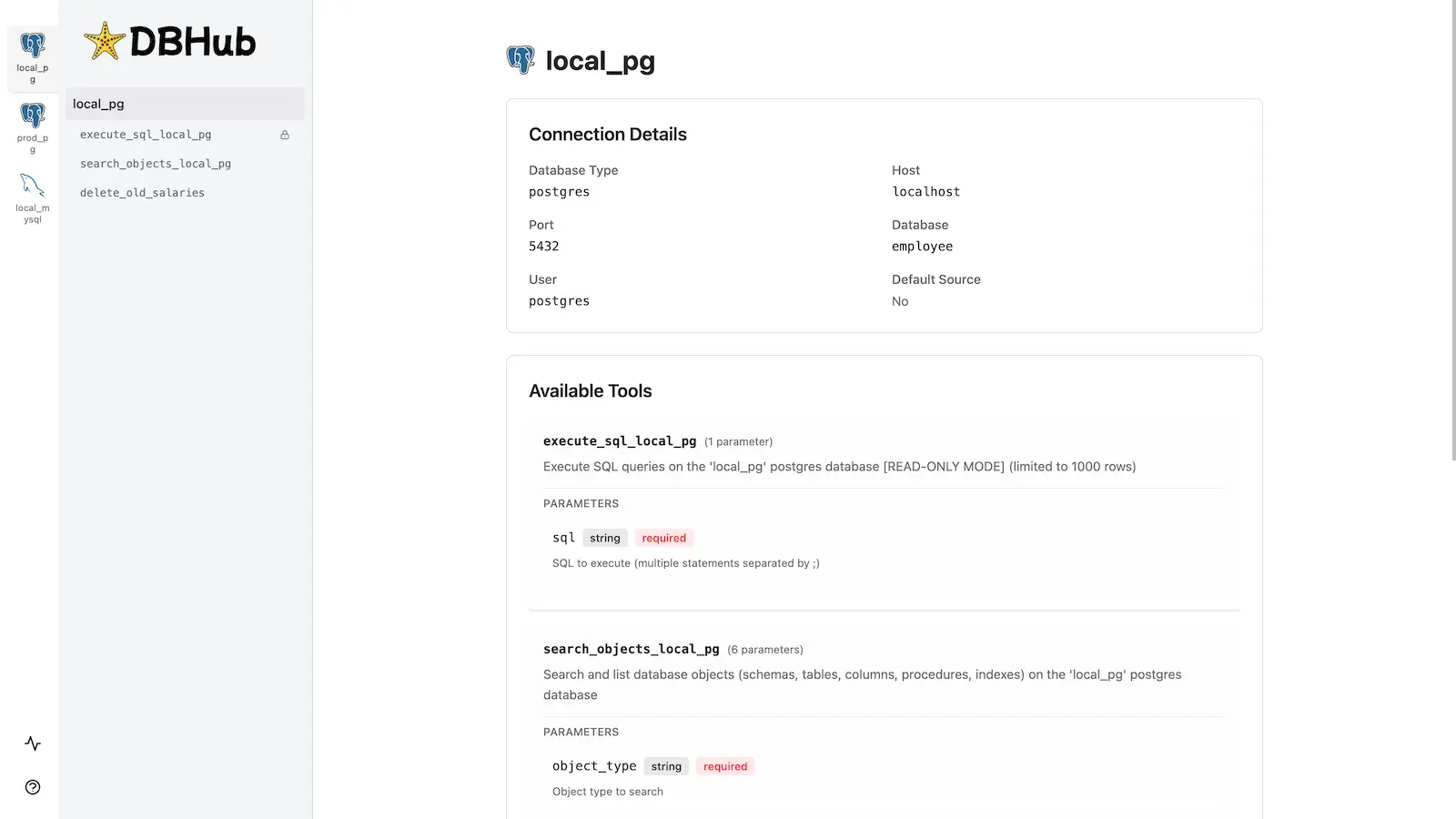
詳細な手順については、完全なインストールガイドを参照してください。
Docker:
docker run --rm --init \
   --name dbhub \
   --publish 8080:8080 \
   bytebase/dbhub \
   --transport http \
   --port 8080 \
   --dsn "postgres://user:password@localhost:5432/dbname?sslmode=disable"
NPM:
npx @bytebase/dbhub@latest --transport http --port 8080 --dsn "postgres://user:password@localhost:5432/dbname?sslmode=disable"デモモード:
npx @bytebase/dbhub@latest --transport http --port 8080 --demo利用可能なすべてのパラメータについては、コマンドラインオプションを参照してください。
TOML設定ファイルを使用して、複数のデータベースに同時に接続します。本番環境、ステージング環境、開発環境のデータベースを単一のDBHubインスタンスから管理するのに最適です。
設定の完全な手順については、マルチデータベース設定を参照してください。
# Install dependencies
pnpm install

# Run in development mode
pnpm dev

# Build and run for production
pnpm build && pnpm start --transport stdio --dsn "postgres://user:password@localhost:5432/dbname"This server cannot be deployed
Text-to-SQL MCP server: read-only queries on PostgreSQL, MySQL and SQL Server with your real schema
MCP server for AI dialogue using various LLM models via AceDataCloud
MCP server for OpenAI API (chat completions, image generation, embeddings) via AceDataCloud