Glama
burkestar

Cloudzero Model Context Protocol Server

by burkestar

Cloudzero 模型上下文协议 (MCP) 服务器

通过大型语言模型 (LLM) 与 Cloudzero 中的云成本数据进行对话。

询问有关成本数据的问题,例如绘制月度差异:

月差异

工作原理

使用CloudZero v2 API模型上下文协议MCP。

graph LR
    %%{init: {'theme':'neutral'}}%%
    %% Define nodes
    A[MCP Host]
    B[Local MCP Server]
    C[CloudZero API]
    D[(Cloud Costs Data)]

    %% Define connections
    A -->|JSON-RPC 2.0| B
    B -->|HTTP/JSON| C
    C <--> D

    subgraph CloudZero_SaaS
    C
    D
    end

    subgraph Background_process
    B
    end

    subgraph Claude_Desktop
    A
    end

    subgraph Local_Machine
    Claude_Desktop
    Background_process
    end

    %% Define styles
    classDef client padding:10px
    classDef server padding:10px
    classDef api padding:10px
    classDef db padding:10px

    %% Apply styles
    class A client
    class B server
    class C api
    class D db

在 Claude Desktop 中配置 MCP 服务器后,它将在启动时作为后台进程启动。Claude Desktop 作为 MCP 主机,将向 MCP 服务器发送initiatize请求。服务器会以其功能进行响应,其中包括prompts和用于工具调用的tools

该服务器实现了 CloudZero 特有的几个工具:

  • get_costs获取从start_dateend_date账单数据

  • get_dimensions账单维度

  • list_budgets列出预算

  • list_insights列出见解

MCP 协议使用 JSON-RPC 2.0 进行请求和响应。

Related MCP server: dbt Semantic Layer MCP Server

设置

安装Claude 桌面

安装uv

设置项目依赖项:

uv init
uv sync

生成您的CloudZero API 密钥

使用以下命令编辑.env

CLOUDZERO_API_KEY=YOUR_SECRET_KEY

安装

要将 MCP 服务器安装到 Claude Desktop:

uv run mcp install server.py

编辑您的claude_desktop_config.json以设置uv命令的正确路径并更新您的USERNAME ,如下所示。

此配置文件位于 Claude Desktop 的Settings > Developer > Edit Config下。

    "CloudZero": {
      "command": "/Users/USERNAME/.local/bin/uv",
      "args": [
        "run",
        "--with",
        "mcp[cli]",
        "mcp",
        "run",
        "/Users/USERNAME/workspace/open_source/cloudzero-mcp/server.py"
      ]
    }

重启 Claude Desktop。桌面启动后,它会在后台启动服务器进程。您可能会看到错误,可以深入查看日志来查找问题所在。

如果没有错误,请尝试询问“有哪些可用于云计费的工具”以查看其列表。
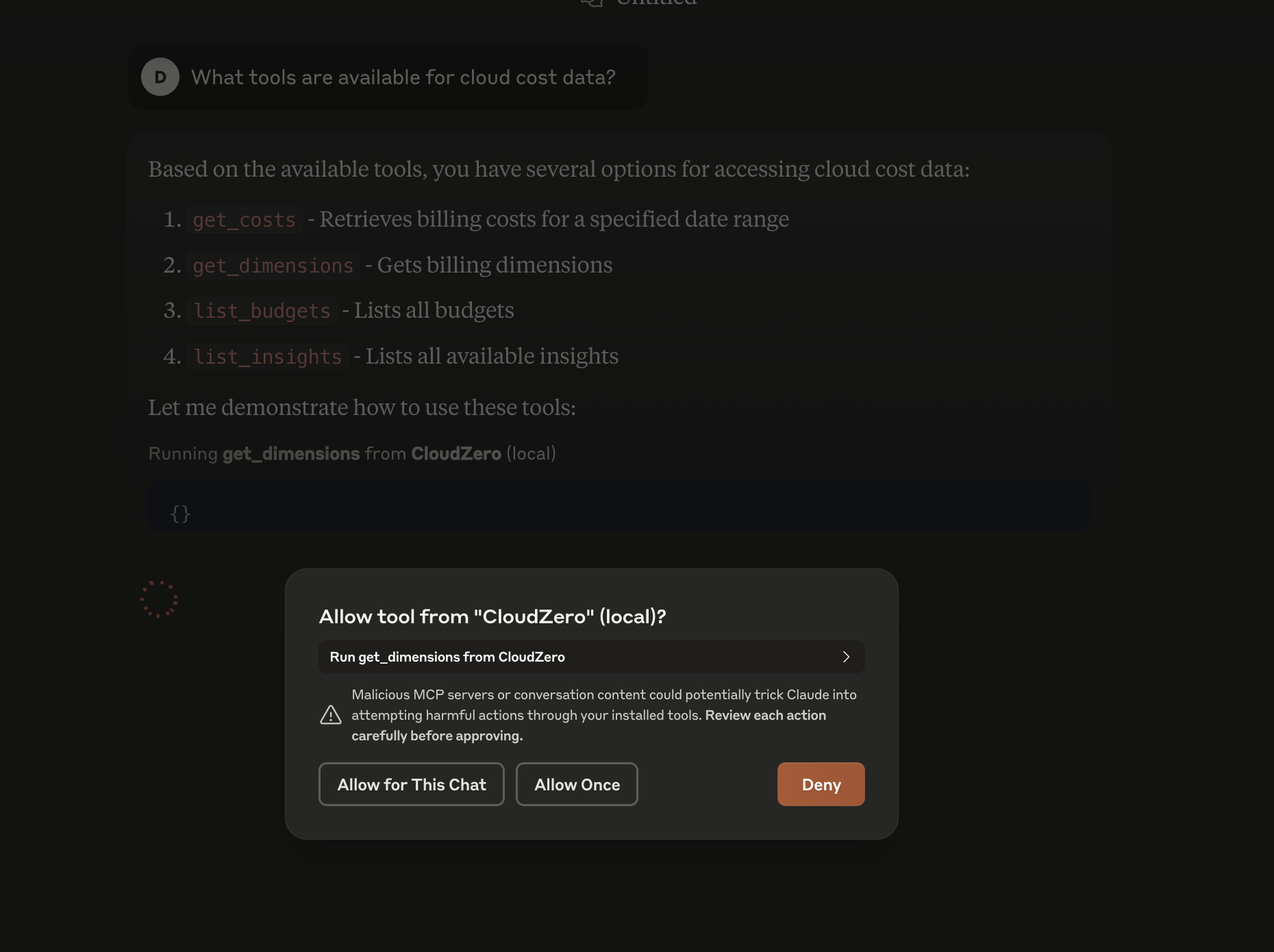
有哪些工具可用

有关更多信息,请参阅Claude Desktop MCP 文档

调试

为了进行调试,您可以运行带有交互式 GUI 的 MCP 开发服务器来检查:

uv run mcp dev server.py

这对于排除代码中的错误很有用,而无需不断重启 Claude Desktop。
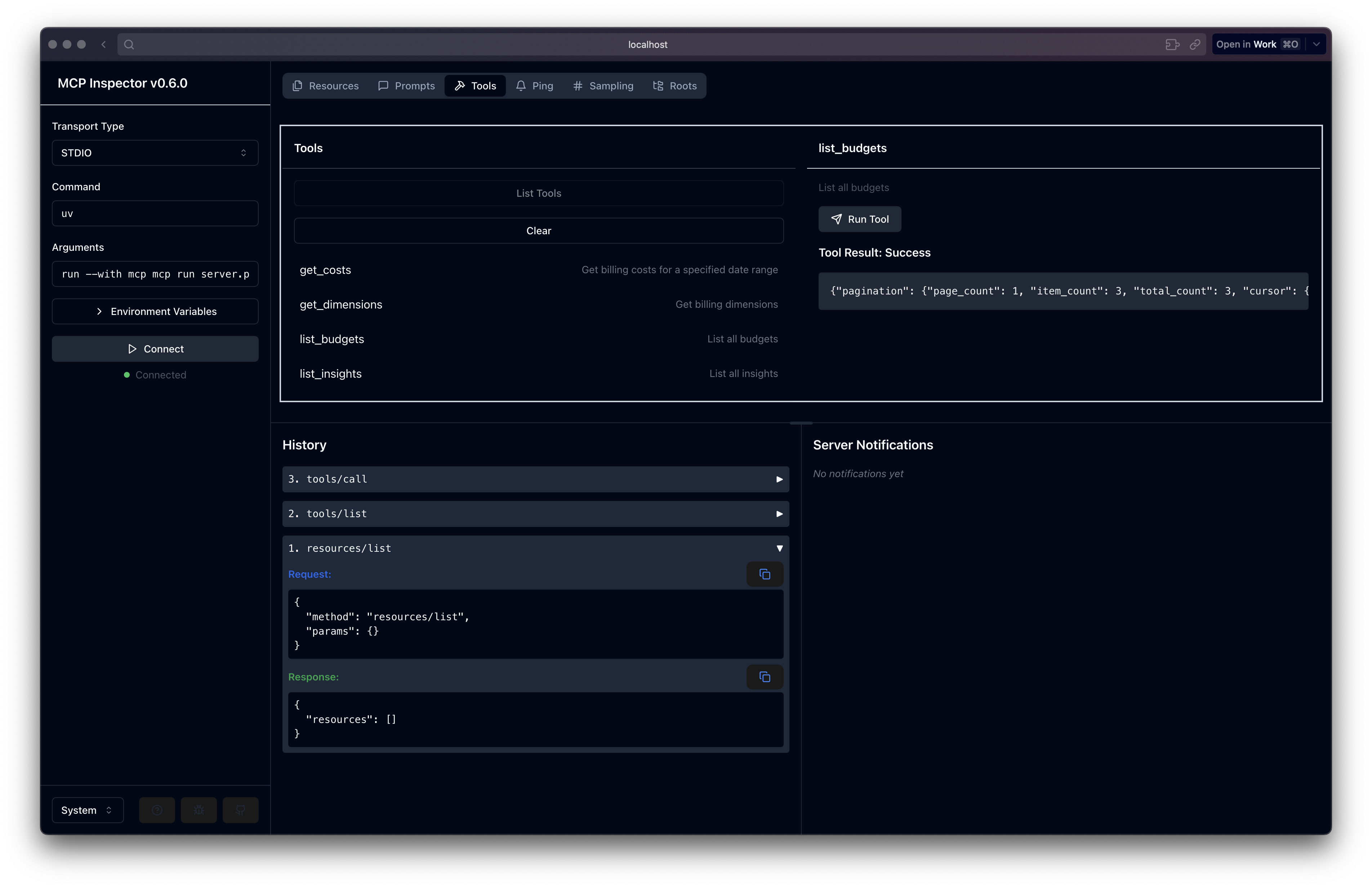
mcp 检查员

A
license - permissive license
Not graded
quality - not tested
F
maintenance

Maintenance

Maintainers
Response time
Release cycle
Releases (12mo)
Commit activity

Resources

Unclaimed servers have limited discoverability.

Looking for Admin?

If you are the server author, to access and configure the admin panel.

Related MCP Servers

  • F
    license
    A
    quality
    D
    maintenance
    The server facilitates natural language interactions for exploring and understanding codebases, providing insights into data models and system architecture using a cost-effective, simple setup with support for existing Claude Pro subscriptions.
    4
    27
  • A
    license
    Not graded
    quality
    D
    maintenance
    A server that enables querying the dbt Semantic Layer through natural language conversations with Claude Desktop and other AI assistants, allowing users to discover metrics, create queries, analyze data, and visualize results.
    11
    MIT
  • A
    license
    B
    quality
    C
    maintenance
    An MCP server for unified cost tracking and analysis across AWS, OpenAI, and Anthropic. It enables users to query expenditures, compare costs across providers, and analyze usage trends through natural language.
    10
    MIT

View all related MCP servers

Related MCP Connectors

  • GibsonAI MCP server: manage your databases with natural language

  • Hosted MCP server for LLM cost estimation, model comparison, and budget-aware routing.

  • Official Microsoft MCP Server to query Microsoft Entra data using natural language

View all MCP Connectors

Latest Blog Posts

MCP directory API

We provide all the information about MCP servers via our MCP API.

curl -X GET 'https://glama.ai/api/mcp/v1/servers/burkestar/cloudzero-mcp'

If you have feedback or need assistance with the MCP directory API, please join our Discord server