Cloudzero モデルコンテキストプロトコル (MCP) サーバー
大規模言語モデル (LLM) から Cloudzero のクラウド コスト データを参照します。
月ごとの差異をプロットするなど、コスト データについて質問します。

仕組み
CloudZero v2 APIとモデルコンテキストプロトコルMCP を使用します。
graph LR
    %%{init: {'theme':'neutral'}}%%
    %% Define nodes
    A[MCP Host]
    B[Local MCP Server]
    C[CloudZero API]
    D[(Cloud Costs Data)]

    %% Define connections
    A -->|JSON-RPC 2.0| B
    B -->|HTTP/JSON| C
    C <--> D

    subgraph CloudZero_SaaS
    C
    D
    end

    subgraph Background_process
    B
    end

    subgraph Claude_Desktop
    A
    end

    subgraph Local_Machine
    Claude_Desktop
    Background_process
    end

    %% Define styles
    classDef client padding:10px
    classDef server padding:10px
    classDef api padding:10px
    classDef db padding:10px

    %% Apply styles
    class A client
    class B server
    class C api
    class D db
Claude DesktopでMCPサーバーが設定されると、起動時にバックグラウンドプロセスとして起動されます。MCPホストであるClaude Desktopは、MCPサーバーにinitiatizeリクエストを送信します。サーバーは、 promptsやツール呼び出し用のtoolsなどの機能で応答します。
サーバーは、CloudZero 固有のツールをいくつか実装しています。
get_costs``start_dateからend_dateまでの請求データを取得します。
請求ディメンションのget_dimensions
予算を一覧表示するにはlist_budgets使用します
list_insightsでインサイトを一覧表示する
MCP プロトコルは、リクエストとレスポンスに JSON-RPC 2.0 を使用します。
Related MCP server: dbt Semantic Layer MCP Server
設定
Claude Desktopをインストールします:
uvをインストールする
プロジェクトの依存関係を設定します。
CloudZero API キーを生成します。
.envを次のように編集します。
CLOUDZERO_API_KEY=YOUR_SECRET_KEY
インストール
MCP サーバーを Claude Desktop にインストールするには:
uv run mcp install server.py
claude_desktop_config.jsonを編集して、 uvコマンドへの適切なパスを設定し、以下のようにUSERNAMEを更新します。
この設定ファイルは、Claude Desktop のSettings > Developer > Edit Configにあります。
    "CloudZero": {
      "command": "/Users/USERNAME/.local/bin/uv",
      "args": [
        "run",
        "--with",
        "mcp[cli]",
        "mcp",
        "run",
        "/Users/USERNAME/workspace/open_source/cloudzero-mcp/server.py"
      ]
    }
Claude Desktopを再起動してください。Desktopが起動すると、バックグラウンドでサーバープロセスが起動します。エラーが表示される場合がありますが、ログを確認して問題の原因を特定できます。
エラーがない場合は、「クラウド課金に使用できるツールは何ですか」と質問して、リストを確認してください。
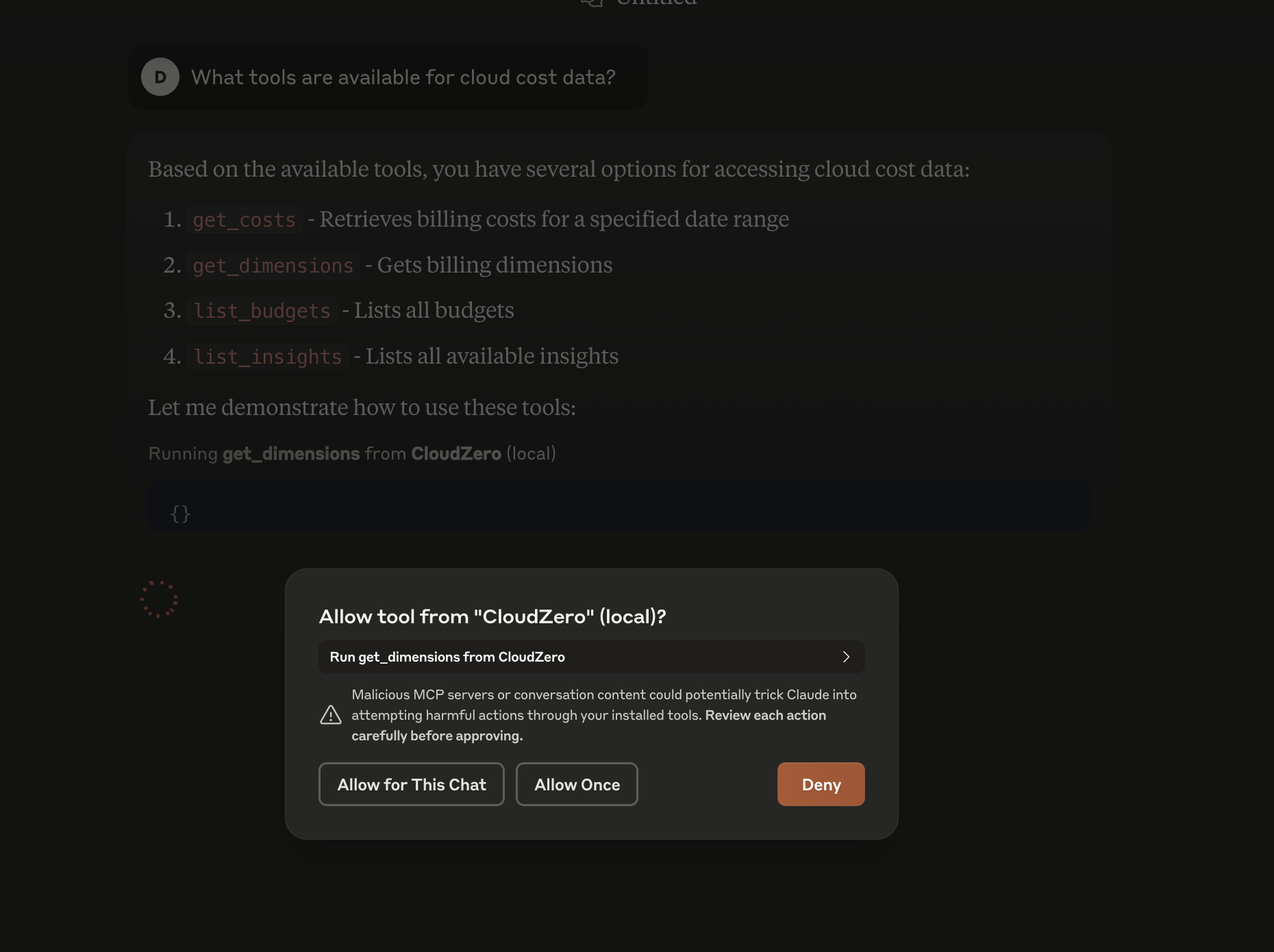
詳細については、 Claude Desktop MCP のドキュメントを参照してください。
デバッグ
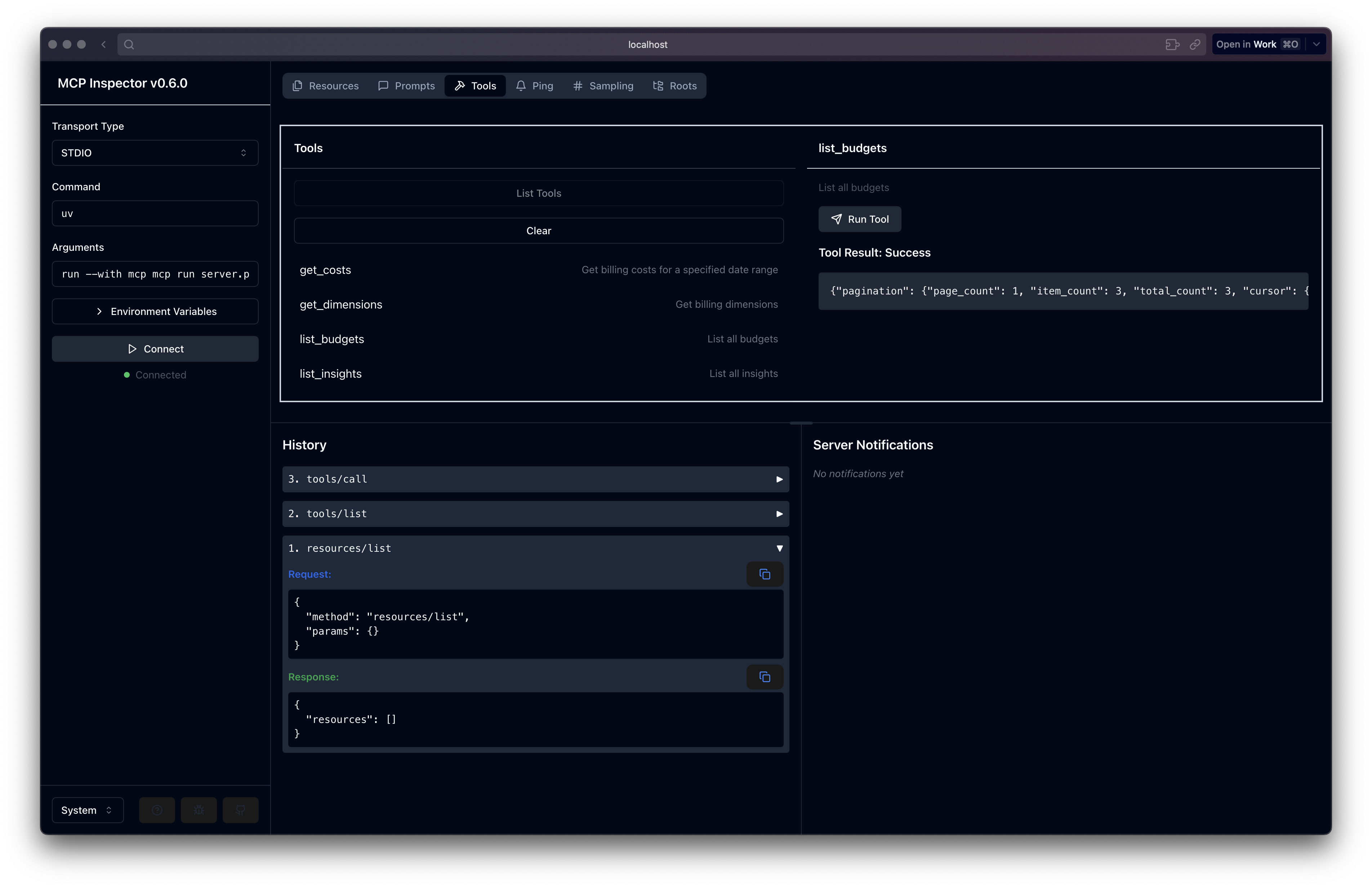
デバッグの場合、対話型 GUI を使用して MCP 開発サーバーを実行し、次の点を検査できます。
これは、Claude Desktop を継続的に再起動することなく、コード内のバグをトラブルシューティングするのに役立ちます。