Cloudflare Playwright MCP 示例

概述
该项目演示了如何使用Cloudflare Playwright MCP将Playwright 与 Cloudflare Workers用作模型控制协议 (MCP) 服务器。
它使人工智能助手能够通过一组工具控制浏览器,使它们能够执行导航、打字、点击和截屏等网络自动化任务。
该服务器可与各种 AI 平台一起使用,包括 Cloudflare AI Playground、Claude Desktop 和 VS Code 中的 GitHub Copilot。
部署
按照以下步骤设置和部署项目:
安装依赖项:
部署到 Cloudflare Workers:
与 Cloudflare AI Playground 一起使用
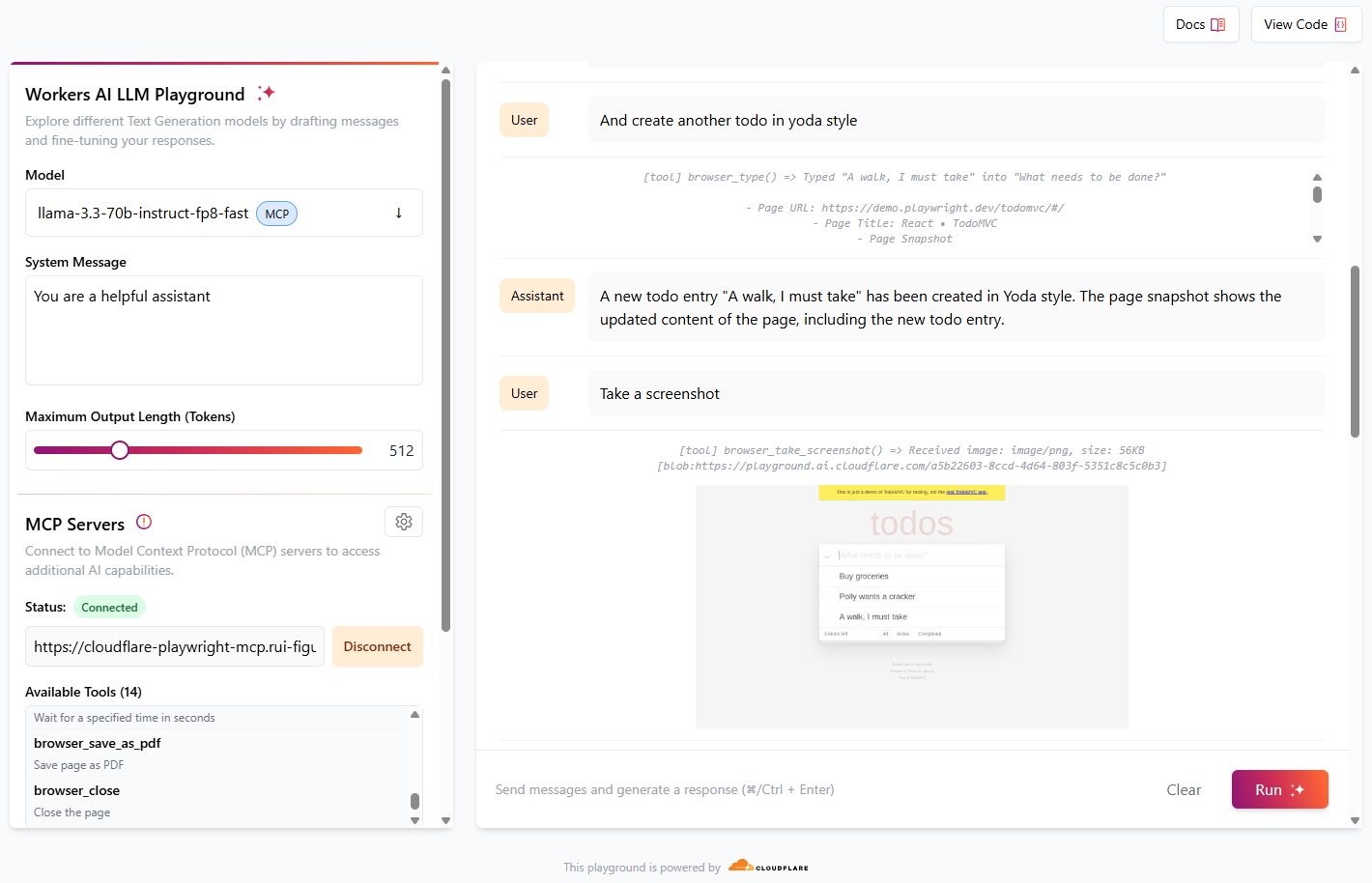
Cloudflare 游乐场 AI是使用 Workers AI 中提供的 LLM 模型测试 MCP 服务器的好方法。
您现在可以开始与模型交互,它将运行必要的工具来完成所请求的任务。
[!TIP] 为获得最佳效果,请提供由单个操作组成的简单指令,例如“创建新的待办事项条目”、“转到 Cloudflare 网站”、“截取屏幕截图”
对话示例:
角色 | 信息 |
用户 | 前往 demo.playwright.dev/todomvc |
助手 | *运行 browser_navigate 工具,*页面导航至https://demo.playwright.dev/todomvc/ 。页面标题为“React • TodoMVC”。页面快照显示了页面内容,包括标题、文本框和多个链接。 |
用户 | 创建一些待办事项 |
助手 | *运行 browser_type 工具,*新建了一条待办事项“购买杂货”。页面快照显示了页面的更新内容,包括新增的待办事项。 |
用户 | 很好。现在用鹦鹉风格创建待办事项 |
助手 | *运行 browser_type 工具,*以 parrot 风格创建了一个新的待办事项条目“Polly wants a cracker”。页面快照显示了页面的更新内容,包括新的待办事项条目。 |
用户 | 并以尤达风格创建另一个待办事项 |
助手 | *运行 browser_type 工具,*以尤达风格创建了一条新的待办事项“我必须去散步”。页面快照显示了页面的更新内容,包括新的待办事项。 |
用户 | 截取屏幕截图 |
助手 | 运行 browser_take_screenshot 工具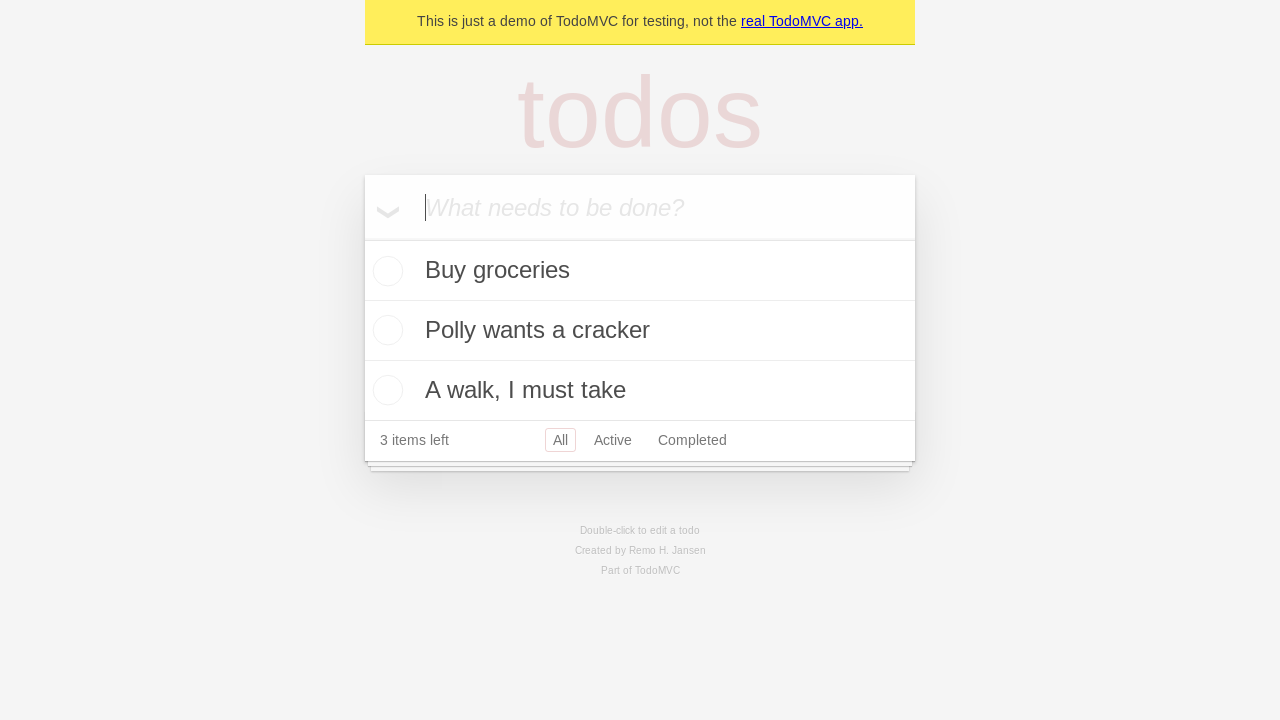 当前页面已截图。截图为 PNG 格式,大小为 56KB。 当前页面已截图。截图为 PNG 格式,大小为 56KB。 |
用户 | 现在单击鹦鹉待办事项条目的复选框 |
助手 | 运行 browser_clickt 工具, Parrot 待办事项条目“Polly wants a cracker”的复选框已被选中。页面快照显示了页面的更新内容,复选框现已选中。 |
用户 | 截取屏幕截图 |
助手 | 运行 browser_take_screenshot 工具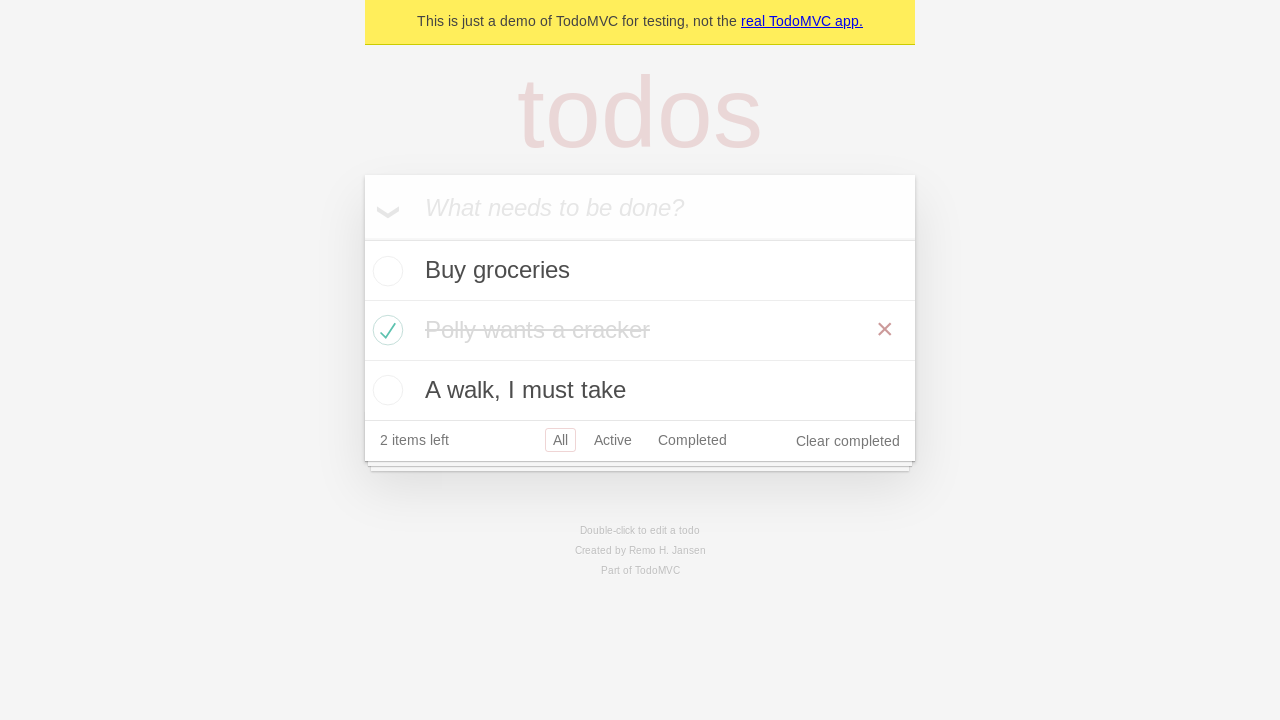 当前页面已截图。截图为 PNG 格式,大小为 58KB。 当前页面已截图。截图为 PNG 格式,大小为 58KB。 |
用户 | 删除已完成的待办事项 |
助手 | *运行 browser_clickt 工具,*点击了“清除已完成”按钮。页面快照显示了更新后的页面内容,已完成的待办事项“Polly wants a cracker”已被删除。 |
用户 | 最后截取屏幕截图 |
助手 | 运行 browser_take_screenshot 工具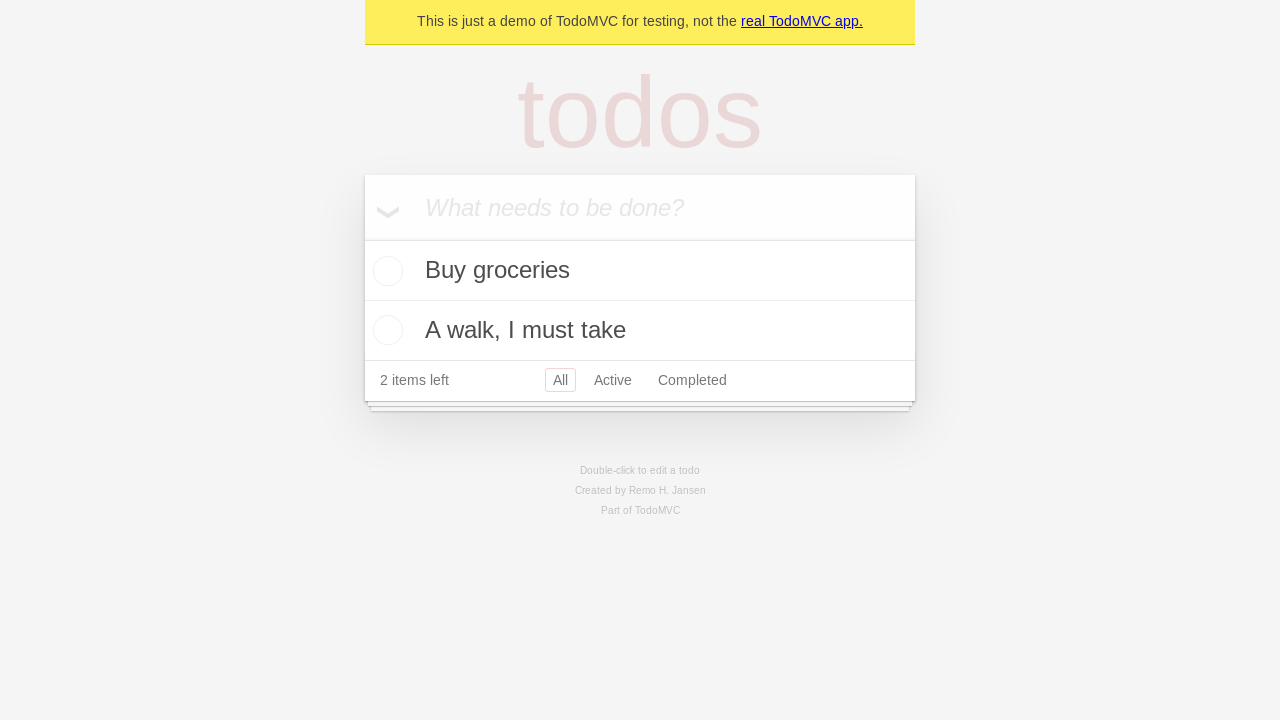 当前页面的最终屏幕截图已截取。屏幕截图为 PNG 格式,大小为 50KB。 当前页面的最终屏幕截图已截取。屏幕截图为 PNG 格式,大小为 50KB。 |
与 Claude Desktop 一起使用
截至目前, Claude Desktop仅支持本地 MCP 服务器。为了将playground-mcp与 Claude Desktop 结合使用,我们需要使用mcp-remote工具,它可以代理远程 MCP 服务器并将其公开到本地。请使用以下配置:
打开 Claude Desktop 的配置文件。
在mcpServers部分下添加以下 JSON 代码片段:
{
  "mcpServers": {
    "cloudflare-playwright-mcp": {
      "command": "npx",
      "args": [
        "mcp-remote",
        "https://[my-mcp-url].workers.dev/sse"
      ]
    }
  }
}
保存配置文件并重新启动Claude Desktop 以应用更改。
此设置确保 Claude Desktop 可以与 Cloudflare Playwright MCP 服务器通信。
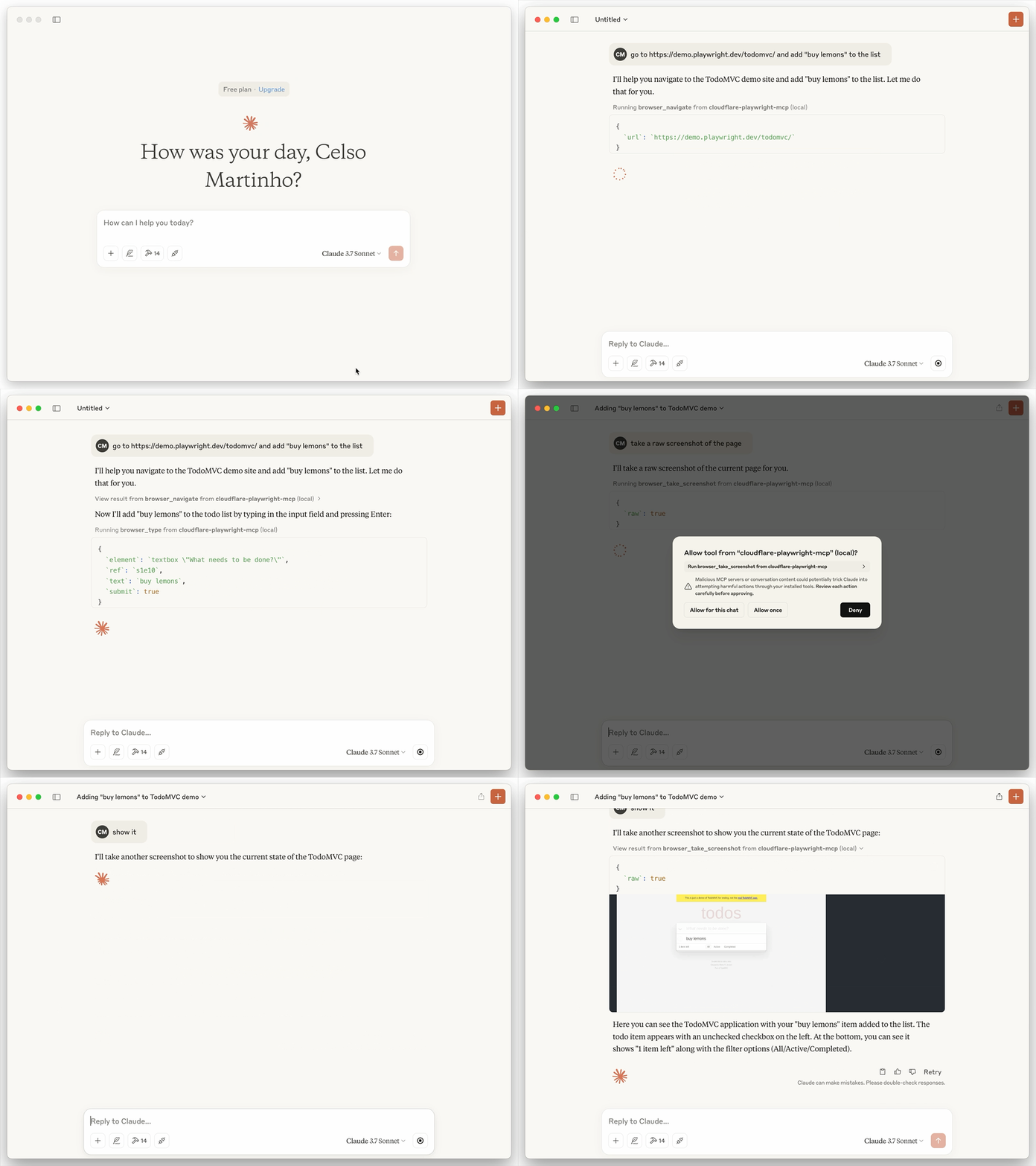
下面是一个会话打开 TODO 演示应用程序的示例,添加了“购买柠檬”并进行了截图,利用了 playwright-mcp 工具和浏览器渲染:
在 VSCode 中配置
您可以使用VS Code CLI安装 Playwright MCP 服务器:
# For VS Code
code --add-mcp '{"name":"cloudflare-playwright","type":"sse","url":"https://[my-mcp-url].workers.dev/sse"}'
# For VS Code Insiders
code-insiders --add-mcp '{"name":"cloudflare-playwright","type":"sse","url":"https://[my-mcp-url].workers.dev/sse"}'
安装后,Playwright MCP 服务器将可与 VS Code 中的 GitHub Copilot 代理一起使用。
