Cloudflare Playwright MCPの例

概要
このプロジェクトでは、Cloudflare Playwright MCPを使用して、Cloudflare Workers をモデル制御プロトコル (MCP) サーバーとして使用する方法を示します。
これにより、AI アシスタントは一連のツールを通じてブラウザを制御できるようになり、ナビゲーション、入力、クリック、スクリーンショットの撮影などの Web 自動化タスクを実行できるようになります。
このサーバーは、Cloudflare AI Playground、Claude Desktop、VS Code の GitHub Copilot など、さまざまな AI プラットフォームで使用できます。
展開する
プロジェクトをセットアップしてデプロイするには、次の手順に従います。
依存関係をインストールします:
Cloudflare Workers にデプロイする:
Cloudflare AI Playgroundでの使用
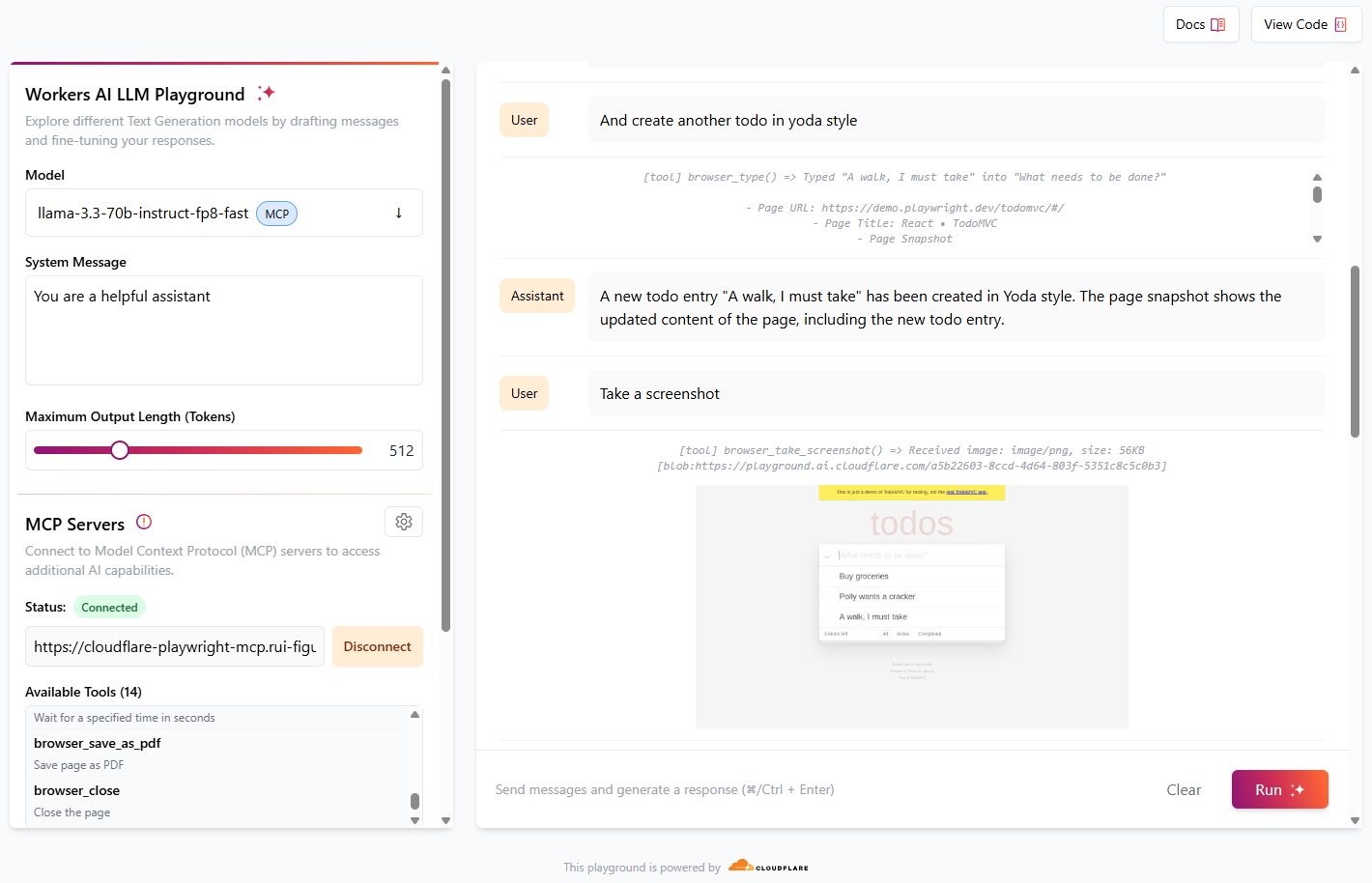
Cloudflare プレイグラウンド AI は、 Workers AI で利用可能な LLM モデルを使用して MCP サーバーをテストするのに最適な方法です。
https://playground.ai.cloudflare.com/に移動します。
モデルがllama-3.3-70b-instruct-fp8-fastに設定されていることを確認します
MCP サーバーで、 URLをhttps://[my-mcp-url].workers.dev/sseに設定します。
**「接続」**をクリック
ステータスが**「接続済み」**に更新され、利用可能なツールが14個表示されます。
これでモデルとの対話を開始でき、要求された内容を実行するために必要なツールが実行されます。
[!TIP] 最良の結果を得るには、「新しい ToDo エントリを作成する」、「CloudFlare サイトに移動する」、「スクリーンショットを撮る」など、1 つのアクションで構成される簡単な指示を与えます。
会話の例:
役割 | メッセージ |
ユーザー | demo.playwright.dev/todomvc にアクセスしてください |
アシスタント | *browser_navigateツールを実行します。*ページはhttps://demo.playwright.dev/todomvc/に移動されました。ページタイトルは「React • TodoMVC」です。ページのスナップショットには、見出し、テキストボックス、および複数のリンクを含むページの内容が表示されます。 |
ユーザー | いくつかのToDoエントリを作成する |
アシスタント | *browser_type ツールを実行します。*新しい ToDo エントリ「食料品の購入」が作成されました。ページのスナップショットには、新しい ToDo エントリを含む、ページの更新されたコンテンツが表示されています。 |
ユーザー | いいですね。では、オウム風のToDoを作成しましょう |
アシスタント | *browser_typeツールを実行します。*新しいToDoエントリ「Polly wants a cracker」(ポリーはクラッカーが欲しい)がオウムスタイルで作成されました。ページのスナップショットには、新しいToDoエントリを含むページの更新されたコンテンツが表示されています。 |
ユーザー | そしてヨーダ風にもう一つToDoを作成する |
アシスタント | *browser_type ツールを実行すると、*ヨーダ風の新しいToDoエントリ「散歩に行かなくちゃ」が作成されます。ページのスナップショットには、新しいToDoエントリを含む、ページの更新されたコンテンツが表示されます。 |
ユーザー | スクリーンショットを撮る |
アシスタント | browser_take_screenshot ツールを実行します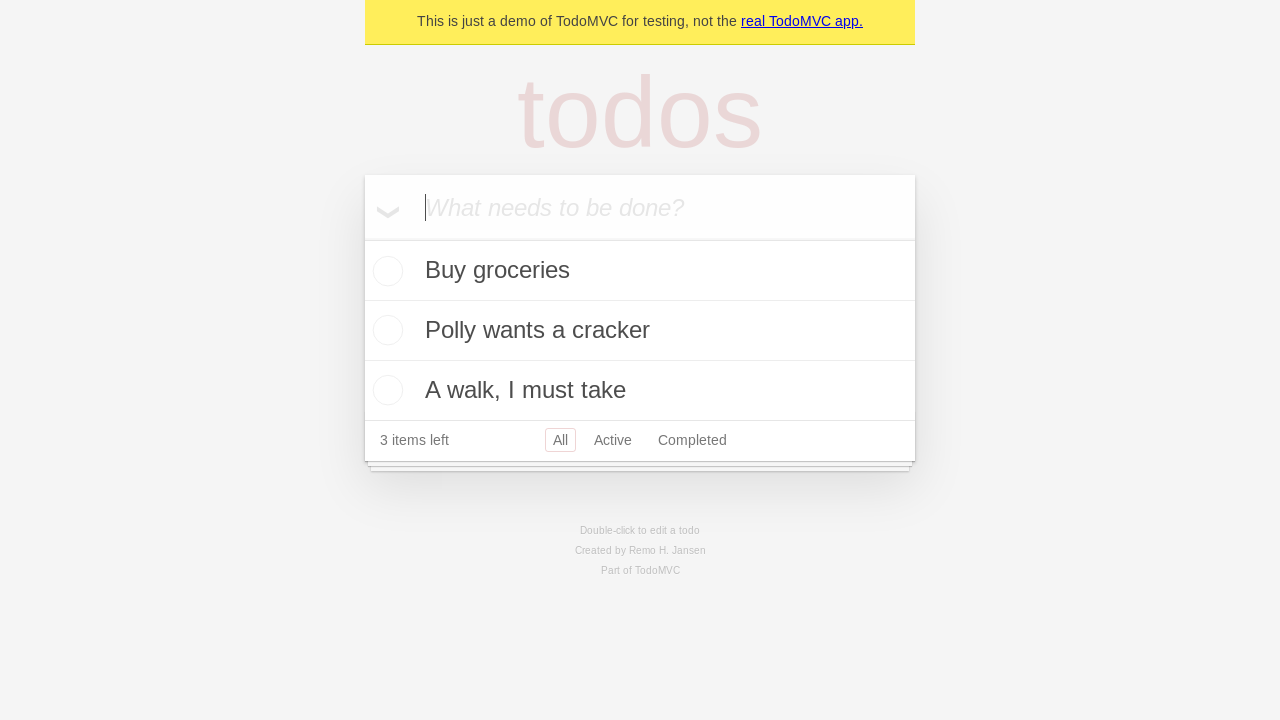 現在のページのスクリーンショットが撮影されました。スクリーンショットはPNG形式で、サイズは56KBです。 現在のページのスクリーンショットが撮影されました。スクリーンショットはPNG形式で、サイズは56KBです。 |
ユーザー | 次に、オウムのToDoエントリのチェックボックスをクリックします |
アシスタント | *browser_clicktツールを実行します。*オウムのToDoエントリ「Polly wants a cracker」のチェックボックスがクリックされました。ページのスナップショットには、チェックボックスがオンになった更新されたページの内容が表示されています。 |
ユーザー | スクリーンショットを撮る |
アシスタント | browser_take_screenshot ツールを実行します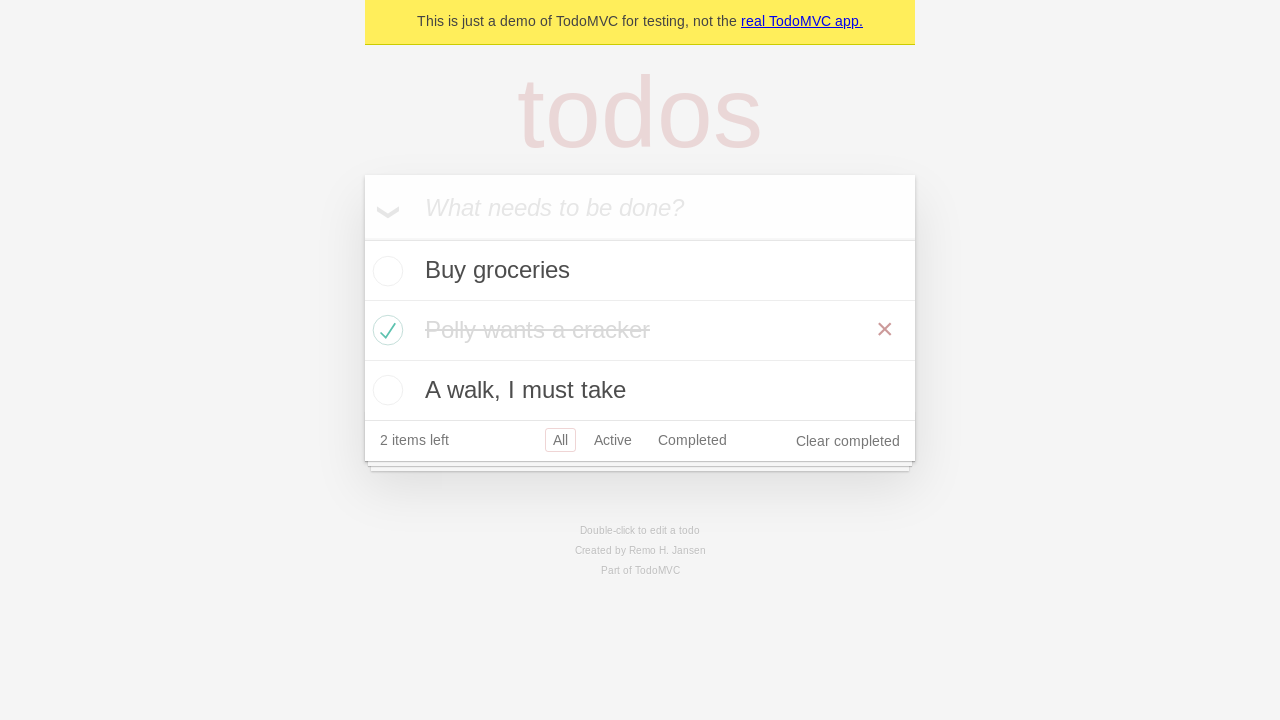 現在のページのスクリーンショットが撮影されました。スクリーンショットはPNG形式で、サイズは58KBです。 現在のページのスクリーンショットが撮影されました。スクリーンショットはPNG形式で、サイズは58KBです。 |
ユーザー | 完了したToDoエントリを削除する |
アシスタント | browser_clicktツールを実行します。「完了した項目をクリア」ボタンがクリックされました。ページのスナップショットには、完了したToDoエントリ「Polly wants a cracker」が削除され、ページが更新された内容が表示されています。 |
ユーザー | 最後のスクリーンショットを撮る |
アシスタント | browser_take_screenshot ツールを実行します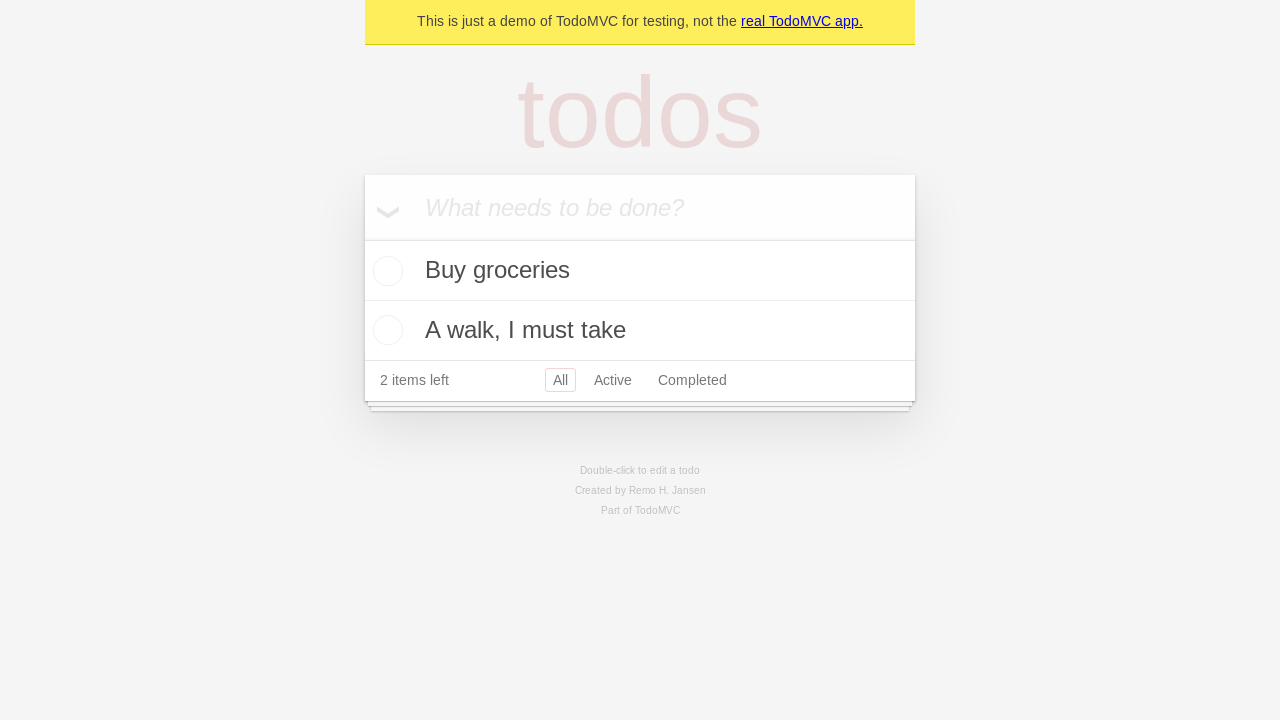 現在のページの最終スクリーンショットが撮影されました。スクリーンショットはPNG形式で、サイズは50KBです。 現在のページの最終スクリーンショットが撮影されました。スクリーンショットはPNG形式で、サイズは50KBです。 |
Claude Desktop で使用する
現在、 Claude DesktopはローカルMCPサーバーのみをサポートしています。playground playground-mcp Claude Desktopで使用するには、リモートMCPサーバーをプロキシし、ローカルに公開するツールであるmcp-remoteを使用します。以下の設定を使用してください。
Claude Desktop の構成ファイルを開きます。
mcpServersセクションの下に次の JSON スニペットを追加します。
{
  "mcpServers": {
    "cloudflare-playwright-mcp": {
      "command": "npx",
      "args": [
        "mcp-remote",
        "https://[my-mcp-url].workers.dev/sse"
      ]
    }
  }
}
設定ファイルを保存し、Claude Desktop を再起動して変更を適用します。
この設定により、Claude Desktop が Cloudflare Playwright MCP サーバーと通信できるようになります。
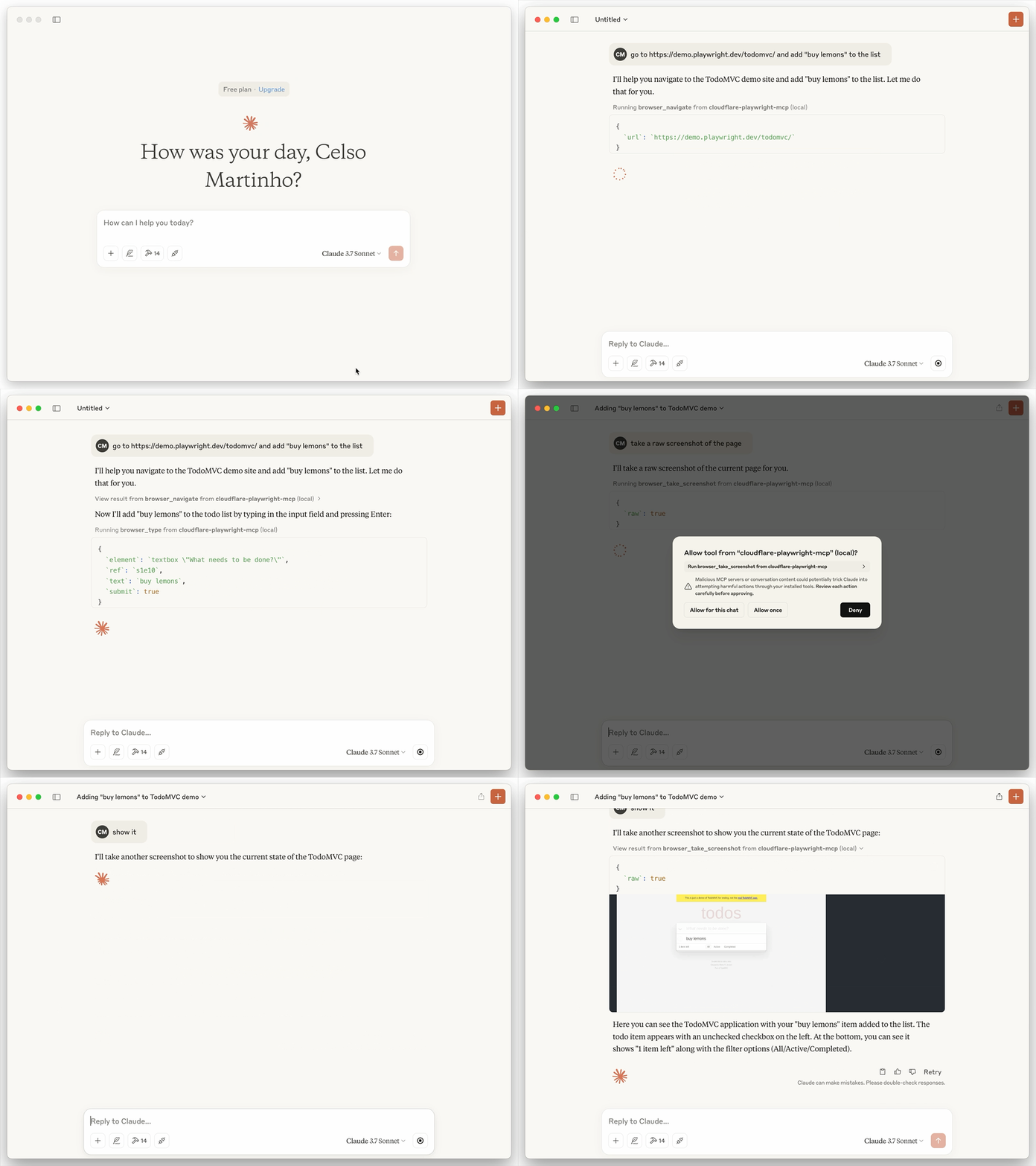
以下は、playwright-mcp ツールとブラウザ レンダリングを利用して、TODO デモ アプリを開き、「レモンを購入」を追加し、スクリーンショットを撮るセッションの例です。
VSCodeで設定する
VS Code CLIを使用して Playwright MCP サーバーをインストールできます。
# For VS Code
code --add-mcp '{"name":"cloudflare-playwright","type":"sse","url":"https://[my-mcp-url].workers.dev/sse"}'
# For VS Code Insiders
code-insiders --add-mcp '{"name":"cloudflare-playwright","type":"sse","url":"https://[my-mcp-url].workers.dev/sse"}'
インストール後、Playwright MCP サーバーは VS Code 内の GitHub Copilot エージェントで使用できるようになります。
