


A
licenseNot graded
qualityD
maintenanceAn MCP server that indexes documents and serves relevant context to LLMs via Retrieval Augmented Generation (RAG).
36
MIT

Click on "Deploy Server".
Wait a few minutes for the server to deploy. Once ready, it will show a "Started" state.
In the chat, type @ followed by the MCP server name and your instructions, e.g., "@Tiny Chat Search the knowledge base for information on API rate limits"
That's it! The server will respond to your query, and you can continue using it as needed.
Here is a step-by-step guide with screenshots.

Tested with Python 3.10 or later
pip install -r requirements.txt# Build the package
pip install build
python -m build
# Install the built package
pip install dist/*.whlRelated MCP server: RAG MCP Server
streamlit run tiny_chat/main.py --server.address=127.0.0.1streamlit run tiny_chat/main.py --server.address=127.0.0.1 -- --databasetiny-chattiny-chat --database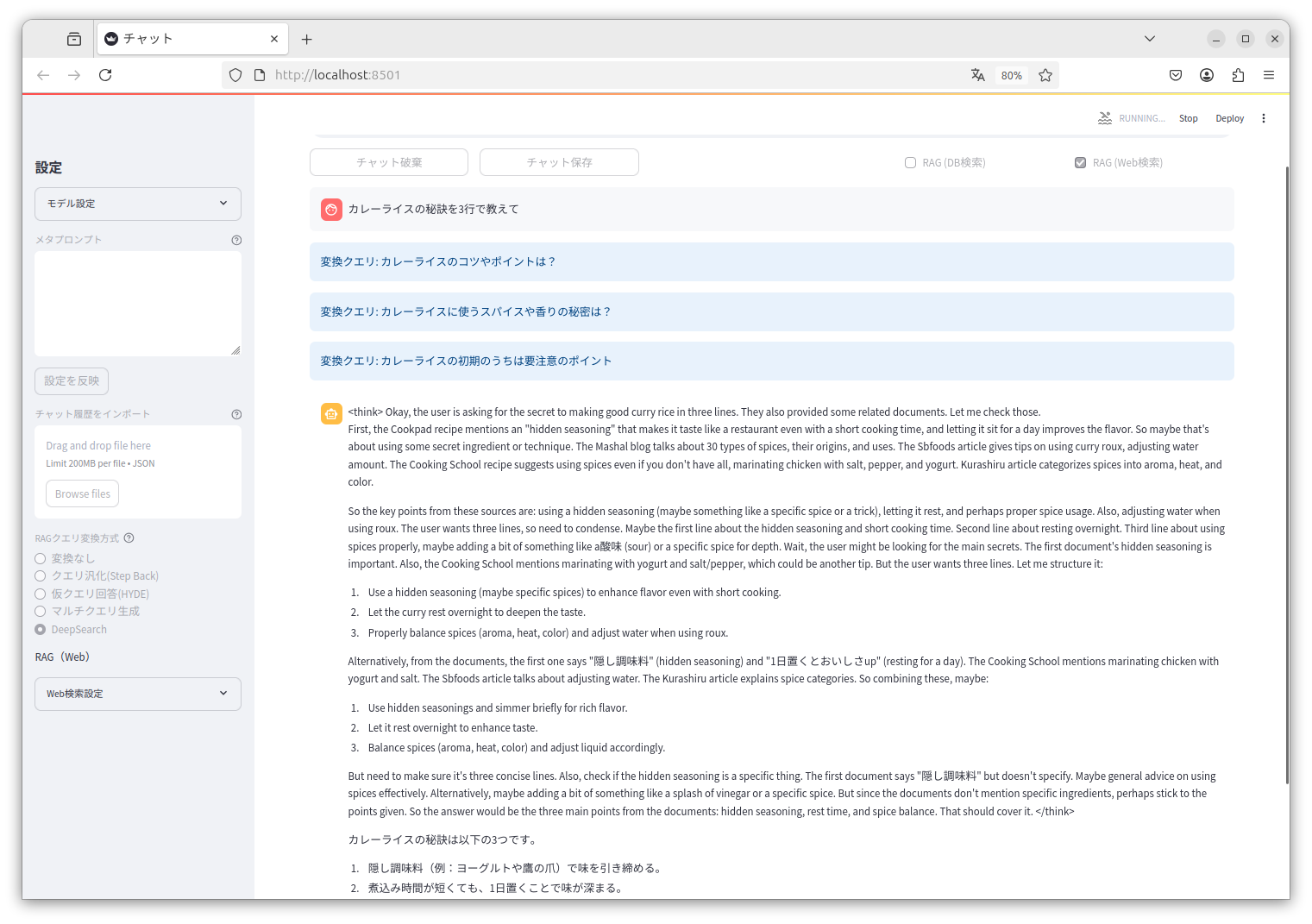
Claude Desktop example.
{
  "mcpServers": {
    "tiny-chat": {
      "command": "/path/to/tiny_chat/.venv/bin/tiny-chat-mcp",
      "env": {
        "DB_CONFIG": "/path/to/tiny_chat/database_config.json"
      }
    }
  }
}tiny-chat-apimodel: target search qdrant collection name (model change in conversation).
curl http://localhost:8080/v1/chat/completions -H "Content-Type: application/json" -d '{"model": "qdrant-collection-name", "messages": [{"role": "user", "content": "カレーライスの材料は?"}]}'default Information Collection Store
Inputs: query (required), top_k, score_threshold.
Recent tool additions, removals, and schema changes observed during successful MCP inspections.
Loading tool schema changelog…
Scored across 1 tool
With only one tool, there is no possibility of selecting between overlapping tools. The vague description does not create disambiguation issues.
With a single tool, there is no pattern to evaluate for consistency. The name 'search-default' is unconventional but does not conflict with other naming styles.
A single tool for a chat-focused server is clearly insufficient. The tool 'search-default' appears trivial and not aligned with the server's apparent domain.
The server provides no chat-related operations such as messaging or channel management. It appears severely incomplete for a chat server, offering only a vague search capability.
Cloud or self-hosted knowledge for AI agents: hybrid search, reranking, GraphRAG, scoped MCP tools.
Agentic search over your Dewey document collections from any MCP-compatible client.
MCP server for searching Airweave collections with natural language queries.