
Zeek-MCP
Provides integration with pandas for parsing and analyzing Zeek log files, returning structured data from network traffic analysis as DataFrame objects.
Click on "Deploy Server".
Wait a few minutes for the server to deploy. Once ready, it will show a "Started" state.
In the chat, type
@followed by the MCP server name and your instructions, e.g., "@Zeek-MCPanalyze this pcap file for suspicious connections"
That's it! The server will respond to your query, and you can continue using it as needed.
Here is a step-by-step guide with screenshots.

Zeek-MCP
This repository provides a set of utilities to build an MCP server (Model Context Protocol) that you can integrate with your conversational AI client.
Table of Contents
Related MCP server: Wireshark MCP
Prerequisites
Python 3.7+
Zeek installed and available in your
PATH(for theexeczeektool)pip (for installing Python dependencies)
Installation
1. Clone the repository
git clone https://github.com/Gabbo01/Zeek-MCP
cd Zeek-MCP2. Install dependencies
It's recommended to use a virtual environment:
python -m venv venv
source venv/bin/activate # Linux/macOS
venv\Scripts\activate # Windows
pip install -r requirements.txtNote: If you don’t have a
requirements.txt, install directly:pip install pandas mcp
Usage
The repository exposes two main MCP tools and a command-line entry point:
3. Run the MCP server
python Bridge_Zeek_MCP.py --mcp-host 127.0.0.1 --mcp-port 8081 --transport sse--mcp-host: Host for the MCP server (default:127.0.0.1).--mcp-port: Port for the MCP server (default:8081).--transport: Transport protocol, eithersse(Server-Sent Events) orstdio.

4. Use the MCP tools
You need to use an LLM that can support the MCP tools usage by calling the following tools:
execzeek(pcap_path: str) -> strDescription: Runs Zeek on the given PCAP file after deleting existing
.logfiles in the working directory.Returns: A string listing generated
.logfilenames or"1"on error.
parselogs(logfile: str) -> DataFrameDescription: Parses a single Zeek
.logfile and returns the parsed content.
You can interact with these endpoints via HTTP (if using SSE transport) or by embedding in LLM client (eg: Claude Desktop):
Claude Desktop integration:
To set up Claude Desktop as a Zeek MCP client, go to Claude -> Settings -> Developer -> Edit Config -> claude_desktop_config.json and add the following:
{
"mcpServers": {
"Zeek-mcp": {
"command": "python",
"args": [
"/ABSOLUTE_PATH_TO/Bridge_Zeek_MCP.py",
]
}
}
}Alternatively, edit this file directly:
/Users/YOUR_USER/Library/Application Support/Claude/claude_desktop_config.json5ire Integration:
Another MCP client that supports multiple models on the backend is 5ire. To set up Zeek-MCP, open 5ire and go to Tools -> New and set the following configurations:
Tool Key: ZeekMCP
Name: Zeek-MCP
Command:
python /ABSOLUTE_PATH_TO/Bridge_Zeek_MCP.py
Alternatively you can use Chainlit framework and follow the documentation to integrate the MCP server.
Examples
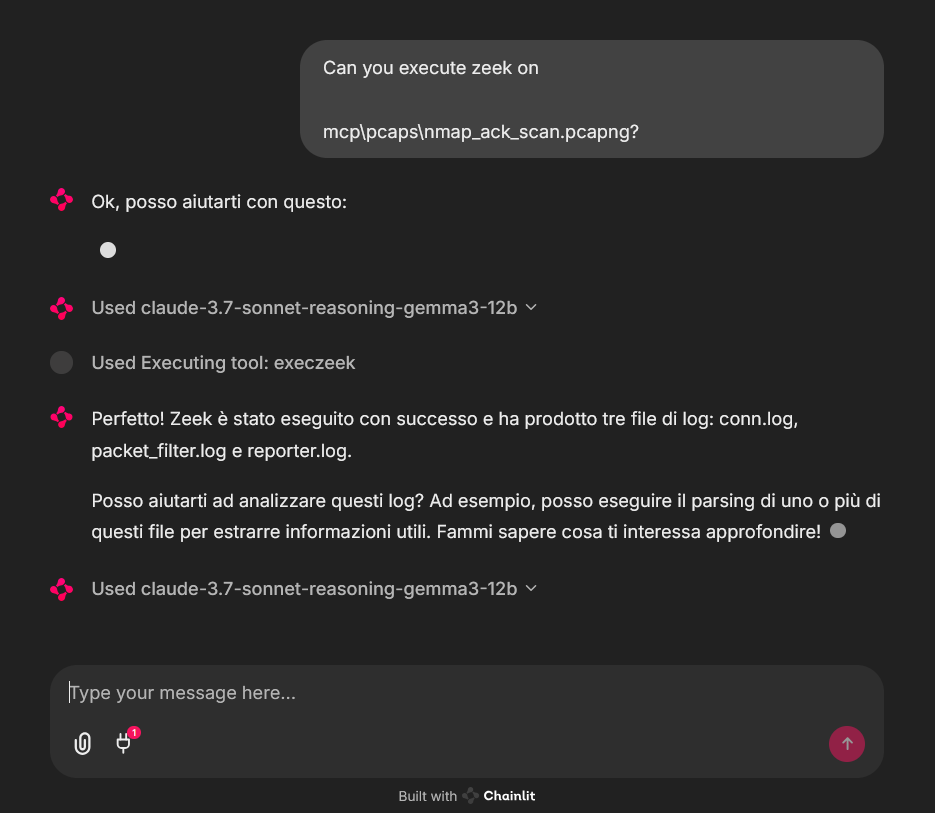
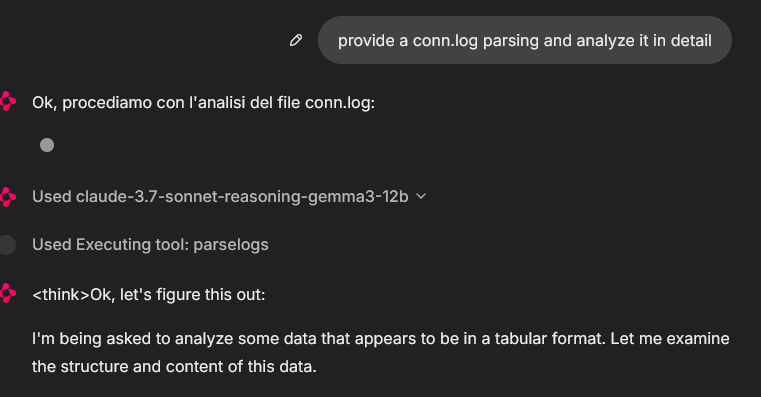
An example of MCP tools usage from a chainlit chatbot client, it was used an example pcap file (you can find fews in pcaps folder)
In that case the used model was claude-3.7-sonnet-reasoning-gemma3-12b
License
See LICENSE for more information.
This server cannot be deployed
Maintenance
Related MCP Connectors
A comprehensive Model Context Protocol (MCP) server that enables AI assistants to interact with yo…
A Model Context Protocol server for Wix AI tools
Enable secure connectivity between Sentry issues and debugging data, and LLM clients, using a Model Context Protocol (MCP) server.
MCP server for Pentest-Tools.com: run scans, manage findings and reports via your preffered LLM.
Related MCP Servers
- AlicenseBqualityFmaintenanceA Model Context Protocol server that provides LLMs with real-time network traffic analysis capabilities, enabling tasks like threat hunting, network diagnostics, and anomaly detection through Wireshark's tshark.7584MIT
- AlicenseNot gradedqualityDmaintenanceA Model Context Protocol server that integrates Wireshark's network analysis capabilities with AI systems like Claude, allowing direct analysis of network packet data without manual copying.31MIT
- AlicenseAqualityFmaintenanceA Model Context Protocol server that provides network packet capture and analysis capabilities through Wireshark/tshark integration, enabling AI assistants to perform network security analysis and troubleshooting.435MIT
- FlicenseNot gradedqualityDmaintenanceAn automated security operations center MCP server that uses LLMs and network analysis tools like Tshark to detect threats in traffic data. It enables users to automatically ingest PCAP files, query specific packets, and generate intelligent security analysis reports.-
