


ジーク-MCP
このリポジトリは、会話型 AI クライアントと統合できる MCP サーバー (モデル コンテキスト プロトコル) を構築するためのユーティリティ セットを提供します。
目次
Related MCP server: Wireshark MCP
前提条件
インストール
1. リポジトリをクローンする
git clone https://github.com/Gabbo01/Zeek-MCP
cd Zeek-MCP
2. 依存関係をインストールする
仮想環境を使用することをお勧めします。
python -m venv venv
source venv/bin/activate    # Linux/macOS
venv\Scripts\activate     # Windows
pip install -r requirements.txt
注: requirements.txtがない場合は、直接インストールしてください。
使用法
リポジトリは、2 つの主要な MCP ツールとコマンドライン エントリ ポイントを公開します。
3. MCPサーバーを実行する
python Bridge_Zeek_MCP.py --mcp-host 127.0.0.1 --mcp-port 8081 --transport sse
--mcp-host : MCP サーバーのホスト (デフォルト: 127.0.0.1 )。
--mcp-port : MCP サーバーのポート (デフォルト: 8081 )。
--transport : トランスポート プロトコルsse (Server-Sent Events) またはstdioいずれか。

4. MCPツールを使用する
次のツールを呼び出して、MCP ツールの使用をサポートできる LLM を使用する必要があります。
execzeek(pcap_path: str) -> str
parselogs(logfile: str) -> DataFrame
これらのエンドポイントは、HTTP (SSE トランスポートを使用している場合) 経由、または LLM クライアント (例: Claude Desktop) に埋め込むことによって操作できます。
クロードデスクトップ統合:
Claude Desktop を Zeek MCP クライアントとして設定するには、 Claude -> Settings -> Developer -> Edit Config -> claude_desktop_config.jsonに移動し、以下を追加します。
{
  "mcpServers": {
    "Zeek-mcp": {
      "command": "python",
      "args": [
        "/ABSOLUTE_PATH_TO/Bridge_Zeek_MCP.py",
      ]
    }
  }
}
あるいは、このファイルを直接編集します。
/Users/YOUR_USER/Library/Application Support/Claude/claude_desktop_config.json
5ire統合:
バックエンドで複数のモデルをサポートする別のMCPクライアントは5ireです。Zeek-MCPを設定するには、5ireを開き、 Tools 」→ Newに移動して、以下の設定を行います。
ツールキー: ZeekMCP
名前: Zeek-MCP
コマンド: python /ABSOLUTE_PATH_TO/Bridge_Zeek_MCP.py
あるいは、Chainlit フレームワークを使用し、ドキュメントに従って MCP サーバーを統合することもできます。
例
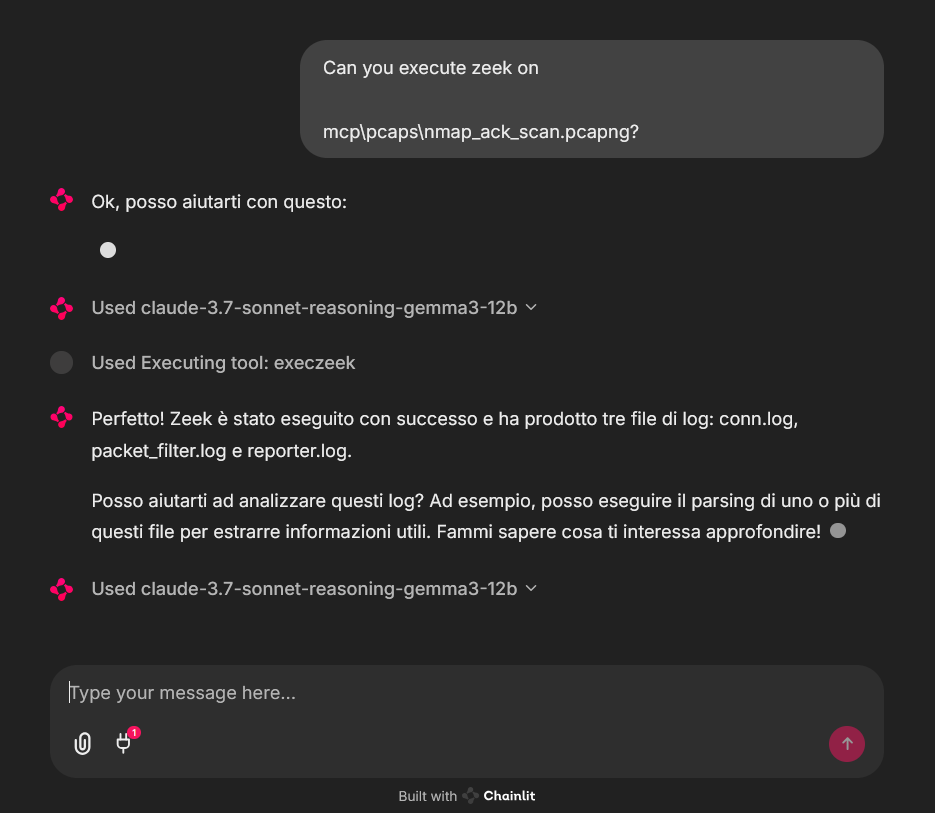
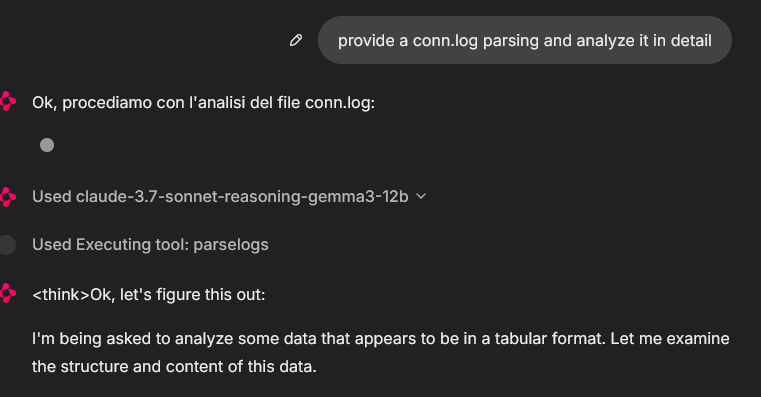
Chainlit チャットボット クライアントからの MCP ツールの使用例。サンプル pcap ファイルが使用されました (pcaps フォルダーにいくつかあります)
In that case the used model was claude-3.7-sonnet-reasoning-gemma3-12b

ライセンス
詳細については、 LICENSE参照してください。


