
Tracerlab
# Tracerlab
MCP server for Cisco Packet Tracer 9. Lets Claude Code (or any MCP client) build networks in a running Packet Tracer: add devices, cable them, push IOS configs, address everything, set up routing, ping, and find what's broken. It can also read and write .pkt files without Packet Tracer open.
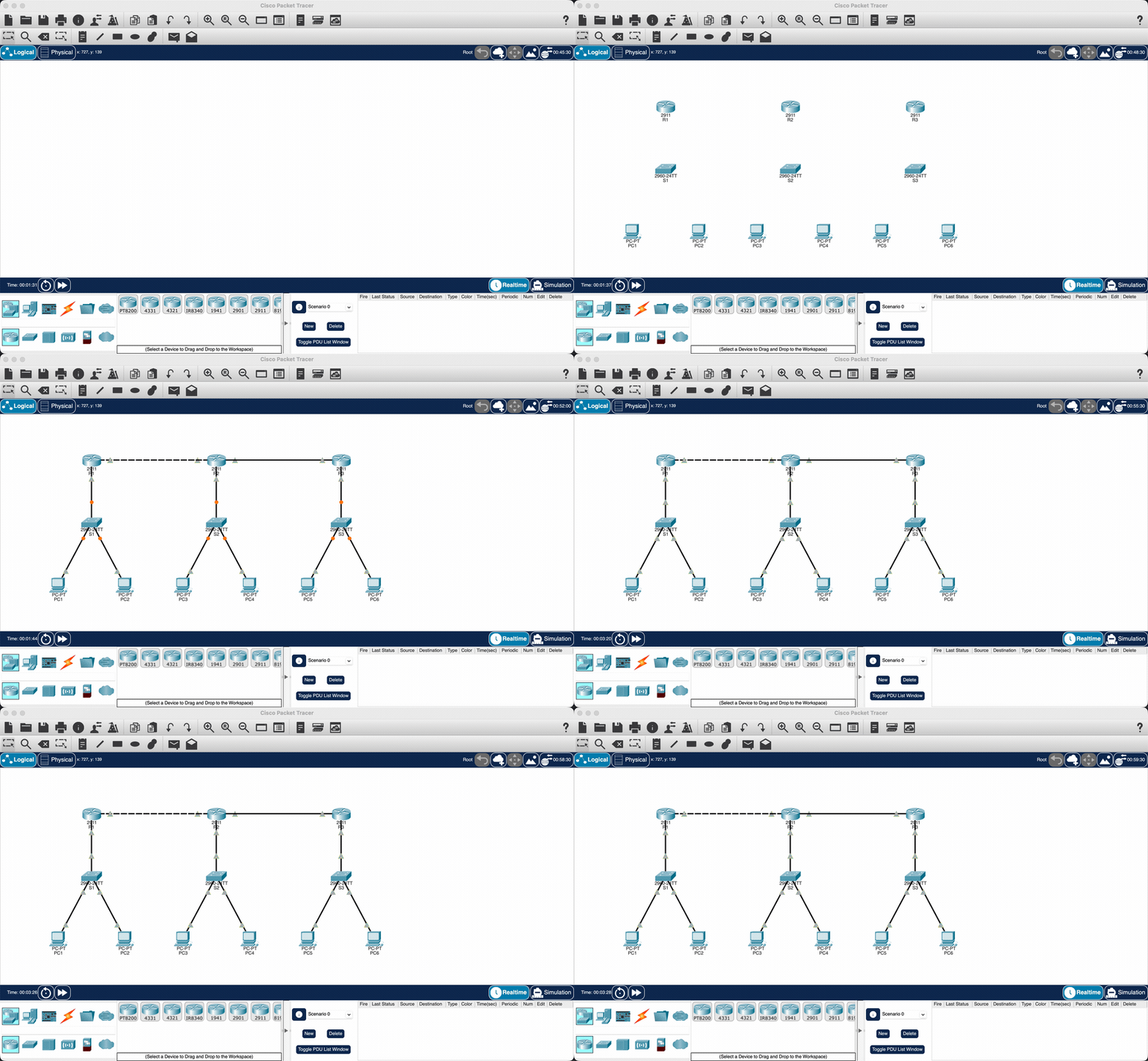
Twelve devices, twelve cables, OSPF across the ring and 6/6 pings, from one prompt.
There are also some ready-made labs (router on a stick, OSPF/EIGRP/RIP topologies, NAT, HSRP, EtherChannel, IPv6) that build in one call.
## Install
Needs [uv](https://docs.astral.sh/uv/) and Packet Tracer 9.
Register the server with your MCP client:
```
claude mcp add packet-tracer -- uvx --from tracerlab packet-tracer-mcp
```
Cursor (`~/.cursor/mcp.json`), VS Code (`.vscode/mcp.json`) and Codex take the same command:
```json
{
"mcpServers": {
"packet-tracer": { "command": "uvx", "args": ["--from", "tracerlab", "packet-tracer-mcp"] }
}
}
```
Then install the Packet Tracer side once:
```
uvx tracerlab install-extension
```
Restart Packet Tracer and answer Yes when it asks about the new script module. A small "PT-MCP Bridge"
window shows up and goes green once the MCP server is running.
If something isn't connecting, run `uvx tracerlab doctor`.
## Use
Open Packet Tracer, start Claude Code and ask for things like:
- build a 3 router OSPF ring with a PC on each LAN and ping everything
- set up router on a stick with VLANs 10, 20, 30 and DHCP
- what's wrong with this network
- show me the running config on R1
`examples/enterprise-two-site.pkt` is a bigger network built entirely through the tools.
## Tests
```
uv run pytest
```
mcp-name: io.github.atharv-santosh/tracerlab
TDQS
Scored across 42 tools
Several tools overlap by design: pt_show vs pt_cli (mode=exec) both run EXEC commands, pt_build vs pt_lab both construct whole topologies, and pt_apply_feature vs ios_generate vs pt_cli all produce/apply IOS config. The descriptions do provide guidance (e.g. 'prefer pt_show', dry_run on pt_apply_feature), so boundaries are workable but require careful reading.
Names are snake_case throughout, but the surface mixes several prefix families (pt_, pkt_, net_, ios_) and verb styles, including bare nouns like pt_topology, pt_device and pt_status. The grouping is semantically meaningful but not a uniform verb_noun convention, so an agent must learn each family.
42 tools is heavy for a Packet Tracer bridge, and much of the count comes from layered abstractions of the same jobs (build/lab/add_devices/connect vs pt_cli, pt_show vs pt_cli, ios_generate vs pt_apply_feature). The extra granularity is useful for power users but expands the selection space considerably.
The surface covers the full lifecycle: topology inspection, device/cable CRUD, modules, IOS and host configuration, auto-addressing and routing, verification (ping/traceroute/ping_matrix), file operations, offline .pkt inspection/conversion, subnet math, and a JS escape hatch. Very few obvious gaps remain for the stated Packet Tracer domain.