
F
licenseNot graded
qualityD
maintenanceA server-based tool that enables the generation of mathematical animations from natural language prompts by leveraging Manim.
16
-

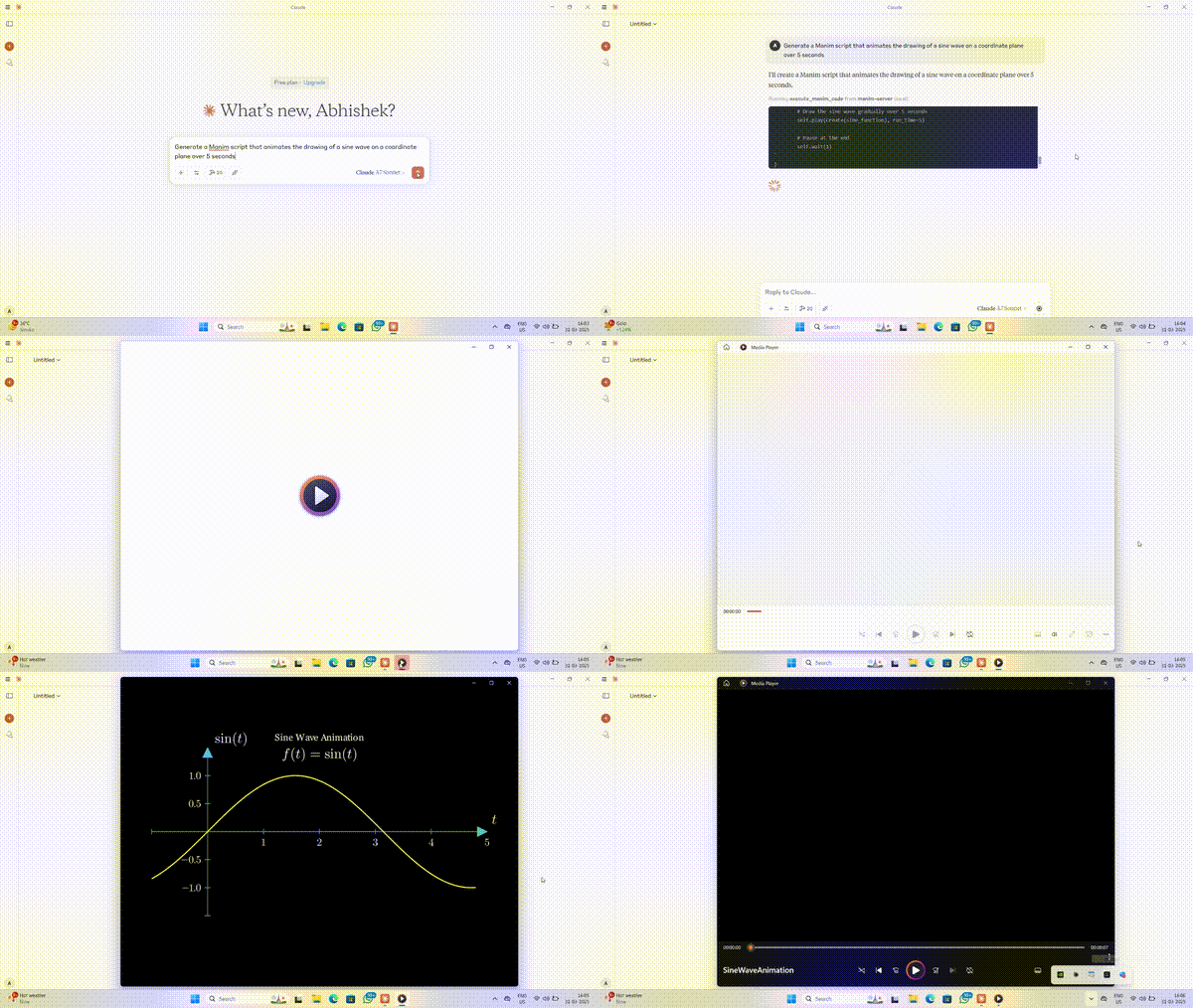
これは、Manimアニメーションコードを実行し、生成されたビデオを返すMCP(Model Context Protocol)サーバーです。ユーザーはManimスクリプトを送信し、レンダリングされたアニメーションを受け取ることができます。
Related MCP server: Manim MCP Server
Manim Python スクリプトを実行します。
アニメーション出力を表示されているメディア フォルダーに保存します。
実行後にユーザーが一時ファイルをクリーンアップできるようにします。
移植可能で、環境変数を介して構成可能です。
以下がインストールされていることを確認してください。
Python 3.8以上
マニム(コミュニティ版)
MCP
pip install manimpip install mcpgit clone https://github.com/abhiemj/manim-mcp-server.git
cd manim-mcp-serverManim MCP サーバーを Claude と統合するには、 claude_desktop_config.jsonファイルに以下を追加します。
{
  "mcpServers": {
     "manim-server": {
      "command": "/absolute/path/to/python",
      "args": [
        "/absolute/path/to/manim-mcp-server/src/manim_server.py"
      ],
      "env": {
        "MANIM_EXECUTABLE": "/Users/[Your_username]/anaconda3/envs/manim2/Scripts/manim.exe"
      }
    }
  }
}Python 実行可能パスを見つけるには、次のコマンドを使用します。
(Get-Command python).Sourcewhere pythonwhich pythonこれにより、Claude は Manim MCP サーバーと通信してアニメーションを動的に生成できるようになります。
リポジトリをフォークします。
新しいブランチを作成します。
git checkout -b add-feature変更を加えてコミットします。
git commit -m "Added a new feature"フォークにプッシュします:
git push origin add-featureプルリクエストを開きます。
このMCPサーバーはMITライセンスに基づいてライセンスされています。つまり、MITライセンスの条件に従って、ソフトウェアを自由に使用、改変、配布することができます。詳細については、プロジェクトリポジトリのLICENSEファイルをご覧ください。
**abhiemj**が作成しました。貢献を歓迎します!🚀
このリポジトリは、「Awesome MCP Servers」リポジトリの**「Animation & Video」**カテゴリに掲載されています。他の優れたMCPサーバー実装と合わせて、ぜひご覧ください。
素晴らしいアニメーション ライブラリを提供してくれたManim コミュニティに感謝します。
オープンソースの MCP エコシステムにインスピレーションを受けています。
This server cannot be deployed
One sentence to a finished animation: your AI writes motion graphics as code and checks real frames.
Turn one line-art image into a prompt-directed, hand-drawn scribe animation MP4.
Creates 2D motion-graphics videos: kinetic typography, charts, formulas, narrated explainers.
Turn words, images, and audio into an animated video with MP4 export.