
SAGE
# SAGE - Smart Agent Guidance Engine
<!-- mcp-name: io.github.PsYcGoD/sage -->
[](https://github.com/PsYcGoD/sage/actions/workflows/ci.yml)
[](https://github.com/PsYcGoD/sage/blob/main/pyproject.toml)
[](https://pypi.org/project/psycgod-sage/)
[](https://www.npmjs.com/package/psycgod-sage)
[](https://github.com/PsYcGoD/sage/blob/main/LICENSE)
[](https://mcprush.com/to/sage-wrapper-mcp?ref=badge)
SAGE is a local-first command wrapper for AI coding agents. It keeps full terminal output on your machine, sends agents a clean compressed summary, and tracks proof metrics without uploading your raw logs.
Use it with Claude Code, Codex, Cursor, Windsurf, OpenCode, Cline, custom agents, CI scripts, and normal terminal workflows.
## Start Here: Install SAGE, Use once sage run -- python -m pytest, Then Use Any AI Agent
Package installation is passive for package-registry safety. After installing, run `sage install` once to activate SAGE for supported local AI agents.
### PyPI / pip
```powershell
pip install psycgod-sage
# or
python -m pip install --upgrade psycgod-sage
sage install
sage run -- python -m pytest
```
### npm / npx
```bash
npm install -g psycgod-sage
npx -y psycgod-sage install
npx -y psycgod-sage run -- npm test
```
After install, restart any open AI-agent sessions. New sessions should read the SAGE instructions automatically and route terminal commands through SAGE.
Example prompt after restarting your AI agent:
```text
Please help me with my general book in this folder.
```
Natural shortcuts also work:
```bash
sage pytest
sage npm test
sage git status
```
These are treated as:
```bash
sage run -- pytest
sage run -- npm test
sage run -- git status
```
## What SAGE Does
| Step | Result |
|---|---|
| `sage install` | Activates the machine locally, repairs global/project agent instructions, and verifies activation |
| `sage run -- <command>` | Runs the command, stores raw output locally, and returns a compact useful summary |
| Agent memory/hooks | Tell supported AI agents to use SAGE for noisy terminal work |
| Local database | Keeps command history, compression proof, and retry context on the user's machine |
| Local proof | Keeps command and compression metrics on the user's machine |
SAGE does not auto-enable MCP. MCP is optional and manual for users who want it.
## Recorded Local Metrics
Latest pulled stats as of 2026-08-01:
| Metric | Value |
|---|---:|
| SAGE telemetry command events | 27,892 |
| Tokens processed | 799.5M |
| Tokens saved | 783.7M |
| Compression rate | 98.02% |
| Estimated savings | $16,261.90 |
| Command success rate | 88.3% |
| PyPI downloads, last 7 days | 632 |
| npm downloads, last 7 days | 362 |
| GitHub clones, last 14 days | 574 |
## Why It Helps
AI coding agents burn context on repeated logs, failed test output, install noise, stack traces, and build spam. SAGE sits between the command and the agent.
| Without SAGE | With SAGE |
|---|---|
| Agent sees full noisy terminal output | Agent sees the useful summary |
| Context disappears fast | Context lasts longer |
| Repeated failures waste tokens | Errors are grouped and explained |
| Raw logs may enter prompts | Raw logs stay local |
| Hard to prove savings | SAGE records proof metrics |
## Distribution
| Channel | Package | Status |
|---|---|---|
| PyPI | [`psycgod-sage`](https://pypi.org/project/psycgod-sage/) | Canonical Python package |
| npm / npx | [`psycgod-sage`](https://www.npmjs.com/package/psycgod-sage) | Node launcher for the Python core |
| MCP Registry | `io.github.PsYcGoD/sage` | Optional/manual MCP entry |
| Glama | [`PsYcGoD/sage`](https://glama.ai/mcp/servers/PsYcGoD/sage) | Optional/manual hosted MCP listing |
The npm package delegates to the Python implementation so both install paths use the same local database, telemetry rules, compression, and command behavior.
## Common Commands
```bash
sage install # Activate this machine and AI-agent instructions
sage doctor --activation # Verify activation
npx -y psycgod-sage doctor --activation
sage run -- <command> # Wrap any command
sage run --cwd /project -- <command> # Explicit workspace for host integrations
sage pytest # Shortcut for: sage run -- pytest
sage npm test # Shortcut for: sage run -- npm test
sage git status # Shortcut for: sage run -- git status
sage context stats # Token savings summary
sage context report # Full compression report
sage history --limit 10 # Recent command history
sage explain --failed # Explain the latest failed command
sage suggest --failed # Suggest the next fix
sage fix --apply # Try an automatic fix
sage ml setup # Optional ML V2 dependencies
sage mcp install # Optional/manual MCP config
sage dashboard start # Local dashboard
```
## Privacy Modes
| Mode | Requires login? | Sends data? | What leaves the machine? |
|---|---:|---:|---|
| Local-only | No | No | Nothing |
| Debug telemetry | Optional | Opt-in only | Redacted diagnostic summaries |
SAGE is designed to keep prompts, source code, credentials, raw command output, and project files local unless the user deliberately enables a feature that requires sending data.
## Known Limitations
| Limitation | What To Do |
|---|---|
| Already-open AI-agent sessions may not reload new instructions | Restart Claude/Codex/Cursor/Windsurf/OpenCode after `sage install` |
| Locked-down host apps can disable shell tools | SAGE cannot enable tools the host application has blocked |
| A host starts its shell in the wrong folder | Pass `sage run --cwd <project> -- <command>` or set `SAGE_WORKSPACE_CWD` |
| npm/PyPI installs cannot safely auto-run activation | Run `sage install` once after package install |
| MCP can disconnect in some stdio agent sessions | Use normal `sage run -- <command>` by default; enable MCP manually only if needed |
| Package installs are passive by design | Real activation starts with `sage install` |
## Demos
| Flow | Preview |
|---|---|
| PyPI install |  |
| npm install |  |
| `sage run --` | 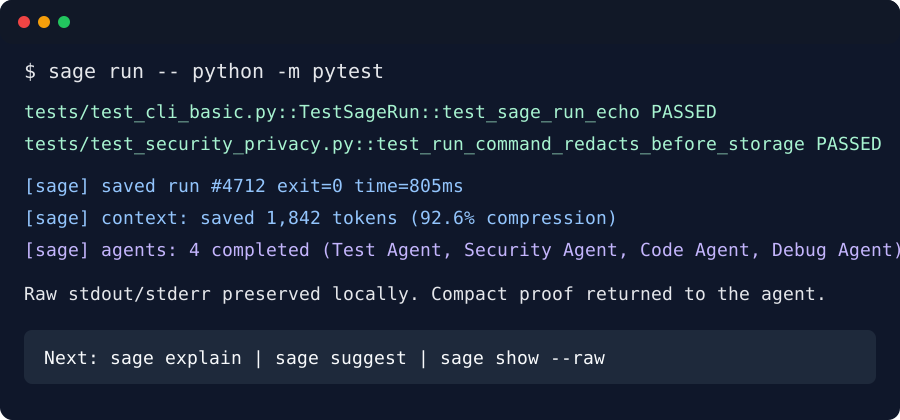 |
| CLI run | 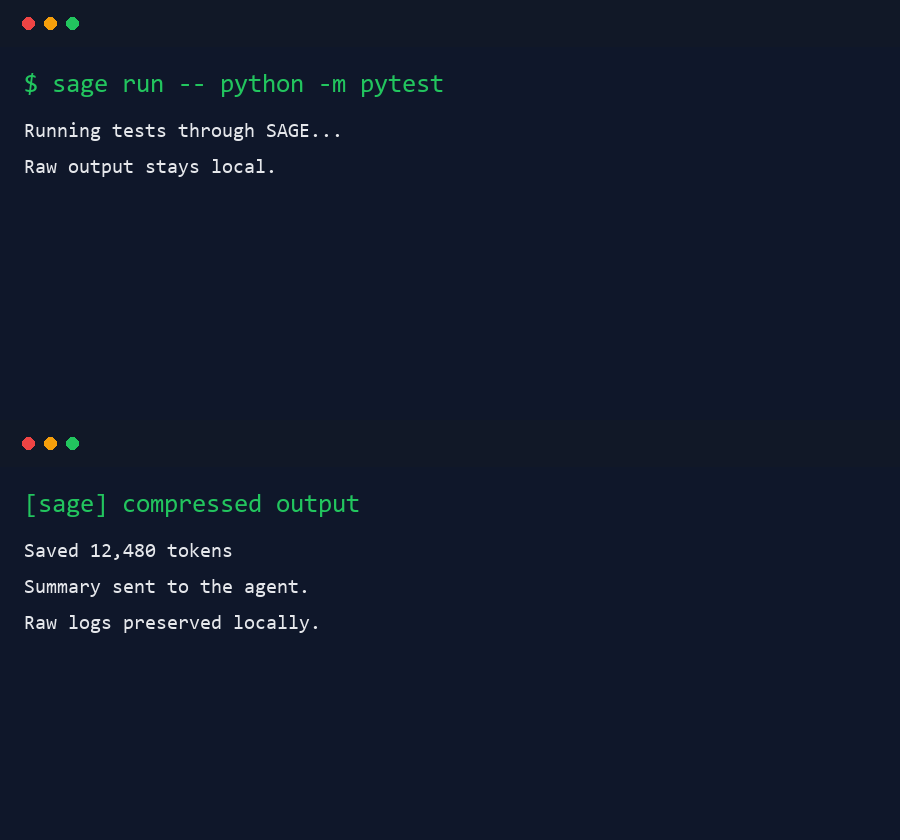 |
## Links
- PyPI: [pypi.org/project/psycgod-sage](https://pypi.org/project/psycgod-sage/)
- npm: [npmjs.com/package/psycgod-sage](https://www.npmjs.com/package/psycgod-sage)
## License
MIT. See [LICENSE](LICENSE).
TDQS
Scored across 16 tools
Most tools target distinct actions, but the failure-handling cluster (sage_explain_error, sage_suggest_fix, sage_agentic_fix) and the command-execution pair (sage_call vs sage_agentic_run) overlap enough that an agent could hesitate. Descriptions do a good job distinguishing them (single fix vs list vs explanation; recovery loop vs plain run), which keeps this above the mid range.
Every tool uses the sage_ prefix with snake_case, following a predictable verb_noun or verb form (write_file, read_file, run_workflow, spawn_agent, explain_error). The few bare names (call, grep, glob, tree) are conventional and still fit the pattern.
16 tools sits just above the ideal 3-15 band, but the domain is genuinely broad (file I/O, search, command execution, agentic recovery, workflows, history), so each tool earns roughly its place. Slightly over-scoped rather than bloated.
Covers read/write/edit, search (grep/glob/tree), command execution, workflows, history, error diagnosis, fix suggestion, and agent spawning — a near-complete lifecycle. A file delete/remove operation is the most visible gap, but agents can work around it.