Glama
JonoCX

Strava MCP

by JonoCX

ストラバMCP

このリポジトリには、Claudeデスクトップクライアントに追加できるStrava MCPが含まれています。インストールすると、Claudeにアクティビティについて質問できるようになります。

私のブログ記事をここでチェックしてください

設定

依存関係

  • クロードデスクトップ

  • uv

  • 開発アプリをセットアップしたStavaアカウント

Stravaに接続中

Strava プロフィールにアプリを設定し、このリポジトリをクローンしたら、ルートに次の内容の.envファイルを作成します。

STRAVA_CLIENT_ID=<fill-me-in>
STRAVA_CLIENT_SECRET=<fill-me-in>
STRAVA_ACCESS_TOKEN=<fill-me-in>
STRAVA_REFRESH_TOKEN=<fill-me-in>

MCPをクロードに接続する

次のコマンドを実行すると、Claude 構成にサーバーを追加できます。

uv run mcp install main.py

サーバーに変更を加えた場合は、Claude デスクトップ クライアントを再起動する必要があります。

インストールが完了すると、Claudeアプリのテキストボックスの下部にハンマーアイコンが表示されます。それをクリックすると、以下の画面が表示されます。
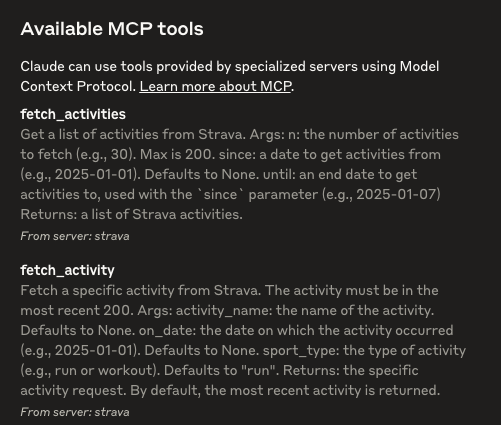
Available MCP tools showing that Strava has been installed

Related MCP server: fitness-mcp-server

ランニング

これでサーバーが追加されたので、Claude はそれを使用できるようになります。

試してみましょう: 「私の最近の活動について教えてください」。
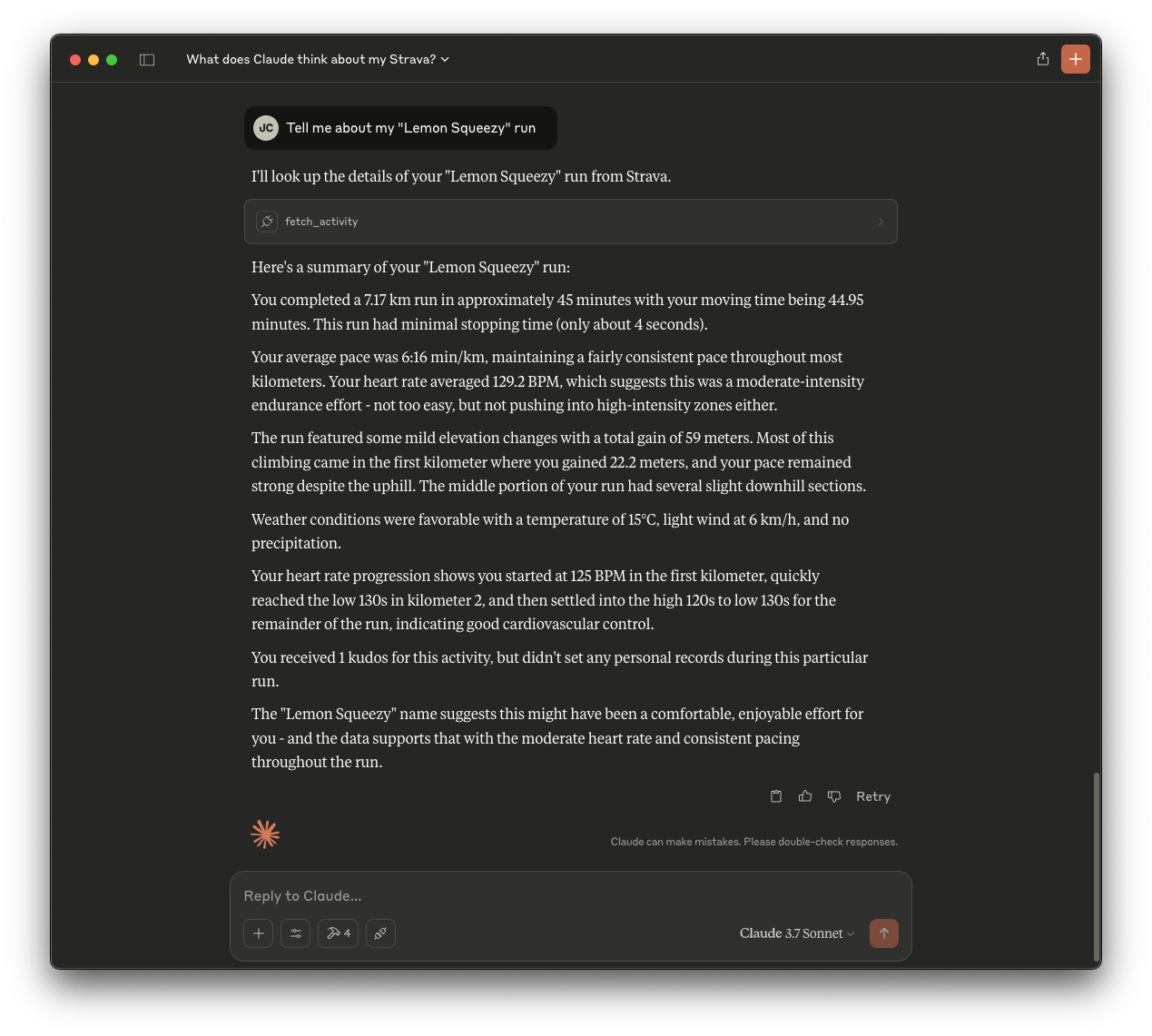
The output of claude when asking about a specific activity

Related MCP Connectors

Related MCP Servers

  • A
    license
    A
    quality
    B
    maintenance
    An MCP server that enables interaction with the Strava API v3 to manage fitness activities, athlete profiles, segments, and routes. It supports retrieving detailed performance metrics, exploring geographic data, and managing club information through natural language.
    56 npm
    ISC
  • F
    license
    Not graded
    quality
    D
    maintenance
    Provides MCP servers for Claude to access fitness data from Strava and intervals.icu, enabling natural language queries for activity analysis, advanced training metrics, and wellness tracking.
    1
    -