

A
licenseNot graded
qualityF
maintenanceA NL2SQL plugin based on FocusSearch keyword parsing, offering greater accuracy, higher speed, and more reliability!
39
Apache 2.0

모델 컨텍스트 프로토콜(MCP) 서버를 통해 인공지능 비서가 데이터 결과를 직접 쿼리할 수 있습니다. 사용자는 DataFocus에서 자연어를 사용하여 데이터 결과를 얻을 수 있습니다.
DataFocus에 등록하여 애플리케이션 공간을 열고 분석할 데이터 테이블을 가져오거나 직접 연결하세요.
Datafocus 데이터 테이블 초기화 대화 상자 선택
자연어 데이터 수집 결과
Related MCP server: MCPDemo - Visual SQL Chat Platform
jdk 23 이상. jdk 다운로드
Gradle 8.12 이상. Gradle을 다운로드하세요.
Datafocus를 등록하여 베어러 토큰을 얻으세요:
Datafocus 에 계정을 등록하세요
신청서를 작성하세요
신청서를 입력하세요
관리자 -> 인터페이스 인증 -> 베어러 토큰 -> 새 베어러 토큰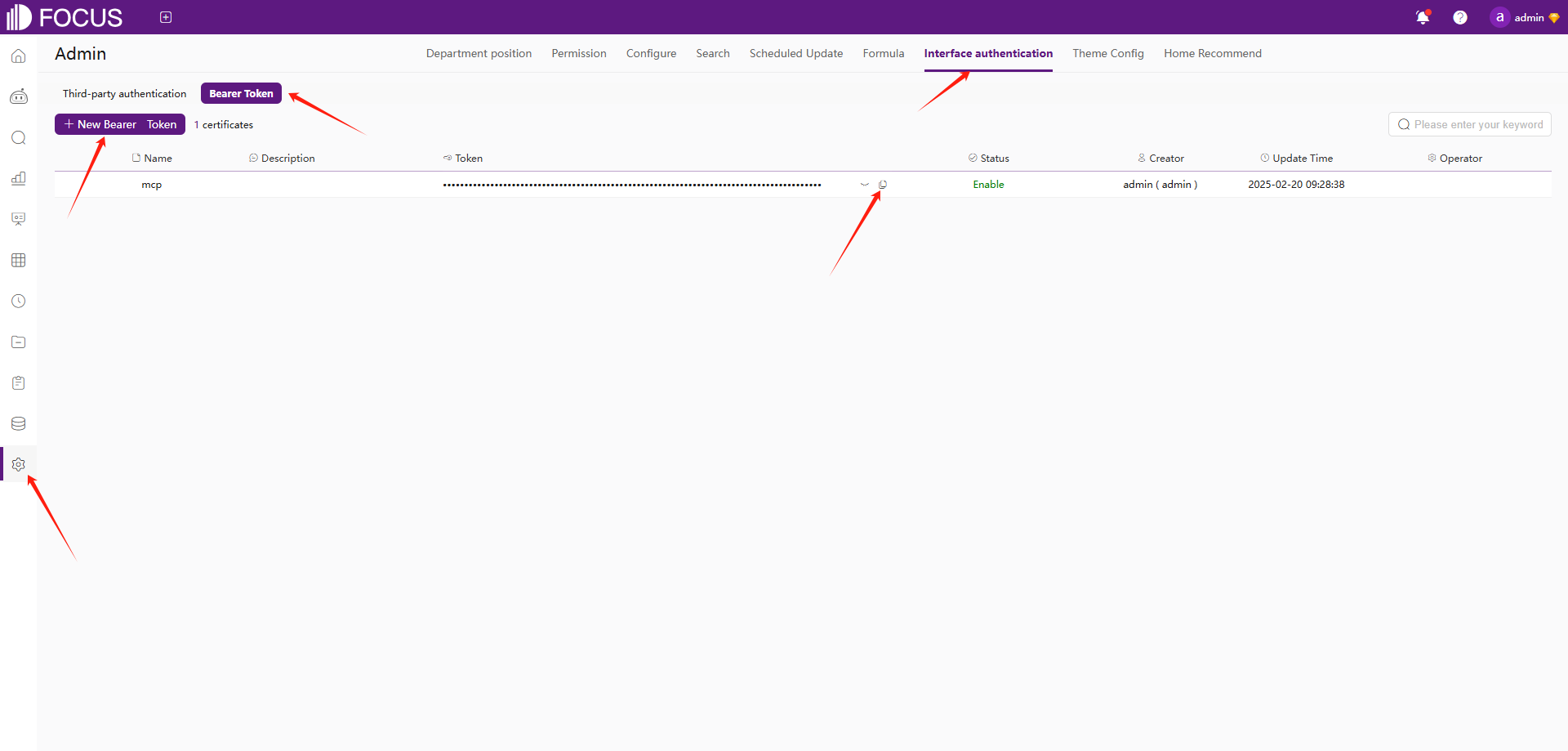
이 저장소를 복제하세요:
지엑스피1
서버를 빌드하세요:
gradle clean
gradle bootJar

The jar path: build/libs/focus_mcp_data.jar
MCP 설정 파일(일반적으로 ~/AppData/Roaming/Code/User/globalStorage/saoudrizwan.claude-dev/settings/cline_mcp_settings.json 에 위치)에 서버를 추가합니다.
{
  "mcpServers": {
    "focus_mcp_data": {
      "command": "java",
      "args": [
        "-jar",
        "path/to/focus_mcp_data/focus_mcp_data.jar"
      ],
      "autoApprove": [
        "tableList",
        "gptText2DataInit",
        "gptText2DataData"
      ]
    }
  }
}datafocus에서 테이블 목록을 가져옵니다.
매개변수:
name (선택 사항): 필터링할 테이블 이름
bearer (필수): bearer 토큰
예:
{
  "name": "test",
  "bearer": "ZTllYzAzZjM2YzA3NDA0ZGE3ZjguNDJhNDjNGU4NzkyYjY1OTY0YzUxYWU5NmU="
}대화를 초기화합니다.
매개변수:
names (필수): 선택된 테이블 이름
bearer (필수): bearer 토큰
language (선택 사항): 언어 ['영어','중국어']
예:
{
  "names": [
    "test1",
    "test2"
  ],
  "bearer": "ZTllYzAzZjM2YzA3NDA0ZGE3ZjguNDJhNDjNGU4NzkyYjY1OTY0YzUxYWU5NmU="
}데이터 결과를 쿼리합니다.
매개변수:
chatId (필수): 채팅 ID
input (필수): 자연어
bearer (필수): bearer 토큰
예:
{
  "chatId": "03975af5de4b4562938a985403f206d4",
  "input": "max(age)",
  "bearer": "ZTllYzAzZjM2YzA3NDA0ZGE3ZjguNDJhNDjNGU4NzkyYjY1OTY0YzUxYWU5NmU="
}모든 도구는 다음 형식으로 응답을 반환합니다.
{
  "errCode": 0,
  "exception": "",
  "msgParams": null,
  "promptMsg": null,
  "success": true,
  "data": {
  }
}vsCode에 cline 플러그인 설치
mcp 서버 구성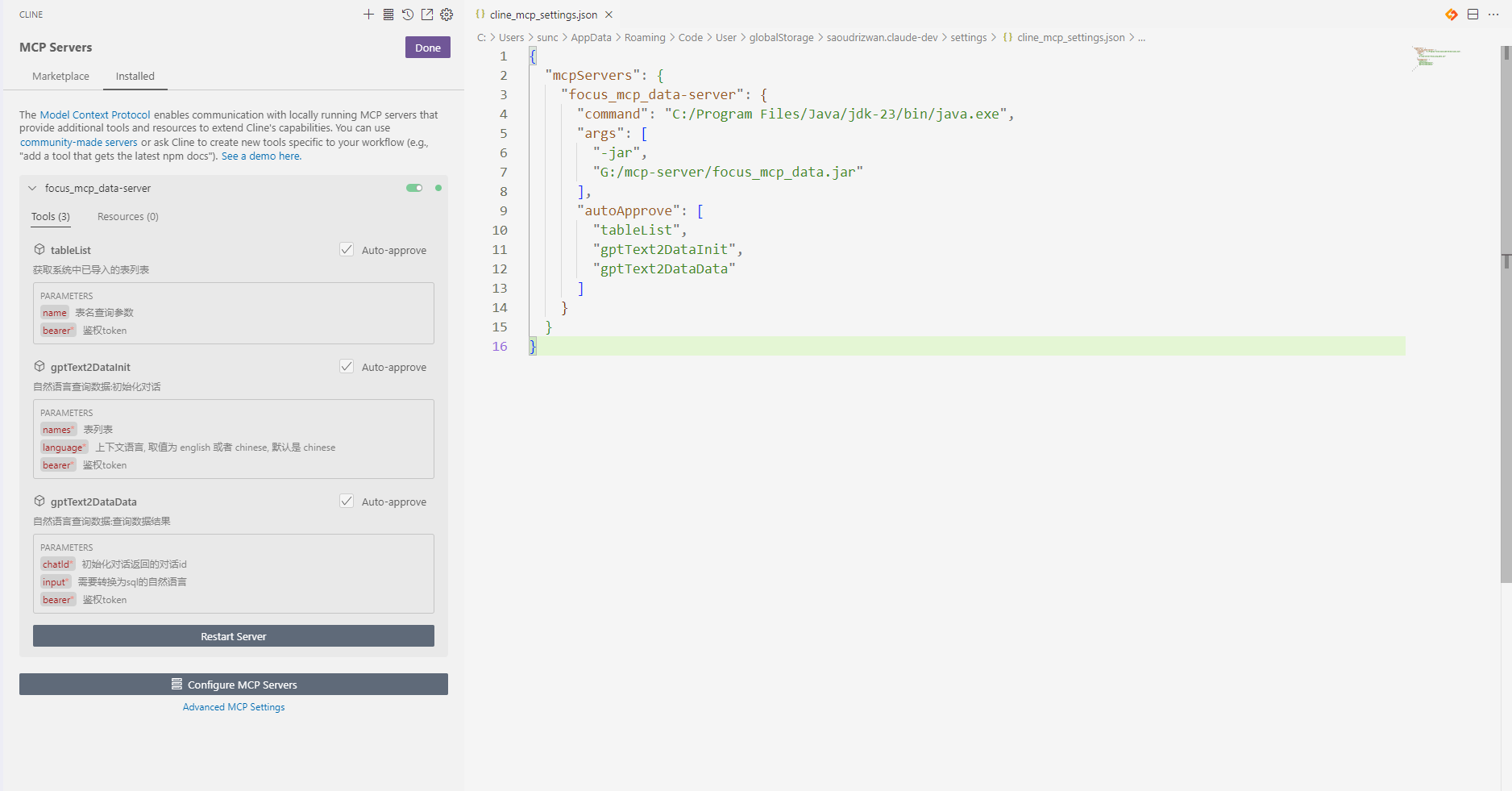
사용
테이블 목록 가져오기 

대화 초기화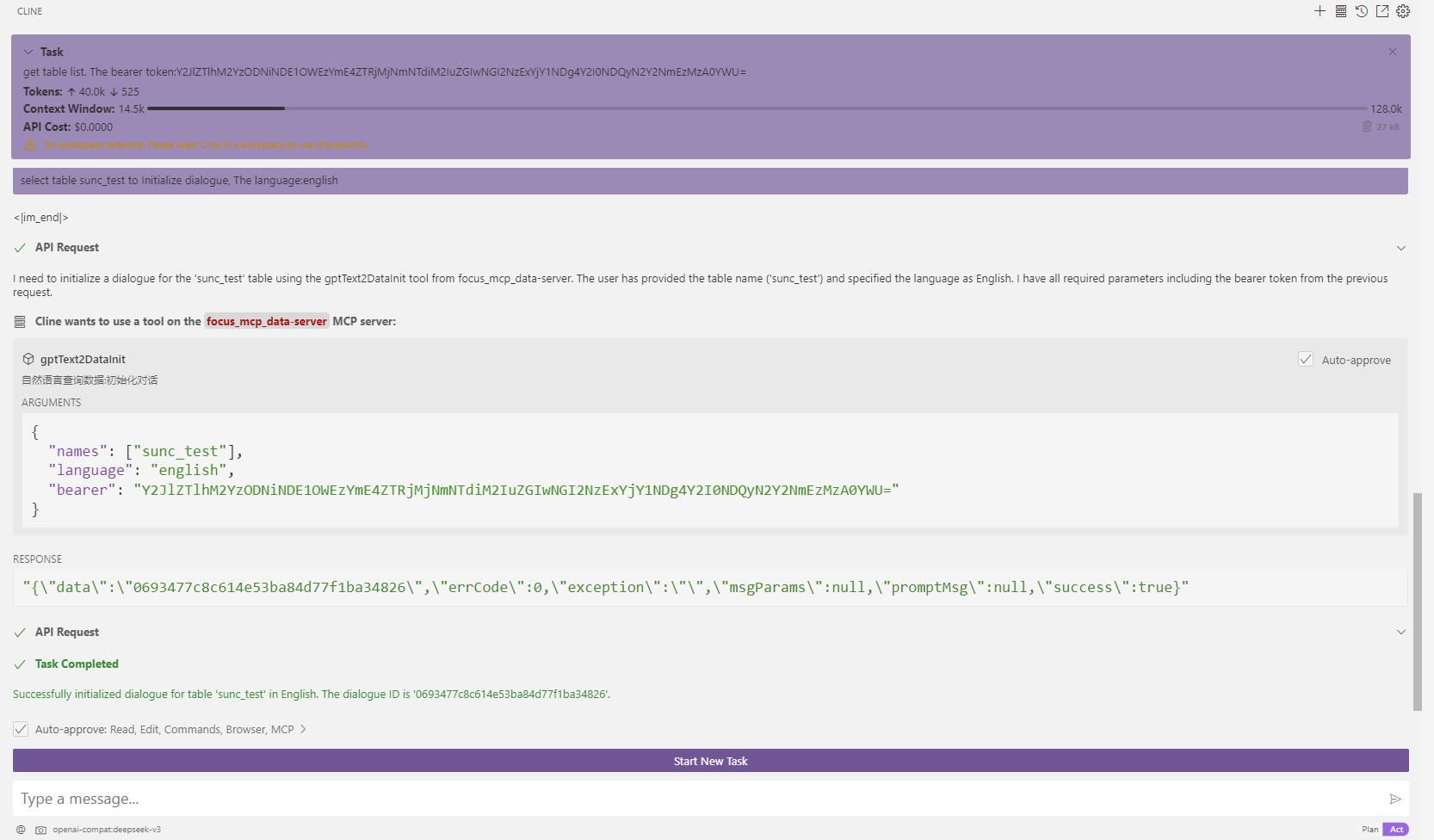
질문: 연봉은 얼마인가요?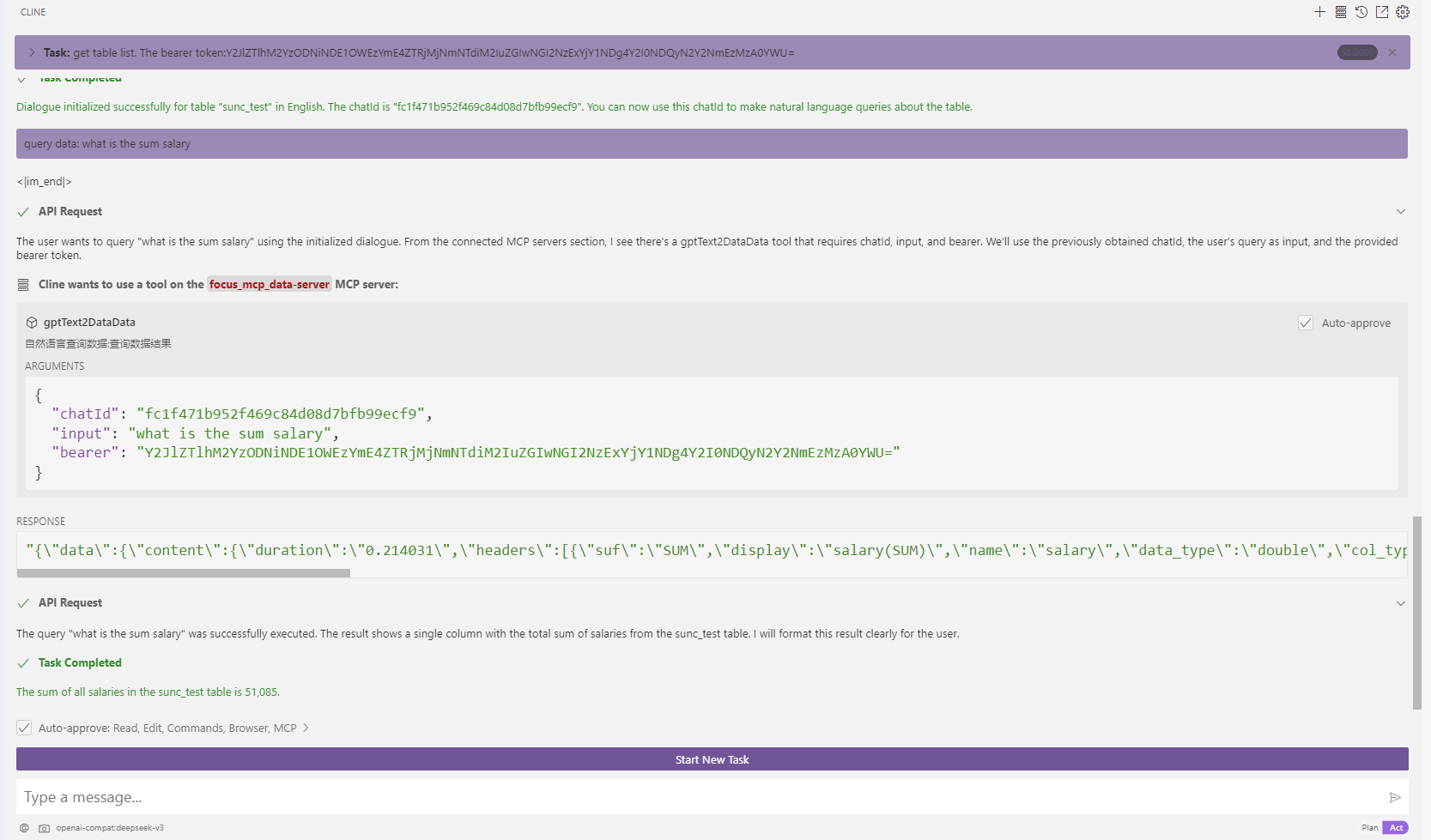
This server cannot be deployed
Ask data questions in natural language. Get SQL, insights, and charts from your databases.
Ask business questions in plain English. Get instant answers from your database, no SQL needed.
Ask questions in plain language, get answers from your business database. No SQL required.
Your Databricks Lakehouse in natural language: run SQL on your SQL warehouses, track long-running qu