
A
licenseA
qualityA
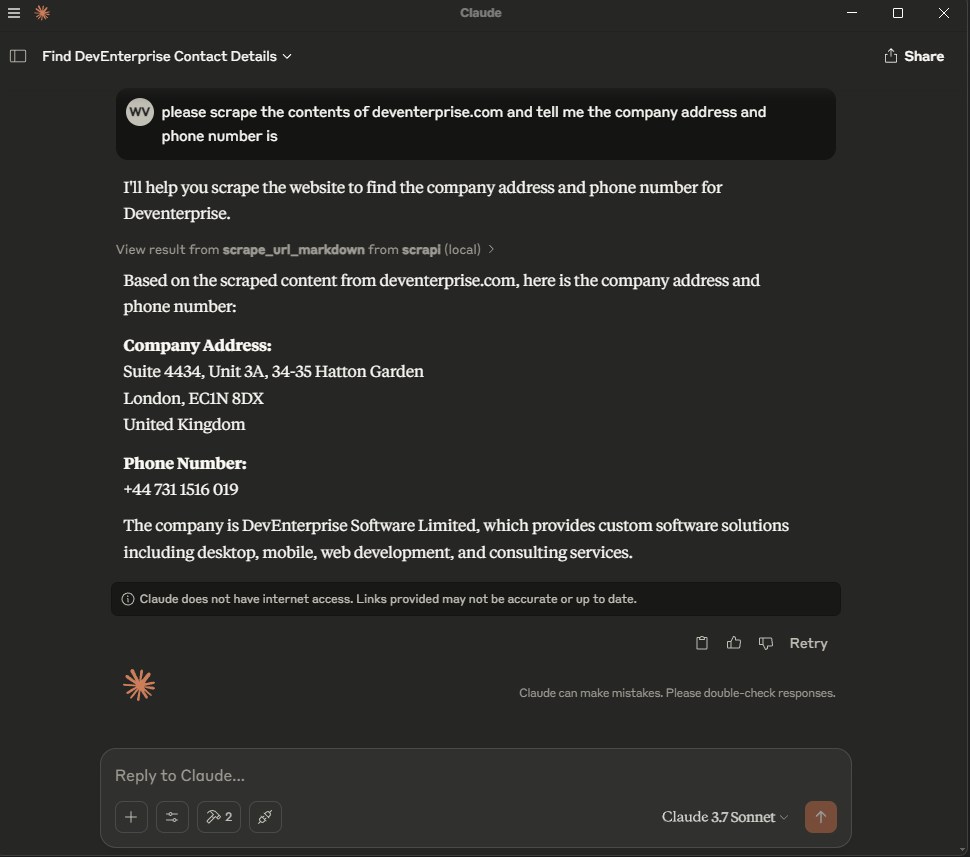
maintenanceThis server enables LLMs to retrieve and process content from web pages, converting HTML to markdown for easier consumption.
2
1
156,058 PyPI
91,120
MIT



ScrAPIを使用して Web ページをスクレイピングするための MCP サーバー。
ScrAPI は、あらゆる Web サイトから簡単にデータを抽出するための強力で信頼性が高く、使いやすい機能を提供する究極の Web スクレイピング ソリューションです。
scrape_url_html
ScrAPIサービスを使用してURLからウェブサイトをスクレイピングし、結果をHTML形式で取得します。ボット検出、キャプチャ、位置情報制限などによりアクセスが困難なウェブサイトのコンテンツをスクレイピングする場合に便利です。結果はHTML形式で取得されるため、高度な解析が必要な場合に最適です。
入力: url (文字列)
戻り値: URLのHTMLコンテンツ
scrape_url_markdown
ScrAPIサービスを使用してURLからウェブサイトをスクレイピングし、結果をMarkdown形式で取得します。ボット検出、キャプチャ、位置情報制限などによりアクセスが困難なウェブサイトコンテンツのスクレイピングに使用できます。結果はMarkdown形式で取得されるため、ウェブページの構造情報ではなくテキストコンテンツが重要な場合に適しています。
入力: url (文字列)
戻り値: URLのMarkdownコンテンツ
Related MCP server: web-scrapper-stdio
オプションで、 ScrAPI Web サイトから API キーを取得します。
API キーがない場合、同時呼び出しは 1 回に制限され、1 日あたり 20 回の無料呼び出しと最小限のキュー機能しか利用できなくなります。
ScrAPI MCP サーバーは、 https://api.scrapi.dev/sseの SSE 経由のクラウドでも利用できます。
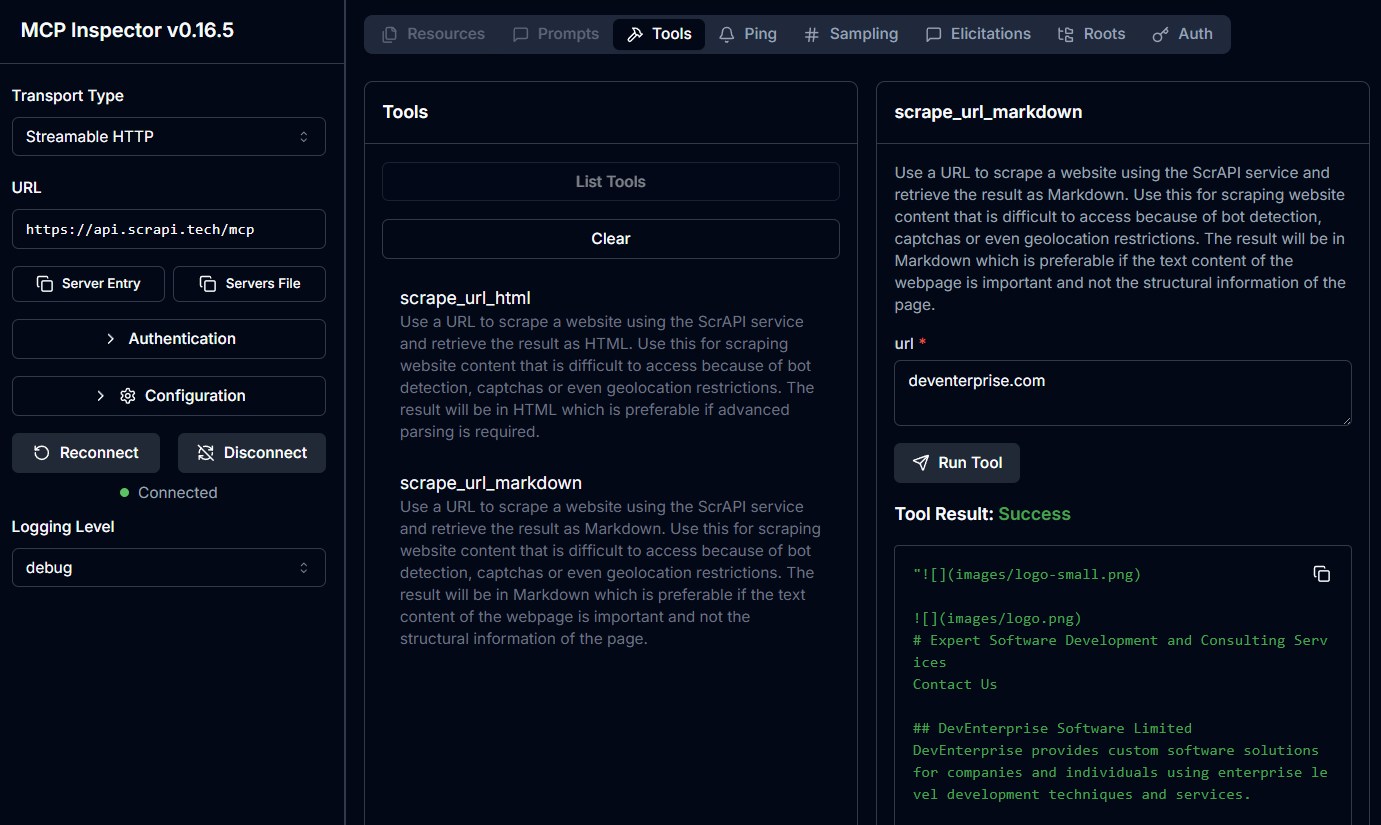
クラウドMCPサーバーはまだ広くサポートされていませんが、独自のカスタムクライアントから直接アクセスしたり、 MCP Inspectorを使用してテストしたりすることができます。現在、クラウドMCPサーバーへの接続時にAPIキーを渡す機能はありません。
claude_desktop_config.jsonに以下を追加します。
{
  "mcpServers": {
    "scrapi": {
      "command": "docker",
      "args": [
        "run",
        "-i",
        "--rm",
        "-e",
        "SCRAPI_API_KEY",
        "deventerprisesoftware/scrapi-mcp"
      ],
      "env": {
        "SCRAPI_API_KEY": "<YOUR_API_KEY>"
      }
    }
  }
}{
"mcpServers": {
"scrapi": {
"command": "npx",
"args": [
"-y",
"@deventerprisesoftware/scrapi-mcp"
],
"env": {
"SCRAPI_API_KEY": "<YOUR_API_KEY>"
}
}
}
}
Dockerビルド:
docker build -t deventerprisesoftware/scrapi-mcp -f Dockerfile .このMCPサーバーはMITライセンスに基づいてライセンスされています。つまり、MITライセンスの条件に従って、ソフトウェアを自由に使用、改変、配布することができます。詳細については、プロジェクトリポジトリのLICENSEファイルをご覧ください。
Use a URL to scrape a website using the ScrAPI service and retrieve the result as HTML. Use this for scraping website content that is difficult to access because of bot detection, captchas or even geolocation restrictions. The result will be in HTML which is preferable if advanced parsing is required.
BROWSER COMMANDS: You can optionally provide browser commands to interact with the page before scraping (e.g., clicking buttons, filling forms, scrolling). Provide commands as a JSON array string. Available commands:
Click: {"click": "#buttonId"} - Click an element using CSS selector
Input: {"input": {"input[name='email']": "value"}} - Fill an input field
Select: {"select": {"select[name='country']": "USA"}} - Select from dropdown
Scroll: {"scroll": 1000} - Scroll down (negative values scroll up)
Wait: {"wait": 5000} - Wait milliseconds (max 15000)
WaitFor: {"waitfor": "#elementId"} - Wait for element to appear
JavaScript: {"javascript": "console.log('test')"} - Execute custom JS Example: [{"click": "#accept-cookies"}, {"wait": 2000}, {"input": {"input[name='search']": "query"}}]
| Name | Required | Description | Default |
|---|---|---|---|
| url | Yes | The URL to scrape | |
| browserCommands | No | Optional JSON array of browser commands to execute before scraping. See tool description for available commands and format. |
Does the description disclose side effects, auth requirements, rate limits, or destructive behavior?
Despite no annotations, the description details the ScrAPI service, browser commands with constraints (e.g., max wait time), and interaction capabilities. Does not mention failure modes or rate limits but covers key behaviors.
Agents need to know what a tool does to the world before calling it. Descriptions should go beyond structured annotations to explain consequences.
Is the description appropriately sized, front-loaded, and free of redundancy?
Well-structured with clear separation of overview and command details. Slightly lengthy due to command examples, but each part adds value and is front-loaded with purpose.
Shorter descriptions cost fewer tokens and are easier for agents to parse. Every sentence should earn its place.
Given the tool's complexity, does the description cover enough for an agent to succeed on first attempt?
Lacks details on output structure (e.g., response format, error handling) and authentication requirements. For a scraping tool without an output schema, more on return values would be beneficial.
Complex tools with many parameters or behaviors need more documentation. Simple tools need less. This dimension scales expectations accordingly.
Does the description clarify parameter syntax, constraints, interactions, or defaults beyond what the schema provides?
Schema coverage is 100%, and the description adds extensive semantics for browserCommands (list of commands, parameters, examples), which goes well beyond the schema's brief description.
Input schemas describe structure but not intent. Descriptions should explain non-obvious parameter relationships and valid value ranges.
Does the description clearly state what the tool does and how it differs from similar tools?
The description clearly states the tool scrapes a URL and retrieves the result as HTML, explicitly distinguishing it from the sibling tool by mentioning 'advanced parsing' for HTML output.
Agents choose between tools based on descriptions. A clear purpose with a specific verb and resource helps agents select the right tool.
Does the description explain when to use this tool, when not to, or what alternatives exist?
Provides explicit use cases (scraping content with bot detection, captchas, geolocation) and implies when to prefer HTML over markdown. Lacks explicit 'when not to use' but sufficient context.
Agents often have multiple tools that could apply. Explicit usage guidance like "use X instead of Y when Z" prevents misuse.
Use a URL to scrape a website using the ScrAPI service and retrieve the result as Markdown. Use this for scraping website content that is difficult to access because of bot detection, captchas or even geolocation restrictions. The result will be in Markdown which is preferable if the text content of the webpage is important and not the structural information of the page.
BROWSER COMMANDS: You can optionally provide browser commands to interact with the page before scraping (e.g., clicking buttons, filling forms, scrolling). Provide commands as a JSON array string. Available commands:
Click: {"click": "#buttonId"} - Click an element using CSS selector
Input: {"input": {"input[name='email']": "value"}} - Fill an input field
Select: {"select": {"select[name='country']": "USA"}} - Select from dropdown
Scroll: {"scroll": 1000} - Scroll down (negative values scroll up)
Wait: {"wait": 5000} - Wait milliseconds (max 15000)
WaitFor: {"waitfor": "#elementId"} - Wait for element to appear
JavaScript: {"javascript": "console.log('test')"} - Execute custom JS Example: [{"click": "#accept-cookies"}, {"wait": 2000}, {"input": {"input[name='search']": "query"}}]
| Name | Required | Description | Default |
|---|---|---|---|
| url | Yes | The URL to scrape | |
| browserCommands | No | Optional JSON array of browser commands to execute before scraping. See tool description for available commands and format. |
Does the description disclose side effects, auth requirements, rate limits, or destructive behavior?
With no annotations, the description carries full burden. It discloses using ScrAPI service, handling bot detection, and details browser command behavior. However, it does not mention failure modes or rate limits, which are relevant for scraping tools.
Agents need to know what a tool does to the world before calling it. Descriptions should go beyond structured annotations to explain consequences.
Is the description appropriately sized, front-loaded, and free of redundancy?
The description is somewhat lengthy due to the browser commands section, but it is clearly structured with a heading and bullet-like list. It could be more concise by trimming redundant phrases.
Shorter descriptions cost fewer tokens and are easier for agents to parse. Every sentence should earn its place.
Given the tool's complexity, does the description cover enough for an agent to succeed on first attempt?
Given no output schema, the description states result is Markdown but lacks specifics on structure. It covers main usage and browser interaction well. For a scraping tool, this is mostly sufficient, though more detail on output format would help.
Complex tools with many parameters or behaviors need more documentation. Simple tools need less. This dimension scales expectations accordingly.
Does the description clarify parameter syntax, constraints, interactions, or defaults beyond what the schema provides?
Schema coverage is 100%, but the description adds significant value by explaining the browserCommands parameter format with a list of available commands and an example, which is not fully captured in the schema description.
Input schemas describe structure but not intent. Descriptions should explain non-obvious parameter relationships and valid value ranges.
Does the description clearly state what the tool does and how it differs from similar tools?
The description clearly states it scrapes a URL using ScrAPI and returns Markdown. It distinguishes from sibling tool 'scrape_url_html' by specifying Markdown output and use cases like bot detection, captchas, and geolocation restrictions.
Agents choose between tools based on descriptions. A clear purpose with a specific verb and resource helps agents select the right tool.
Does the description explain when to use this tool, when not to, or what alternatives exist?
The description advises when to use: when text content is important and not structural information. It implies when not to use (if structural info is needed, use HTML version) but does not explicitly state alternatives. The context includes a sibling tool, which helps.
Agents often have multiple tools that could apply. Explicit usage guidance like "use X instead of Y when Z" prevents misuse.
Recent tool additions, removals, and schema changes observed during successful MCP inspections.
v0.4.0scrape_url_html2 fields changedInput schema / additionalPropertiesRemoved value: -falseInput schema / properties / browserCommandsAdded value: +{
+ "description": "Optional JSON array of browser commands to execute before scraping. See tool description for available commands and format.",
+ "type": "string"
+}scrape_url_markdown2 fields changedInput schema / additionalPropertiesRemoved value: -falseInput schema / properties / browserCommandsAdded value: +{
+ "description": "Optional JSON array of browser commands to execute before scraping. See tool description for available commands and format.",
+ "type": "string"
+}v1.0.0scrape_url_html1 field changedInput schema / properties / url / descriptionAdded value: +"The URL to scrape"scrape_url_markdown1 field changedInput schema / properties / url / descriptionAdded value: +"The URL to scrape"scrape_url_htmlscrape_url_markdownScored across 2 tools
The two tools are clearly distinguished by their output format (HTML vs Markdown), leaving no ambiguity about which to use based on desired result type.
Both tools follow a consistent 'scrape_url_{format}' pattern with identical prefix and clear format suffix, making naming predictable.
With exactly 2 tools covering the two primary output formats (HTML and Markdown), the count is minimal but complete for the server's core purpose.
The tools cover the essential use cases of scraping with browser interaction and returning structured output. Minor gaps like raw text or JSON output exist but are not critical.
Web scraping for AI agents. Converts URLs to clean, LLM-ready Markdown with anti-bot bypass.
Cloud scraping & crawling API for AI agents. Turn any URL into clean, LLM-ready markdown.
Scrape to markdown, map and crawl sites, drive a real browser. Pay per call, no API key, no signup.
Fetch, crawl, and browse protected pages with anti-bot handling - renders in a real browser and