
A
licenseA
qualityB
maintenanceThis server enables LLMs to retrieve and process content from web pages, converting HTML to markdown for easier consumption.
2
1
244,685 PyPI
92,139
MIT



Servidor MCP para utilizar ScrAPI para raspar páginas web.
ScrAPI es su solución definitiva de raspado web, que ofrece funciones potentes, confiables y fáciles de usar para extraer datos de cualquier sitio web sin esfuerzo.
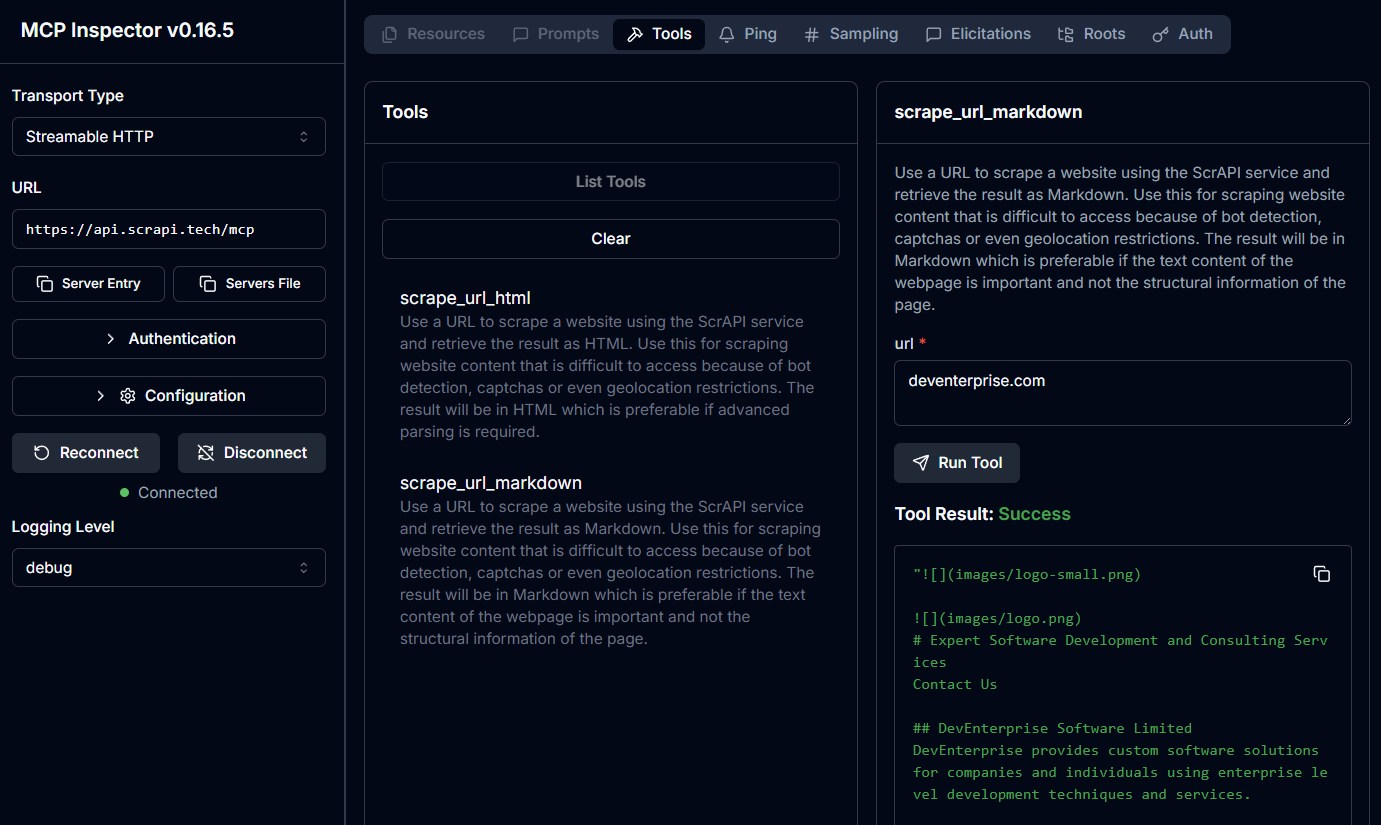
scrape_url_html
Use una URL para extraer datos de un sitio web mediante el servicio ScrAPI y obtener el resultado en HTML. Úselo para extraer contenido de sitios web de difícil acceso debido a la detección de bots, captchas o incluso restricciones de geolocalización. El resultado estará en HTML, lo cual es preferible si se requiere un análisis avanzado.
Entrada: url (cadena)
Devuelve: contenido HTML de la URL
scrape_url_markdown
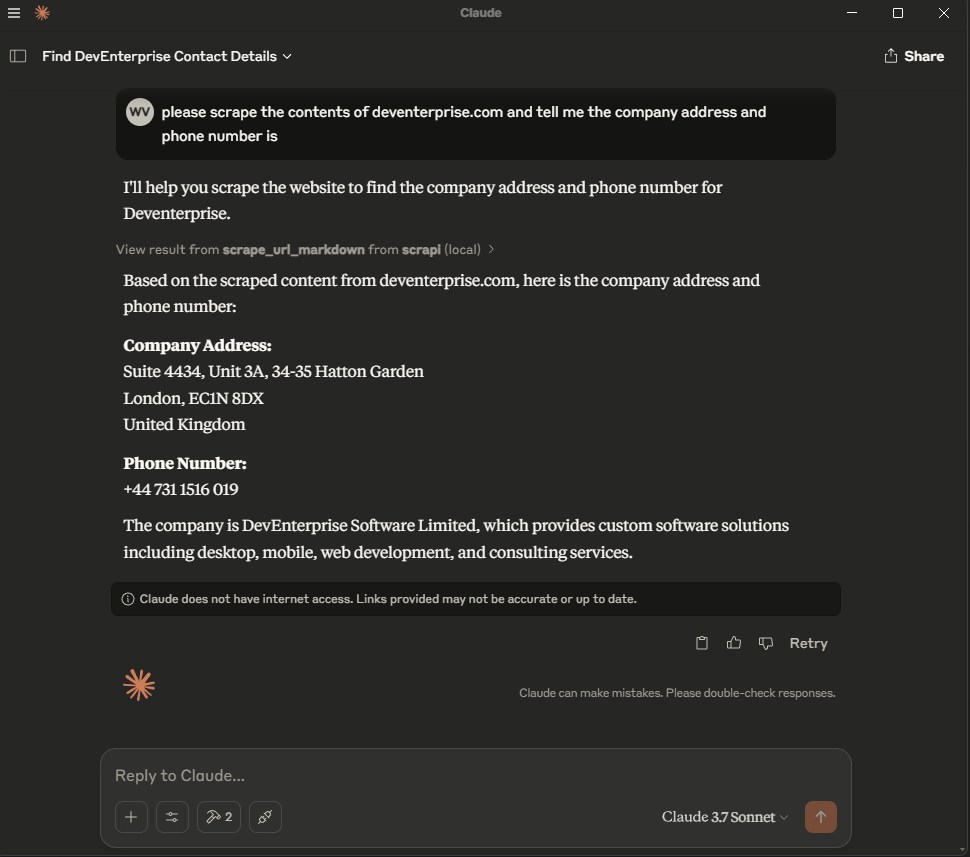
Use una URL para extraer datos de un sitio web mediante el servicio ScrAPI y obtenga el resultado en Markdown. Úselo para extraer contenido de sitios web de difícil acceso debido a la detección de bots, captchas o incluso restricciones de geolocalización. El resultado estará en Markdown, lo cual es preferible si el contenido textual de la página web es importante y no su información estructural.
Entrada: url (cadena)
Devuelve: contenido Markdown de la URL
Related MCP server: web-scrapper-stdio
Opcionalmente, obtenga una clave API del sitio web de ScrAPI .
Sin una clave API, estará limitado a una llamada simultánea y veinte llamadas gratuitas por día con capacidades de cola mínimas.
El servidor MCP de ScrAPI también está disponible en la nube a través de SSE en https://api.scrapi.dev/sse
Los servidores MCP en la nube aún no son compatibles, pero puedes acceder a ellos directamente desde tus clientes personalizados o usar MCP Inspector para probarlos. Actualmente no es posible transferir tu clave API al conectarte al servidor MCP en la nube.
Agregue lo siguiente a su claude_desktop_config.json :
{
  "mcpServers": {
    "scrapi": {
      "command": "docker",
      "args": [
        "run",
        "-i",
        "--rm",
        "-e",
        "SCRAPI_API_KEY",
        "deventerprisesoftware/scrapi-mcp"
      ],
      "env": {
        "SCRAPI_API_KEY": "<YOUR_API_KEY>"
      }
    }
  }
}{
"mcpServers": {
"scrapi": {
"command": "npx",
"args": [
"-y",
"@deventerprisesoftware/scrapi-mcp"
],
"env": {
"SCRAPI_API_KEY": "<YOUR_API_KEY>"
}
}
}
}
Compilación de Docker:
docker build -t deventerprisesoftware/scrapi-mcp -f Dockerfile .Este servidor MCP cuenta con la licencia MIT. Esto significa que puede usar, modificar y distribuir el software libremente, sujeto a los términos y condiciones de la licencia MIT. Para más detalles, consulte el archivo de LICENCIA en el repositorio del proyecto.
Use a URL to scrape a website using the ScrAPI service and retrieve the result as HTML. Use this for scraping website content that is difficult to access because of bot detection, captchas or even geolocation restrictions. The result will be in HTML which is preferable if advanced parsing is required.
BROWSER COMMANDS: You can optionally provide browser commands to interact with the page before scraping (e.g., clicking buttons, filling forms, scrolling). Provide commands as a JSON array string. Available commands:
Click: {"click": "#buttonId"} - Click an element using CSS selector
Input: {"input": {"input[name='email']": "value"}} - Fill an input field
Select: {"select": {"select[name='country']": "USA"}} - Select from dropdown
Scroll: {"scroll": 1000} - Scroll down (negative values scroll up)
Wait: {"wait": 5000} - Wait milliseconds (max 15000)
WaitFor: {"waitfor": "#elementId"} - Wait for element to appear
JavaScript: {"javascript": "console.log('test')"} - Execute custom JS Example: [{"click": "#accept-cookies"}, {"wait": 2000}, {"input": {"input[name='search']": "query"}}]
Inputs: url (required), browserCommands.
Use a URL to scrape a website using the ScrAPI service and retrieve the result as Markdown. Use this for scraping website content that is difficult to access because of bot detection, captchas or even geolocation restrictions. The result will be in Markdown which is preferable if the text content of the webpage is important and not the structural information of the page.
BROWSER COMMANDS: You can optionally provide browser commands to interact with the page before scraping (e.g., clicking buttons, filling forms, scrolling). Provide commands as a JSON array string. Available commands:
Click: {"click": "#buttonId"} - Click an element using CSS selector
Input: {"input": {"input[name='email']": "value"}} - Fill an input field
Select: {"select": {"select[name='country']": "USA"}} - Select from dropdown
Scroll: {"scroll": 1000} - Scroll down (negative values scroll up)
Wait: {"wait": 5000} - Wait milliseconds (max 15000)
WaitFor: {"waitfor": "#elementId"} - Wait for element to appear
JavaScript: {"javascript": "console.log('test')"} - Execute custom JS Example: [{"click": "#accept-cookies"}, {"wait": 2000}, {"input": {"input[name='search']": "query"}}]
Inputs: url (required), browserCommands.
Recent tool additions, removals, and schema changes observed during successful MCP inspections.
Loading tool schema changelog…
Scored across 2 tools
The two tools are clearly distinguished by their output format (HTML vs Markdown), leaving no ambiguity about which to use based on desired result type.
Both tools follow a consistent 'scrape_url_{format}' pattern with identical prefix and clear format suffix, making naming predictable.
With exactly 2 tools covering the two primary output formats (HTML and Markdown), the count is minimal but complete for the server's core purpose.
The tools cover the essential use cases of scraping with browser interaction and returning structured output. Minor gaps like raw text or JSON output exist but are not critical.
Web scraping MCP server — scrape, extract structured data, screenshot any site with anti-bot bypass.
Web scraping for AI agents. Converts URLs to clean, LLM-ready Markdown with anti-bot bypass.
Web scraping MCP server: any URL to Markdown or JSON, with JavaScript rendering and batch jobs.
Markdown scrape, site map, page metadata, screenshots, web search and PDF to text. Pay per call