
The Intelligence Radar MCP server
Official
# The Intelligence Radar MCP server
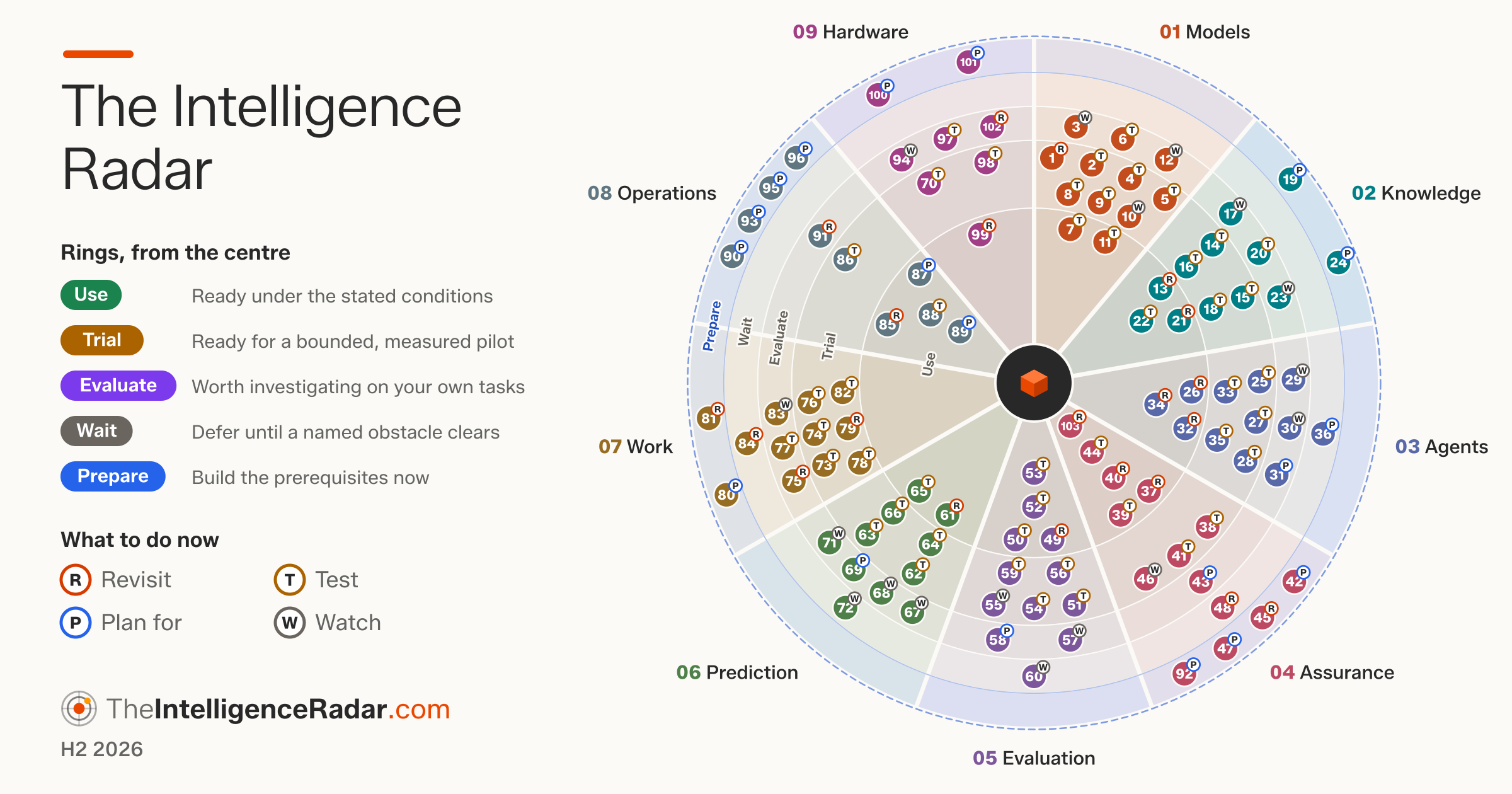
[The Intelligence Radar](https://theintelligenceradar.com/) is a community-driven radar for technical leaders. This server puts the current edition in your AI assistant: 103 entries in nine dimensions, each with an intelligence label (Use, Trial, Evaluate, Wait, Prepare) and an enterprise label (Revisit, Test, Plan for, Watch). It runs on your computer and needs no network to read the Radar.
## Install
```bash
claude mcp add intelligence-radar -- npx -y @brightbeamai/intelligence-radar-mcp
```
Any other AI tool: command `npx`, arguments `["-y", "@brightbeamai/intelligence-radar-mcp"]` (Node.js 20 or later). Claude Desktop: open [the-intelligence-radar.mcpb](https://theintelligenceradar.com/downloads/the-intelligence-radar.mcpb). Setup for every tool: [theintelligenceradar.com/ai-tools.html](https://theintelligenceradar.com/ai-tools.html).
## Ask it
- "Which agent practices can we use now?"
- "Check this roadmap against The Intelligence Radar."
- "Show me the Assurance dimension on the radar."
- "How does The Intelligence Radar read for financial services?"
Tools: `search_radar`, `get_entry`, `check_plan`, `get_dimension`, `get_sector`, `show_radar` (the interactive radar, in hosts that support MCP Apps) and more.
## Contribute
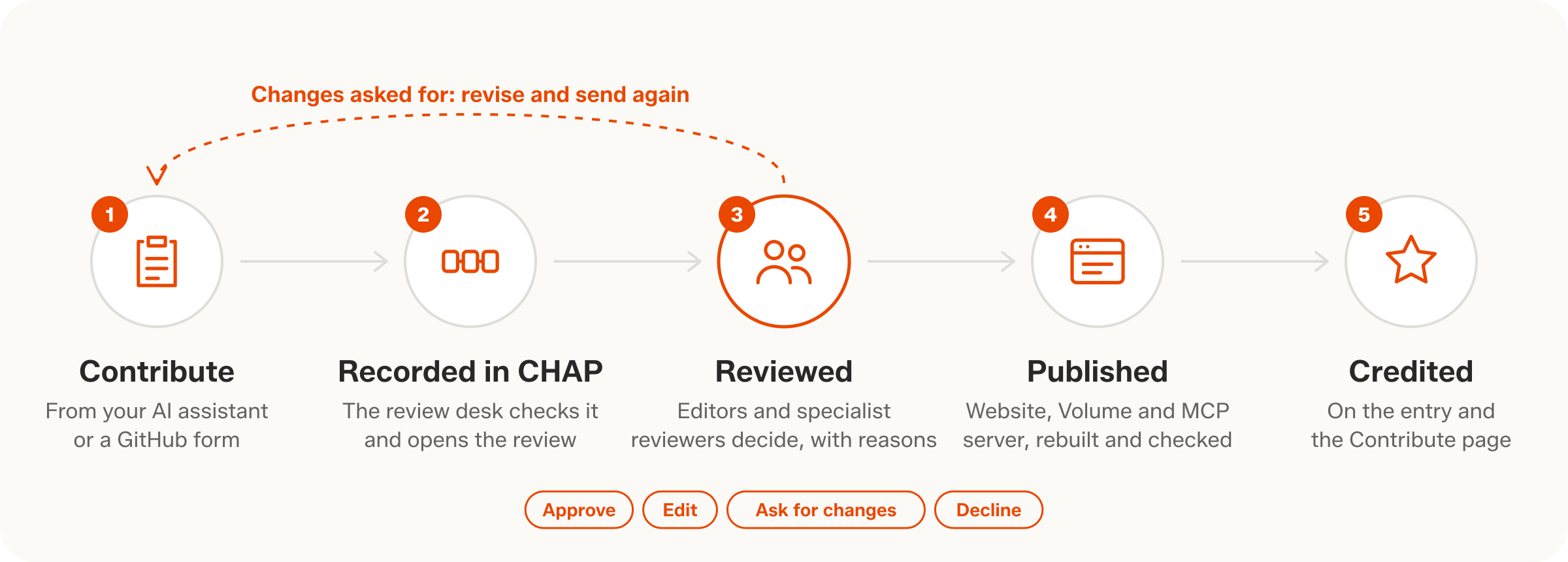
People on the [list of people](https://github.com/BrightbeamAI/Intelligence-Radar-Contributions/blob/main/PEOPLE.md) can send reviews, corrections, evidence, label changes and new entries from the conversation: ask the assistant to sign in with GitHub, then to prepare and submit. Each contribution becomes an issue in [Intelligence-Radar-Contributions](https://github.com/BrightbeamAI/Intelligence-Radar-Contributions), where the editors and specialist reviewers decide. Not on the list yet? Ask the assistant to apply.
## Licence
Code: MIT. The Intelligence Radar's text and images: [CC BY 4.0](https://creativecommons.org/licenses/by/4.0/), credit The Intelligence Radar, Brightbeam.
TDQS
Scored across 18 tools
Most tools target a clearly distinct resource plus action: read-side (search_radar, get_entry, get_dimension, list_dimensions, list_judgements, get_sources, get_sector, check_plan) and contribution-side (prepare/submit/revise/withdraw/my_contributions) are cleanly separated, and prepare vs submit is explicitly spelled out. The main soft spots are search_radar vs show_radar (both can surface a filtered set of entries) and about_radar vs how_to_contribute, which an agent could plausibly mix up on a first call.
Names are uniformly snake_case and overwhelmingly follow verb_noun (submit_contribution, get_entry, list_dimensions, check_plan, sign_in_with_github). A few break the verb pattern (my_contributions, about_radar, how_to_contribute), but they are readable and internally sensible rather than chaotic.
18 tools is on the heavy side, but the server genuinely spans three surfaces: content discovery/reading, plan and radar analysis, and a full contribution lifecycle plus GitHub auth. Nearly every tool earns its place, though the read side (search/get/list/show/dimension/sector/sources) is dense enough that some consolidation could be considered.
The read surface is thorough (search, entry, dimension, judgements, sources, sector, plan check, interactive view) and the contribution lifecycle covers prepare, submit, revise, withdraw, status, sign-in/out and applying as a contributor. Minor gaps: how_to_contribute references reviewing contributions, yet no reviewer-facing tool exists in the set, and there is no direct 'browse by label' entry point beyond search filters.