


A
licenseNot graded
qualityD
maintenanceFacilitates access and management of Langfuse prompts through the Model Context Protocol, enabling prompt discovery, retrieval, and integration within clients like Claude Desktop and Cursor.
173
MIT

MLflow Prompt Registry的模型上下文协议 (MCP) 服务器,支持访问 MLflow 中管理的提示模板。
此服务器实现了MCP Prompts 规范,用于发现和使用来自 MLflow Prompt Registry 的提示模板。其主要用例是在 Claude Desktop 中加载来自 MLflow 的提示模板,以便用户方便地指导 Claude 执行重复性任务或常见工作流程。
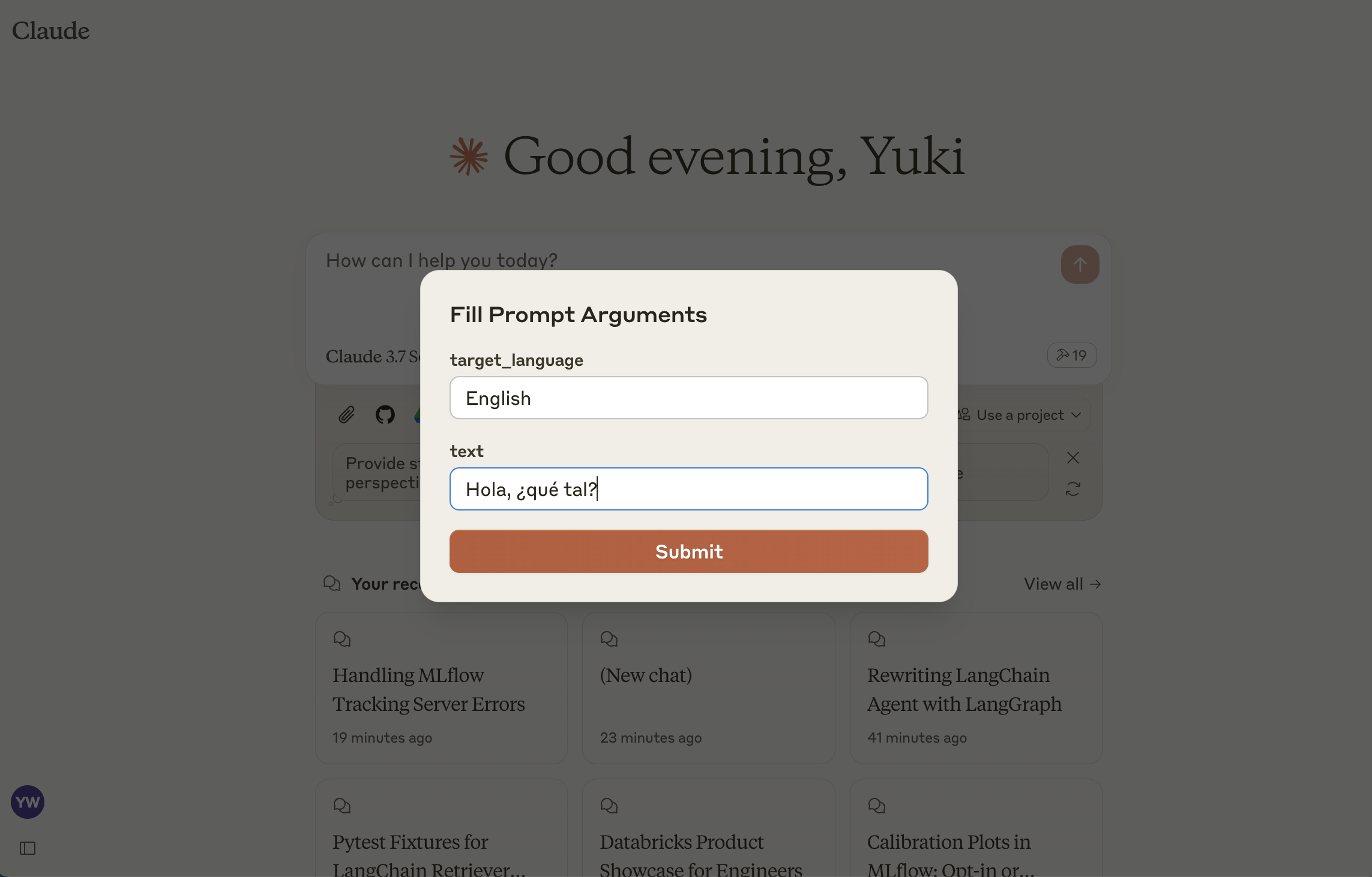
list-prompts
列出可用的提示
输入:
cursor (可选字符串):分页光标
filter (可选字符串):过滤提示
返回:提示对象列表
get-prompt
检索并编译特定提示
输入:
name (字符串):要检索的提示的名称
arguments (可选对象):带有提示变量的 JSON 对象
返回:编译后的提示对象
Related MCP server: PromStack MCP Server
如果您尚未托管 Prompt Registry,请安装并启动 MLflow 服务器:
pip install mlflow>=2.21.1
mlflow server --port 5000如果您还没有,请按照本指南在 MLflow 中创建提示模板。
npm install
npm run build通过编辑claude_desktop_config.json配置 Claude for Desktop:
{
  "mcpServers": {
    "mlflow": {
      "command": "node",
      "args": ["<absolute-path-to-this-repository>/dist/index.js"],
      "env": {
        "MLFLOW_TRACKING_URI": "http://localhost:5000"
      }
    }
  }
}确保将MLFLOW_TRACKING_URI替换为您的实际 MLflow 服务器地址。
This server cannot be deployed
Connect Claude to your Platform7n workspaces — chat, links, and tasks. One-click OAuth.
Your prompt library inside your AI: 1,000+ pro templates, frameworks, vocab & pipelines.
Manage, version, and publish LLM prompts with blocks, variables, and evaluations.
Manage your IoT device fleet directly from Claude. Create device templates with datastreams and events, provision new devices, read live sensor data, and control outputs. The Blynk connector integrates with the Blynk IoT platform, enabling direct configuration and monitoring of connected devices and infrastructure.