


A
licenseNot graded
qualityD
maintenanceFacilitates access and management of Langfuse prompts through the Model Context Protocol, enabling prompt discovery, retrieval, and integration within clients like Claude Desktop and Cursor.
173
MIT

MLflow プロンプト レジストリ用のモデル コンテキスト プロトコル (MCP) サーバー。MLflow で管理されるプロンプト テンプレートへのアクセスを可能にします。
このサーバーは、MLflowプロンプトレジストリからプロンプトテンプレートを検出して使用するためのMCPプロンプト仕様を実装しています。主なユースケースは、Claude DesktopでMLflowからプロンプトテンプレートを読み込み、ユーザーが繰り返しのタスクや一般的なワークフローをClaudeに簡単に指示できるようにすることです。
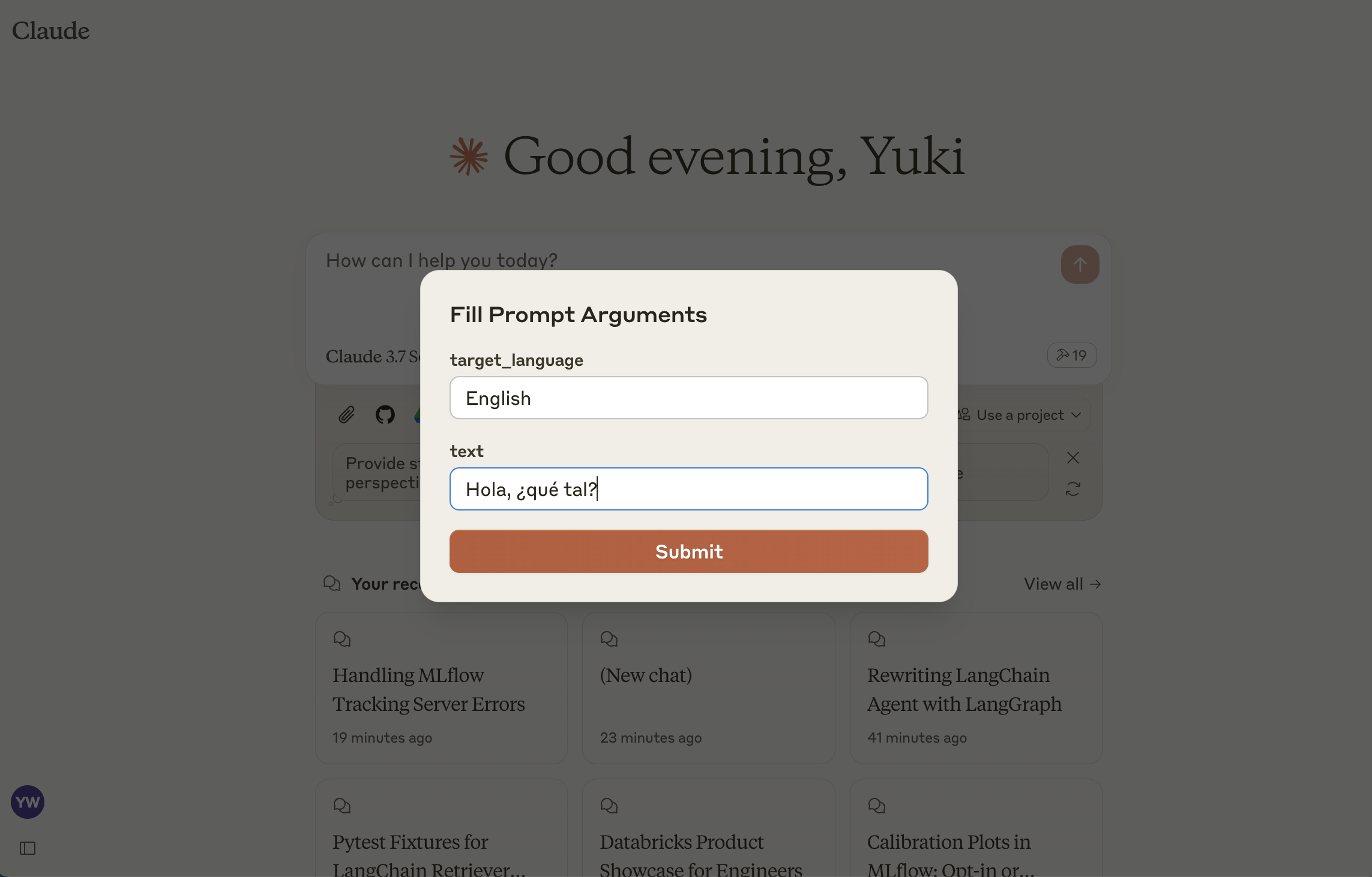
list-prompts
利用可能なプロンプトを一覧表示する
入力:
cursor (オプションの文字列):ページ区切りのカーソル
filter (オプションの文字列):プロンプトのフィルター
戻り値: プロンプトオブジェクトのリスト
get-prompt
特定のプロンプトを取得してコンパイルする
入力:
name (文字列): 取得するプロンプトの名前
arguments (オプションオブジェクト):プロンプト変数を含むJSONオブジェクト
戻り値: コンパイルされたプロンプトオブジェクト
Related MCP server: PromStack MCP Server
プロンプト レジストリをホストするためにまだ MLflow サーバーをインストールして起動していない場合は、インストールして起動します。
pip install mlflow>=2.21.1
mlflow server --port 5000まだ作成していない場合は、このガイドに従って MLflow でプロンプト テンプレートを作成してください。
npm install
npm run buildclaude_desktop_config.jsonを編集して、Claude for Desktop を構成します。
{
  "mcpServers": {
    "mlflow": {
      "command": "node",
      "args": ["<absolute-path-to-this-repository>/dist/index.js"],
      "env": {
        "MLFLOW_TRACKING_URI": "http://localhost:5000"
      }
    }
  }
}MLFLOW_TRACKING_URI実際の MLflow サーバー アドレスに置き換えてください。
This server cannot be deployed
Connect Claude to your Platform7n workspaces — chat, links, and tasks. One-click OAuth.
Your prompt library inside your AI: 1,000+ pro templates, frameworks, vocab & pipelines.
Manage, version, and publish LLM prompts with blocks, variables, and evaluations.
Manage your IoT device fleet directly from Claude. Create device templates with datastreams and events, provision new devices, read live sensor data, and control outputs. The Blynk connector integrates with the Blynk IoT platform, enabling direct configuration and monitoring of connected devices and infrastructure.