
Provides UI testing and automation capabilities for Android applications, allowing for interaction with app elements, view hierarchy analysis, and source mapping to identify rendered code.
Mentioned as a planned future platform for mobile automation, though not currently supported.
The AutoMobile tool is published on npm, allowing users to install and use the mobile automation toolset.
Click on "Install Server".
Wait a few minutes for the server to deploy. Once ready, it will show a "Started" state.
In the chat, type
@followed by the MCP server name and your instructions, e.g., "@AutoMobiletake a screenshot of the current screen and save it as test_failure.png"
That's it! The server will respond to your query, and you can continue using it as needed.
Here is a step-by-step guide with screenshots.
AutoMobile

AutoMobile is a set of tools for mobile automation. You can use it for UI testing or as a development workflow assistant.
The first platform supported is Android with plans to extend to iOS.
How it works
π§ Powerful MCP Server: AutoMobile provides comprehensive actions through MCP tool calls with a fast observations to drive the interaction loop.
πΊοΈ Source Mapping: Combining project path config with deep view hierarchy analysis we know exactly what code is being rendered.
βοΈ Automated Test Authoring: When used in test authoring mode AutoMobile will write tests for you. It is the only way it writes tests.
π§ͺ Test Execution - Run tests locally or on CI without extra infrastructure.
π± Device Management: Multi-device support with emulator control and app lifecycle management.
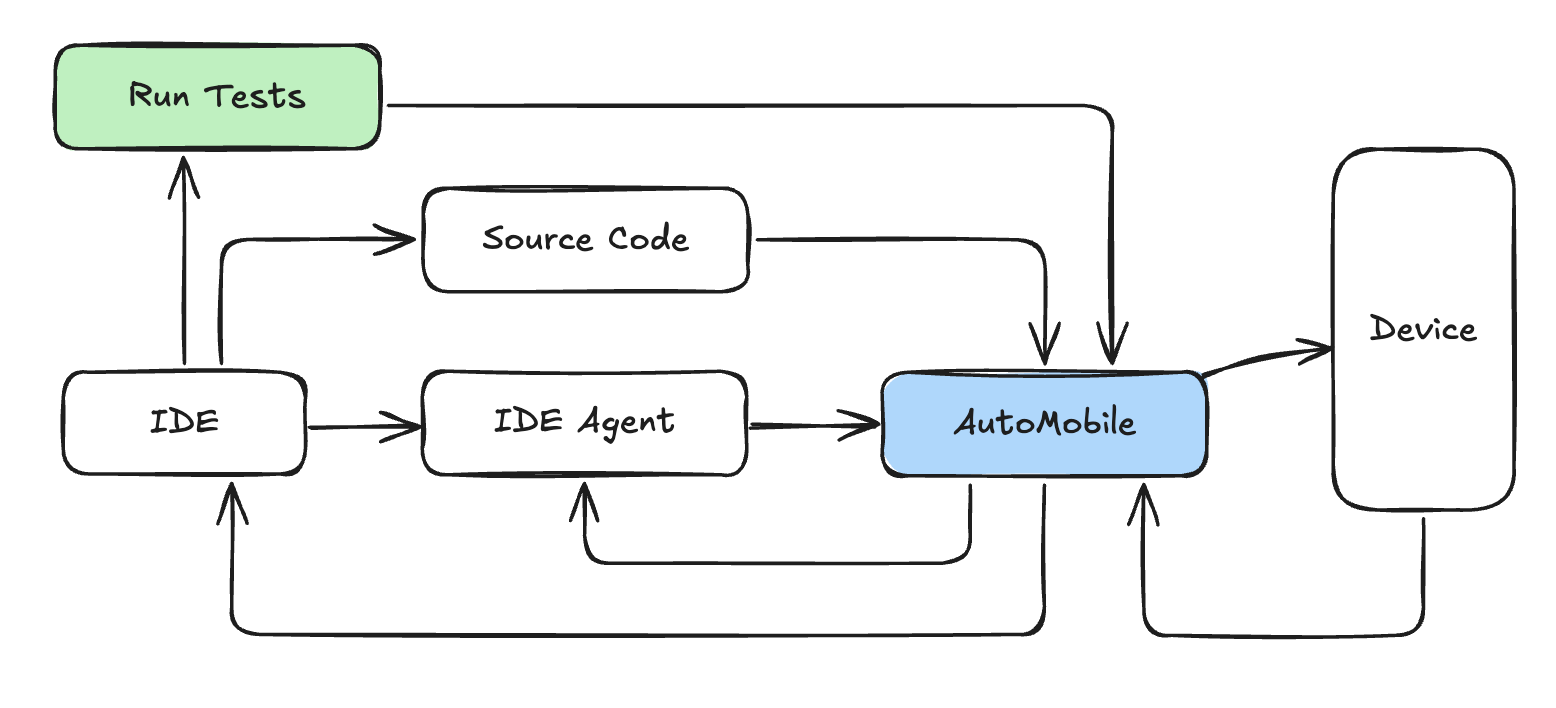
All together you get a system that looks like this:

Related MCP server: UIAutomator2 MCP Server
Documentation
π» Installation & Getting Started - AutoMobile is published on npm and we have instructions for agents we've tested with.
π Change Log - coming soon
Contributing
Contributing - coming soon
Acknowledgement
By continuing to use AutoMobile, you acknowledge and agree to the warnings and responsible use requirements.