
Provides AI-assisted topology analysis and improvement suggestions for Blender, including automatic n-gon detection and highlighting, real-time feedback on mesh quality, and integration with AI assistants for 3D modeling guidance.
Click on "Install Server".
Wait a few minutes for the server to deploy. Once ready, it will show a "Started" state.
In the chat, type
@followed by the MCP server name and your instructions, e.g., "@Blender MCP Senpaicheck this model for n-gons and suggest improvements"
That's it! The server will respond to your query, and you can continue using it as needed.
Here is a step-by-step guide with screenshots.
✨ TL;DR
Instantly detects and highlights n-gons and topology issues
ChatGPT / Claude / Gemini offer real-time improvement suggestions
Zero-setup: just install the add-on — no external MCP server required
🚀 Features
Feature | Status | |
✅ | Auto n-gon Highlight – instantly spot topology issues | Implemented |
✅ | AI Comments – ChatGPT / Claude / Gemini suggest improvements | Implemented |
✅ | Zero Configuration – works out-of-the-box, no external MCP client | Implemented |
🚧 | Asset Store Integration | Planned |
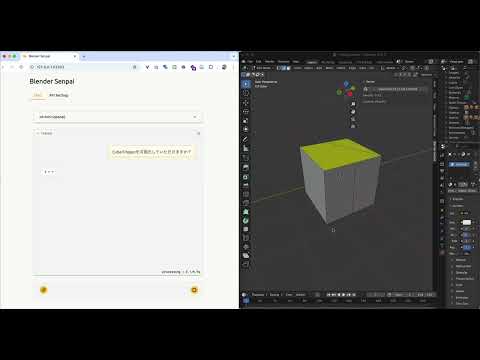
📺 Demo
🛠️ Quick Start
To Blender
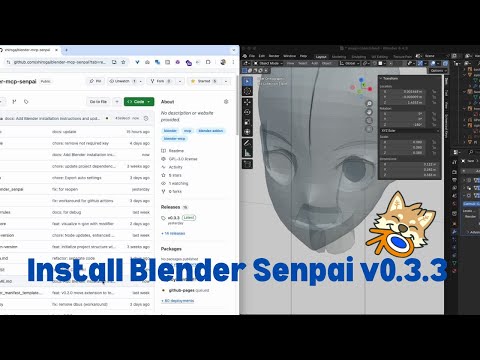
Open Blender
Go to
Edit>Preferences>Get Extensions>Repositories>+>Add Remote RepositoryAdd
https://xhiroga.github.io/blender-mcp-senpai/extensions/index.jsonSearch
Blender Senpaiand install itAdd-ons>Blender Senpai> Enable it
To Claude, Cline, Roo Code
NOTE: After configuration, you need to restart the app. Especially on Windows, please terminate the process from Task Manager.
{
    "mcpServers": {
        "blender-senpai": {
            "command": "npx",
            "args": [
                "-y",
                "supergateway",
                "--sse",
                "http://localhost:13180/sse"
            ]
        }
    }
}
To Dive
{
  "mcpServers": {
    "blender-senpai": {
      "transport": "sse",
      "enabled": true,
      "command": null,
      "args": [],
      "env": {},
      "url": "http://localhost:13180/sse"
    }
  }
}
🔧 Development
See .github/pull_request_template.md.
Release
# Update version in `pyproject.toml`
uv run --env-file .env build.py
# Install extension to Blender and check if it works.
git add docs/extensions/index.json pyproject.toml uv.lock
./scripts/release.sh