
Uses OpenAI's API as the LLM provider for processing natural language queries and generating responses in the context memory system.
Deploys containerized MCP server and web client applications for production hosting.
Click on "Install Server".
Wait a few minutes for the server to deploy. Once ready, it will show a "Started" state.
In the chat, type
@followed by the MCP server name and your instructions, e.g., "@Context Memory Updaterstore that I prefer window seats on flights and hotels with free breakfast"
That's it! The server will respond to your query, and you can continue using it as needed.
Here is a step-by-step guide with screenshots.
MCP Application - Context Memory Updater

This application showcases context memory using Model Context Protocol (MCP) tools in an LLM-based system. It allows different users to store, retrieve, and update their travel preferences and other general memories with intelligence assistant through a chatinterface.
On the analytic side, the application summarizes tool usage statistics to support continuous improvement and cost control, answering questions such as which tool-call sequences happens the more frequently? or which tool incurs most tokens?
Table of Contents
System Design

Key Design Rationale
Containerized MCP Server
Chosen over serverless to maintain persistent DB connections, stable multi-turn tool state, and reproducible deployment for both MCP server and gateway.
Provides lightweight process and network isolation, allowing the MCP server to run with minimal privileges and internal-only access.
Clear Server–Gateway Separation
MCP server handles tool execution and memory logic; the Python API Gateway manages browser-safe access, authentication, and LLM request shaping.
Prevents exposing secrets and keeps protocol logic clean.
Database Design
SQLitefor portability and local testing; modular data access enables drop-in replacement with PostgreSQL for production.
Authentication & Isolation
Registration, token issuance, and strict per-user data isolation via
user_id; architecture leaves room for RBAC/IAM extensions.
Unified Client Architecture
CLI and web clients share a single
client_core, ensuring consistent MCP behavior without duplicating logic.Web client only communicates through the gateway for security and simplicity.
Ease of Use: Both clients expose a simple chat interface, user memory retrieval, making interaction symmetric across environments.
LLM Client Adapter: A pluggable LLM adapter abstracts API calls, allowing the system to switch between different LLM providers without modifying client logic.
Tooling Structure
Memory, travel-preference, and external dummy tools model different MCP interaction patterns, CRUD state, retrieval, and simulated external actions, supporting robust LLM behavior testing.
Testability & Analytics
Built-in tool-usage analytics for understanding LLM behavior and token cost.
Multi-layer testing (unit, LLM integration, Puppeteer E2E) ensures reliability and controlled prompt evaluation.
Stack Choices
FastMCPfor standardized MCP protocol and tool execution, LLM interoperability via Pydantic.FastAPIfor the simple, asynchronous-friendly API gateway.Renderfor fast containerized-app hosting.Pytest+Puppeteerfor unit, integration, and end-to-end testing.
MCP Server
Standardized, specific tools made available for LLM to utilize upon natural language query: CRUD operations for user's general memory and travel preferences
Unified datamodel and data storage for context memory
Containerized: more persistent, suitable for LLM integration than serverless deployment
Available Tools
The core engine that exposes standardized tools to the LLM.
Context Tools:
store_,retrieve_,update_,delete_for both Travel Preferences and General Memory.External Service Simulation: Dummy tools for
lookup_flights,book_hotels, etc., to test complex tool-chaining capabilities.
MCP Client
Chat-based user interface, self-identification, individual context information
Lightweight server analytics - how has MCP server been utilized by the client? - macro statistics of tool usage
Two versions of client, sharing the same core functionality
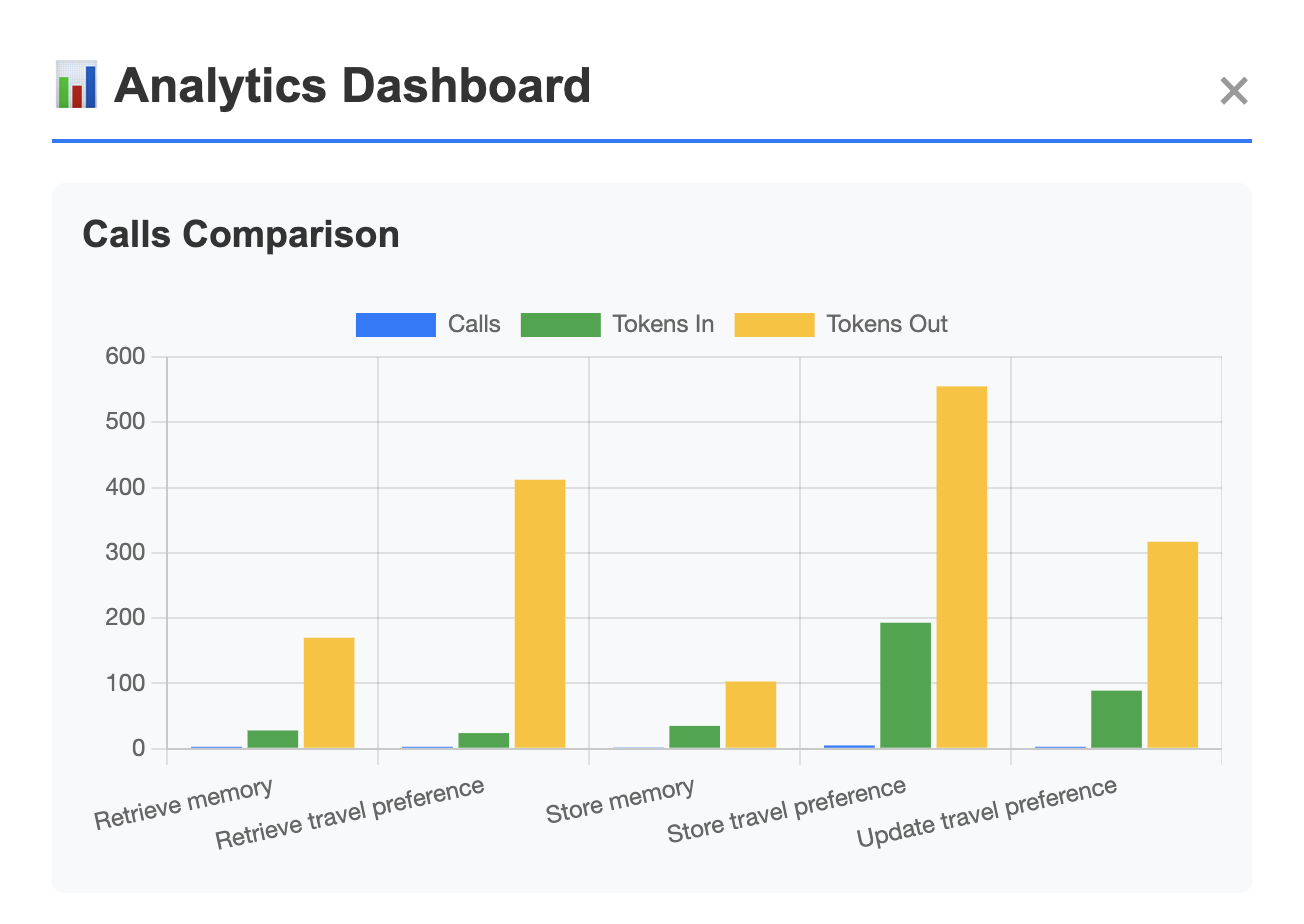
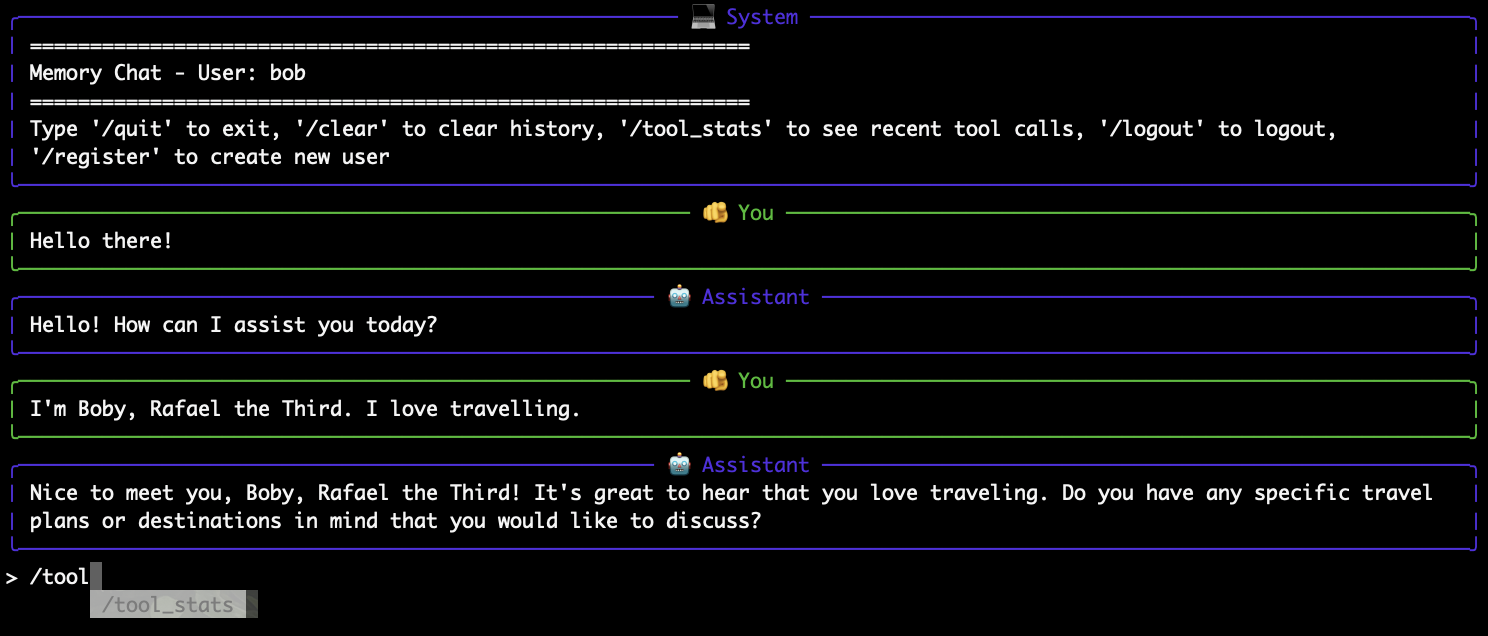
Command-Line Client
Native Python cli application with interactive chat loop
No deployment, only connect to local MCP server and LLM API
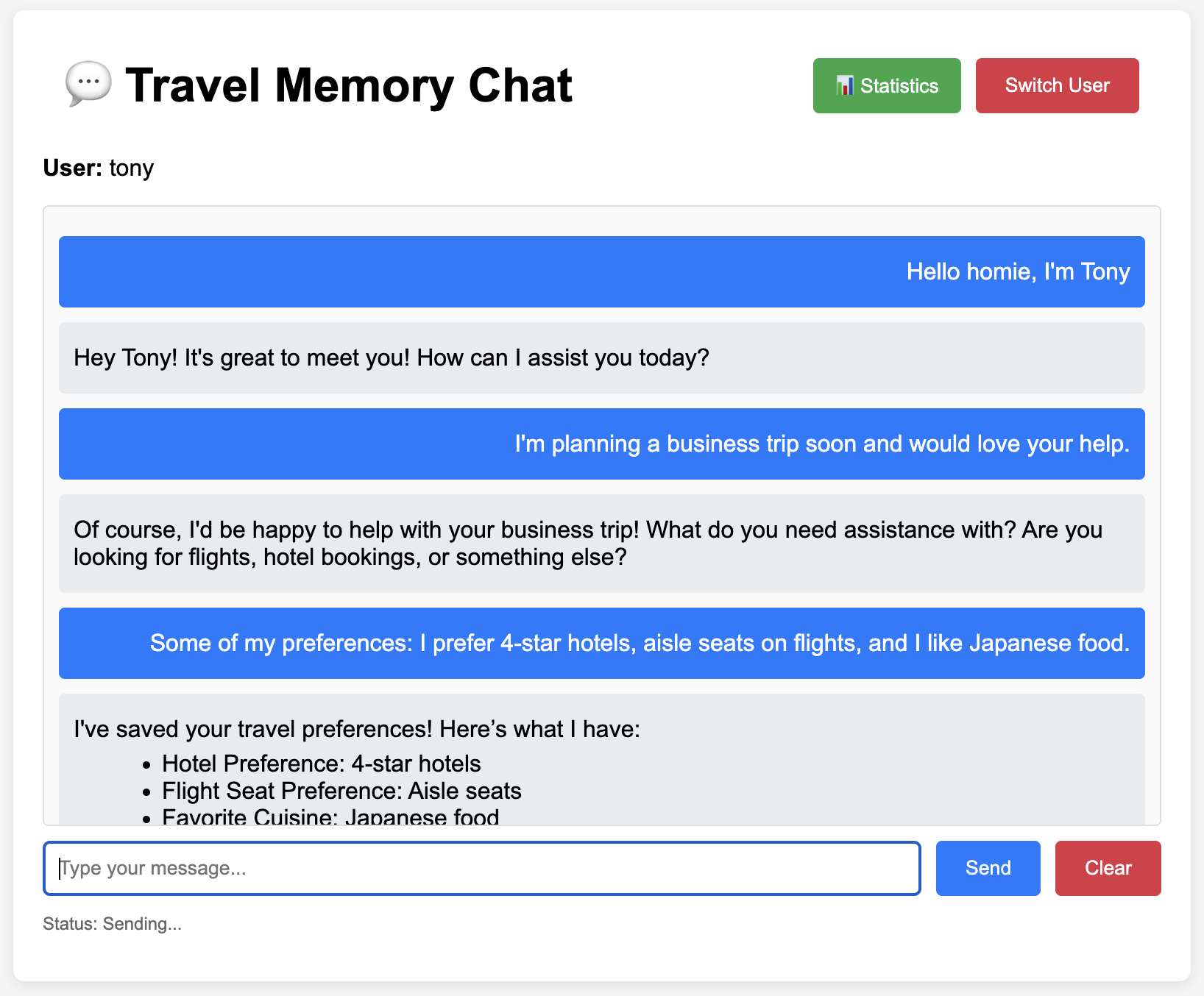
Web Client
Lightweight frontend that interacts with the single gateway, holding no secret keys and user information
Single page application using vanilla JS
Python API gateway for MCP & LLM API
Containerized and deployable
Alternative: heavier frontend JS frameworks as a one-stop solution to connect with LLM and MCP, which also requires its own deployment process & secret management, hence falling back to simple client-gateway solution
Setup, Development, and Usage
Update local environment secret key. Never hard-code one.
Local dependencies. Tested on Python 3.13. Using PyEnv to manage local Python version is recommended.
MCP Server & Clients
MCP server and available clients can operate in multiple options.
Option 1) Starting server without container.
Option 2) Starting servers with individual containers (mcp-server & web client) & host data sync.
Option 3) Building and starting all containers (mcp-server & web client) with docker-compose.
Non-Containerized Clients
Starting CLI client, only available for local use.
Either option should yield following endpoint URLs:
MCP - http://127.0.0.1:8000
anonymous memory overview - http://127.0.0.1:8000/memory_overview
Web-Client - http://127.0.0.1:8001
Tests
Unit testing whether MCP tools work correctly without LLM.
Integration testing whether LLM understands the data from, and can correctly interact with, MCP tools.
Testing End-to-End Scenario
Run Puppeteer to test a chat scenario visually.
Start testing scenario.
Deployment
Deploying on Render (see actions script).
MCP - https://context-mcp-server.onrender.com/
anonymous memory overview - https://context-mcp-server.onrender.com/memory_overview
Web-Client - https://context-web-client.onrender.com/
Future Work
There are several pending tasks on TODOs.
scalable database: currently, I use SQLite to store MCP data. It's definitely not ideal. I can replace the database functions to use more robust database solution e.g., PostgreSQL or managed database services--only modify
server_database.py.better user authorization: current simple token-based authentication may neither scale nor support role-based system. To achieve these requirements, I can implement IAM system that follows least-privilege principles, so each user or client only has access to the tools and actions they actually need.
model performance test: I use
gpt-4o-minifor its cost effectiveness. It should be tested whether switching to more advanced models worth the costs for this type of tasks. I can create semantically difficult dataset and questions to test this out.
Final Thoughts
I chose the MCP option out of curiosity because I've recently implemented an LLM document assitant for my old blog as a toy project, which has covered most required functionalities for the RAG option, and partially for the data-driven assistant option. I felt it's a good opportunity to try building an MCP server from scratch because I've only worked with MCP tools implemented by other people. However, it was quite an open-ended requirement, leaving room for interpretation. I hope I haven't misunderstood it by far :)
The most challenging problem I encountered was the rapidly changing API specifications of all the essential libraries and tools. This makes AI coding assistant very unreliable. Documentation does not provide a good support either. Trial-and-error, with very specific questions prompts on small and concise issues, is the best workaround in this case. Holistic prompting never works.
Appendices - Prompt Testing
Prompt plays important roles in MCP application. To ensure the prompt efficiency, I ran the test on different prompt versions that focus on different aspects: minimalist, exploratory, analytical, risk-awareness, and comprehensiveness. I create mock-up conversation scenarios, collect tool usage statistics and response success, and choose the best prompt as the initial version for the application.

I combine variant 1 (comprehensive) and variant 2 (analytical) because a well-balanced tool call distribution, reasonable expected responses, and acceptable tokens-out which reflect the LLM cost.